

Description
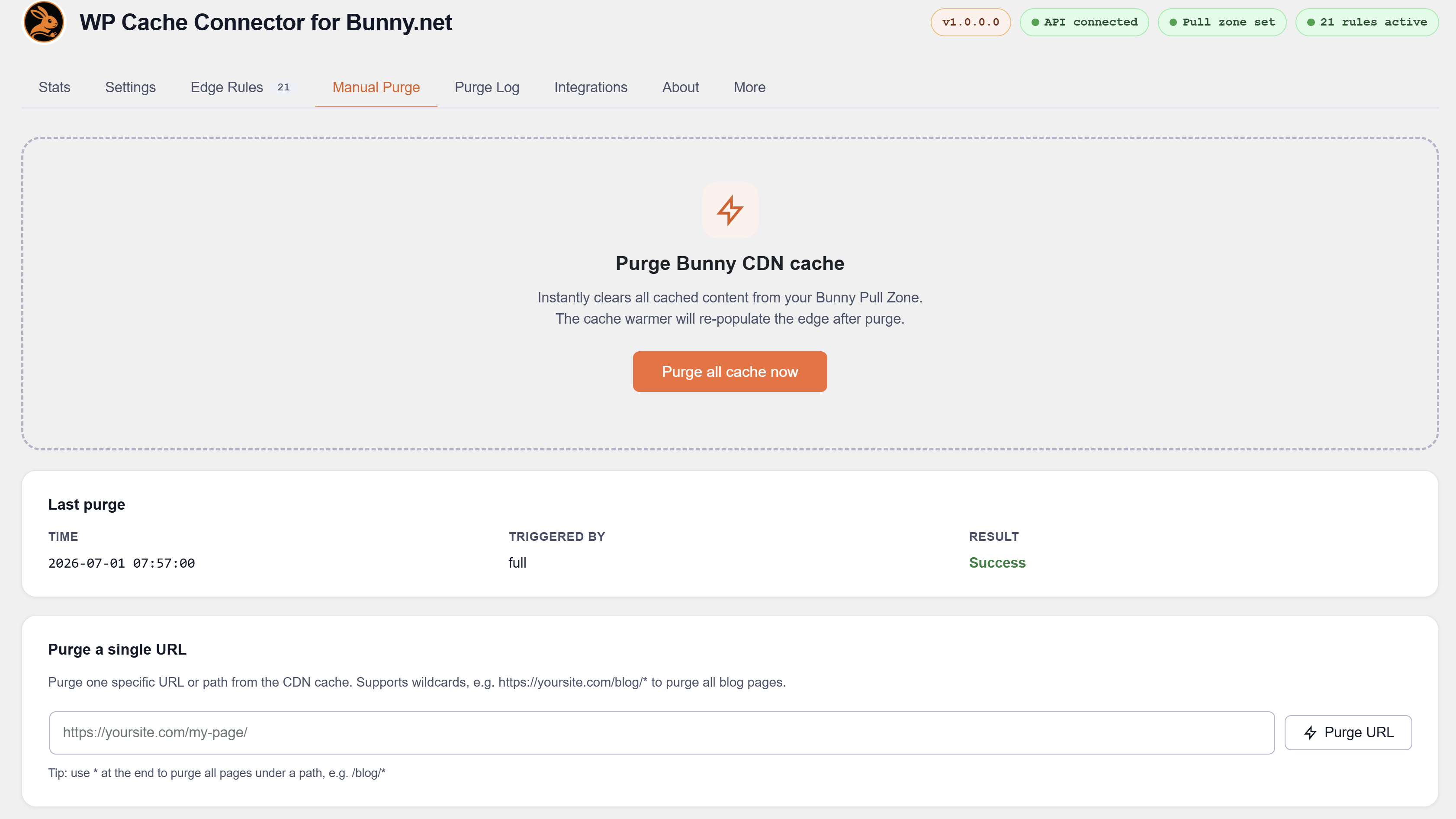
Nahnu Cache Connector for Bunny.net connects your WordPress site to Bunny.net CDN. It syncs cache purges automatically, deploys a full set of production-ready edge rules with one click, and shows live CDN stats directly in your WordPress admin.
For full documentation visit wpbunnyconnector.com.
Automatic cache purge sync
Hooks into your active cache plugin so every purge is mirrored to Bunny CDN in real time. Where possible, per-URL purges are used instead of full zone wipes.
Supported cache plugins (15):
- WP Rocket
- LiteSpeed Cache
- W3 Total Cache
- WP Fastest Cache
- WP Super Cache
- FlyingPress
- Swift Performance
- Hummingbird
- Cache Enabler
- Breeze (Cloudways)
- WP-Optimize
- SpeedyCache
- Super Page Cache (WP Cloudflare Page Cache)
- ZiziCache
- RunCache (Beta)
74 edge rules, one-click deploy
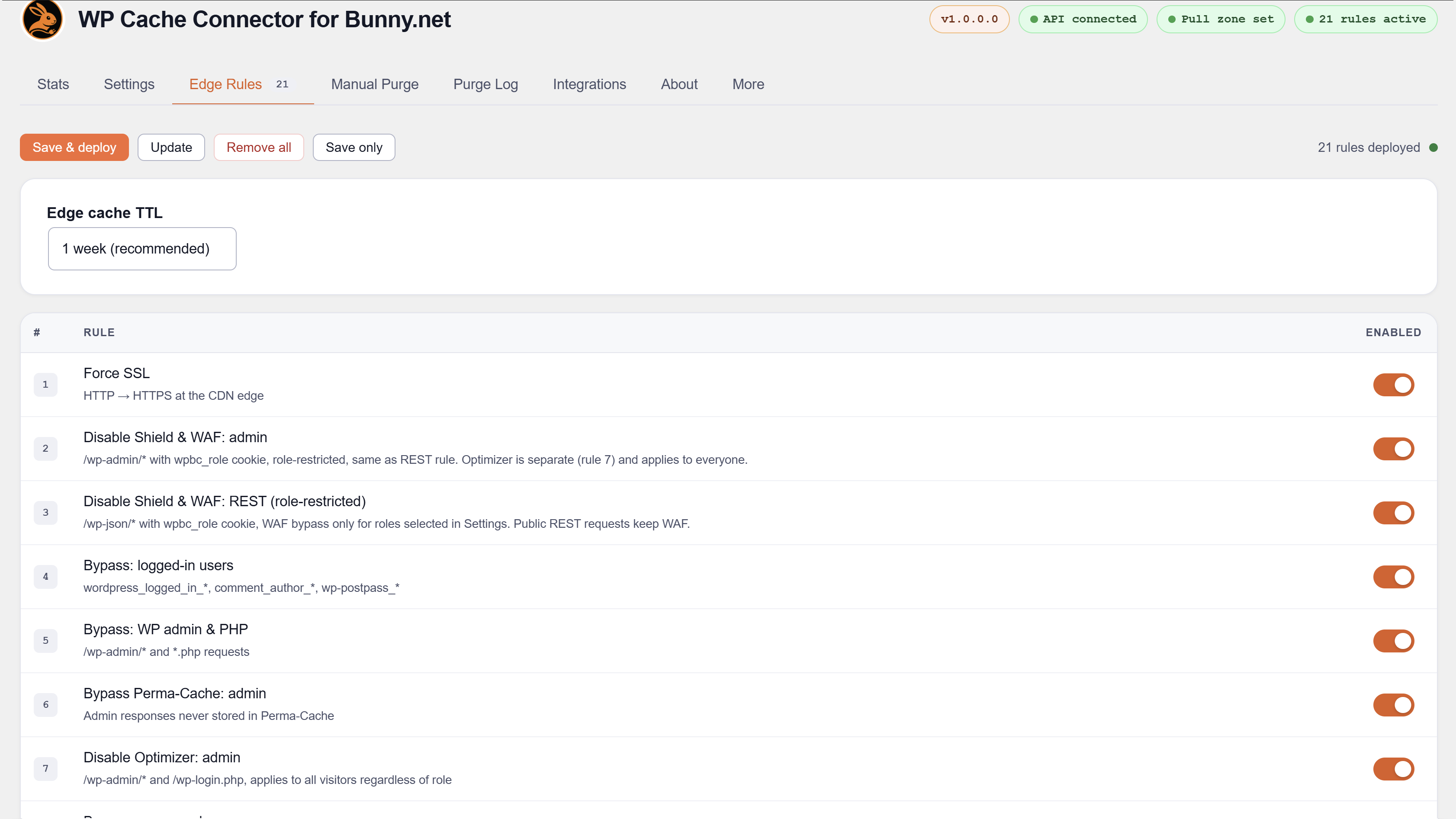
Deploys a complete set of rules to your Bunny pull zone covering SSL, admin bypass, WAF bypass, ecommerce cart sessions, membership pages, LMS dashboards, static asset caching, security headers, CORS, and more. Rules are upserted and tracked by GUID — safe to redeploy at any time without duplicates.
Ecommerce bypass
Bypass rules are built automatically from each plugin’s own page settings. No manual URL entry needed.
Supported ecommerce and donation plugins (6):
- WooCommerce
- SureCart
- FluentCart
- Easy Digital Downloads (EDD)
- GiveWP
- WP User Frontend (WPUF)
Membership bypass
Supported membership plugins (13):
- Ultimate Member
- Simple Membership
- Paid Member Subscriptions
- User Registration and Membership
- WP-Members
- WCFM Multivendor Membership
- Restrict Content / Kadence Membership
- ProfilePress
- Indeed Ultimate Membership Pro
- Paid Memberships Pro
- ARMember
- MemberPress
- GiveWP
LMS and community bypass
Supported LMS plugins (9):
- WP User Frontend
- MasterStudy LMS
- Masteriyo LMS
- LearnDash
- Sensei LMS
- Academy LMS
- LifterLMS
- Tutor LMS
- FluentCommunity
Affiliate and community plugins with bypass rules (2):
- FluentAffiliate
- SureDash
Booking and event bypass
Supported booking and event plugins (4):
- Events Manager
- Amelia Booking
- LatePoint
- WP Event Manager
Multilingual support
Bypass rules automatically include translated page URLs when any of these plugins is active:
- WPML
- Polylang
- TranslatePress
Shield WAF — trusted IP whitelist
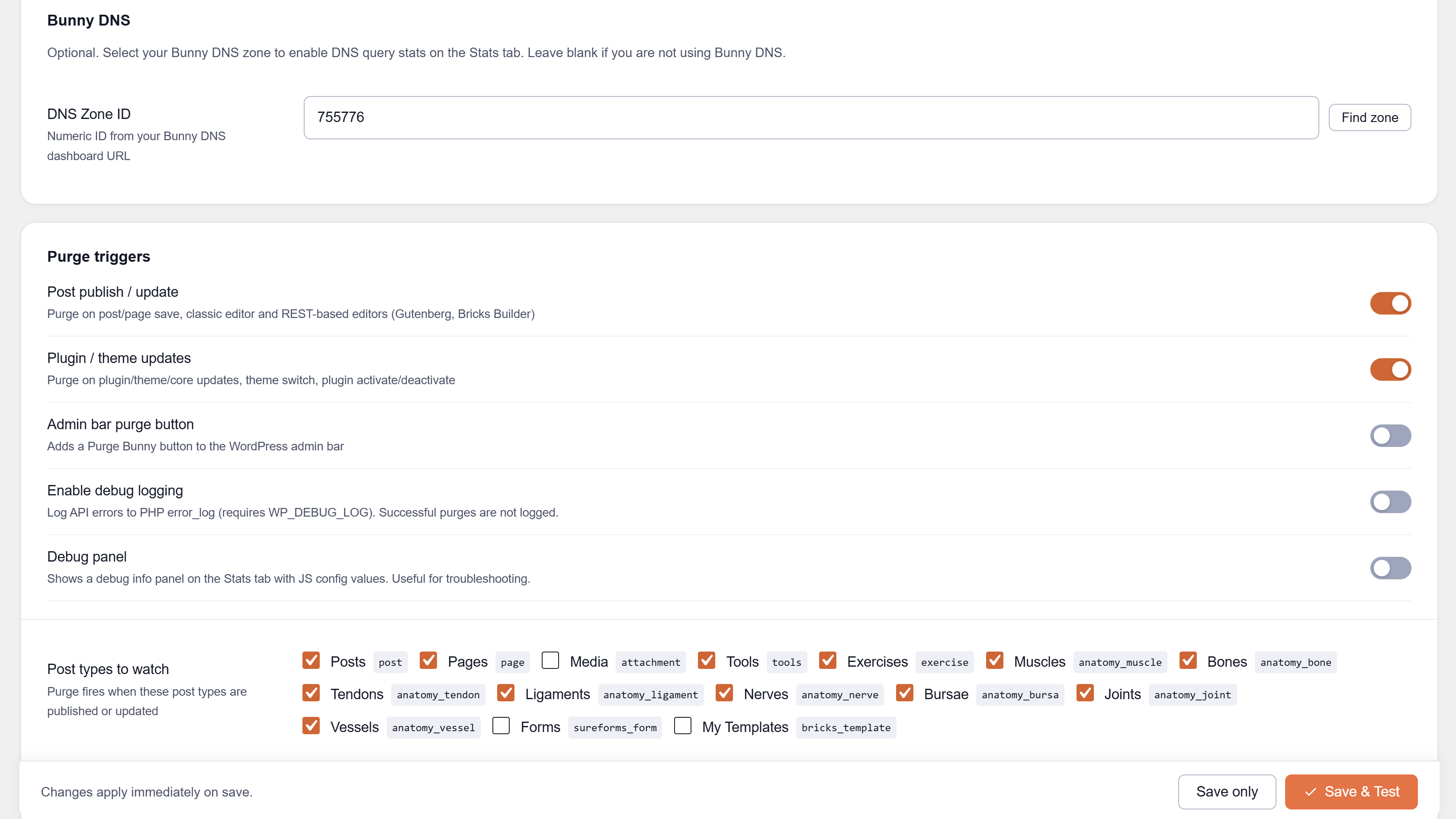
Disables Bunny Shield WAF inspection for specific IPs or CIDR ranges entered in Settings. Useful for SaaS callbacks, office networks, staging servers, and payment gateway IPs.
Cache warmer
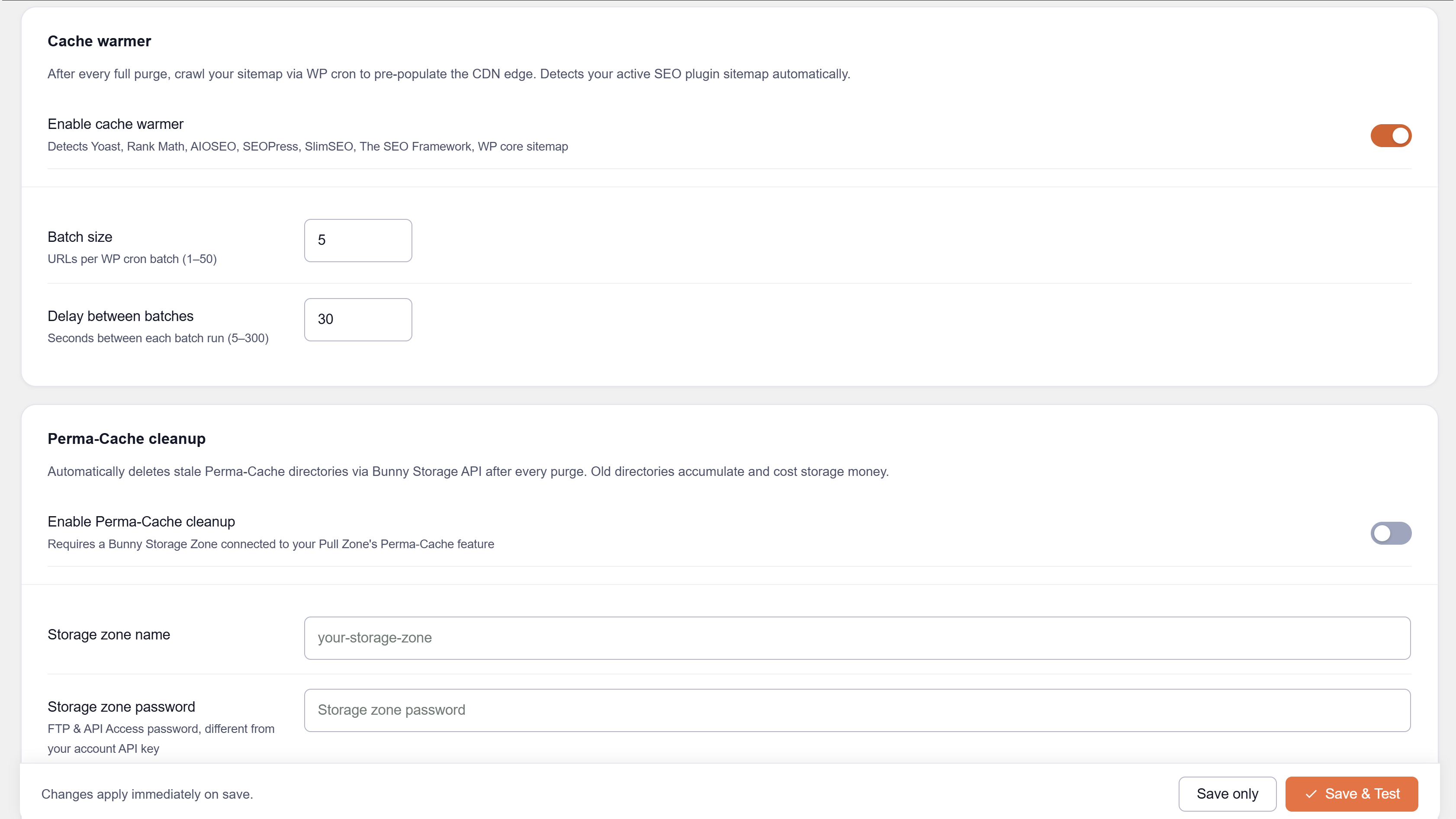
After a full purge, a WP-Cron job crawls your sitemap to pre-warm the CDN edge.
Supported SEO plugins for sitemap auto-detection:
- Yoast SEO
- Rank Math
- All in One SEO
- SEOPress
- SlimSEO
- The SEO Framework
- Squirrly SEO
- WordPress core sitemap (fallback)
Live CDN analytics
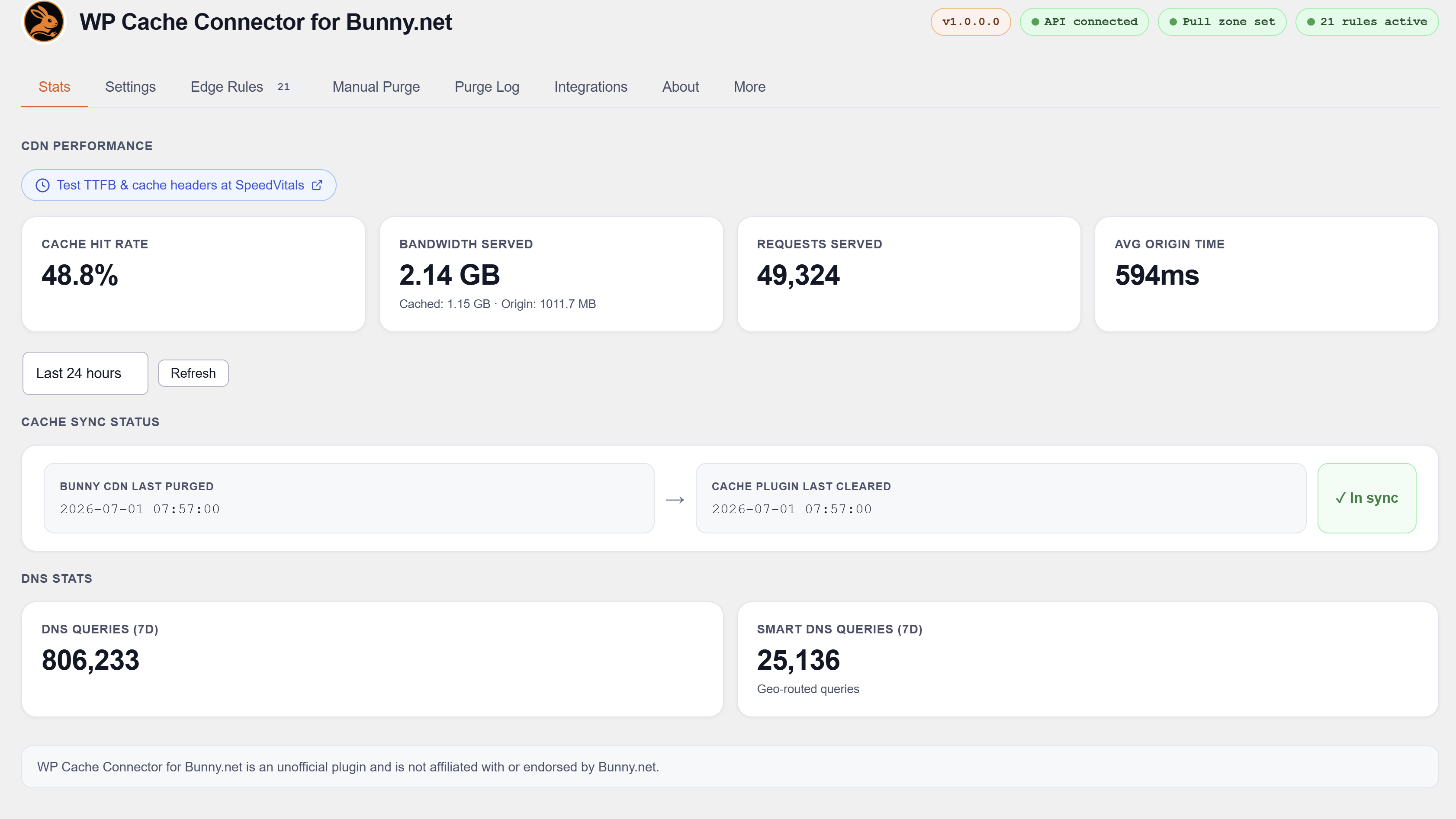
Pull zone stats, DNS stats, bandwidth breakdown, cache hit rate, and cache sync status — all inside WordPress admin.
Perma-Cache cleanup
Deletes stale Perma-Cache files from Bunny Storage immediately after a full purge, without waiting for TTL expiry.
Checked, no integration needed
These plugins were analysed and confirmed fully compatible with no bypass rules required:
- Wordfence, All-In-One Security, Jetpack, Solid Security, Security by CleanTalk
- Complianz GDPR, CookieYes
- SureMembers, WishList Member, Members (by MemberPress)
- bbPress, Fluent Boards
- The Events Calendar, FluentBooking
- Autoptimize, FlyWP, Redis Object Cache, Aruba HiSpeed Cache, Comet Cache, SiteGround Speed Optimizer, EWWW Image Optimizer
For the full compatibility list and documentation visit wpbunnyconnector.com.
External services
This plugin communicates with the Bunny.net API (api.bunny.net) to purge cache, manage edge rules, and retrieve statistics. An active Bunny.net account and API key are required. No visitor data is transmitted. See Bunny.net Privacy Policy (https://bunny.net/privacy) and Terms of Service (https://bunny.net/tos).
Disclaimer
This is an independent third-party tool. It is not affiliated with, endorsed by, or sponsored by Bunny.net.
Privacy Policy
Nahnu Cache Connector for Bunny.net does not collect or transmit any data about your site’s visitors. No analytics, no tracking, no third-party data sharing.
The plugin communicates with the Bunny.net API to purge cache, fetch statistics, and manage edge rules. Data sent is limited to your Bunny API key (in request headers), pull zone ID, and URLs to purge. See Bunny.net’s Privacy Policy for details on how Bunny.net handles this data.
No data is sent to Nahnu Plugins or any third party other than Bunny.net.
Screenshots

Installation
- Upload the
nahnu-cache-connector-bunny-netfolder to/wp-content/plugins/, or install via Plugins > Add New > Upload. - Activate the plugin through the Plugins menu.
- Go to Settings > Bunny Connector.
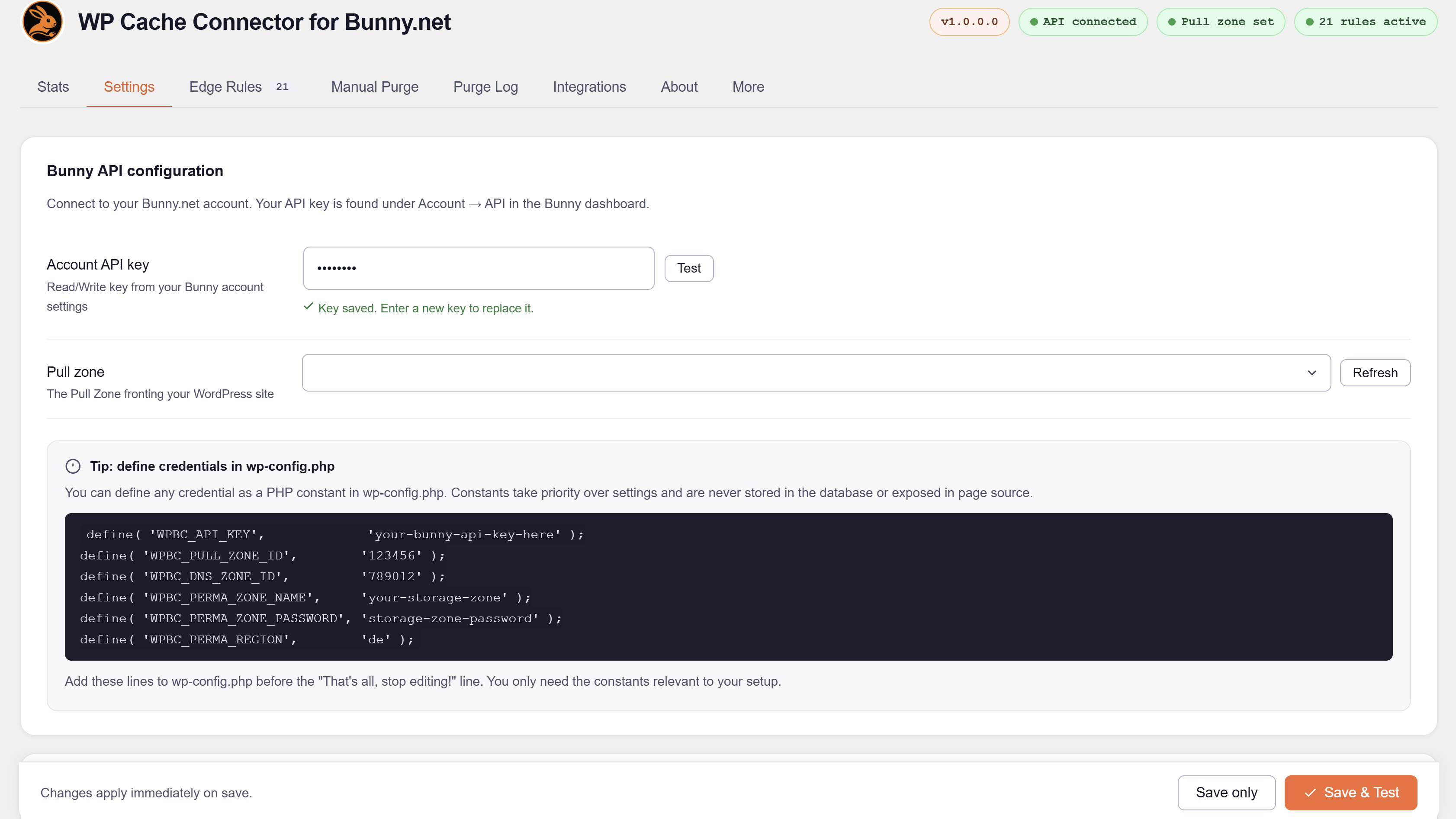
- Enter your Bunny.net Account API Key and click Test to verify it.
- Select your pull zone from the searchable dropdown.
- Click Save & deploy in the Edge Rules tab to deploy all rules to your pull zone.
Your API key is the Account API Key found in the Bunny.net dashboard under Account > API, not a pull zone access key.
For full setup instructions visit wpbunnyconnector.com.
Defining constants (optional)
Lock any value in wp-config.php to prevent it being stored in or changed via the database. When a constant is defined, the corresponding field is hidden in the UI.
define( 'WPBC_API_KEY',             'your-bunny-api-key' );
define( 'WPBC_PULL_ZONE_ID',        '123456' );
define( 'WPBC_DNS_ZONE_ID',         '789012' );
define( 'WPBC_PERMA_ZONE_NAME',     'your-storage-zone' );
define( 'WPBC_PERMA_ZONE_PASSWORD', 'storage-zone-password' );
define( 'WPBC_PERMA_REGION',        'de' );
Available values for WPBC_PERMA_REGION: de (Falkenstein), uk (London), ny (New York), la (Los Angeles), sg (Singapore), se (Stockholm), br (Sao Paulo), syd (Sydney), jh (Johannesburg).
FAQ
-
Does this work with any cache plugin?
-
It integrates with 15 specific cache plugins listed above. On sites not using any of them, you can still use the edge rules, manual purge, admin bar button, and CDN stats — purges just need to be triggered manually or via the post save / plugin update triggers rather than automatically mirroring a cache plugin’s hooks.
-
Do the ecommerce, membership, and LMS bypass rules deploy automatically?
-
Yes. Each bypass rule checks for its plugin at deploy time using
class_exists()ordefined(). If WooCommerce is not active, the WooCommerce rules are skipped. If MasterStudy LMS is active, its rules are deployed. No manual configuration needed. -
Does it work with WPML, Polylang, or TranslatePress?
-
Yes. Bypass rules for ecommerce and membership plugins automatically include translated page URLs when any of these plugins is active.
-
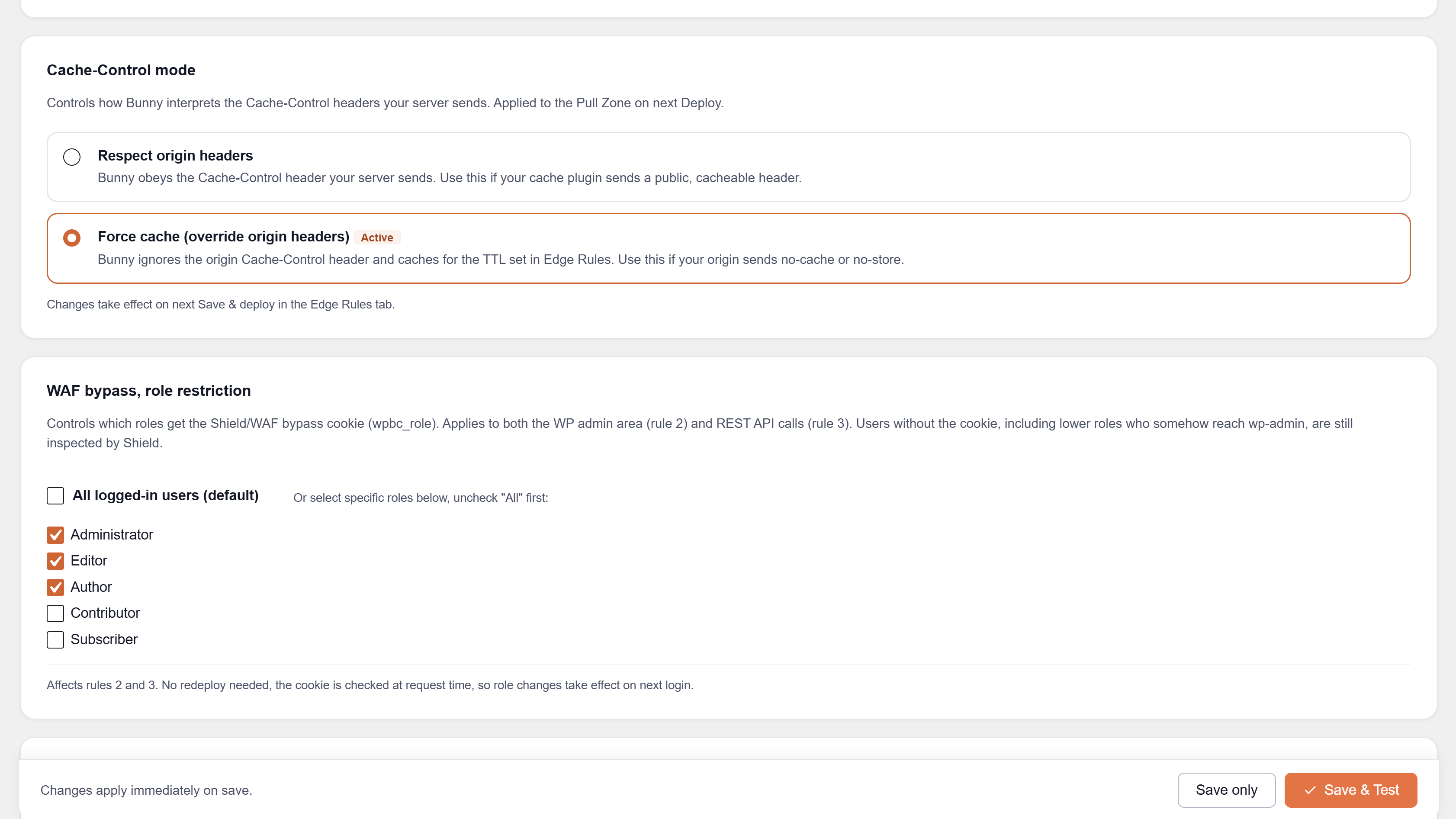
What is Force Cache mode?
-
Some cache plugins send
Cache-Control: max-age=0to Bunny, which tells Bunny not to cache. Force Cache mode overridesCacheControlMaxAgeOverrideon your pull zone so Bunny caches HTML for the configured TTL regardless of what the origin sends. -
Can I use this with Bunny Perma-Cache?
-
Yes. Enable Perma-Cache cleanup in Settings and provide your Bunny Storage zone credentials. After every full purge the plugin lists and deletes stale Perma-Cache files so visitors always get fresh content.
-
Where do I find my Bunny API key?
-
In the Bunny.net dashboard, go to Account > API. Use the Account API Key — not a pull zone access key. The account key is required to manage edge rules and list pull zones.
-
Why do some rules in the deploy results show (1/6) or (2/6) in the name?
-
Bunny’s API limits each rule trigger to 5 URL patterns. Rules that cover many file extensions are automatically split into batches of 5, and each batch becomes a separate rule. The suffix shows which batch you are looking at.
-
Why is the physical rule count in Bunny higher than 74?
-
Batched rules each occupy multiple slots. On a site with www and non-www hostnames and all integrations active, the physical count will exceed 74. The plugin tracks all rule GUIDs and cleans up stale batches automatically when you redeploy.
-
Why are LMS course and lesson pages not in the bypass rules?
-
Most LMS plugins register course and lesson content as public custom post types with standard cacheable URLs. Only per-user pages (student dashboards, checkout, registration, account) need a bypass rule. The plugin makes this distinction based on each plugin’s source code.
-
Yes. The
wpbc_rolecookie is set on theset_auth_cookieaction, which fires for all login methods including MainWP, SSO plugins, and magic link plugins. -
Is this compatible with security plugins like Wordfence or AIOS?
-
Yes. Security plugins operate at the request or firewall layer and are fully compatible. See the Integrations tab for the complete list.
-
Will NitroPack work alongside this plugin?
-
Not as a CDN. NitroPack operates its own cloud CDN layer. Running both NitroPack CDN and Bunny CDN as proxy simultaneously creates a double-CDN conflict.
-
My plugin is not listed — can you add it?
-
Yes. Visit wpbunnyconnector.com/support to request a plugin check.
-
How is the API key stored? Is it secure?
-
The API key is stored in the WordPress options table. It is never output in HTML, never sent to the browser in JavaScript, and never included in any AJAX response. It is sent only in HTTP request headers to the Bunny.net API. All admin AJAX endpoints require a valid nonce and
manage_optionscapability.
Reviews
There are no reviews for this plugin.
Contributors & Developers
“Nahnu Cache Connector for Bunny.net” is open source software. The following people have contributed to this plugin.
Contributors
Translate “Nahnu Cache Connector for Bunny.net” into your language.
Interested in development?
Browse the code, check out the SVN repository, or subscribe to the development log by RSS.
Changelog
1.0.0.0
- Initial public release.