

Description
Crypto Wallet Payment for WooCommerce lets your store accept cryptocurrency payments directly to your wallet — no third-party processor, no custodial service, no KYC, and no API keys required.
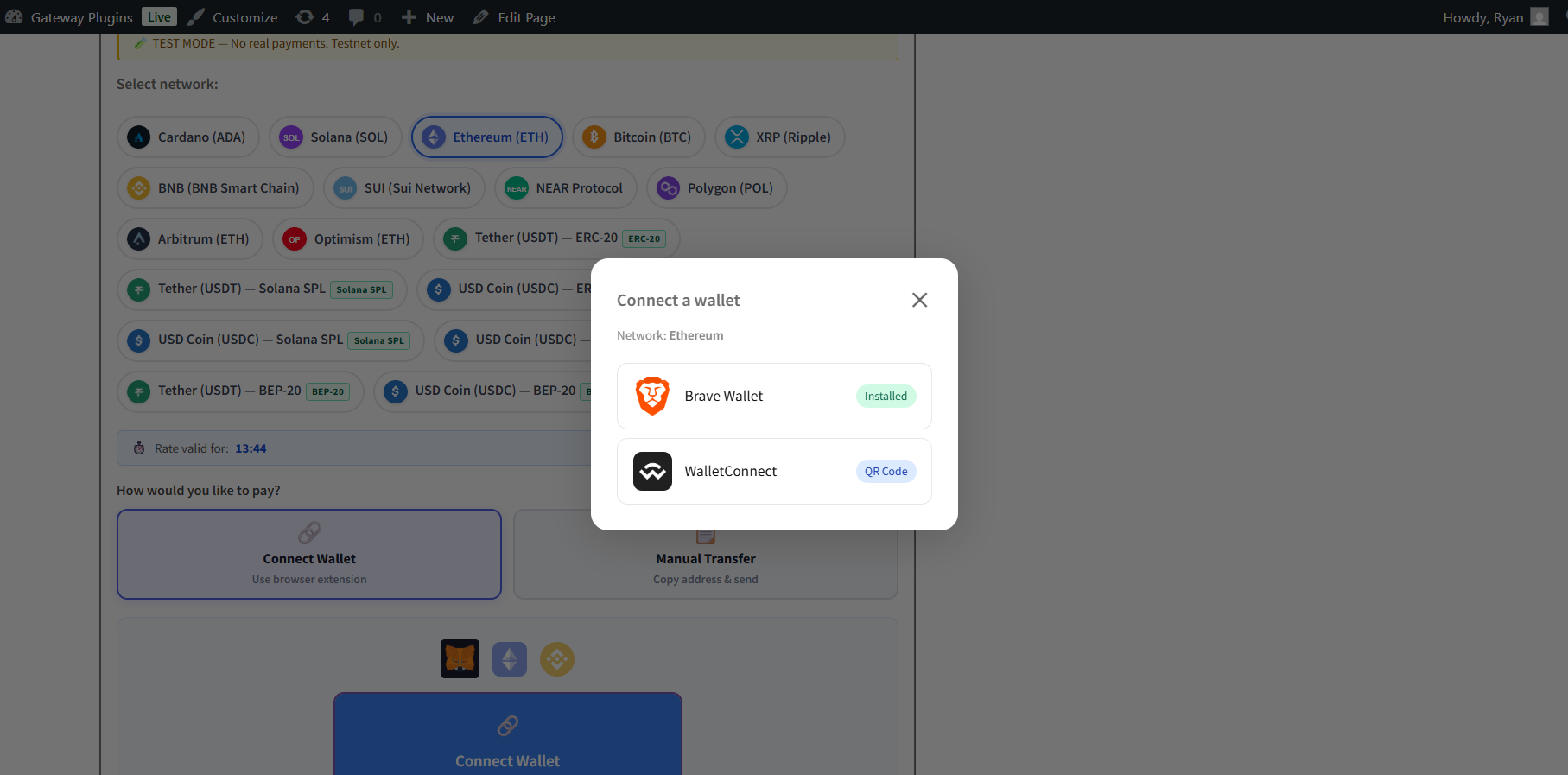
Customers select a network (Bitcoin, Ethereum, Solana, or XRP) at checkout, copy your wallet address, send from their own crypto wallet, then optionally paste their transaction hash. You manually verify the payment and mark the order complete with one click from the order admin.
External Services
This plugin connects to the CoinGecko API (https://api.coingecko.com) to fetch live cryptocurrency exchange rates. This call is made server-side, is cached for 5 minutes, and requires no API key. No user data is transmitted — only the store’s base currency code is sent as a query parameter.
By using this plugin you agree to CoinGecko’s Terms of Service: https://www.coingecko.com/en/terms
CoinGecko Privacy Policy: https://www.coingecko.com/en/privacy
Features
- Accept Bitcoin (BTC), Ethereum (ETH), Solana (SOL), XRP
- Live exchange rates via CoinGecko (no API key, cached 5 min)
- Rate lock countdown timer (0–60 min, configurable)
- Manual transaction ID submission at checkout or from My Account
- One-click admin verification — sets order to Processing or Completed
- Block explorer links for every transaction (Blockstream, Etherscan, Solscan, XRPScan)
- Orders list columns: Crypto Network and TX ID
- TX ID shown in order emails and order detail page
- Retry payment button on My Account order page
- Verification status notice for customers
- WooCommerce Block Checkout (Gutenberg) support
- HPOS (High-Performance Order Storage) compatible
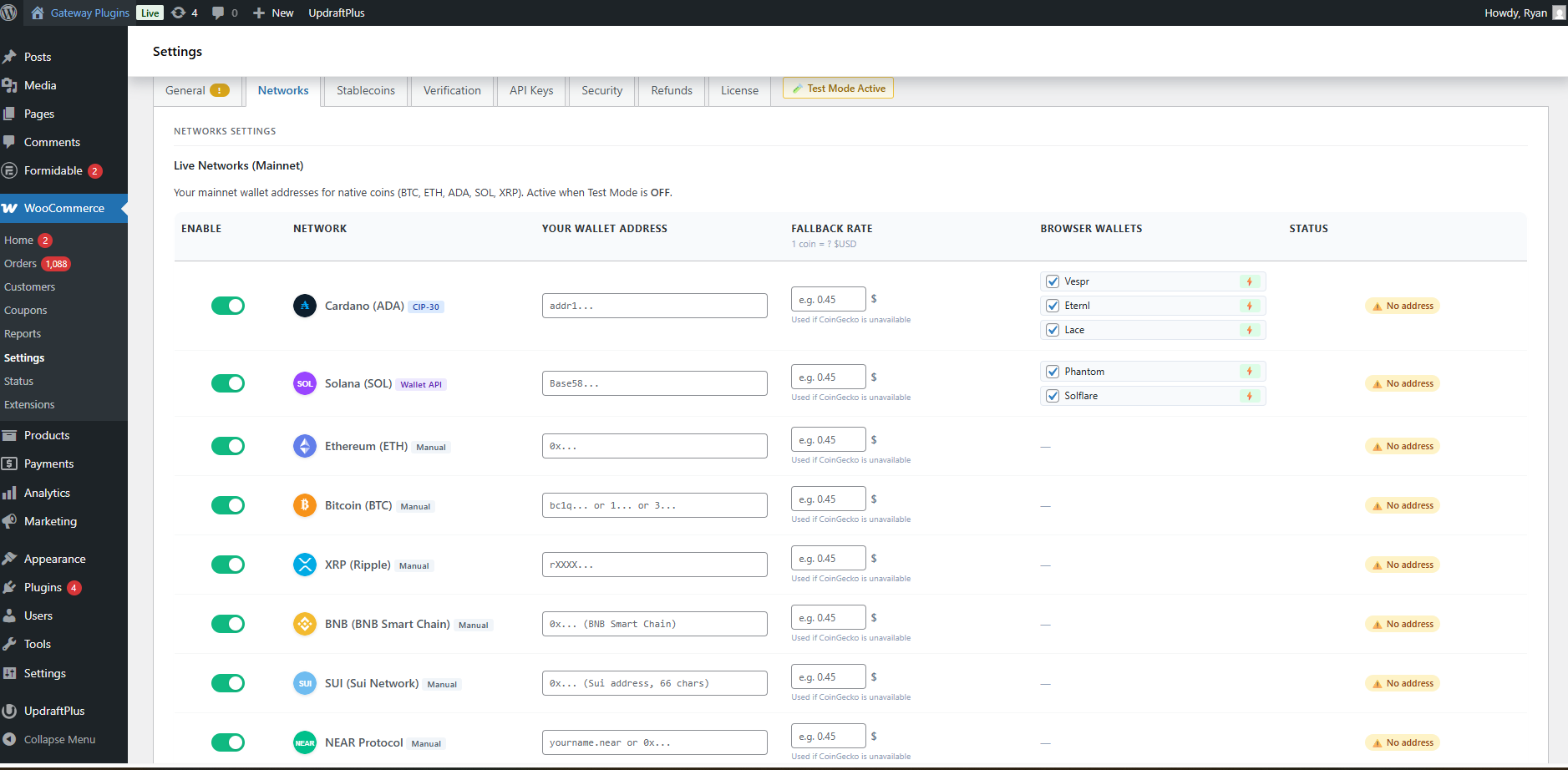
- Tabbed settings page with live wallet status chips
Supported Wallets
Lite Version (Manual Transfer — all wallets work)
Any wallet app that can send a transaction works with the Lite version — customers copy the address, send from their preferred wallet, then paste the TX hash.
Pro Version (Browser Wallet Auto-Send)
- MetaMask — EVM networks (ETH, BNB, MATIC, ARB, OP)
- Phantom — Solana (SOL, USDT SPL, USDC SPL)
- Solflare — Solana
- Trust Wallet — via WalletConnect
- Coinbase Wallet — via WalletConnect
- Rainbow Wallet — via WalletConnect
- Eternl — Cardano (ADA)
- Lace — Cardano (ADA)
- Vespr — Cardano (ADA)
- All WalletConnect Compatible Wallets — 300+ wallets
⚡ Go Pro — Upgrade for the Full Web3 Experience
Upgrade to Crypto Wallet Payment Pro for the full non-custodial WalletConnect and Web3 experience:
- Auto blockchain verification — BTC, ETH, SOL, XRP, ADA, BNB, MATIC (Polygon), ARB (Arbitrum), OP (Optimism) verified on-chain via API — no manual checking
- Browser wallet auto-send — MetaMask, Phantom, Solflare, Eternl, Lace, Vespr (one-click send via WalletConnect — no TX paste needed)
- Stablecoin support — USDT & USDC on ERC-20, SPL, TRC-20, BEP-20
- WP-Cron + Webhook verification — push-based or polling auto-check
- Fraud detection & security log — duplicate TX detection, amount checks, admin alerts
- Refund workflow — record crypto refunds, email admin + customer, per-network fees
- Order expiry — auto-cancel unpaid on-hold orders after configurable hours
- Amount tolerance — accept slight underpayments, flag overpayments
- Test mode — testnet/devnet with pre-filled addresses
- Dashboard widget — real-time crypto payment stats
- Cardano (ADA) support — Vespr, Eternl, Lace browser wallets via WalletConnect
Privacy
This plugin does not collect, store, or transmit any personal data beyond what WooCommerce already stores as part of the order. The only external HTTP request made is to the CoinGecko public API to retrieve exchange rates. No user identifiable data is included in that request.
Screenshots
Installation
- Upload the
crypto-wallet-payment-for-woocommercefolder to/wp-content/plugins/. - Activate the plugin through the Plugins Installed Plugins screen.
- Go to WooCommerce Settings Payments Crypto Wallet Payment and enable the gateway.
- Enter your wallet address for each network you want to accept.
- Save changes — the crypto payment method is now live at checkout.
FAQ
-
Does this plugin require an API key?
-
No. Exchange rates are fetched from CoinGecko’s free public API. No account or API key is needed.
-
Does it require KYC or a payment processor account?
-
No. Payments go directly to your wallet. No third-party account, KYC, or custodial service is involved.
-
Which cryptocurrencies are supported?
-
Bitcoin (BTC), Ethereum (ETH), Solana (SOL), and XRP.
-
How does manual verification work?
-
Once a customer submits their transaction hash, you can view it in the order admin with a block explorer link, then click “Mark as Verified & Complete” to update the order status.
-
Does it work with the Block Checkout (Gutenberg)?
-
Yes. Both Classic and Block Checkout are fully supported.
-
Is it HPOS compatible?
-
Yes. The plugin is fully compatible with WooCommerce High-Performance Order Storage.
Reviews
There are no reviews for this plugin.
Contributors & Developers
“Crypto Wallet Payment for WooCommerce” is open source software. The following people have contributed to this plugin.
Contributors
Translate “Crypto Wallet Payment for WooCommerce” into your language.
Interested in development?
Browse the code, check out the SVN repository, or subscribe to the development log by RSS.
Changelog
1.0.2
- Add banners and icon assets
1.0.1
- Fix: Corrected Text Domain to match plugin slug (
crypto-wallet-payment-for-woocommerce) for proper i18n compatibility - Fix: Added
Requires Plugins: woocommerceheader for explicit WooCommerce dependency declaration - Fix: Removed 15 unused SVG asset files (arbitrum, bnb, metamask, phantom, polygon, solflare, sui, usdc, usdt, vespr, yoroi, near, lace, eternl, optimism) not referenced by any supported network
- Fix: Added
index.phpsilence files to all plugin subdirectories to prevent directory listing
1.0.0
- Initial release
- Bitcoin, Ethereum, Solana, XRP support
- Live CoinGecko exchange rates
- Manual TX verification workflow
- WooCommerce Block Checkout support
- HPOS compatibility