
Description
By default WordPress sends email with the PHP mail() function. That mail is often blocked or lands in spam. DreamySites SMTP Mailer sends every wp_mail() email through the SMTP account you choose instead.
Set up in about two minutes
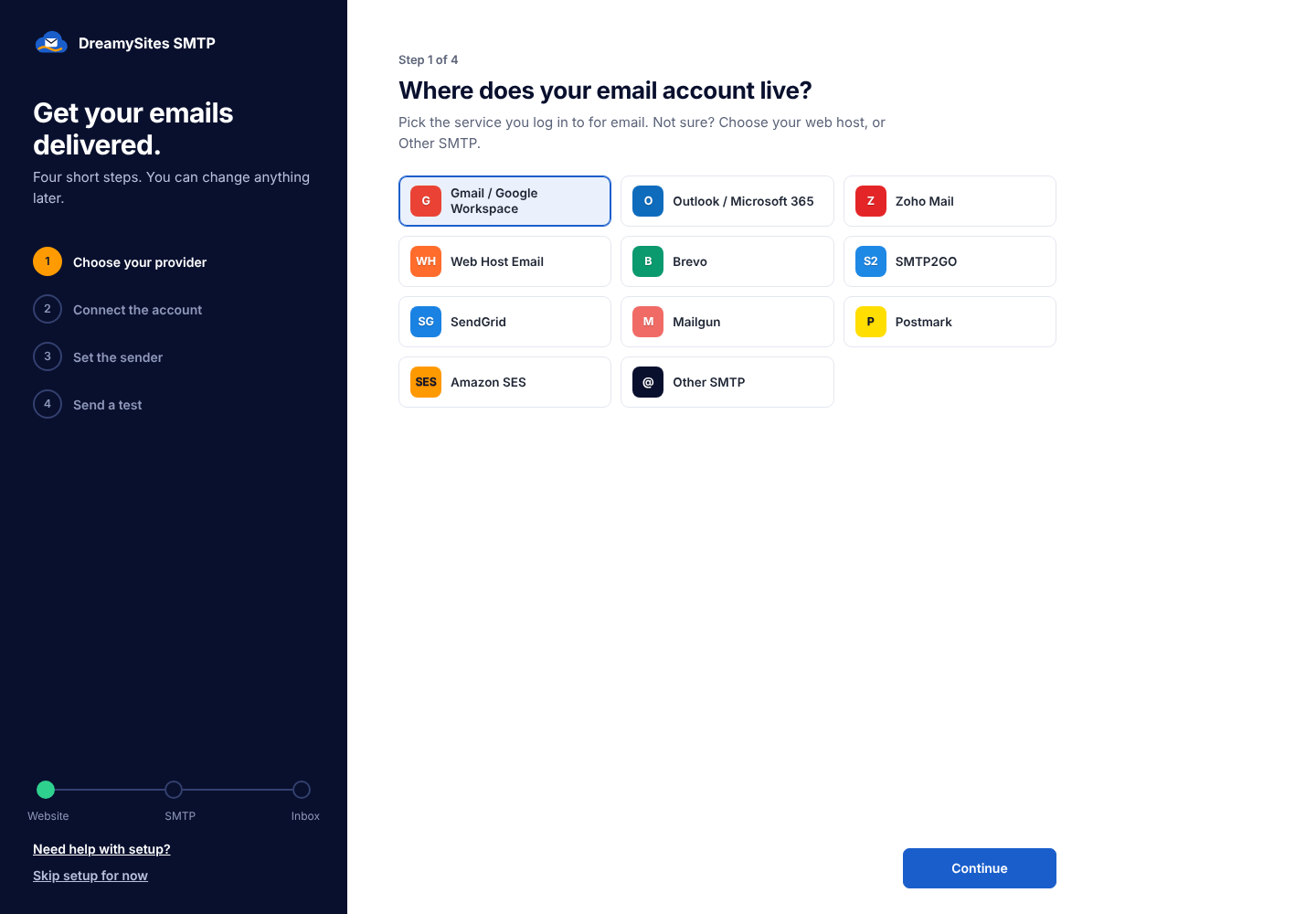
A four-step setup wizard opens right after activation:
- Choose your provider.
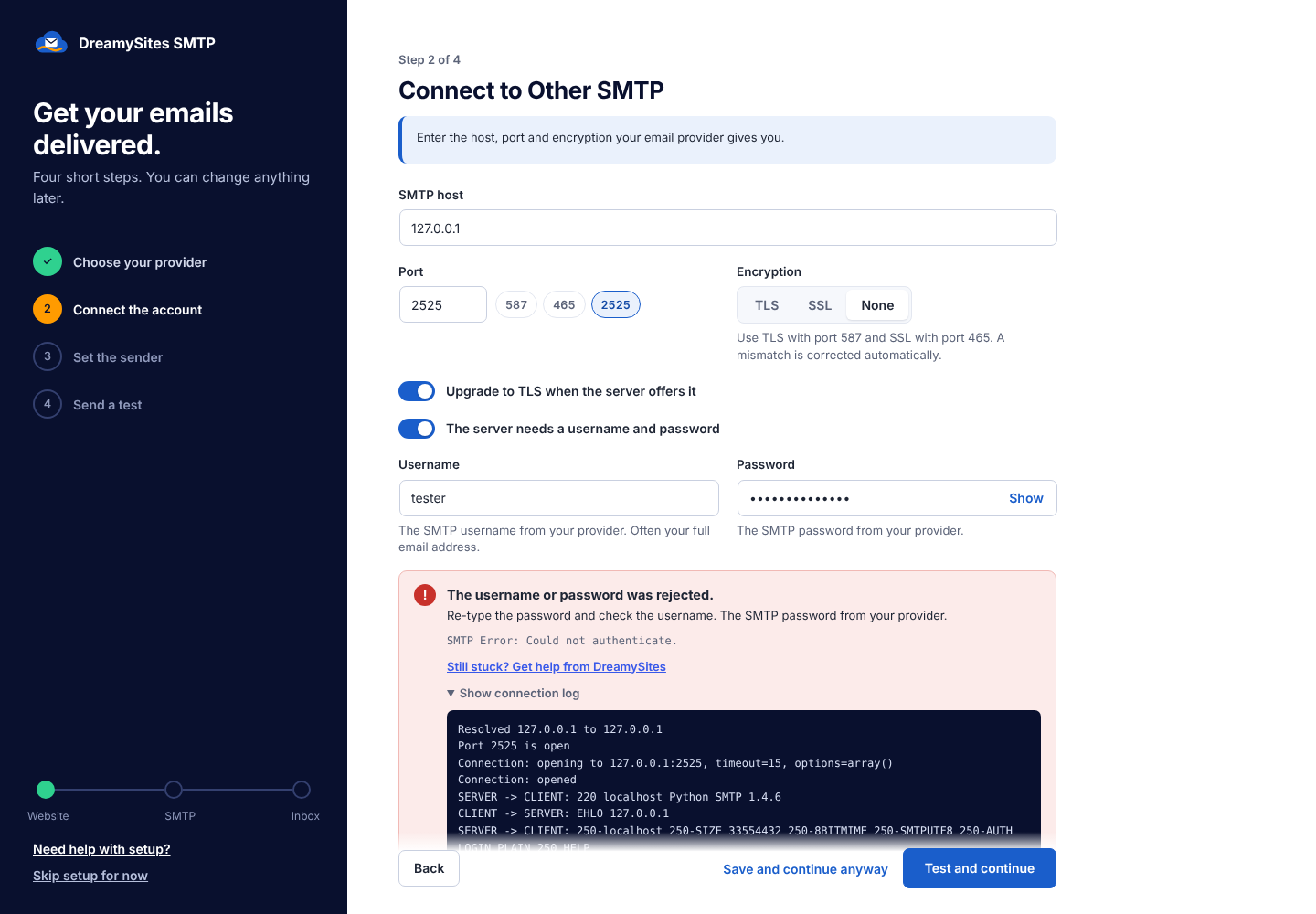
- Enter your login. The plugin tests it before moving on.
- Pick the From address.
- Send yourself a test email.
Features
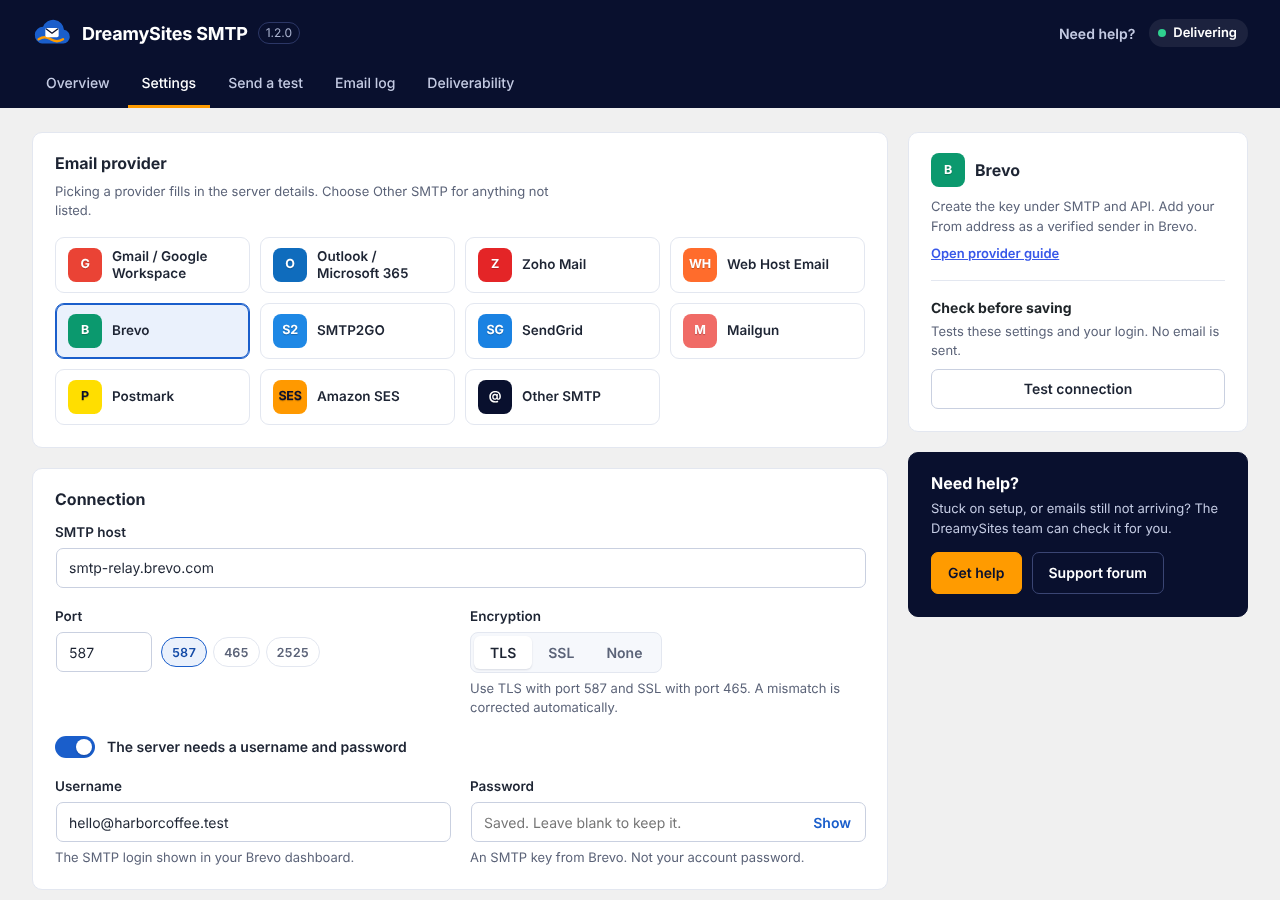
- Presets for Gmail / Google Workspace, Outlook / Microsoft 365, Zoho Mail, your web host’s email, Brevo, SMTP2GO, SendGrid, Mailgun, Postmark, Amazon SES, or any other SMTP server.
- Test connection: checks the host, the port and your login without sending an email, and shows the full SMTP conversation with credentials hidden.
- Plain-English errors. “SMTP connect() failed” becomes “Your server cannot reach port 587. Try 465 or 2525, or ask your host to open outgoing SMTP.”
- Force From email, with the original sender kept as Reply-To. Contact form emails stop bouncing, and replies still reach the visitor.
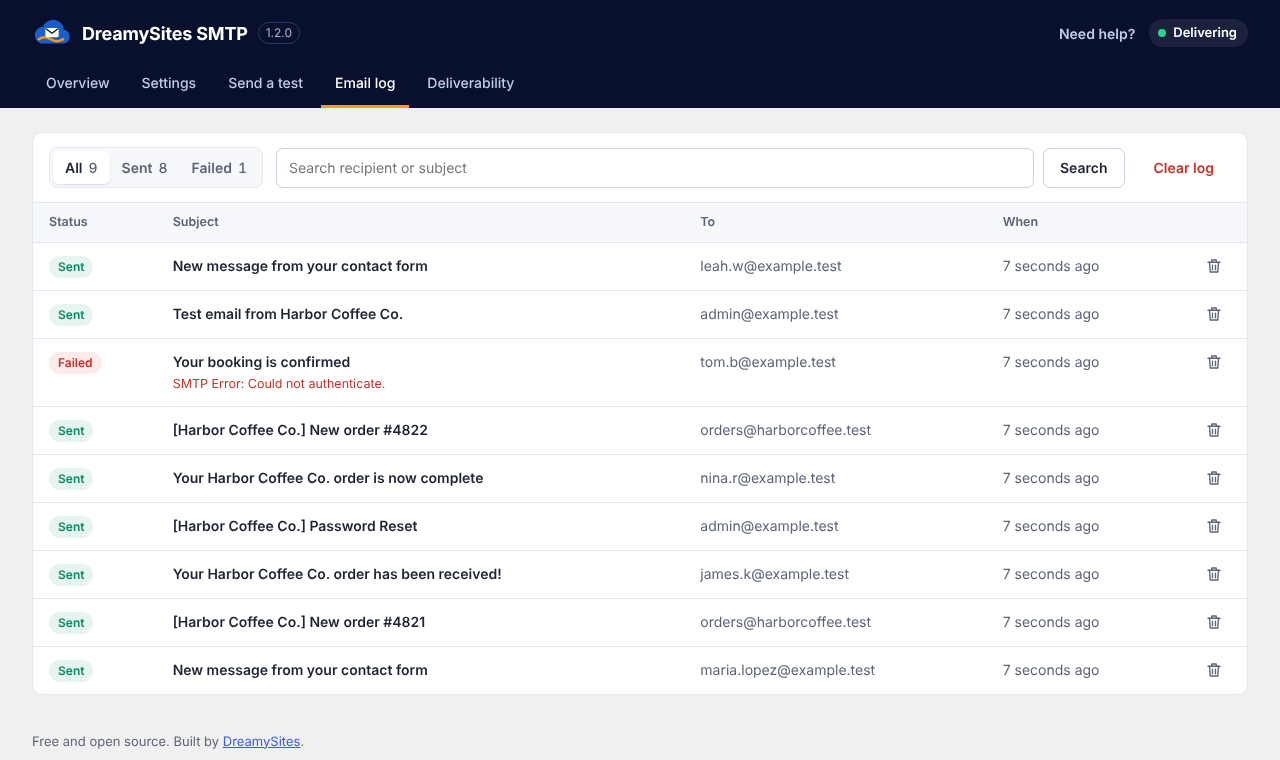
- Email log with search, filters, failure reasons and optional message content. Old entries are removed automatically.
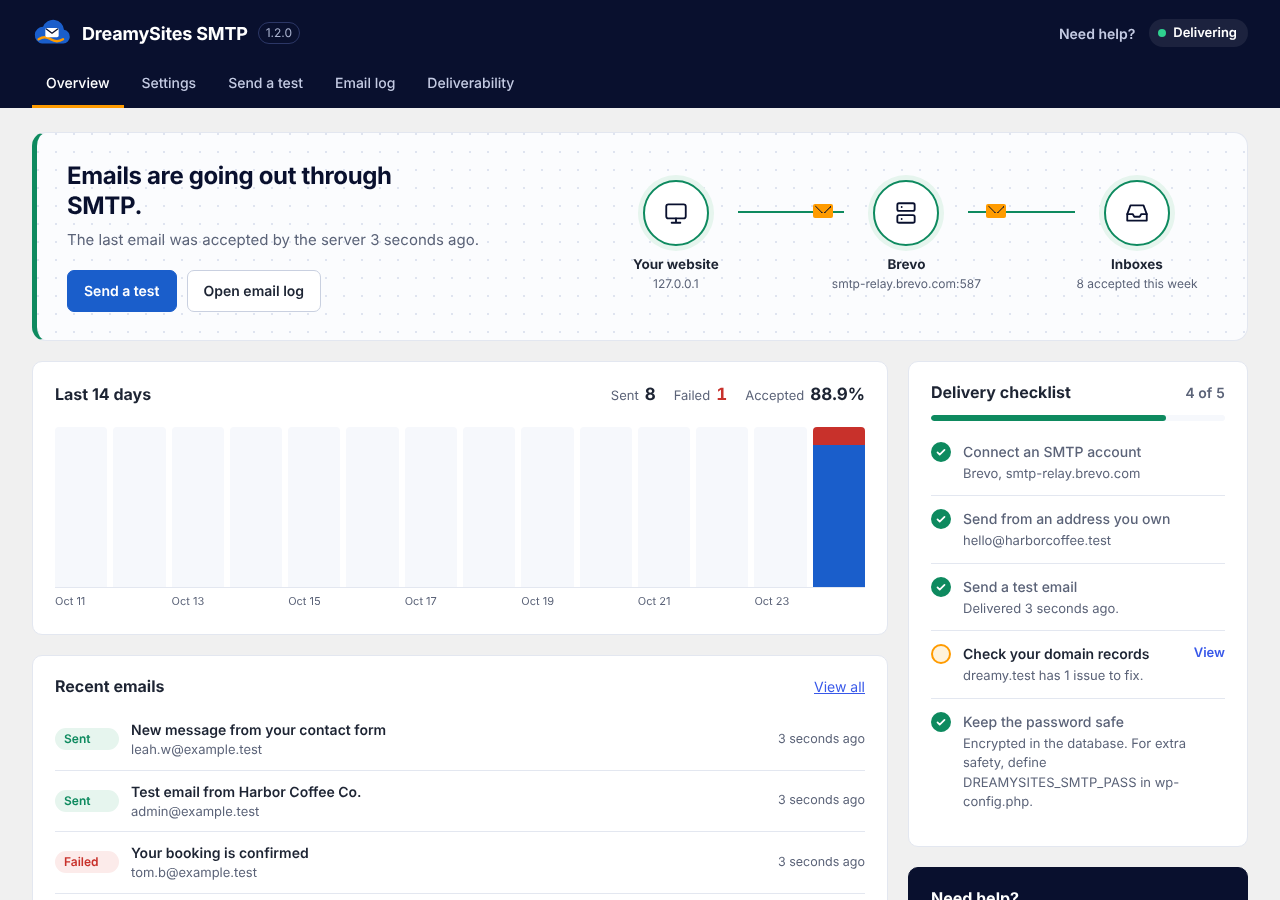
- Overview screen showing the delivery route, the last 14 days of sending and a delivery checklist.
- Deliverability checks: SPF, DMARC and MX records for your domain, plus a test of which SMTP ports your server can reach.
- Dashboard widget with sent and failed counts.
- The SMTP password is encrypted in the database. You can also keep it in
wp-config.phpinstead. - Port and encryption mismatches (like port 465 with TLS) are corrected automatically.
- Warns you when another SMTP plugin is active.
- Every feature is free. There is no paid version.
Trademark note: Gmail, Google Workspace, Outlook, Microsoft 365, Zoho, Brevo, SMTP2GO, SendGrid, Mailgun, Postmark and Amazon SES are trademarks of their respective owners. This plugin is an independent tool by DreamySites and is not affiliated with or endorsed by any of them. The presets only pre-fill standard, publicly documented SMTP settings.
External Services
This plugin does not send any data to DreamySites or to any analytics service.
Its one job is to deliver your site’s outgoing email through the SMTP server that you, the site administrator, choose in its settings. When WordPress sends an email (or when you click “Test connection” or “Send test email”), the plugin connects to that server and sends the email’s recipients, subject, headers, content and attachments, plus your SMTP username and password for authentication. Nothing is sent until you configure a server.
The provider presets only pre-fill a server address. You decide which service, if any, is used:
- Google Gmail / Workspace (smtp.gmail.com). Terms, Privacy
- Microsoft Outlook / Microsoft 365 (smtp.office365.com). Terms, Privacy
- Zoho Mail (smtp.zoho.com). Terms, Privacy
- Brevo (smtp-relay.brevo.com). Terms, Privacy
- SMTP2GO (mail.smtp2go.com). Terms, Privacy
- Twilio SendGrid (smtp.sendgrid.net). Terms, Privacy
- Mailgun (smtp.mailgun.org). Terms, Privacy
- Postmark (smtp.postmarkapp.com). Terms, Privacy
- Amazon SES (email-smtp.REGION.amazonaws.com). Terms, Privacy
The Deliverability screen looks up public DNS records (SPF, DMARC, MX) for the domain you enter using your server’s own DNS resolver, and opens test connections to the SMTP host you enter. No third-party API is used.
Screenshots

Installation
- Install the plugin from Plugins > Add New, or upload the folder to
/wp-content/plugins/. - Activate it. The setup wizard opens automatically.
- Follow the four steps. You can change everything later under Dreamy SMTP > Settings.
Optional: keep the password in wp-config.php
Add this line to wp-config.php and the password field is locked:
define( 'DREAMYSITES_SMTP_PASS', 'your-smtp-password' );
FAQ
-
Gmail says my password is wrong
-
Google blocks your normal password for SMTP. Turn on 2-Step Verification, then create an App Password and paste its 16 characters into the password field.
-
My contact form emails are not arriving
-
Most form plugins send “From” the visitor’s address. SMTP providers reject that because your account does not own it. Keep “Send every email from this address” on. The visitor is set as Reply-To, so you can still reply to them directly.
-
“Could not reach the mail server”
-
Many hosts block some outgoing ports. Open Dreamy SMTP > Deliverability and run “Check ports” to see which ones are open, then use that port. 587 with TLS and 465 with SSL are the usual choices. SMTP2GO and SendGrid also accept port 2525.
-
Does it work with WooCommerce, Contact Form 7, Elementor and other plugins?
-
Yes. Anything that uses the standard
wp_mail()function is sent through your SMTP account. -
Where is the email log stored?
-
In a table in your own WordPress database. Message content is only stored if you turn that on. Entries older than your chosen retention period (30 days by default) are deleted automatically.
-
What happens when I delete the plugin?
-
Its settings, the email log table and everything else it created are removed.
Reviews

Contributors & Developers
“DreamySites SMTP Mailer” is open source software. The following people have contributed to this plugin.
Contributors

Translate “DreamySites SMTP Mailer” into your language.
Interested in development?
Browse the code, check out the SVN repository, or subscribe to the development log by RSS.
Changelog
1.2.0
- New: four-step setup wizard after activation.
- New: Overview screen with delivery route, 14-day chart and checklist.
- New: email log with search, filters, detail view and automatic cleanup.
- New: Test connection button that checks DNS, port and login without sending.
- New: plain-English explanations for common SMTP errors.
- New: Deliverability screen with SPF, DMARC and MX checks and an outgoing port test.
- New: dashboard widget, web host email preset, conflict warning for other SMTP plugins.
- Fix: emails sent by form plugins with a different From address were rejected by most SMTP services. “Force From” is now on by default and the original sender becomes Reply-To.
- Fix: the envelope sender (Return-Path) now matches the From address.
- Fix: port 465 with TLS (or 587 with SSL) no longer hangs; the right encryption is used automatically.
- Fix: sends no longer hang for minutes when a port is blocked; the timeout is 20 seconds.
- Security: the SMTP password is now encrypted in the database. Existing passwords are encrypted on update.
1.1.0
- Renamed to DreamySites SMTP Mailer.
- Added provider presets and an External Services section.