

Description
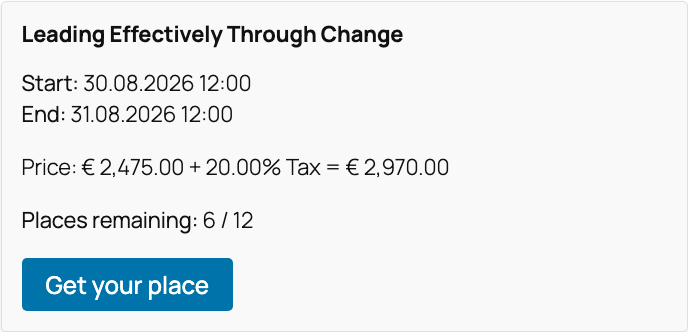
sinnvoll Booking Flow lets you add seminar and event booking forms to any WordPress page or post with a shortcode. Visitors register for your events, you manage attendees and bookings from the admin, and everyone gets automatic confirmation emails.
Key features
- Booking widget for any event via
[sinnvoll_bf_widget id="EVENT_ID"] - Event lists by IDs or timeframe via
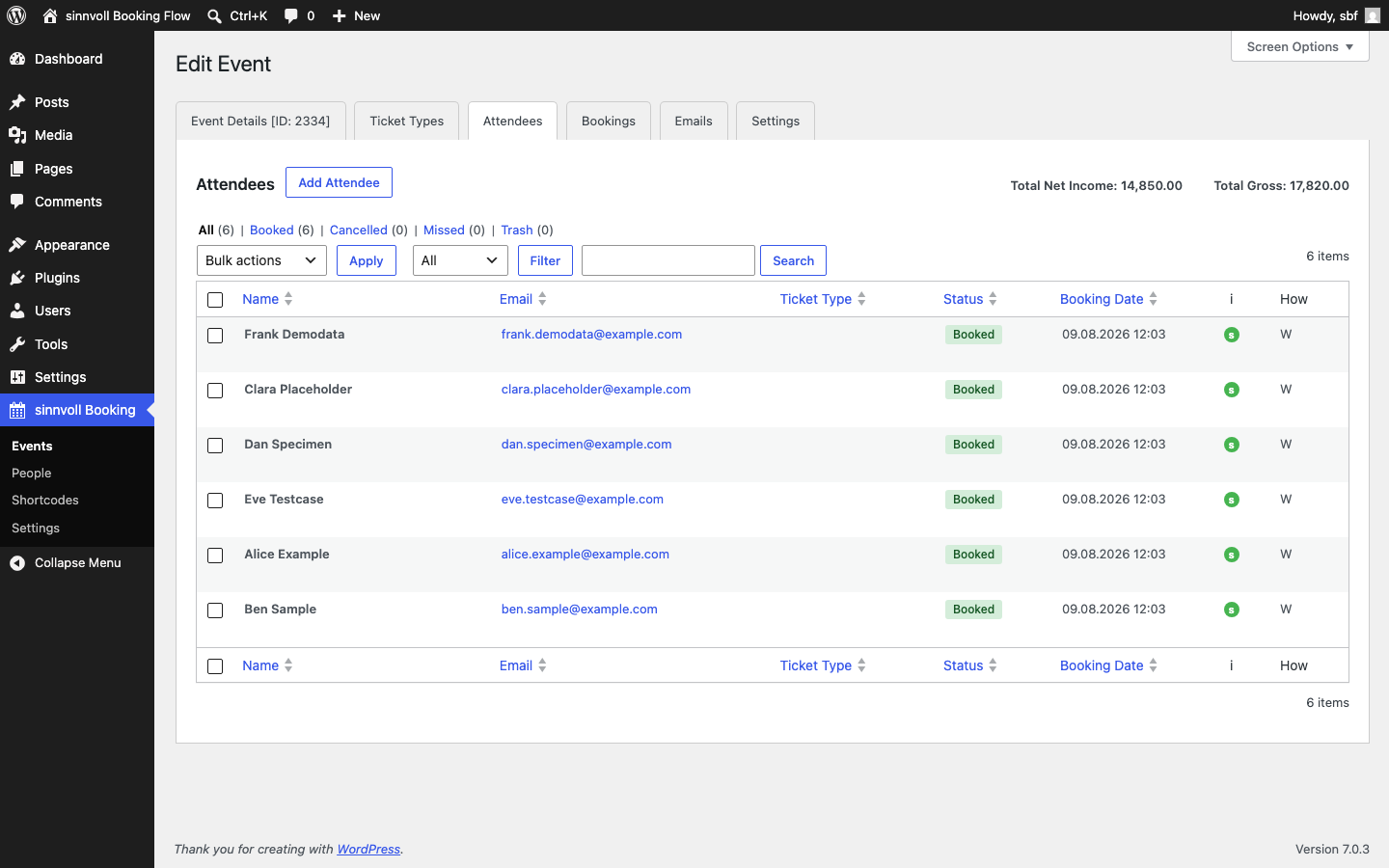
[sinnvoll_bf_event_list] - Multiple attendees per booking with per-attendee details
- Ticket capacity and minimum-tickets handling per event
- Configurable confirmation emails with placeholders (booker, attendee, event, booking details) and multi-language templates
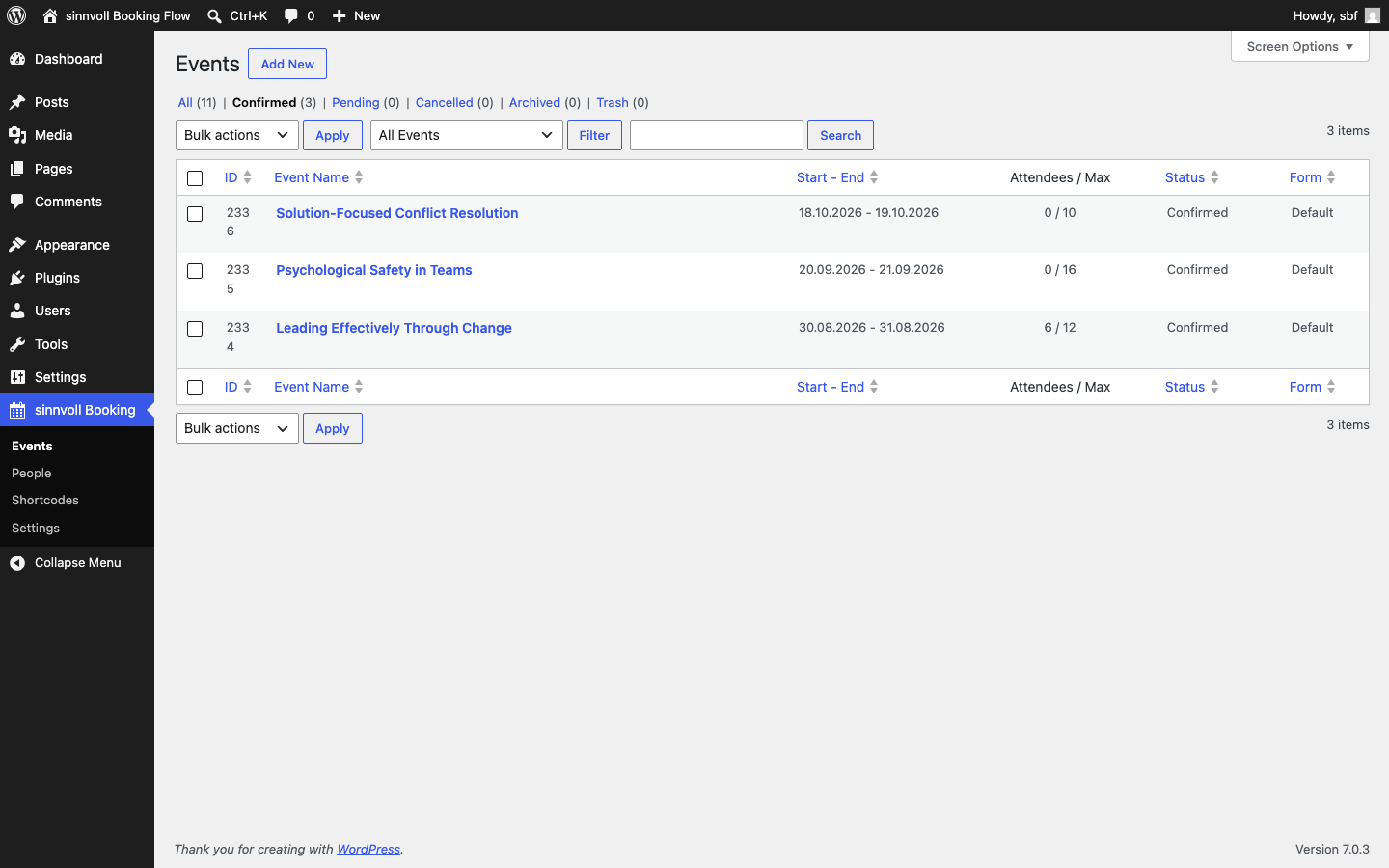
- Admin management of events, bookings and attendees, including resend of confirmation emails
- CSV export of bookings and attendees
- GDPR tools: data export and erasure integration with WordPress Privacy, plus optional automatic anonymisation of old records
- Cancellation policy and statutory right-of-withdrawal (revocation) form via shortcode
- Spam protection for booking submissions (keyword/domain filters, minimum submit time)
- Custom frontend texts in multiple languages
Shortcodes
[sinnvoll_bf_widget id="EVENT_ID" lang="de|en"]— full booking widget for one event[sinnvoll_bf_button id="EVENT_ID"]— just the “book” button[sinnvoll_bf_event_list timeframe="future|past|all"]— list of events[sinnvoll_bf_confirmation]— booking confirmation messages on your success page[sinnvoll_bf_revocation_form]— statutory right-of-withdrawal form[sinnvoll_bf_cancellation_policy]— outputs your cancellation policy text
More power with sinnvoll Booking Flow Pro
Need more? sinnvoll Booking Flow Pro adds coupons, PDF certificates for attendees, waiting lists, multiple ticket types per event, bookable add-ons, bulk emails to attendees, a visual form editor, Excel export and calendar invitations. One-time purchase, 12 months of updates and support included.
Privacy
This plugin processes personal data as part of running bookings on your site.
All data stays in your WordPress database; the plugin makes no calls to
external services. What it stores:
- Booking data you collect through the form (names, email addresses and any
fields you configure), for as long as you keep the bookings. - Consent log: when a visitor submits a booking, the plugin records which
consent checkboxes were accepted together with a timestamp, the visitor’s IP
address and browser user agent, as proof of consent. The optional data
retention settings anonymise the IP address after the configured period. - Audit log: administrative changes to bookings and attendees are recorded
with the acting user, IP address and user agent, so changes remain traceable. - Rate limiting: public booking submissions are counted per client IP using
a short-lived, hashed counter (a transient). No raw IP is persisted for this
purpose and no cookie is involved. - Security cookie: see the FAQ above for the
sinnvoll_bf_cidcookie.
The plugin integrates with WordPress’ personal-data export and erasure tools
(Tools Export/Erase Personal Data) and registers suggested wording in the
Privacy Policy editor (Settings Privacy). Reviewing and publishing your
site’s privacy notice remains your responsibility.
Screenshots
Installation
- Upload the plugin files to
/wp-content/plugins/sinnvoll-booking-flow, or install through the WordPress Plugins screen directly. - Activate the plugin through the “Plugins” screen in WordPress.
- Go to sinnvoll Booking Flow in the admin menu to create your first event.
- Add a booking widget to any page with
[sinnvoll_bf_widget id="EVENT_ID"](the event ID is shown on the event list). - Configure confirmation emails, sender details and texts under sinnvoll Booking Flow Settings.
FAQ
-
How do I show a booking form on a page?
-
Create an event in the admin, note its ID, then place
[sinnvoll_bf_widget id="EVENT_ID"]on any page or post. -
Can visitors register more than one attendee?
-
Yes. A single booking can contain multiple attendees, each with their own name and email.
-
Does it send confirmation emails?
-
Yes. Confirmation emails are sent automatically and are fully configurable, including placeholders and multiple languages.
-
Does it help with GDPR?
-
The plugin provides tools that support GDPR workflows: it integrates with WordPress’ personal-data export and erasure tools and offers optional automatic anonymisation of old records. It does not make your site compliant on its own — compliance always depends on how you configure and operate your site, your legal texts, and your own processes.
-
It sets one cookie,
sinnvoll_bf_cid, only when a booking widget or revocation
form that needs a security token is rendered for a logged-out visitor. It stores
a random pseudonymous identifier — it contains no booking data and is not used
for tracking — and serves solely to tie the form’s security nonce to the
visitor’s browser, hardening the public booking form against cross-site request
forgery and automated abuse. It is designed to function as a strictly necessary
security cookie, but this plugin cannot make legal determinations for your site
— you are responsible for assessing your local consent and disclosure
requirements and listing the cookie in your cookie/privacy notice. The plugin
registers suggested text in WordPress’ Privacy Policy editor (Settings
Privacy) to help with this. -
In which format can I export bookings?
-
Bookings and attendees can be exported as CSV, which opens in any spreadsheet application.
Reviews
There are no reviews for this plugin.
Contributors & Developers
“sinnvoll Booking Flow” is open source software. The following people have contributed to this plugin.
Contributors
Translate “sinnvoll Booking Flow” into your language.
Interested in development?
Browse the code, check out the SVN repository, or subscribe to the development log by RSS.
Changelog
1.11.7
- Fixed: Status badges in the attendee and booking lists (and the CSV export) now show translated labels instead of the raw English status value.
- Fixed: The admin toolbar above attendee/booking lists no longer overlaps the table header when its controls wrap onto a second line.
- Fixed: Setting attendees to booked/cancelled/missed now shows a matching success notice instead of “Attendee moved to trash.”; German trash notices now say “Papierkorb”.
1.11.6
- New: Guest emails now follow the language the booking was made in. The booking form language is stored with each booking; confirmation and cancellation emails use it, falling back to the event language and then the site language. Events gained a Language setting (default: site language), and the widget renders in the event’s language when the shortcode has no lang attribute. Admin notifications intentionally stay in the site language.
1.11.5
- Initial release on the WordPress plugin directory.