
Description
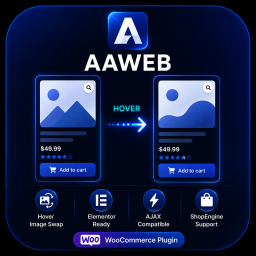
AAWEB Product Image Hover Swap for WooCommerce displays a secondary product image when visitors hover over a product card.
Requires WooCommerce. The plugin is designed for WooCommerce catalog pages, product category pages, Elementor product grids, ShopEngine product lists, WooCommerce blocks, AJAX refreshed product lists and compatible product card layouts.
Main features:
- Automatic second gallery image detection.
- WooCommerce loop hook injection.
- AJAX DOM fallback for custom product cards.
- MutationObserver support for AJAX filters and refreshed grids.
- Desktop-only hover mode.
- Mobile-safe behavior to avoid duplicate inline images.
- Image-only wrapper to prevent hover images from covering titles, prices or labels.
- ShopEngine product list compatibility.
- Custom selectors for product cards, product links and images.
- Translation-ready strings.
- Clean uninstall option removal.
Developed by AAWEB — Apostolou Antonios.
Screenshots


Installation
- Upload the plugin folder to
/wp-content/plugins/or install the ZIP file from the WordPress admin area. - Activate the plugin from the Plugins screen.
- Make sure WooCommerce is installed and active.
- Go to WooCommerce AAWEB Hover Swap.
- Adjust selectors only if your theme or builder uses a custom product card structure.
FAQ
-
Does it work with Elementor?
-
Yes. It supports common Elementor WooCommerce product widgets and can also work with custom layouts through the selector settings.
-
Does it work with ShopEngine?
-
Yes. It includes default selectors for ShopEngine product list cards.
-
Does it work with WooCommerce Blocks?
-
Yes. It includes selectors for common WooCommerce block product grids.
-
Does it work with AJAX filters or infinite scroll?
-
Yes. The DOM observer can detect refreshed product grids and apply the hover behavior again.
-
Does it affect mobile layouts?
-
The default desktop-only mode prevents hover logic on touch devices and avoids duplicate second images on mobile.
-
Where does the second image come from?
-
The plugin uses the selected image from the WooCommerce product gallery. By default it uses the first gallery image.
Reviews
There are no reviews for this plugin.
Contributors & Developers
“AAWEB Product Image Hover Swap for WooCommerce” is open source software. The following people have contributed to this plugin.
Contributors
Translate “AAWEB Product Image Hover Swap for WooCommerce” into your language.
Interested in development?
Browse the code, check out the SVN repository, or subscribe to the development log by RSS.
Changelog
1.3.6
- Fixed Desktop-only mode so AJAX image loading still runs on mobile and touch devices.
- Prevented normal AJAX fallback misses from generating 404 console noise.
1.3.4
- Added ShopEngine product list selectors to the default compatibility layer.
- Updated documentation to mention ShopEngine compatibility.
1.3.3
- Added stable fallback CSS for default WooCommerce shop and product category loops.
- Improved hover reliability when custom selector output is overridden by the theme.
1.3.2
- Added explicit WooCommerce dependency header.
- Added activation protection when WooCommerce is not active.
- Added admin notice if WooCommerce becomes inactive after activation.
- Prevented frontend assets from loading without WooCommerce.
1.3.0
- Rebuilt with AAWEB branding.
- Added nonce-protected AJAX fallback.
- Added WordPress enqueue-based inline CSS and JS.
- Added translation-ready admin strings.
- Added uninstall cleanup.
- Added Elementor, WooCommerce block and AJAX refreshed grid support.
- Added mobile-safe desktop-only behavior.