

Description
OptionBay helps WooCommerce store owners add custom product options and paid add-ons without creating complex variation sets.
Use it for gift wrap, meal builders, swatches, booking choices, custom notes, service add-ons, and product configuration flows. Customers choose options on the product page. OptionBay then carries those choices into the cart, checkout, and order details.
Smart Product Options and Addons gives your store a practical option builder inside the WordPress dashboard. You can create option groups, add fields, set pricing, control visibility, and manage shared add-on inventory from one place.
Product Page | Official Documentation | Support | Live Demo
Key Features
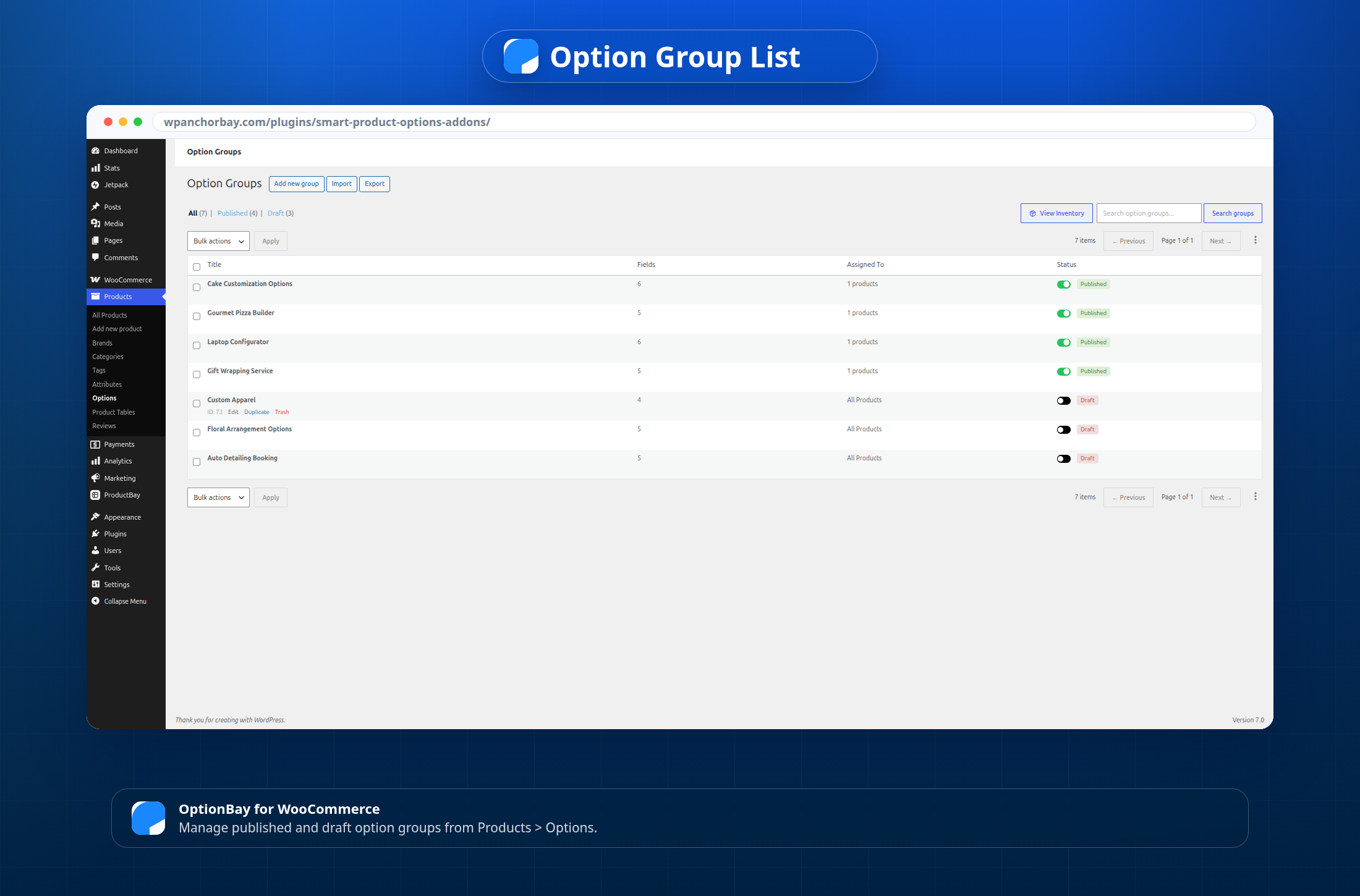
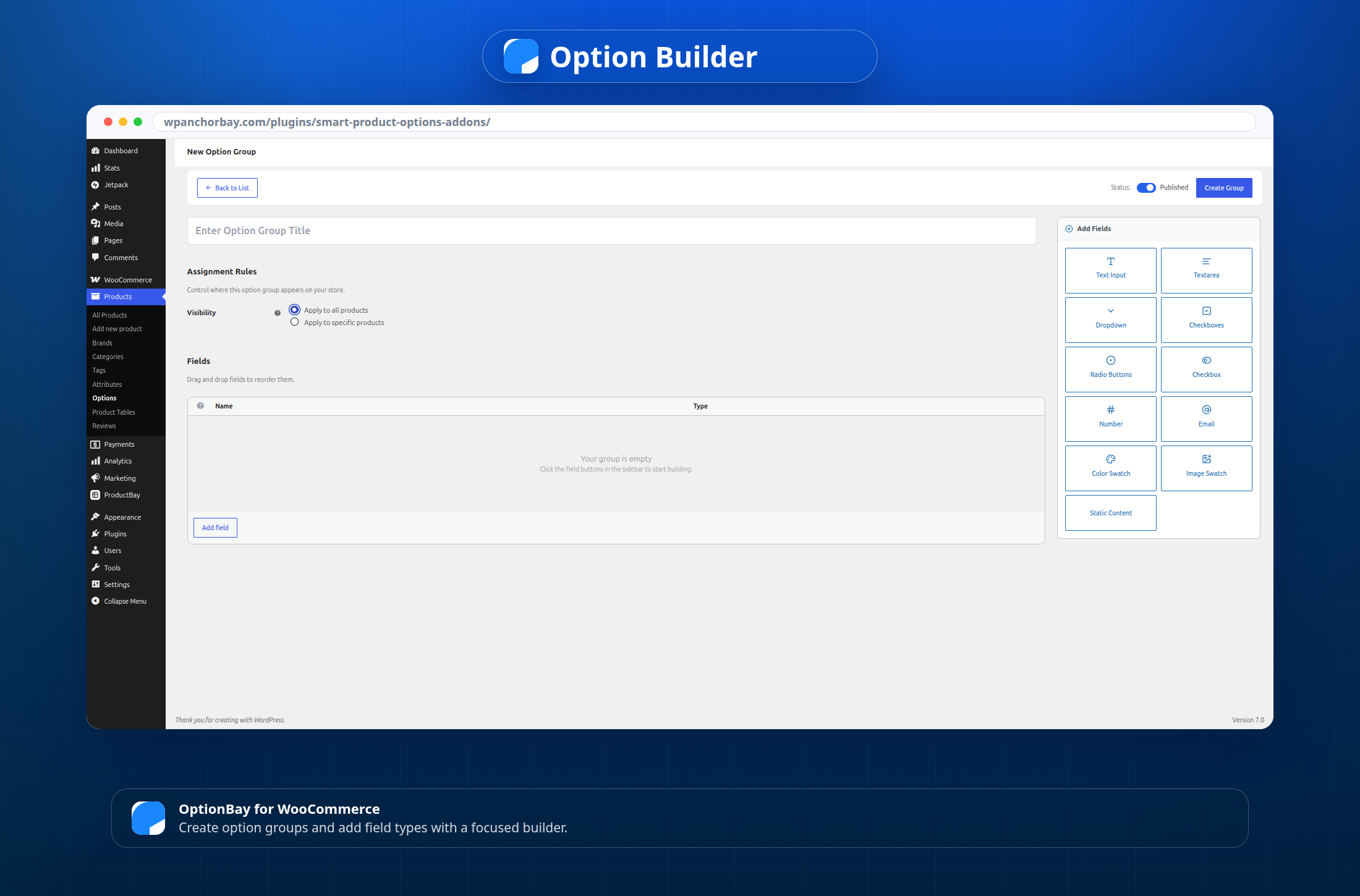
- Create WooCommerce product option groups from Products > Options.
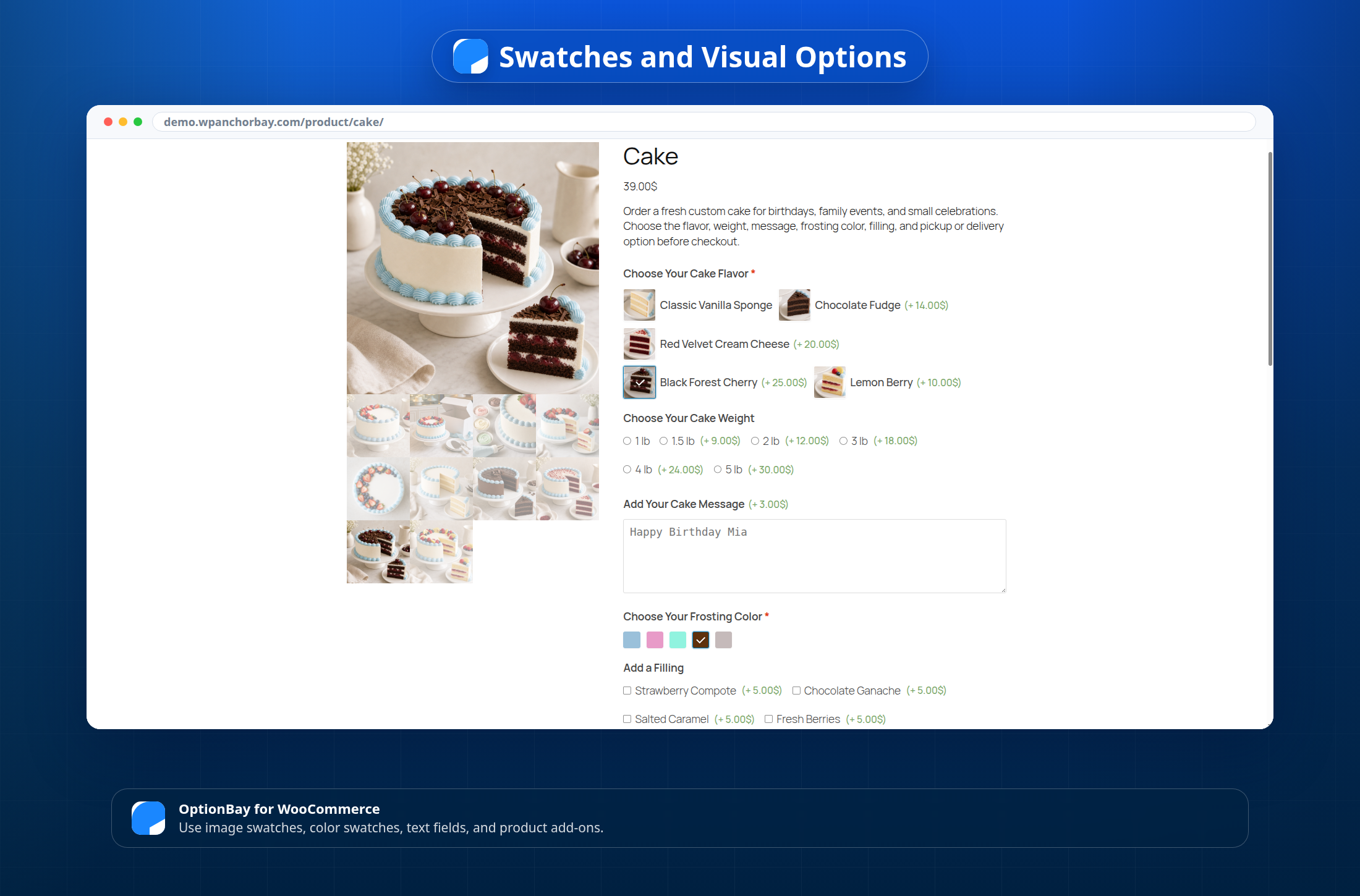
- Add text, textarea, select, checkbox, single checkbox, radio, number, email, color swatch, image swatch, and static content fields.
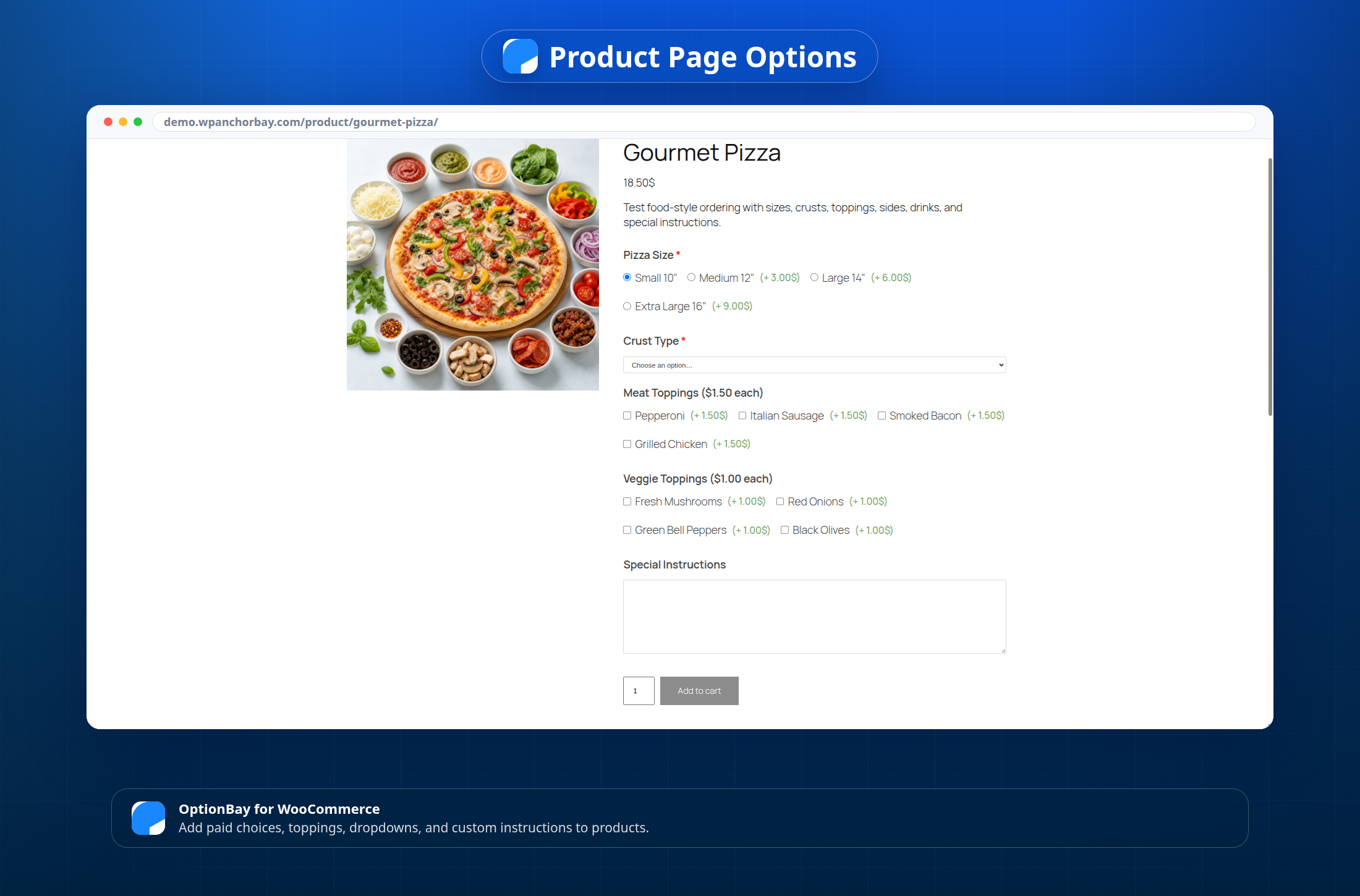
- Charge flat fees or percentage-based prices for fields and selectable choices.
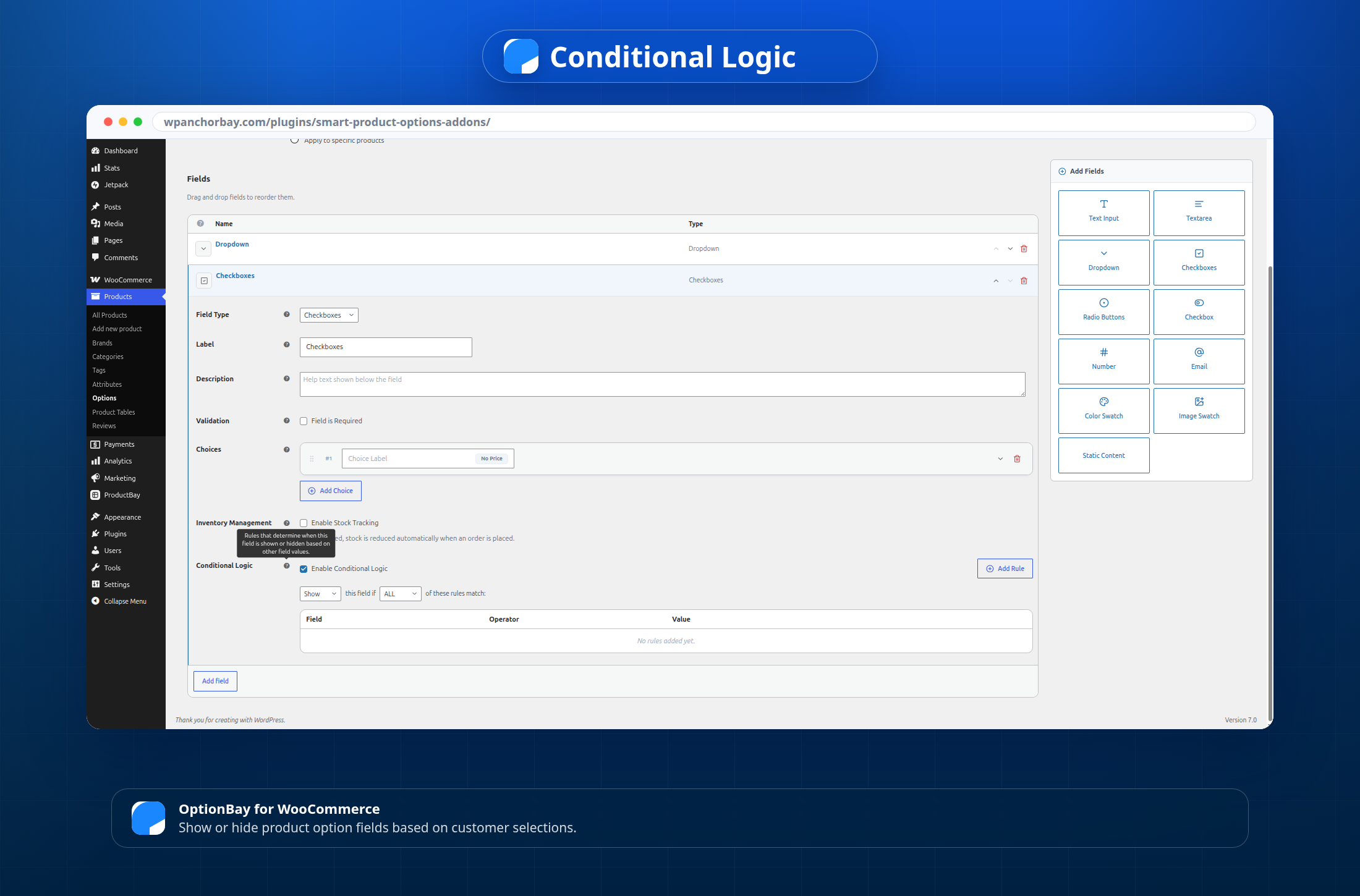
- Show or hide fields with conditional logic.
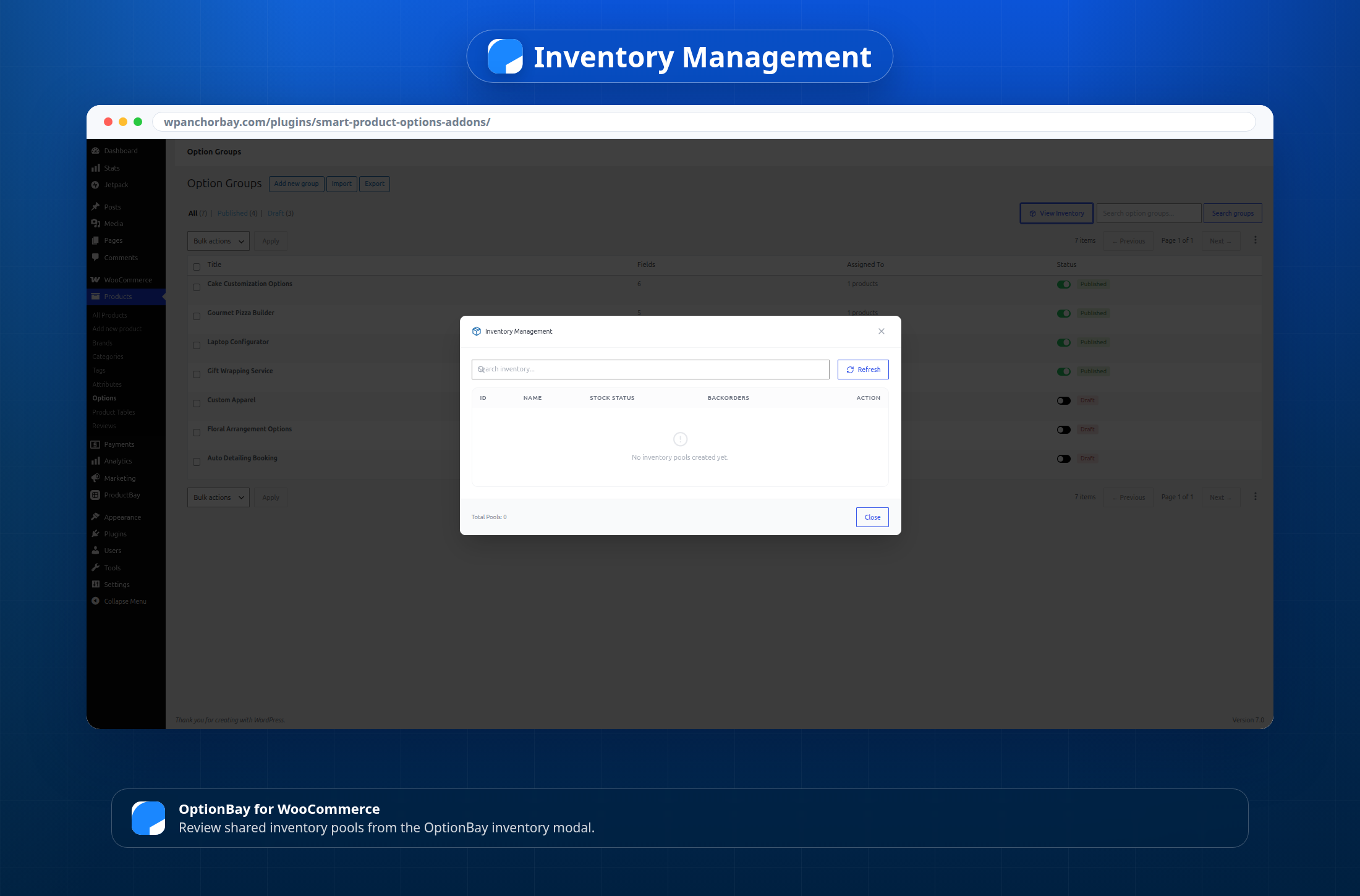
- Use shared inventory pools for add-on stock.
- Support option stock reduction by item quantity or by line item.
- Add option weight to WooCommerce cart items for better shipping totals.
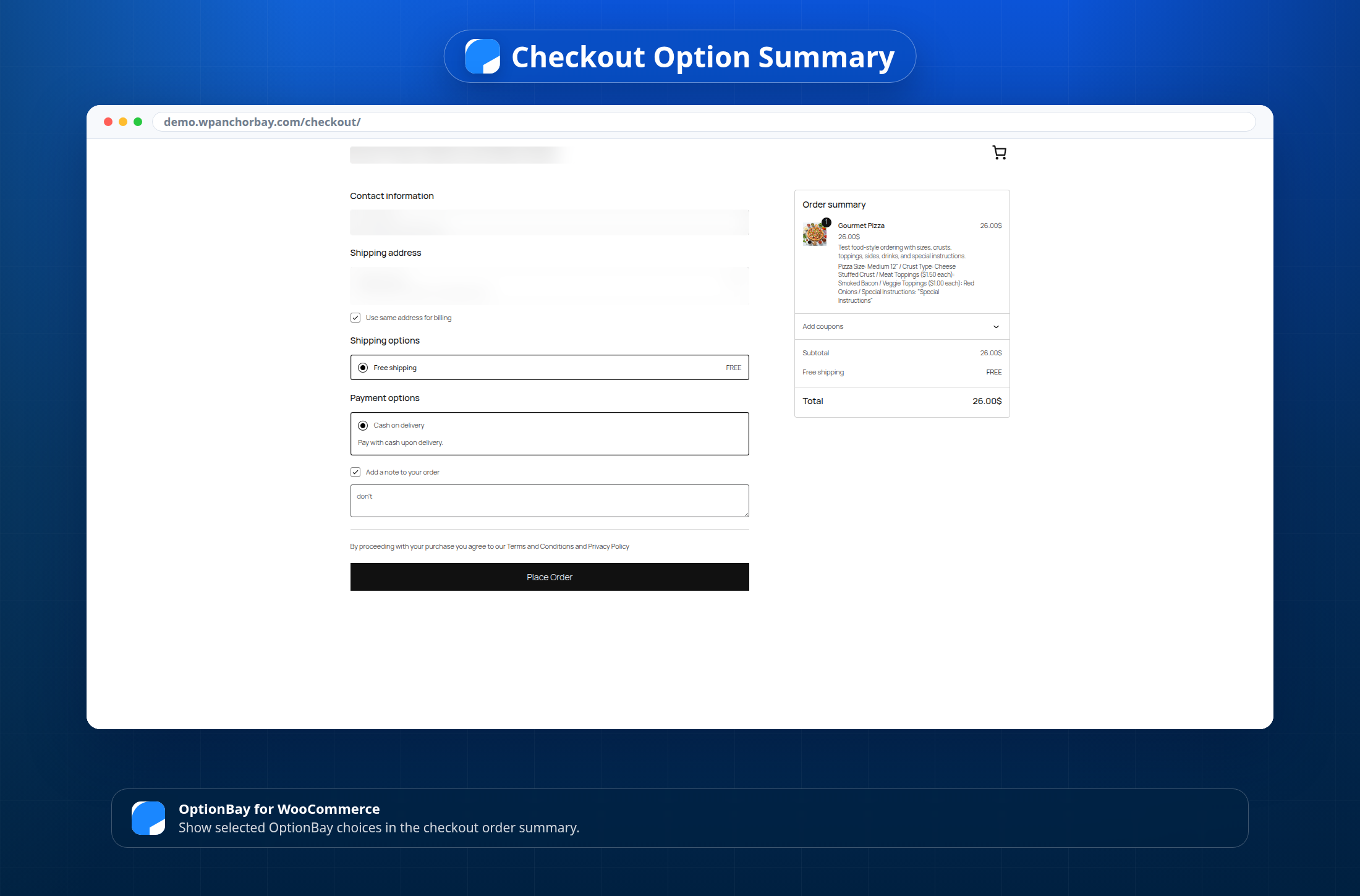
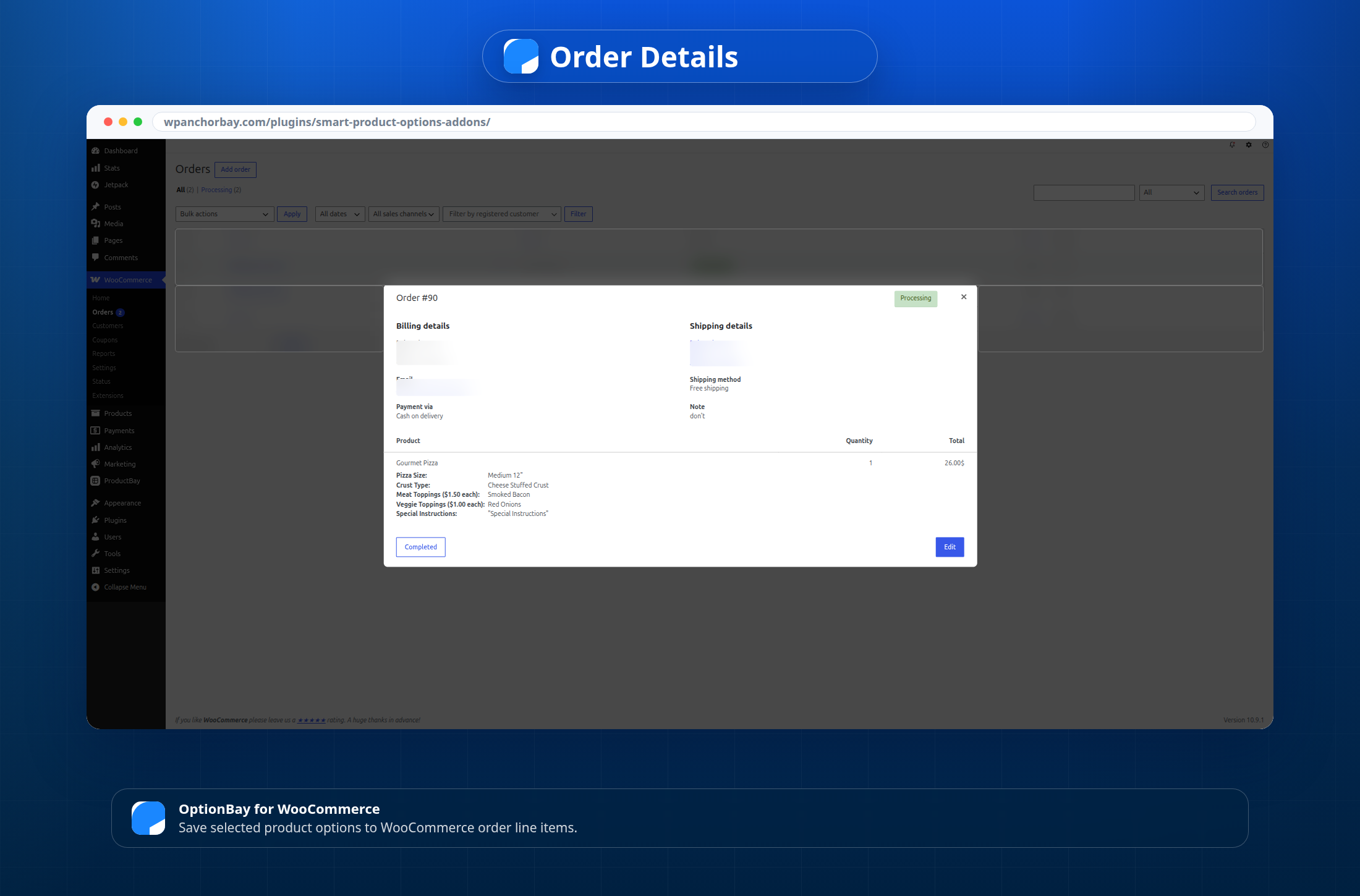
- Display selected options in the cart, checkout, and order line items.
- Import and export option groups, inventory data, and plugin settings.
- Start faster with six draft option group templates.
- Use WooCommerce High-Performance Order Storage with declared HPOS compatibility.
Built for Common Store Needs
OptionBay is useful when a product needs more than a standard size or color selector.
You can build product add-ons for:
- Gift wrapping and greeting cards.
- Food ordering and pizza builders.
- Laptop and device configuration.
- Custom apparel choices.
- Floral arrangement options.
- Auto detailing and service booking choices.
Starter Templates
Includes six draft starter templates:
- Gift Wrapping Service
- Laptop Configurator
- Gourmet Pizza Builder
- Custom Apparel
- Floral Arrangement Options
- Auto Detailing Booking
These templates are created as drafts. Review each template before publishing it on your store.
Screenshots
Installation
- Make sure WooCommerce is installed and active.
- Upload the plugin folder to
/wp-content/plugins/optionbay-product-options-addons-woo/. - You can also install the plugin through Plugins > Add New in WordPress.
- Activate OptionBay from the Plugins screen.
- Go to Products > Options to create your first option group.
- Publish the option group and assign it globally or to a product.
- Open a product page and test the customer flow.
FAQ
-
Does OptionBay require WooCommerce?
-
Yes. OptionBay requires WooCommerce. It works with WooCommerce products, cart items, checkout, order line items, and product settings.
-
Where do I manage product options?
-
Go to Products > Options in your WordPress dashboard. You can also find settings under WooCommerce > Settings > Products > Options.
-
Can I use OptionBay instead of WooCommerce variations?
-
Yes, for many product option workflows. OptionBay can reduce the need for large variation sets.
Use WooCommerce variations when each choice needs its own SKU, image, stock record, or native variation behavior.
-
What field types are included?
-
This free version includes text, textarea, select, checkbox, single checkbox, radio, number, email, color swatch, image swatch, and static content fields.
-
Can I charge extra for selected options?
-
Yes. You can add flat fees or percentage-based prices to fields and selectable choices.
-
Does OptionBay support conditional logic?
-
Yes. You can show or hide fields based on customer selections.
-
Can I manage stock for add-ons?
-
Yes. OptionBay includes shared inventory pools for add-on stock. This is useful when the same add-on is offered across more than one product.
-
Will selected options appear in the cart and order?
-
Yes. OptionBay displays selected options in the cart and checkout. It also saves them to WooCommerce order line items.
-
Does OptionBay support WooCommerce HPOS?
-
Yes. The plugin declares compatibility with WooCommerce High-Performance Order Storage.
-
Are the starter templates published automatically?
-
No. Starter templates are created as drafts. You can review, edit, and publish the templates you want to use.
Reviews
There are no reviews for this plugin.
Contributors & Developers
“OptionBay – Product Options and Addons” is open source software. The following people have contributed to this plugin.
Contributors

Translate “OptionBay – Product Options and Addons” into your language.
Interested in development?
Browse the code, check out the SVN repository, or subscribe to the development log by RSS.
Changelog
1.0.0
- Initial release.