

Description
RIACO Reviews lets you manually collect, manage, and display customer reviews and testimonials anywhere on your WordPress site — no page builder required. Add the Reviews block in the Gutenberg editor and get a live preview instantly, or drop in the [riaco_reviews] shortcode on any page or widget area.
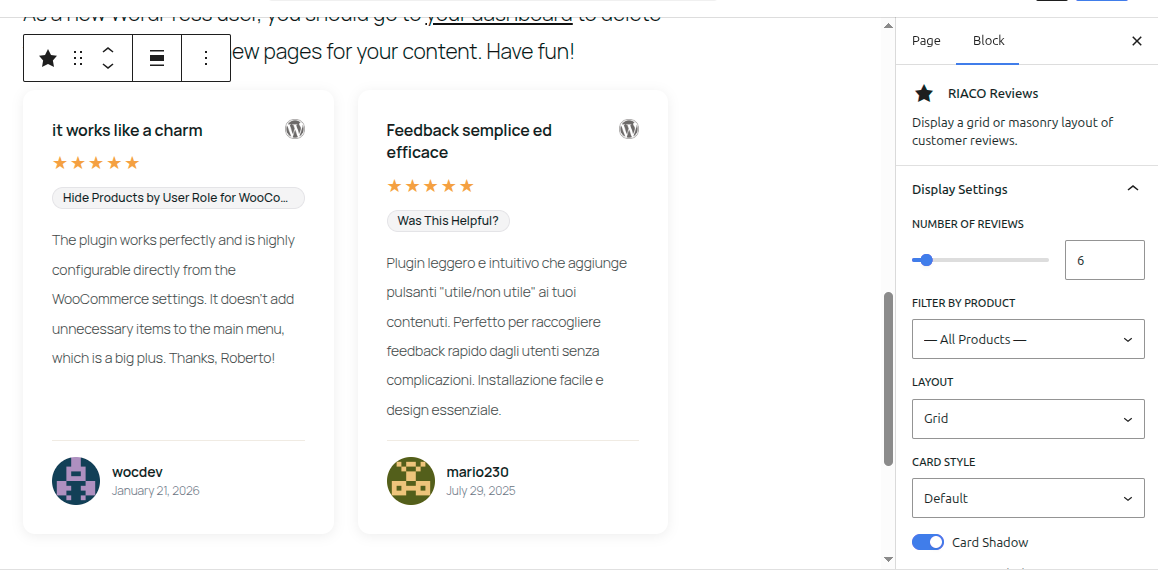
Every review is a native WordPress post with its own star rating, author, avatar, review date, source platform, and product. Display options, layout, card style, and colours are all configurable directly from the block inspector panel — no CSS editing required.
Why RIACO Reviews?
- Works with any theme — lightweight, BEM-structured CSS, no opinionated framework dependencies.
- Three card styles — Default, Modern, and Minimal — each designed to suit a different aesthetic without installing extra plugins.
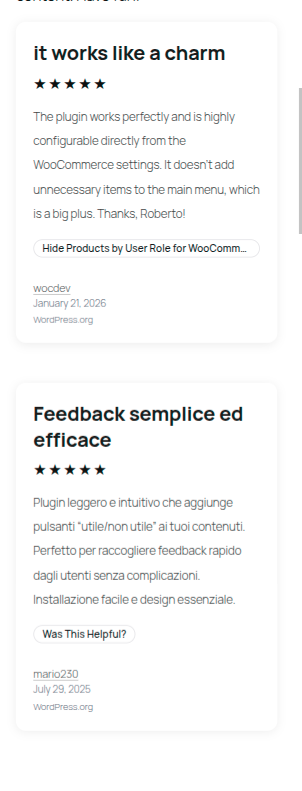
- Two responsive layouts — Grid and Masonry — that adapt to any container width automatically. No fixed breakpoints.
- Colour control — customise card background, text, borders, star colour, product badge colours, font size, and line height directly from the block editor.
- Built for WordPress — uses a custom post type, standard taxonomies, native media uploader, and WordPress hooks throughout.
Features
Display & Layout
- Gutenberg block with server-side rendering and a live preview via
ServerSideRender. All settings in the Inspector sidebar. - Shortcode
[riaco_reviews]— use it in any page, post, widget area, or theme template. - Grid layout — CSS
auto-fillgrid; column count adapts automatically to available width. - Masonry layout — CSS columns with
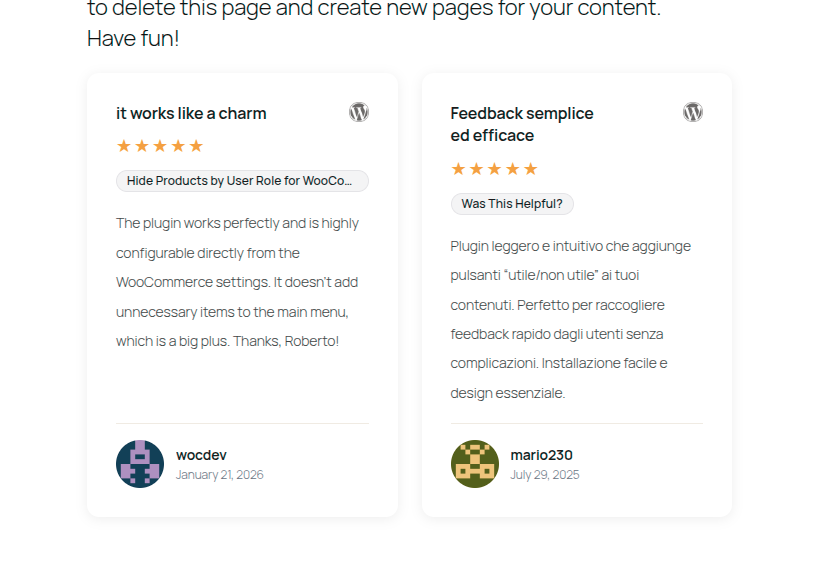
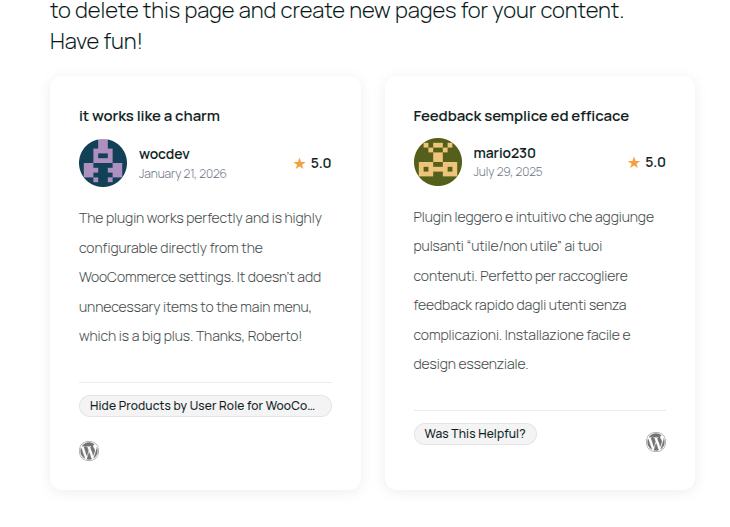
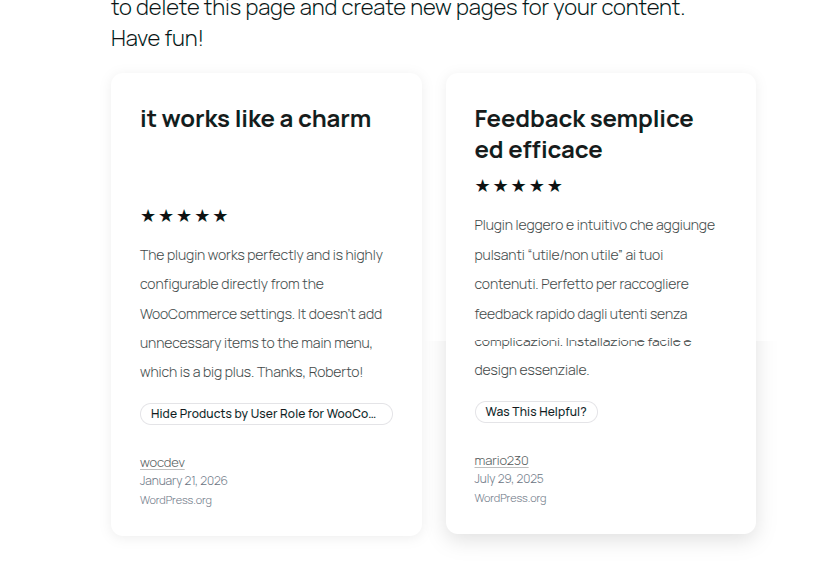
break-inside: avoid; same adaptive behaviour. - Three card styles — Default (header with title and source logo), Modern (compact header with avatar, author, and inline star rating), Minimal (large title, no avatar, source name as text).
- Configurable minimum card width — sets the
--riaco-card-min-widthCSS custom property that drives both layouts.
Per-Review Data
- Review headline (post title)
- Review body (post content)
- Author name and avatar (falls back to a generated initials badge when no photo is provided)
- Star rating — 1 to 5 stars
- Review date (separate from the publish date — enter the date the customer left the review)
- Source platform — assign a platform like “Google”, “Trustpilot”, or “WordPress.org” with its logo
- Source URL — link to the original review on the external platform
- Product / subject — label each review with what it refers to; set a URL and schema.org type per product for structured data
Visibility Toggles
Show or hide each element independently:
- Review title
- Author name
- Author avatar / initials
- Star rating
- Review date
- Source platform logo
- Product badge
- Card drop shadow
Filtering
- Filter displayed reviews by product — show only reviews assigned to a specific product or subject.
- Block editor: choose a product from the “Filter by Product” dropdown in the Display Settings panel.
- Shortcode: pass
product="my-product-slug"(comma-separated slugs for multiple products).
Sorting
- By date (newest or oldest first)
- By star rating (highest or lowest first)
- Random (shuffle on every page load)
Colour & Typography Overrides
Override directly from the block editor or shortcode attributes:
- Card background colour
- Card text colour
- Card border colour
- Star colour
- Product badge background and text colour
- Font size (rem)
- Line height
Admin
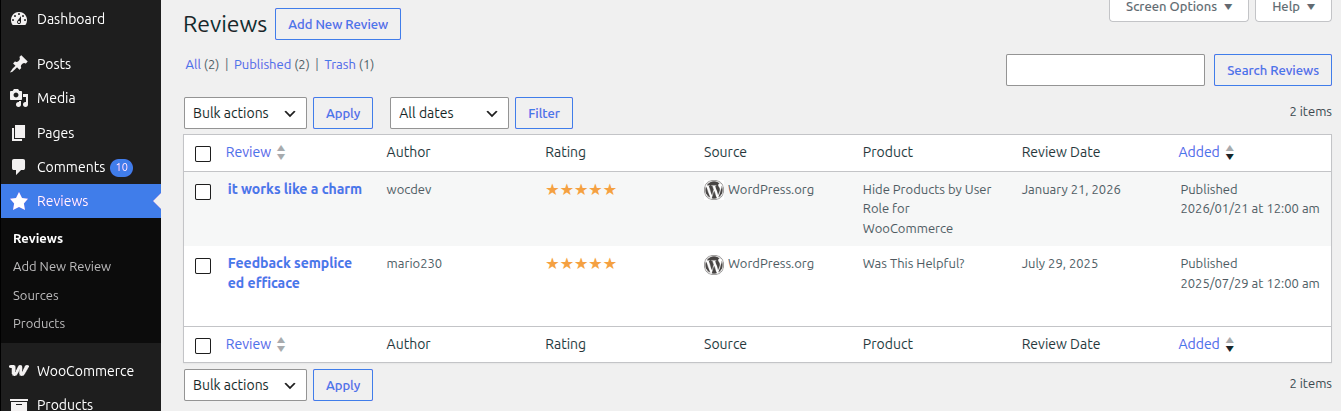
- Dedicated Reviews menu in the WordPress admin
- Custom admin list table with columns for author, rating, source logo, product, and review date
- Media-uploader integration for author avatars and source logos
JSON-LD Structured Data
- Automatically outputs schema.org
Reviewstructured data in a<script type="application/ld+json">tag in the page footer — no setup required. - Each review card produces one
Reviewobject withreviewBody,reviewRating,author,datePublished,url, anditemReviewed. itemReviewedis driven by the product assigned to the review: set a URL and a schema.org type (Product, SoftwareApplication, LocalBusiness, Organization, Book, Movie, Course, Event, or the generic Thing) on each product in Reviews Products.- Reviews without a product fall back to the review headline as
itemReviewed.namewith typeThing. - Multiple reviews on the same page (from one or more blocks/shortcodes) are combined into a single
@grapharray — one<script>tag regardless of how many shortcodes are on the page. - Use the
riaco_reviews_json_ld_datafilter to modify or suppress the structured data for individual reviews.
Developer-Friendly
riaco_reviews_atts— filter display attributes before renderingriaco_reviews_query_args— modify theWP_Querybefore it runs (add tax queries,post__in, etc.)riaco_reviews_card_meta— add or modify per-review metadata before the card template receives itriaco_reviews_card_template_path— swap in a custom card template per style or per postriaco_reviews_before_card/riaco_reviews_after_card— inject markup around individual cardsriaco_reviews_before_loop/riaco_reviews_after_loop— inject markup around the whole reviews wrapperriaco_reviews_no_reviews_html— replace the empty-state messageriaco_reviews_layouts/riaco_reviews_card_styles/riaco_reviews_orderby_options— register custom values for layout, card style, and sort orderriaco_reviews_init/riaco_reviews_loaded— plugin lifecycle actions for third-party extensionsriaco_reviews_block_render_atts— map additional Gutenberg block attributes into the render pipelineriaco_reviews_json_ld_data— modify or suppress the structured data object for a single review before it is collected
Perfect For
- SaaS companies — showcase user testimonials on landing pages with star ratings and platform logos (G2, Capterra, Product Hunt).
- Freelancers and agencies — display client testimonials with a clean Minimal card style.
- eCommerce stores — highlight product reviews filtered by product name in a Grid layout.
- WordPress plugin and theme authors — show WordPress.org reviews with source logo and link to the original listing.
- Local businesses — display Google or Yelp reviews with the platform logo and a link to the source.
- Course creators and coaches — collect student testimonials and display them in a Masonry layout with avatars.
Shortcode Reference
Basic usage:
[riaco_reviews]
All parameters:
[riaco_reviews count="6" layout="grid" card_style="default" orderby="date" order="DESC" product="" show_title="1" show_author_name="1" show_avatar="1" show_date="1" show_rating="1" show_source="1" show_product="1" show_shadow="1" min_width="300"]
Colour and typography:
[riaco_reviews card_bg="#ffffff" card_text_color="#444444" card_border_color="#e4e4e7" star_color="#f59e0b" product_bg="#f4f4f5" product_text_color="#18181b" font_size="0.9375" line_height="1.7"]
Screenshots
Blocks
This plugin provides 1 block.
- RIACO Reviews Display a grid or masonry layout of customer reviews.
Installation
- Upload the
riaco-reviewsfolder to the/wp-content/plugins/directory, or install the plugin through the Plugins > Add New screen in WordPress. - Activate the plugin through the Plugins screen in WordPress.
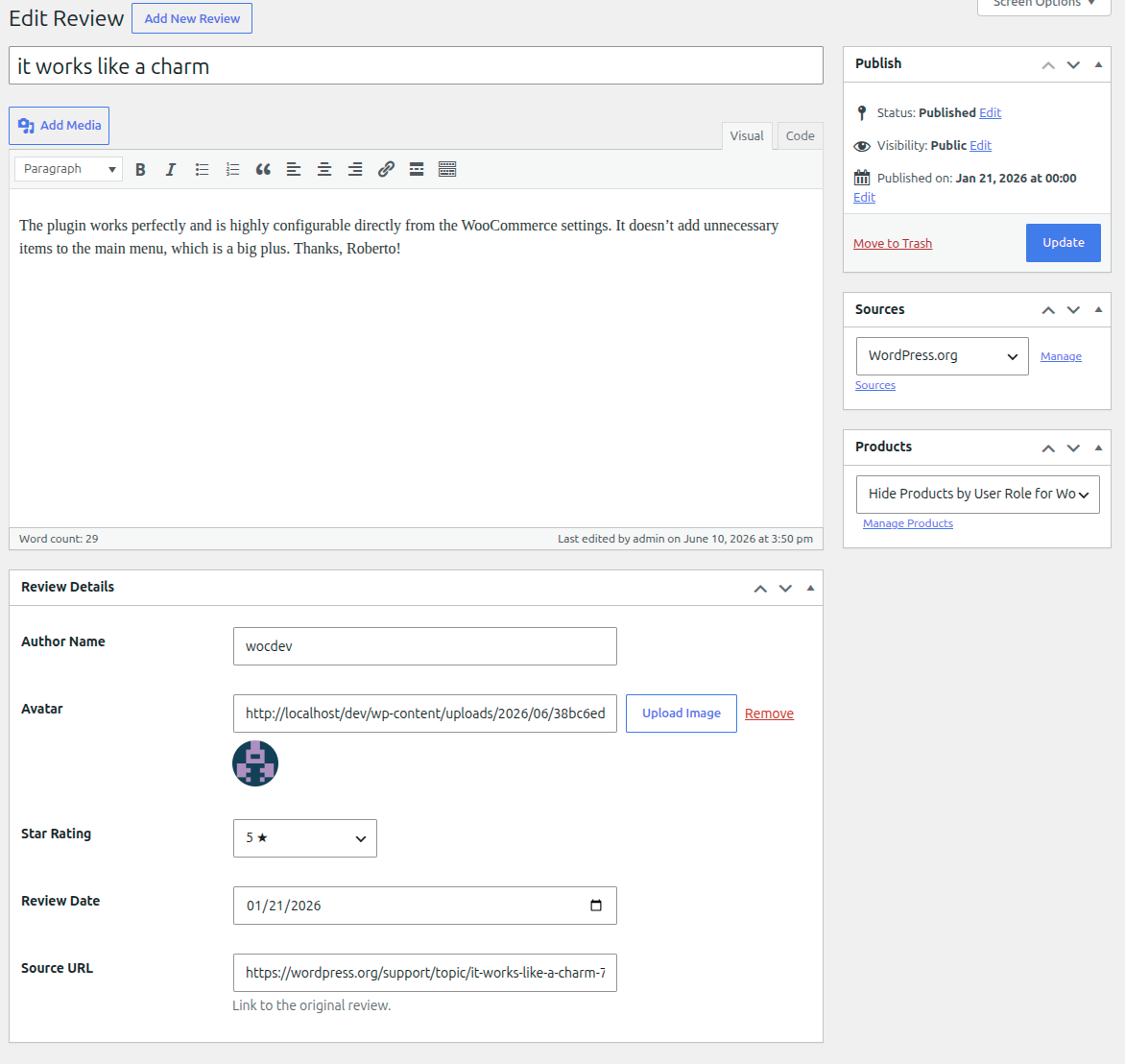
- Go to Reviews > Add New to create your first review — enter the headline as the post title, the review body as the post content, and fill in the Review Details meta box (author, rating, date, source URL).
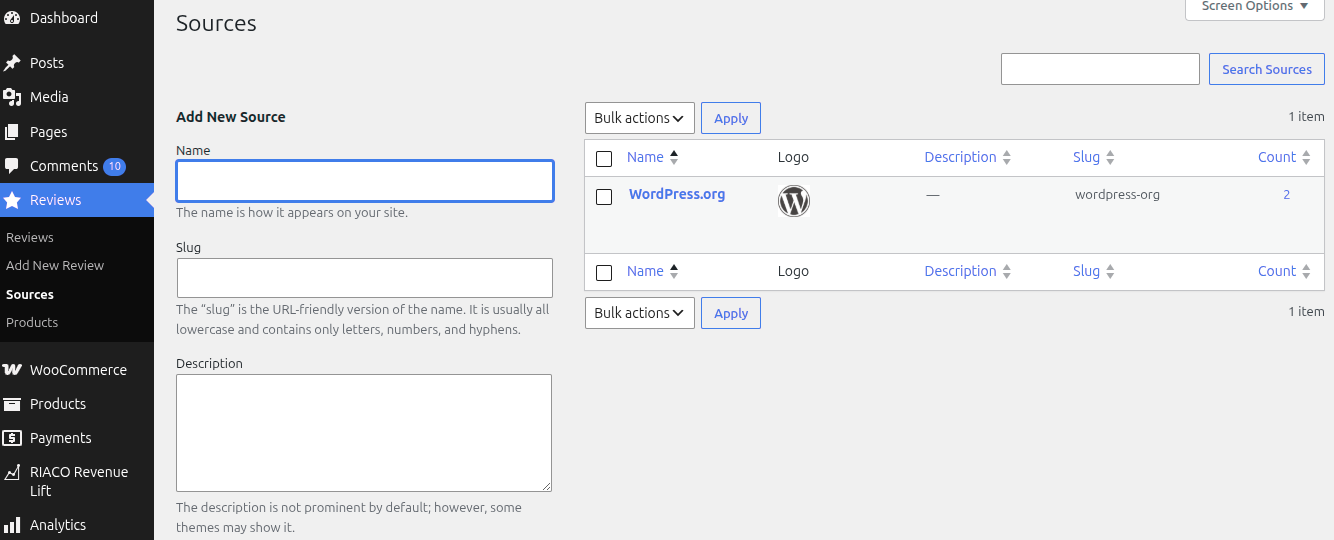
- Go to Reviews > Sources to add platform sources (Google, Trustpilot, etc.) and upload their logos.
- Go to Reviews > Products to add product or subject entries.
- In the block editor, search for Reviews and insert the block. Configure display options in the Inspector sidebar.
- Alternatively, add
[riaco_reviews]to any post, page, or widget area.
FAQ
-
Is this plugin free?
-
Yes, RIACO Reviews is completely free and open source under the GPLv2 or later licence.
-
Does this work with the Gutenberg (block) editor?
-
Yes. The plugin registers a native Gutenberg block (
riaco-reviews/reviews-block) with a live server-side preview in the editor. All display settings are in the Inspector sidebar — no shortcode needed when using the block editor. -
Can I also use a shortcode instead of the block?
-
Yes. Use
[riaco_reviews]in any post, page, widget area, or PHP template. All the same options available in the block are available as shortcode attributes. -
How do I add a new review?
-
Go to Reviews > Add New in the WordPress admin. Enter the review headline as the post title and the review text as the main content. Use the Review Details meta box to set the author name, avatar, star rating, review date, and a link to the original source. Assign a Source (platform) and a Product from the sidebar dropdowns.
-
How do I add a platform logo (Google, Trustpilot, etc.)?
-
Go to Reviews > Sources and add a new source. Upload a logo image using the Logo / Image field — the WordPress media uploader is integrated. SVG files are supported for source logos. The logo will appear in the card header (Default and Modern styles) or as text in the Minimal style.
-
What card styles are available?
-
Three styles are available:
- Default — white card with a drop shadow; header row shows the review title and source logo side by side.
- Modern — compact header combines the author avatar, name, date, and a compact star rating in one row; the footer splits the product badge and source link.
- Minimal — large bold title, no avatar or source logo, stars use the text colour, author name links to the source URL.
-
Can I customise the colours to match my brand?
-
Yes. From the block editor Inspector sidebar, open the Card Colours or Typography panel to set card background, text, border, star, and product badge colours, as well as font size and line height. The same options are available as shortcode attributes. All values are injected as CSS custom properties on the wrapper element so they scope to that specific block instance.
-
Does the layout respond to different screen sizes?
-
Yes. Both the Grid and Masonry layouts use CSS
auto-fill/column-widthwith a configurable minimum card width (default 300 px). Columns are added or removed automatically based on the available container width — no fixed breakpoints are used. -
Can I show or hide specific fields (avatar, date, rating, etc.)?
-
Yes. Every field has an individual show/hide toggle — available both in the block editor Inspector sidebar and as shortcode attributes (
show_avatar,show_date,show_rating, etc.). For example, to hide the review date:[riaco_reviews show_date="0"]. -
Can I sort reviews by star rating?
-
Yes. Set
orderby="rating"in the shortcode or choose By rating in the block editor Sort Order panel. You can also sort by date (newest or oldest first) or random. -
How do I assign reviews to a product?
-
Go to Reviews > Products and create a product entry for each product or subject. When editing a review, select the appropriate product from the Product dropdown in the sidebar. The product name appears as a pill badge on the card.
-
Can I show only reviews for a specific product?
-
Yes. Use the
productattribute in the shortcode — pass the product slug (the URL-friendly version of the product name):[riaco_reviews product="my-plugin"]For multiple products (show reviews matching any of them), pass a comma-separated list:
[riaco_reviews product="plugin-one,plugin-two"]In the block editor, open the Display Settings panel and choose a product from the Filter by Product dropdown. Selecting “— All Products —” removes the filter.
-
Can I filter the reviews query to show only certain reviews?
-
Yes, using the
riaco_reviews_query_argsfilter. This gives you access to the fullWP_Queryargs array before the query runs — add taxonomy queries,post__in, meta queries, or any otherWP_Queryparameter. Example:add_filter( 'riaco_reviews_query_args', function( $args, $atts ) { $args['tax_query'] = [ [ 'taxonomy' => 'riaco_review_product', 'field' => 'slug', 'terms' => 'my-product' ] ]; return $args; }, 10, 2 ); -
Does this plugin output JSON-LD structured data for rich results?
-
Yes. The plugin automatically outputs schema.org
Reviewstructured data in the page footer for every review rendered by a block or shortcode. No configuration is required — the data is picked up by Google and other search engines automatically.To get the most out of rich results, go to Reviews Products, edit each product, and set:
- Product / Subject URL — the canonical URL of the thing being reviewed (e.g. your plugin’s WordPress.org listing page).
- Schema.org Type — the type of thing being reviewed. Use
Productfor physical or digital products,SoftwareApplicationfor apps and plugins,LocalBusinessfor shops and services, etc. Leave it asThingif unsure.
Reviews that share the same product but have different star ratings each produce a separate
Reviewobject — this is expected and valid. You can validate the structured data with Google’s Rich Results Test.To suppress or modify the structured data for a specific review, use the
riaco_reviews_json_ld_datafilter (returnfalseto suppress). -
Can I use a custom card template?
-
Yes. Use the
riaco_reviews_card_template_pathfilter to return the path to your own PHP template file. The filter receives the default path, the card style slug, the post ID, and the meta array, so you can switch templates per style or per review. -
Does this plugin add anything to my database on activation?
-
No. Activation flushes the rewrite rules so the custom post type and taxonomies register correctly; deactivation flushes them again so the CPT slug is removed cleanly. No custom database tables are created. All review data is stored as standard WordPress post meta.
-
Will this slow down my site?
-
The plugin loads its CSS only on pages where the block or shortcode is present (
wp_enqueue_block_styleand on-demand shortcode enqueueing). The block uses server-side rendering, so no JavaScript is loaded on the frontend. All images use theloading="lazy"attribute. -
Is the plugin translation-ready?
-
Yes. All user-facing strings are wrapped in WordPress i18n functions and the text domain is
riaco-reviews. A.potfile is included in thelanguages/directory.
Reviews
There are no reviews for this plugin.
Contributors & Developers
“RIACO Reviews – Customer Reviews & Testimonials” is open source software. The following people have contributed to this plugin.
Contributors
Translate “RIACO Reviews – Customer Reviews & Testimonials” into your language.
Interested in development?
Browse the code, check out the SVN repository, or subscribe to the development log by RSS.
Changelog
1.2.2
- Security: added
sanitize_text_field()around nonce values read from$_POSTin Admin, ReviewSource, and ReviewProduct — resolves PHPCSInputNotSanitizedwarnings. - Fix: renamed the global
$pluginvariable to$riaco_reviews_pluginto avoid naming conflicts with other plugins. - Fix: corrected
strtotime()truthiness guard in all three card-style templates fromif ($ts)toif (false !== $ts)— reviews dated 1970-01-01 now display their date correctly on the frontend. - Fix: replaced
number_format()withnumber_format_i18n()for the compact star-rating value in the Modern card style.
1.2.1
- Bug fixes and minor improvements.
1.2.0
- Taxonomy rename:
riaco_review_tagrenamed toriaco_review_product; the admin menu now shows Reviews Products instead of Tags. - Shortcode attribute rename:
tagproduct,show_tagshow_product,tag_bgproduct_bg,tag_text_colorproduct_text_color. Oldtag=attribute still accepted for backward compatibility. - Block attribute rename:
tagFilterproductFilter,showTagshowProduct,tagBgproductBg,tagTextColorproductTextColor. Old saved blocks continue to render correctly via a compatibility shim. - CSS rename:
.riaco-reviews__card-tag.riaco-reviews__card-product;--riaco-tag-*custom properties--riaco-product-*. - DB migration: on first load after upgrade, the plugin automatically renames the taxonomy slug and migrates
_riaco_tag_url/_riaco_tag_typeterm meta keys — no manual action needed.
1.1.0
- Initial release.
- JSON-LD structured data: the plugin now outputs schema.org
Reviewstructured data automatically in the page footer for every rendered review, enabling Google rich results with no configuration. - Tag metadata: two new fields on the Reviews Tags (now Products) edit screen — “Product / Subject URL” and “Schema.org Type” — let you specify what each entry refers to so
itemReviewedin the structured data is as accurate as possible. riaco_reviews_json_ld_datafilter: modify or suppress the JSON-LD object for individual reviews before output.- Multiple blocks/shortcodes on the same page produce a single
<script>tag with a@grapharray rather than one script per shortcode. - Accessibility: added
:focus-visibleoutlines to all interactive links; improved colour contrast on muted text (date, author handle, source name) to meet WCAG 2.1 AA. - Dark mode: CSS custom properties now have sensible dark-mode defaults via
prefers-color-scheme: dark(overrideable via block/shortcode colour controls). - Mobile: reduced card padding at <480 px; modern card footer now wraps to avoid overflow on narrow screens.
- Card hover: subtle lift effect with
prefers-reduced-motionguard. - Empty state: improved padding and alignment for the “No reviews found” message.
- Block editor: added Wide / Full alignment support; new “Title Heading Level” control (H2–H6); help text on the Min Card Width slider; “Reset all settings to defaults” button.
- Heading level:
heading_levelattribute/parameter (default3) lets you control the HTML heading tag for review titles across block and shortcode. - Dashboard widget: new “Reviews Overview” widget on the WP admin dashboard showing published review count and average rating.
- Shortcode reference: contextual help tab on the Reviews list screen listing all
[riaco_reviews]parameters and defaults. - i18n: admin media-uploader strings (“Select Avatar”, “Use this image”, “Select Logo”) are now translatable via PHP localisation.
- Bug fix:
strtotime()truthiness check corrected tofalse !== $tsto handle edge-case epoch dates. - Security: source logo save capability tightened from
manage_categoriestomanage_options. - Tooltip:
titleattribute added to truncated author names and product badges so full text is accessible on hover.
1.0.2
- Added filter-by-tag support:
tagshortcode attribute andtagFilterblock attribute (renamed toproduct/productFilterin v1.2.0) let you show only reviews assigned to a specific tag. - Block editor: new “Filter by Tag” dropdown (now “Filter by Product”) in the Display Settings panel, populated from existing tags without requiring REST API access.
1.0.1
- Fix performance bugs
1.0.0
- Custom post type
riaco_reviewwith dedicated admin list table (Author, Rating, Source, Product, Review Date columns). - Gutenberg block with server-side rendering and live editor preview.
- Shortcode
[riaco_reviews]with full attribute support. - Grid and Masonry responsive layouts.
- Default, Modern, and Minimal card styles.
- Review Sources taxonomy with media-uploader logo field (SVG supported).
- Review Products taxonomy with pill badge display.
- Per-review fields: author name, avatar (with initials fallback), star rating (1–5), review date, source URL.
- Show/hide toggles for all card elements.
- Sort by date, rating, or random.
- Colour and typography overrides via CSS custom properties.
- Configurable minimum card width.
- Developer hooks: filters for attributes, query args, card meta, card template path, empty state HTML, allowed layouts/styles/orderby; actions for card and loop wrapper injection, plugin lifecycle.