
Description
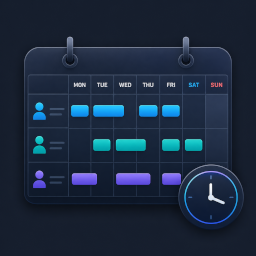
YPSupport Shift Scheduler is a WordPress plugin that collects shift requests from your staff and automatically builds the schedule. It’s a simple, fast scheduling tool for stores and facilities that are still managing shifts manually with spreadsheets or Google Forms.
Does this sound familiar?
- Coordinating shifts takes longer as your team grows
- You’re still copying and compiling shift requests by hand every week
- You don’t want to keep paying monthly per-user fees for a dedicated SaaS tool
- Giving every staff member a WordPress account feels like too much overhead
Key Features (Free)
- Staff Management — Add, edit, and remove staff members
- Shift Registration & Editing — Create, edit, and delete shifts
- Calendar View — View the schedule in weekly or monthly calendar format
- Shift Request & Approval Flow — Staff submit requests; managers review and approve
- Account-Free Frontend Submission — Staff submit shift requests via a unique personal link — no login required. Each link is tied to one staff member, keeping submissions secure
- Basic Auto-Scheduling — Automatically build a shift schedule from collected requests
- Email Notifications — Send email notifications for shift-related events
- CSV Import / Export (Shifts) — Import and export shift data in CSV format
Your Server. One-Time Payment.
YPSupport Shift Scheduler runs entirely on your own WordPress site. Staff data never leaves your server. No monthly fees, no per-user charges.
Shortcodes
Add any of these shortcodes to a page or post. Then set those pages under Shift Management > Page Links so the plugin can link to them from emails.
[ypss_request_form]— Shift request form for staff. Works without a WordPress login when opened via a staff member’s personal link. Optional attribute:title. Example:[ypss_request_form title="Submit your shifts"][ypss_my_requests]— Shows the logged-in staff member’s own request history. (No attributes.)[ypss_schedule]— Displays the published (confirmed) schedule for staff to view. Optional attribute:title.[ypss_week_schedule]— Compact one-week view of upcoming shifts. Optional attribute:title.
Screenshots


Installation
- Upload the plugin ZIP, or search for “YPSupport Shift Scheduler” under Plugins > Add New in your WordPress admin.
- Activate the plugin.
- Open Shift Management from the admin menu and register your staff.
- Generate a unique submission link for each staff member and share it with them.
- Once requests come in, create or auto-generate the schedule.
FAQ
-
Do staff need a WordPress account?
-
No. Staff submit their shift requests via a personal link issued by the manager — no login required. Only managers and administrators who need to manage shifts require a WordPress account.
-
Is the personal link secure?
-
Yes. Each link contains a unique, unguessable token tied to that specific staff member. Links can be reissued or revoked at any time from the admin dashboard.
-
Is there a monthly fee?
-
No. The free version is free, and it runs on your own WordPress site. There are no external SaaS subscriptions or per-user charges.
-
Where is staff data stored?
-
All data is stored in your WordPress site’s own database. Nothing is sent to external cloud services.
-
Does it work on mobile?
-
Yes. The staff-facing shift request form is responsive and works on both smartphones and desktop browsers.
Reviews
There are no reviews for this plugin.
Contributors & Developers
“YPSupport Shift Scheduler” is open source software. The following people have contributed to this plugin.
Contributors

Translate “YPSupport Shift Scheduler” into your language.
Interested in development?
Browse the code, check out the SVN repository, or subscribe to the development log by RSS.
Changelog
1.0.5
- Changed: Prefixed JavaScript global object names (e.g. ypssData, ypssAg, ypssPublic) to avoid collisions, per WordPress.org review. No functional changes.
1.0.4
- Fixed: Replaced mt_srand() with a deterministic shuffle so auto-scheduling results stay reproducible between preview and confirmation (resolves Plugin Check notices).
- Fixed: Corrected coding-standard annotations for file-stream and migration queries flagged by Plugin Check.
- Changed: Shortened the readme short description.
1.0.3
- Changed: Renamed the plugin to “YPSupport Shift Scheduler” with a unique prefix across all functions, classes, options, and shortcodes (existing data is migrated automatically on update).
- Changed: Pro-only features are now fully separated into a premium module, so the free version contains only free functionality.
- Changed: Inline scripts and styles are now loaded via the standard WordPress enqueue APIs.
- Fixed: Shift CSV import no longer drops rows whose fields contain line breaks, and is more tolerant of time formats.
- Note: Shortcodes changed to [ypss_request_form], [ypss_my_requests], [ypss_schedule], [ypss_week_schedule] (Pro: [ypss_groups], [ypss_groups_admin]). Update any pages that used the old shortcodes.
1.0.2
- Fixed: Shift request acceptance could not be started for a month that had not been opened before. The status now defaults correctly to “closed”, so opening works as expected.
1.0.1
- Added: License management and automatic free/premium separation via Freemius.
- Added: Activating the Pro version now automatically deactivates the free version.
- Changed: Plugin deletion now reliably removes all plugin data (custom tables, options, transients, and user meta).
1.0.0
- Initial release