

Description
TSO Options & Tables Cleaner is a database maintenance plugin for WordPress. It helps you clean wp_options, orphan metadata, revisions, and leftover plugin tables, with backups and table optimization.
Features:
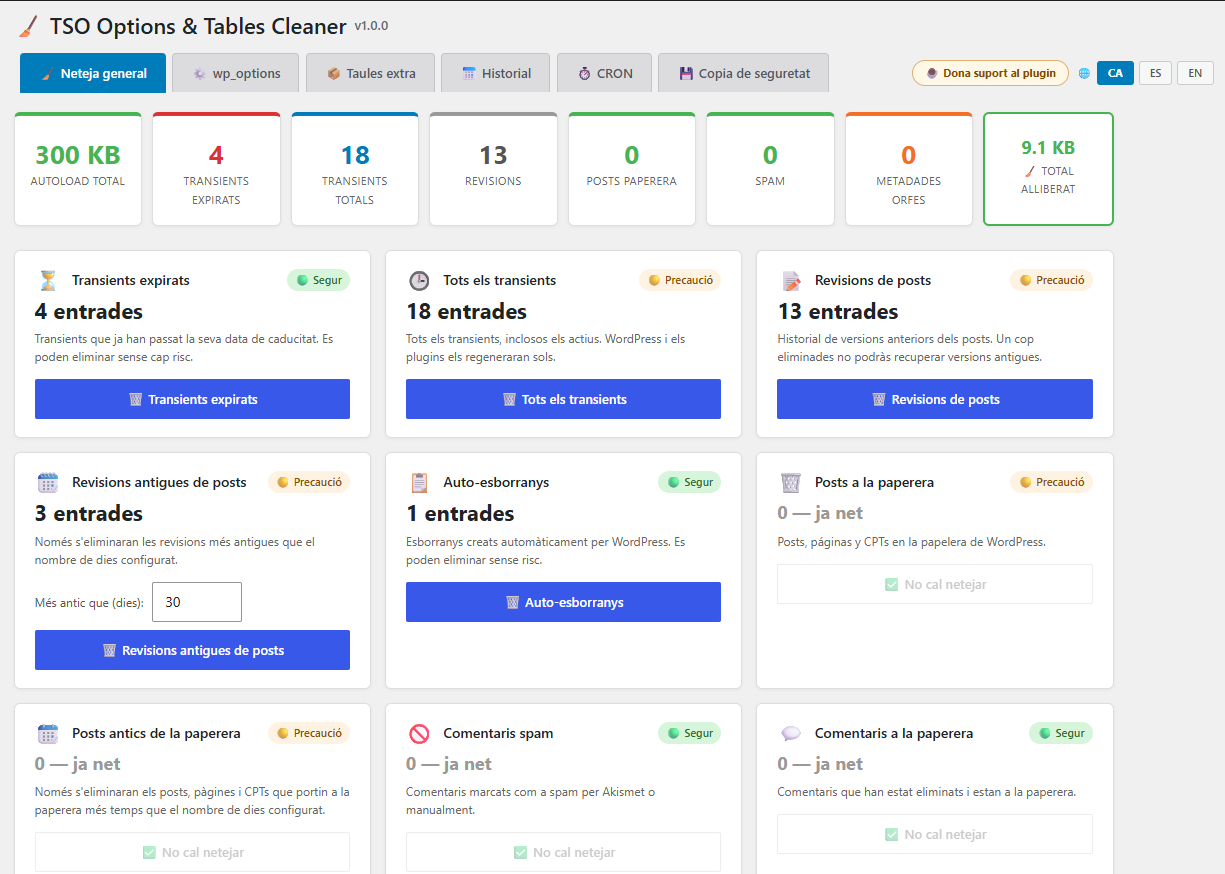
- General cleanup — Remove expired transients, post revisions, auto-drafts, trashed posts and comments, orphan post/comment/user/term metadata
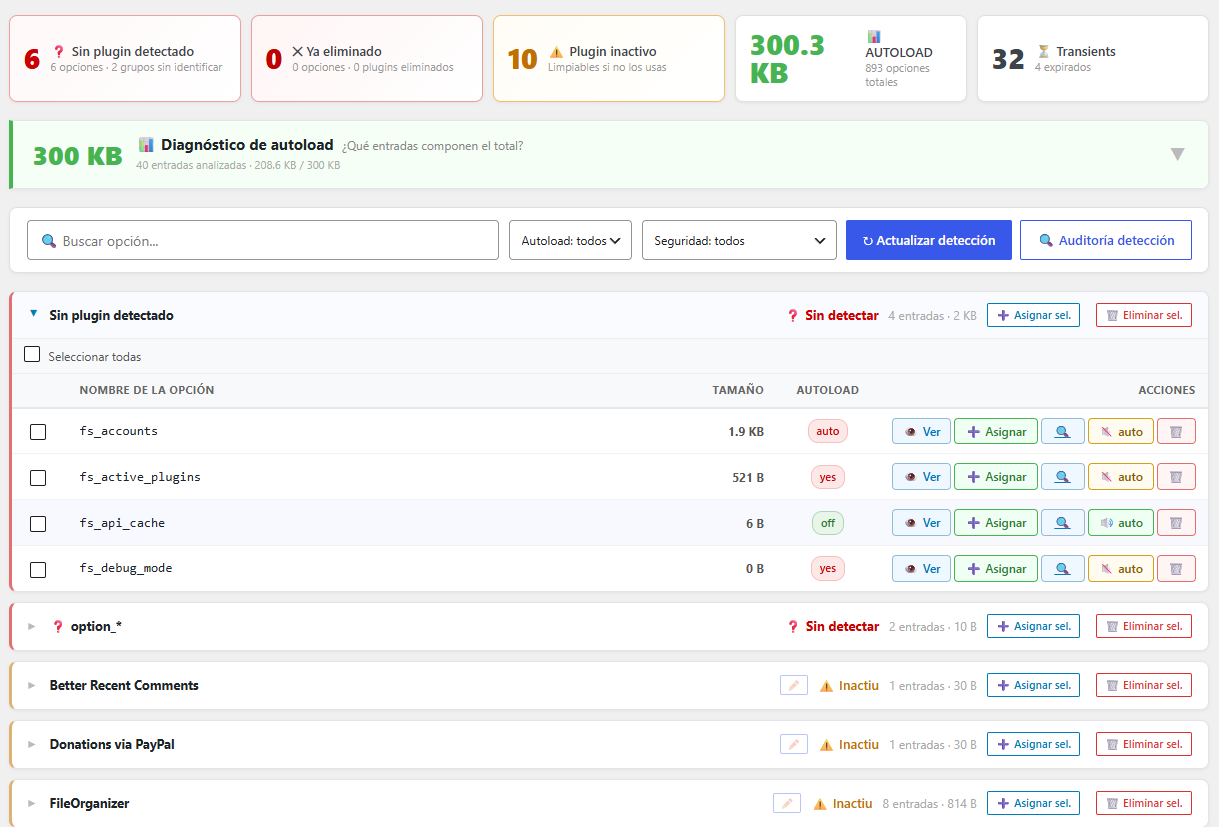
- wp_options manager — Browse, search and delete orphan options grouped by plugin, with autoload management and plugin detection for 300+ known plugins
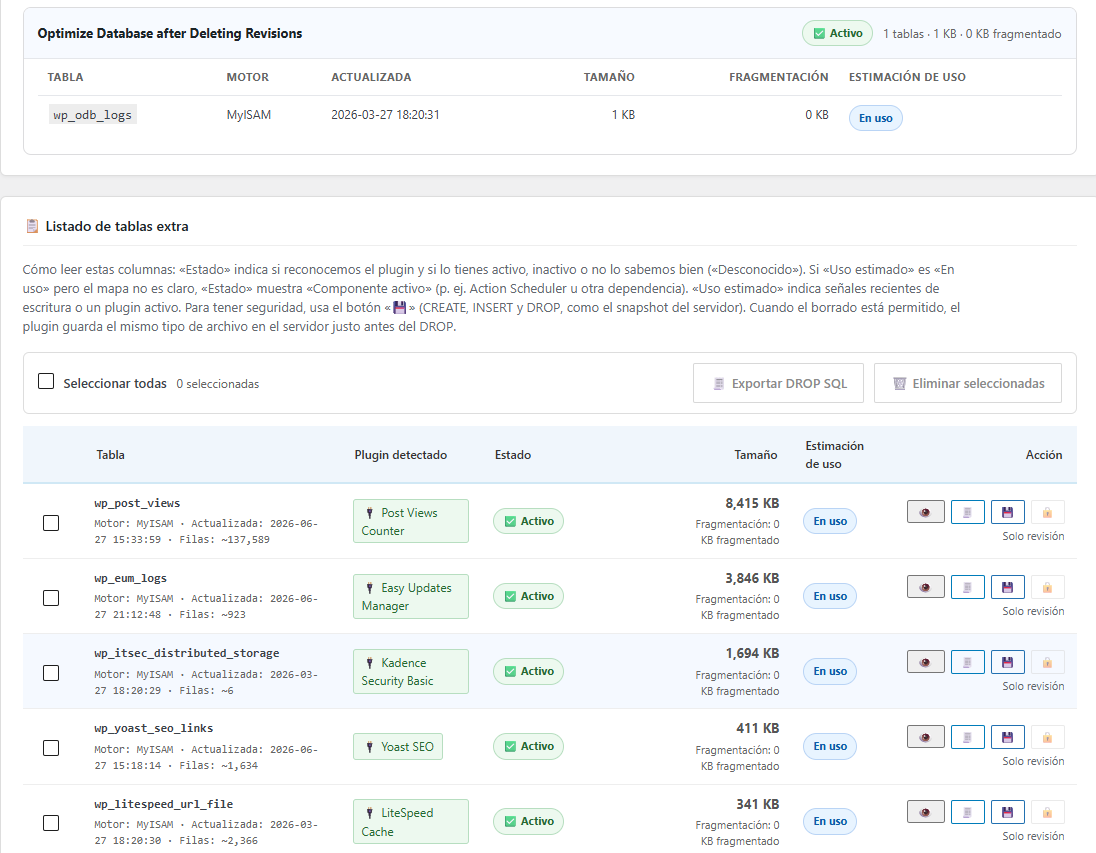
- Extra tables — Detect and remove tables left by uninstalled plugins (see detection limitations below)
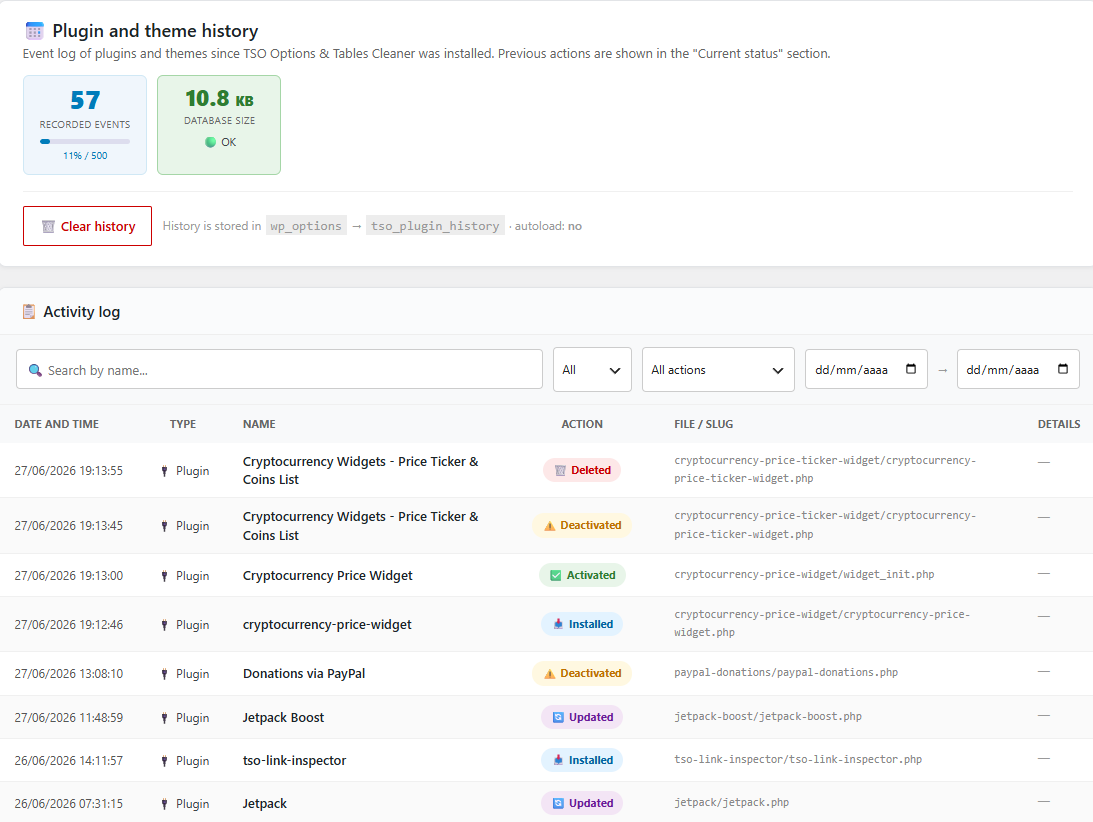
- Plugin & theme history — Track installation, activation, deactivation and deletion events for plugins and themes
- Database backup — Export the full database to SQL, download, restore or delete backups stored in wp-content/uploads/tso-options-tables-cleaner-backups/
- Table optimizer — Run OPTIMIZE TABLE on all fragmented WordPress tables
- Interface languages — Catalan, Spanish and English UI with per-user language preference
- Cache-plugin compatible — Compatible with LiteSpeed Cache and other caching plugins
Detection is heuristic, not perfect
WordPress does not record which database table belongs to which plugin. TSO Options & Tables Cleaner infers ownership from table prefixes, plugin folders on disk, install history, and other signals. That works well for many sites, but it cannot be 100% accurate in every case.
You may occasionally see:
- A table marked as probably orphaned while the plugin is still installed or active (false positive)
- A leftover table not flagged as orphaned after uninstall (false negative)
- Recent activity on a table because MySQL metadata was updated (maintenance, repair, or unreliable timestamps on some engines) even though the plugin is gone
- Unclear ownership for shared prefixes, renamed plugin folders, or custom tables
The plugin is intentionally conservative: when confidence is low, delete actions are blocked and you will see Review only. Always check the plugin list, export SQL before dropping tables, and use manual assignment when the automatic label looks wrong. Never delete a table unless you are sure it is safe for your site.
Privacy Policy
TSO Options & Tables Cleaner does not collect, transmit, or share any personal data with external services.
Data stored locally:
- Language preference: The administrator’s chosen UI language (Catalan, Spanish or English) is stored in wp_usermeta under the key tso_ui_lang. This data stays on your server and is never transmitted anywhere.
- Plugin/theme history: A log of plugin and theme events is stored in wp_options under the key tso_plugin_history. This log is optional and can be cleared at any time from the History tab.
- Database backups: SQL backup files are stored locally in wp-content/uploads/tso-backups/ and are never uploaded to any external service.
No external connections: This plugin does not make any HTTP requests to external servers, does not use analytics, and does not track usage of any kind.
Screenshots
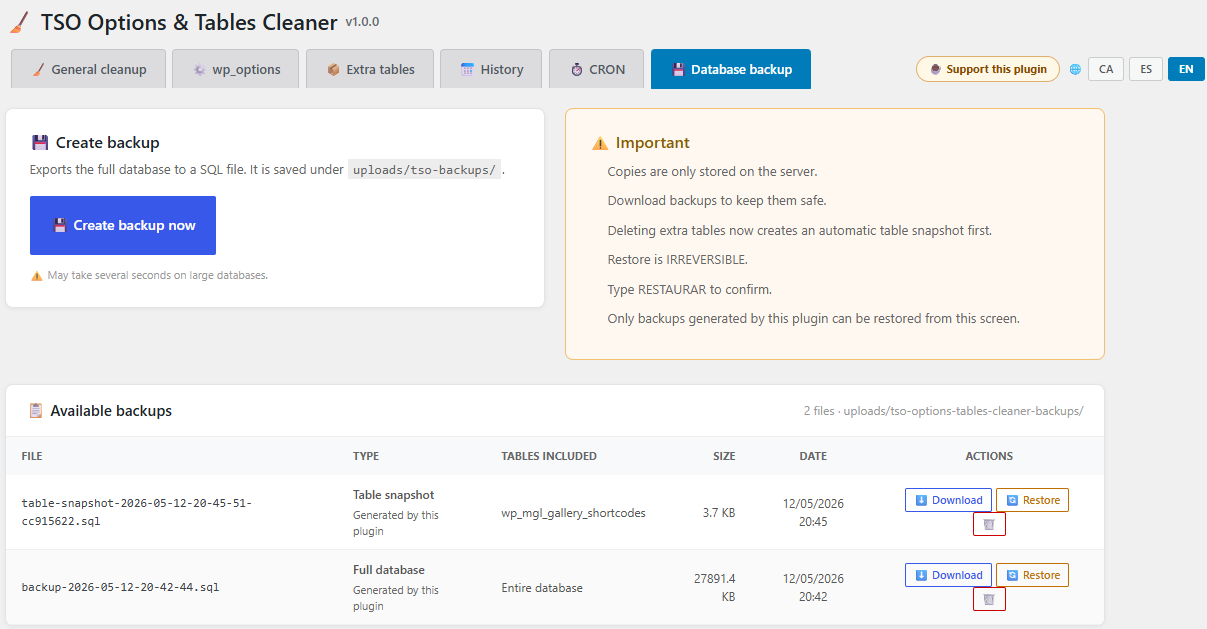
Installation
- Upload the plugin folder to /wp-content/plugins/
- Activate the plugin through the Plugins screen in WordPress
- Go to Tools > TSO Options & Tables Cleaner to start cleaning
FAQ
-
Is it safe to delete options from inactive plugins?
-
Yes. Options from inactive plugins can be deleted safely. The plugin marks active plugin options with a warning so you can identify them.
-
Is plugin and table detection always accurate?
-
No. Detection is heuristic. WordPress does not store a definitive link between each table or option and its plugin. TSO uses prefixes, folder names, history, and other clues. Results are usually helpful, but false positives and false negatives can happen — especially after plugin renames, shared prefixes, stale maps, or unusual custom setups.
-
Why does a table show as orphaned when the plugin is still active?
-
Usually because automatic detection matched an outdated path, a label-only prefix map, or conflicting signals. Reload the Extra tables tab after plugin updates. If the label is wrong, use Assign to link the table to the correct plugin, or export SQL and review before deleting anything.
-
Why is delete blocked for a table that looks orphaned?
-
Delete is allowed only when status and usage signals both look safe. If MySQL reports recent writes, the plugin folder still exists but is inactive, or ownership is uncertain, the UI shows Review only to reduce the risk of dropping a table still in use. Export the SQL backup and verify manually when in doubt.
-
Where are the backups stored?
-
In wp-content/uploads/tso-backups/. This directory is protected by .htaccess and an index.php to prevent direct access. Files are stored locally and never transmitted to any external service.
-
Does it work with LiteSpeed Cache?
-
Yes. The plugin sends the appropriate no-cache headers and LiteSpeed Cache API calls to avoid caching the admin interface.
-
What data does this plugin store?
-
Only the administrator interface language preference (Catalan, Spanish or English), saved as user meta (tso_ui_lang). No data is sent to external servers.
Reviews
There are no reviews for this plugin.
Contributors & Developers
“TSO Options & Tables Cleaner” is open source software. The following people have contributed to this plugin.
Contributors
Translate “TSO Options & Tables Cleaner” into your language.
Interested in development?
Browse the code, check out the SVN repository, or subscribe to the development log by RSS.
Changelog
1.0.1
- Table detection: confidence scoring, prefix-map reconciliation, and regression fixtures (Yoast, ODB, Meow Gallery, YARPP)
- Extra tables: custom table map, Confirm/Assign actions, detection source badges
- Table inspector: layered created/updated dates (row data, TSO history, MySQL metadata) with reliability hints
- Orphan vs active: fixes for false positives on uninstalled plugins and false orphans on active plugins
- Delete safety: confirmed uninstalled residue may be deleted even when MySQL shows recent activity
- Readme: documented heuristic detection limits and review-only safeguards
- Release tooling: scripts/release-check.ps1 chains phpcs-check + detection regression + Plugin Check checklist
1.0.0
- First public release on WordPress.org
- General cleanup: expired transients, revisions, drafts, trash, spam, orphan metadata
- wp_options manager with plugin/theme detection (300+ known prefixes), grouping, and bulk delete
- Extra tables tab: detect leftover plugin tables, export SQL, drop with safeguards
- Plugin and theme history log with automatic key mapping on install/activate/switch
- Full database backup to wp-content/uploads/tso-backups/ (download, restore, delete)
- Table optimizer for fragmented InnoDB/MyISAM tables
- Scheduled cleanup via WP-Cron with optional email summary
- Admin UI in Catalan, Spanish, and English (per-user language preference)
- Compatible with LiteSpeed Cache and WordPress 7.0