

Description
Evertongue helps WordPress sites carry one message across many languages without the overhead of a heavyweight multilingual system.
It was built for teams who need more than a handful of translations. Many popular translation plugins work well for a few languages, then become hard to manage as the language list grows. Evertongue keeps the workflow intentionally simple: real WordPress pages and posts, predictable language URLs, focused string translation, and switchers that remain usable when your audience spans dozens of languages.
Inspired by Revelation 5:9, “every tribe and tongue and people and nation,” Evertongue is for mission-driven teams working to make their message accessible to a global audience.
What Evertongue does
- Translate pages and posts as whole posts using the standard Gutenberg/classic editor
- Translate theme/site strings captured at runtime via the gettext filter
- Default language at the site root, others under
/{code}/ - Identical slugs across every language for a given page or post
- Auto-swapping menu items with fallback to the default language
evertongue_switcher()template tag with list or searchable combobox- hreflang alternate links and og:locale metadata on translated pages and posts
- WPML and Polylang importers for migrating languages, content, and strings
- PO file export/import for round-tripping strings
What Evertongue does not try to be
Evertongue is not an all-in-one localization suite. It does not try to handle every edge case, automatic translation workflow, or site-specific integration inside the core plugin. The goal is a clean foundation for multilingual content that stays understandable, maintainable, and fast as your language count grows.
Usage
Add languages under Evertongue Languages. Configure your default. Translate pages and posts from the editor sidebar (Gutenberg) or side meta box (Classic).
Render the language switcher in your theme:
<?php if ( function_exists( 'evertongue_switcher' ) ) evertongue_switcher(); ?>
Use style => 'combobox' for a searchable dropdown.
For users who prefer not to edit theme code, enable the floating button or footer list under Evertongue Settings Automatic switchers.
Screenshots
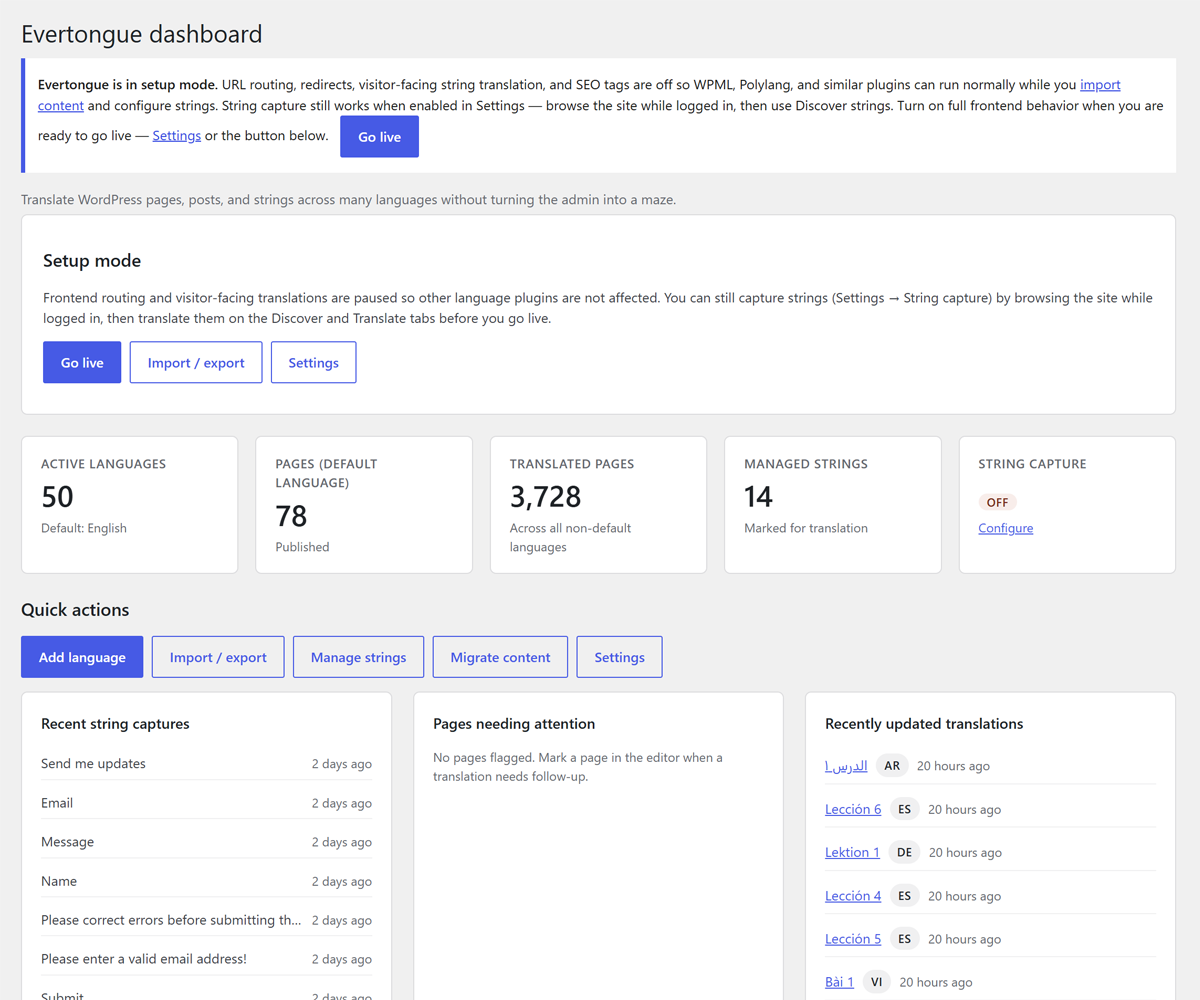
Evertongue dashboard with language overview and go-live notice. 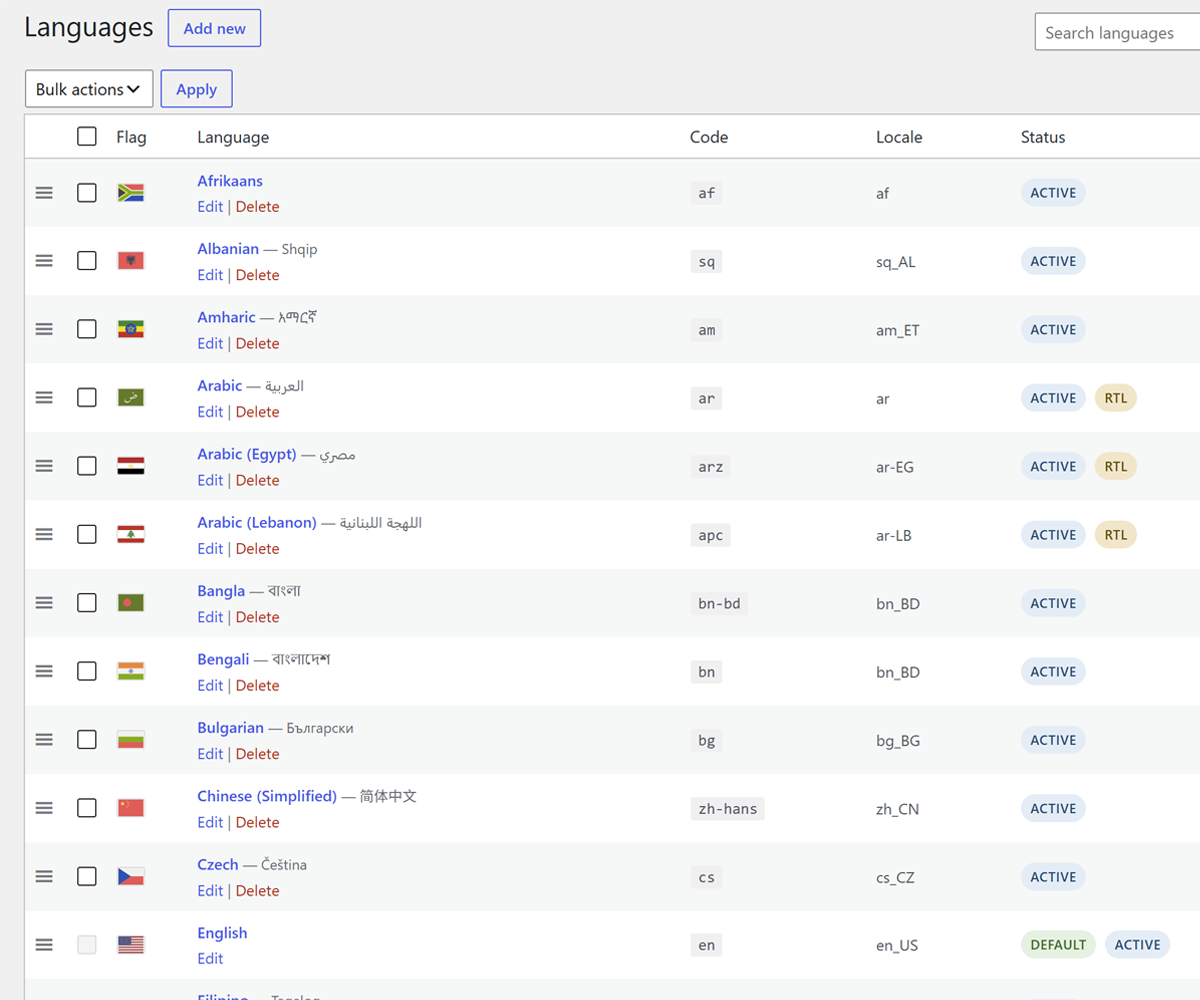
Languages screen with flags, sort order, and quick actions. 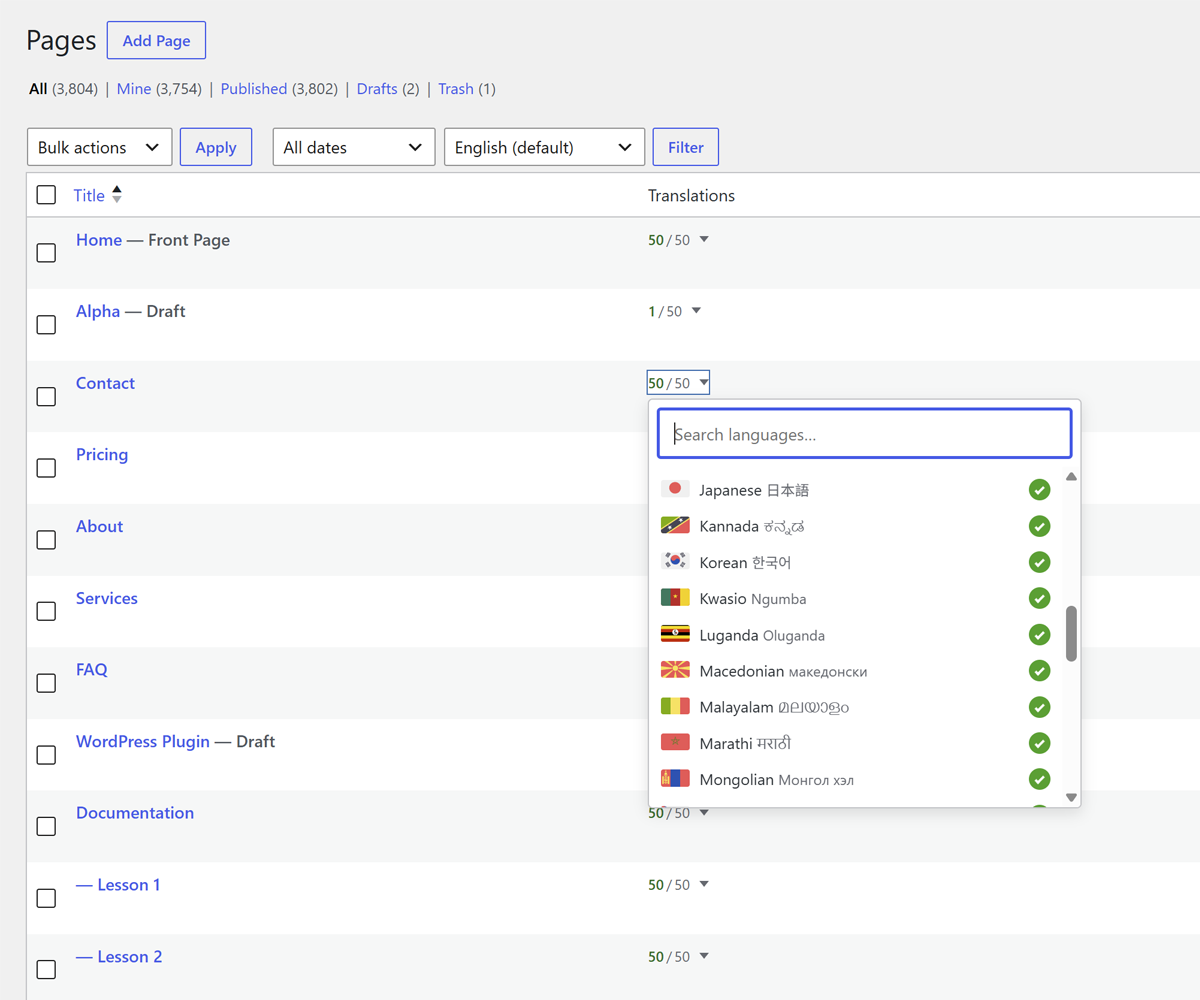
Page translation editing with searchable combobox. 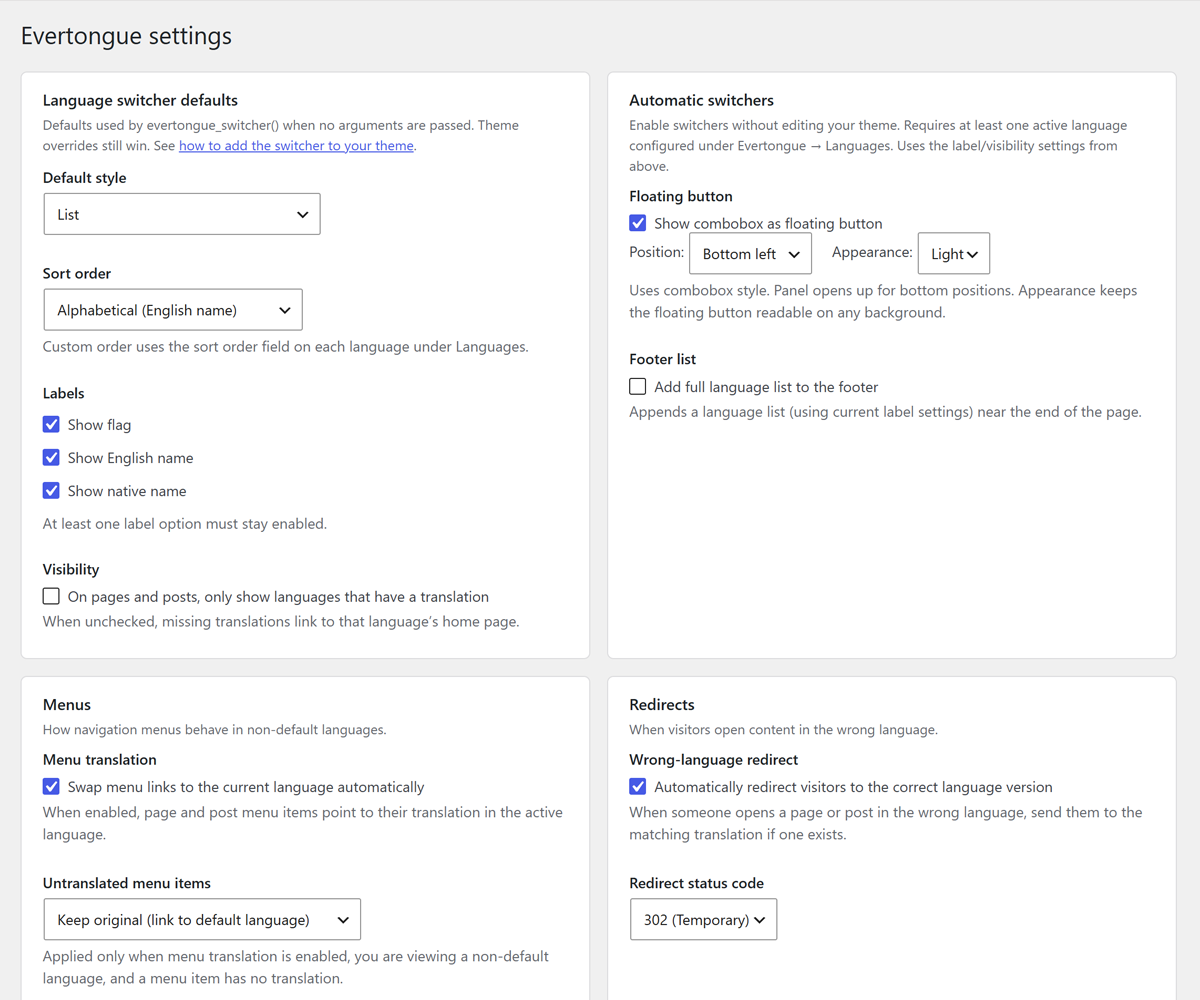
Settings screen for switcher defaults and automatic switchers. 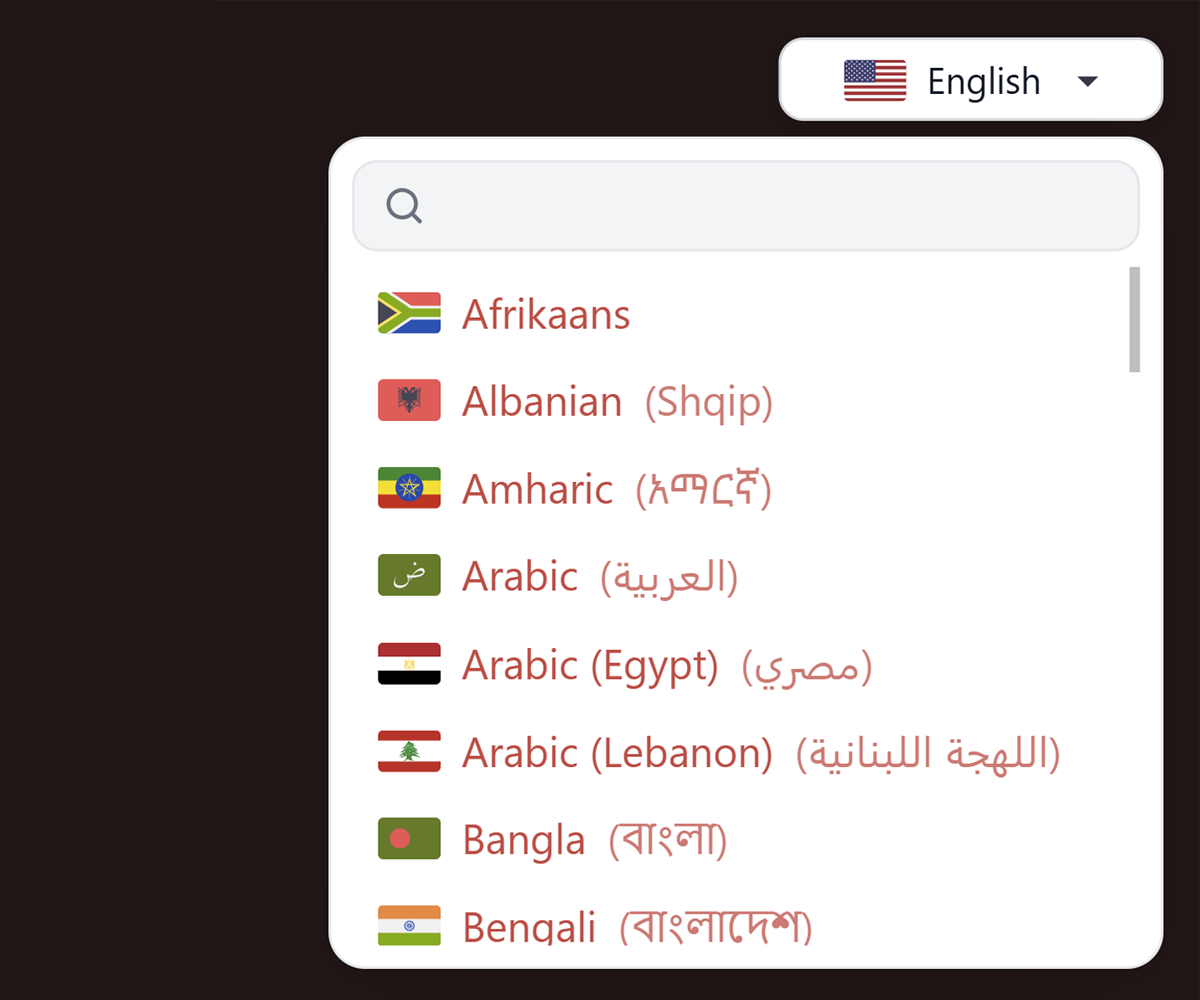
Front-end language switcher combobox on a translated page.
Installation
- Upload the plugin files to
/wp-content/plugins/evertongue, or install through the WordPress Plugins screen. - Activate the plugin through the Plugins screen.
- Open Evertongue Languages and add your languages, then set a default.
- Use Evertongue Settings to configure switchers, SEO tags, and setup mode while you migrate content.
- Translate pages and posts from the editor, or import existing translations under Import / export.
- When you are ready for public multilingual URLs, turn off setup mode (or click Go live on the dashboard notice).
FAQ
-
Does Evertongue work alongside WPML or Polylang?
-
Yes, during migration. Setup mode keeps Evertongue’s front-end routing and string translation off while you import content. When WPML remains active after go-live, Evertongue automatically defers front-end behavior to avoid conflicts. However, Evertongue is designed to work independently, without other translation plugins active.
-
Who can manage languages and imports?
-
Users with the
evertongue_managecapability (administrators by default) can manage languages, settings, and WPML/Polylang imports. Users withevertongue_translate(editors by default) can translate content, manage strings, and import PO files. -
What happens when I uninstall the plugin?
-
By default, Evertongue leaves your languages, translations, and strings in the database. To remove all plugin data on uninstall, enable Remove plugin data on uninstall under Evertongue Settings before deleting the plugin.
-
Where is the default language URL?
-
The default language uses your normal site URLs at the root. Other languages are served under
/{language-code}/with the same slug structure as the default.
Reviews
There are no reviews for this plugin.
Contributors & Developers
“Evertongue” is open source software. The following people have contributed to this plugin.
Contributors
Translate “Evertongue” into your language.
Interested in development?
Browse the code, check out the SVN repository, or subscribe to the development log by RSS.
Changelog
1.0.1
- Updated WPML import path resolution to use WordPress directory APIs.
- Admin notices are now scoped to Evertongue screens.
- Replaced rename() calls with WP_Filesystem::move()
1.0.0
- Initial public release.