
Description
Umay Çerez Yöneticisi (Umay Cookie Manager) is a cookie consent manager for websites that follow Turkey’s Personal Data Protection Law (KVKK) and the Turkish Data Protection Authority’s Cookie Guidelines (July 2025). It shows visitors the cookies used on the site by category and only lets tracking code run after the visitor allows the matching category.
This plugin is developed by Umay Ajans. It is not affiliated with or endorsed by the Turkish Personal Data Protection Authority (KVKK).
The admin screens and the texts shown to visitors are in Turkish, because the plugin is built for websites that serve visitors in Turkey. Every string is translatable.
Consent banner
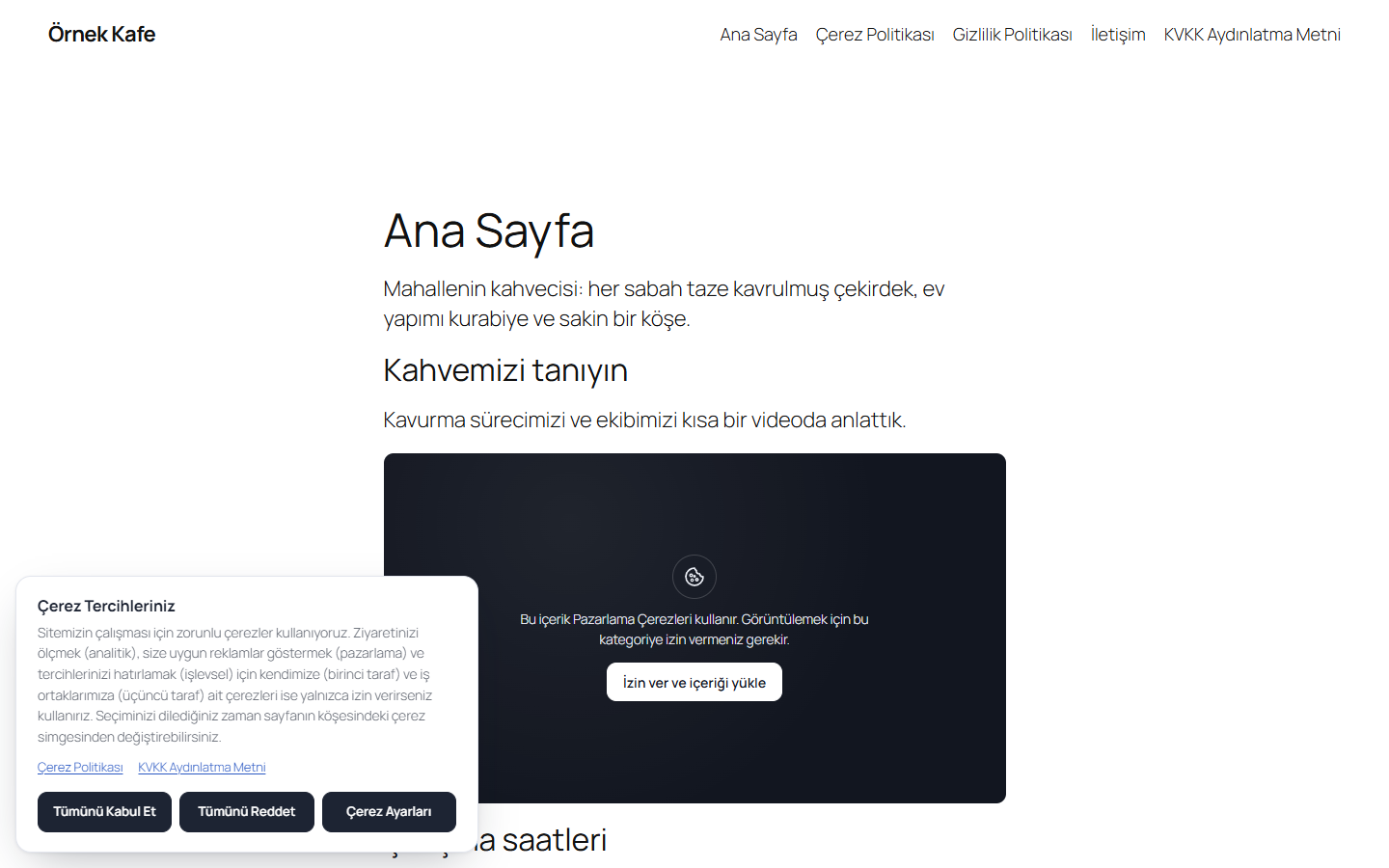
- Accept, Reject and Settings buttons are presented with equal weight, and optional categories start unticked.
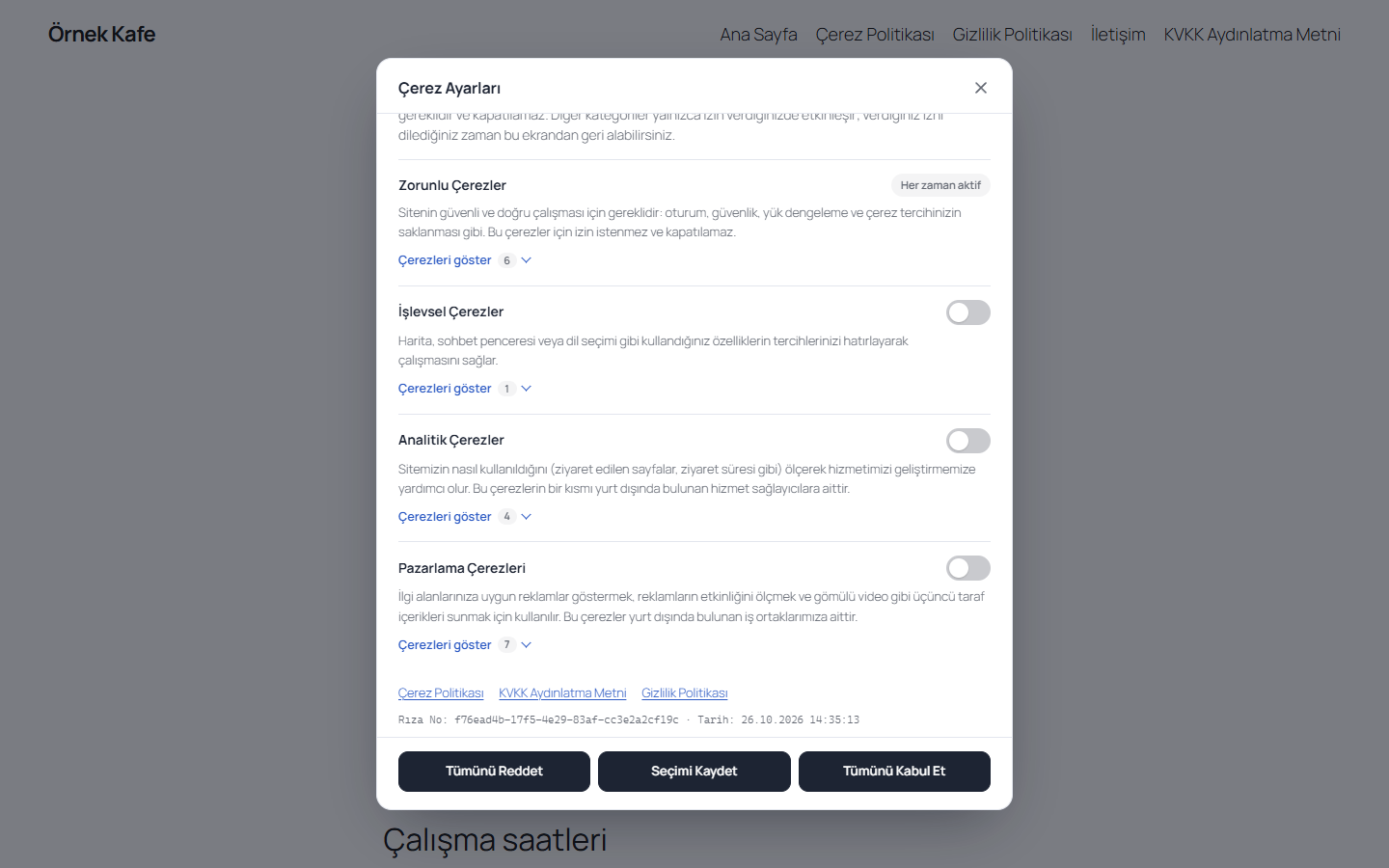
- Four categories: necessary, functional, analytics and marketing. Category names, descriptions and all banner texts can be edited.
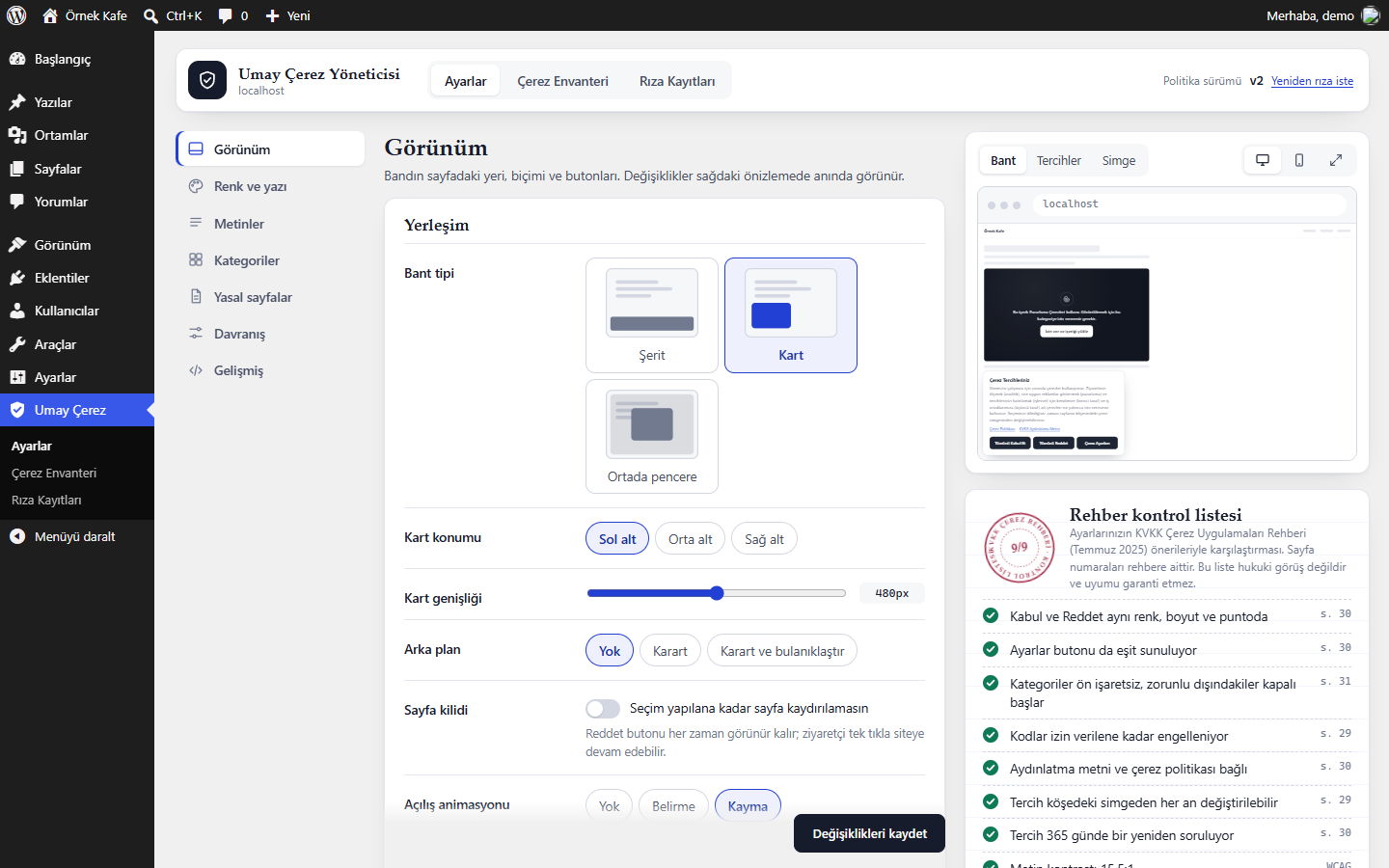
- Bar, card or modal layout with a live preview in the settings screen.
- A floating icon, a shortcode or a menu link lets visitors change their choice at any time.
- A “request consent again” button raises the policy version so that earlier choices expire.
Blocking before consent
- Scripts, iframes and tracking pixels that need consent are neutralised in the page HTML on the server and only activated in the browser after consent.
- Scripts that other code adds later (for example a video player API or a tag loaded through Google Tag Manager) are held back as well.
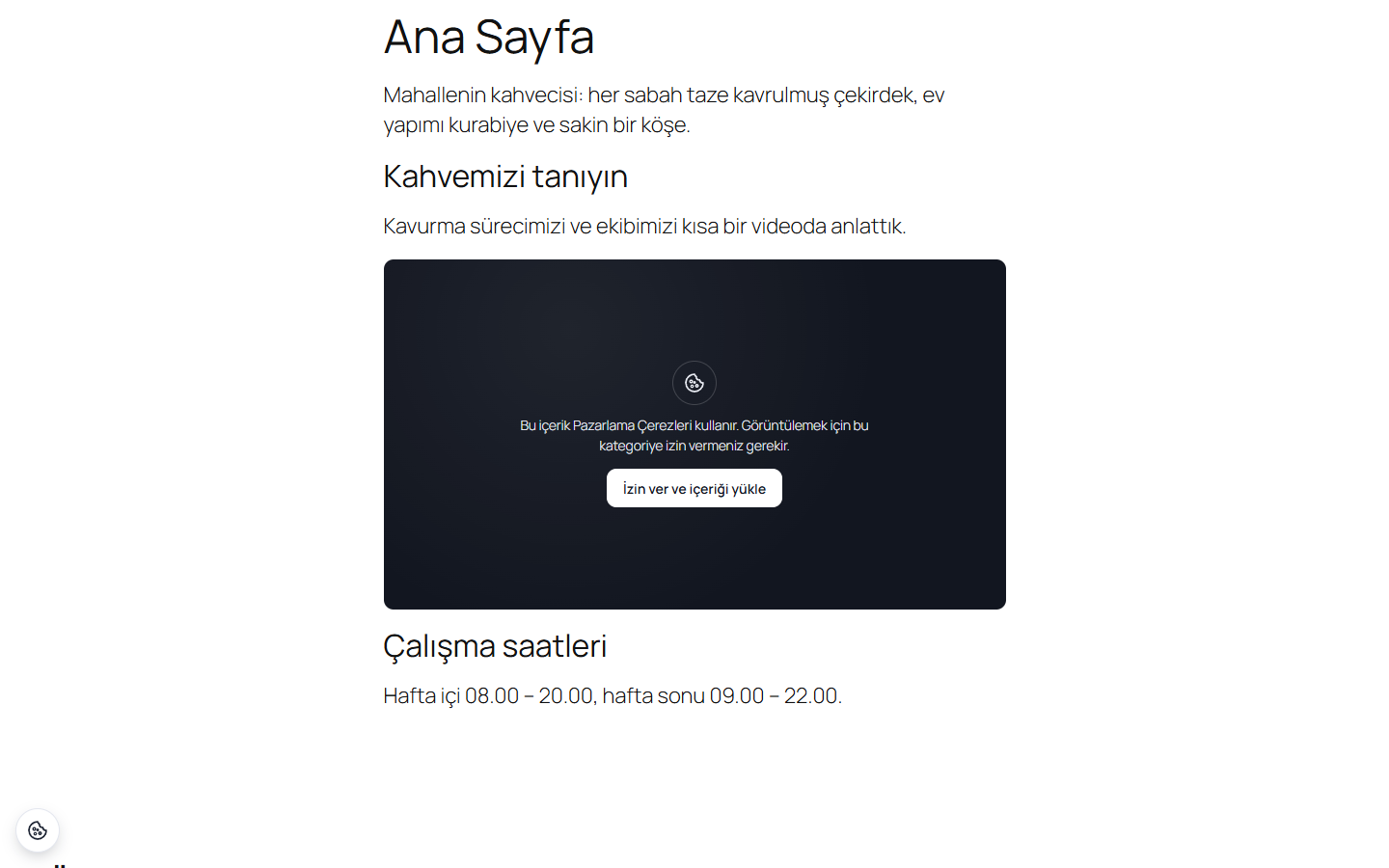
- Embedded videos and maps are replaced by a placeholder with an “allow and load” button.
- The page output is the same for every visitor, so the plugin works with page caching.
Integrations
- Google Consent Mode v2: every signal starts as denied and is updated when the visitor makes a choice.
- WP Consent API: the plugin registers as the consent provider.
- PixelYourSite: pixels and server side events follow the visitor’s marketing and analytics choices.
- LiteSpeed Cache and WP Rocket: banner files are excluded from deferring and combining.
Cookie inventory and site scan
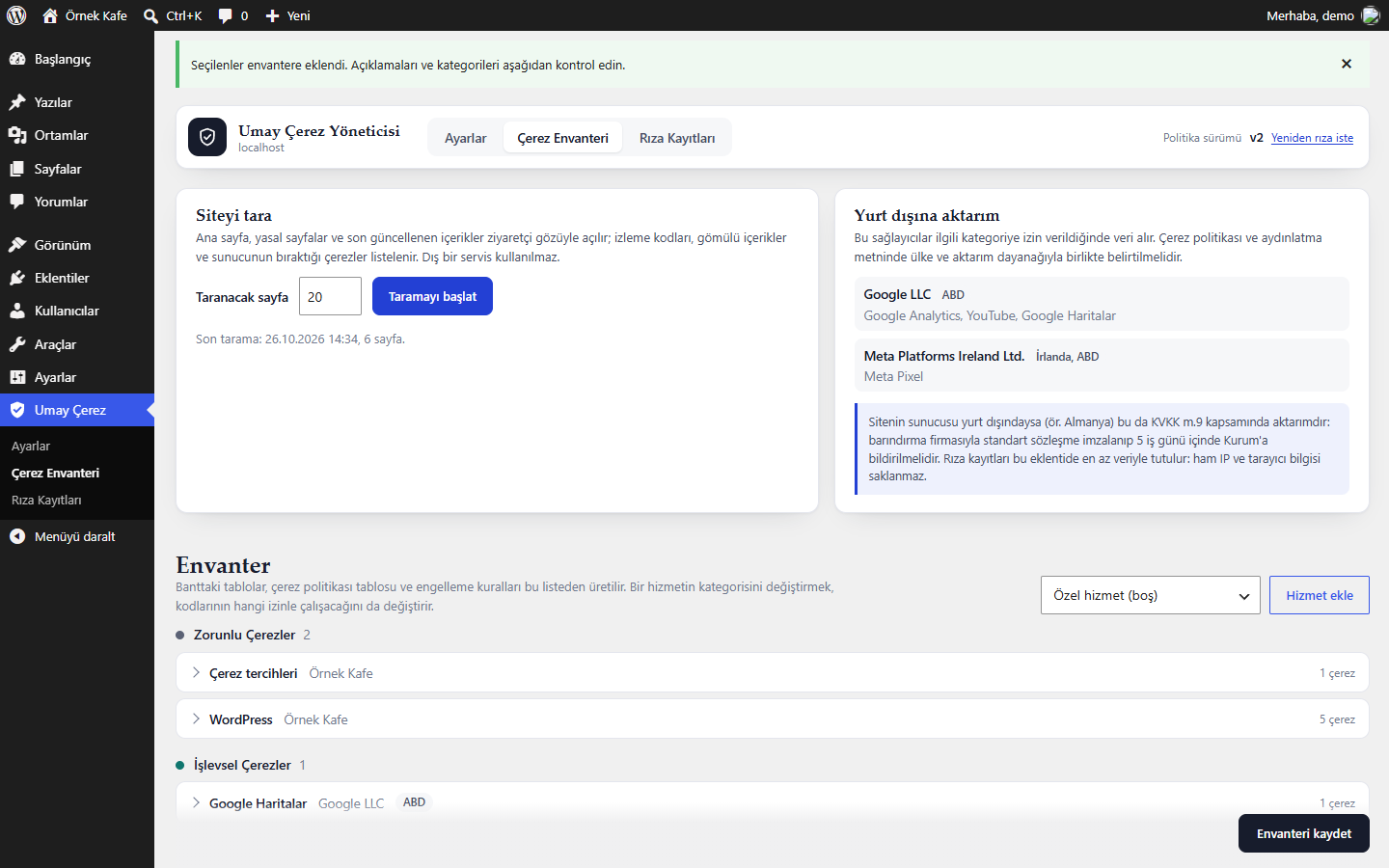
The scanner requests pages of your own site from your server, as an anonymous visitor, and matches scripts, iframes, pixels and Set-Cookie headers against a built-in list of common services (Google Tag Manager, Google Analytics, Google Ads, Meta Pixel, YouTube, Vimeo, Google Maps, reCAPTCHA, Microsoft Clarity, Hotjar, Yandex Metrica, TikTok, LinkedIn and more). Found services are added to the inventory, which you can edit.
The [kvkk_cerez_tablosu] shortcode prints the inventory as a cookie table (name, provider, type, purpose, duration) together with the providers located outside Turkey, for use on your cookie policy page.
Consent records
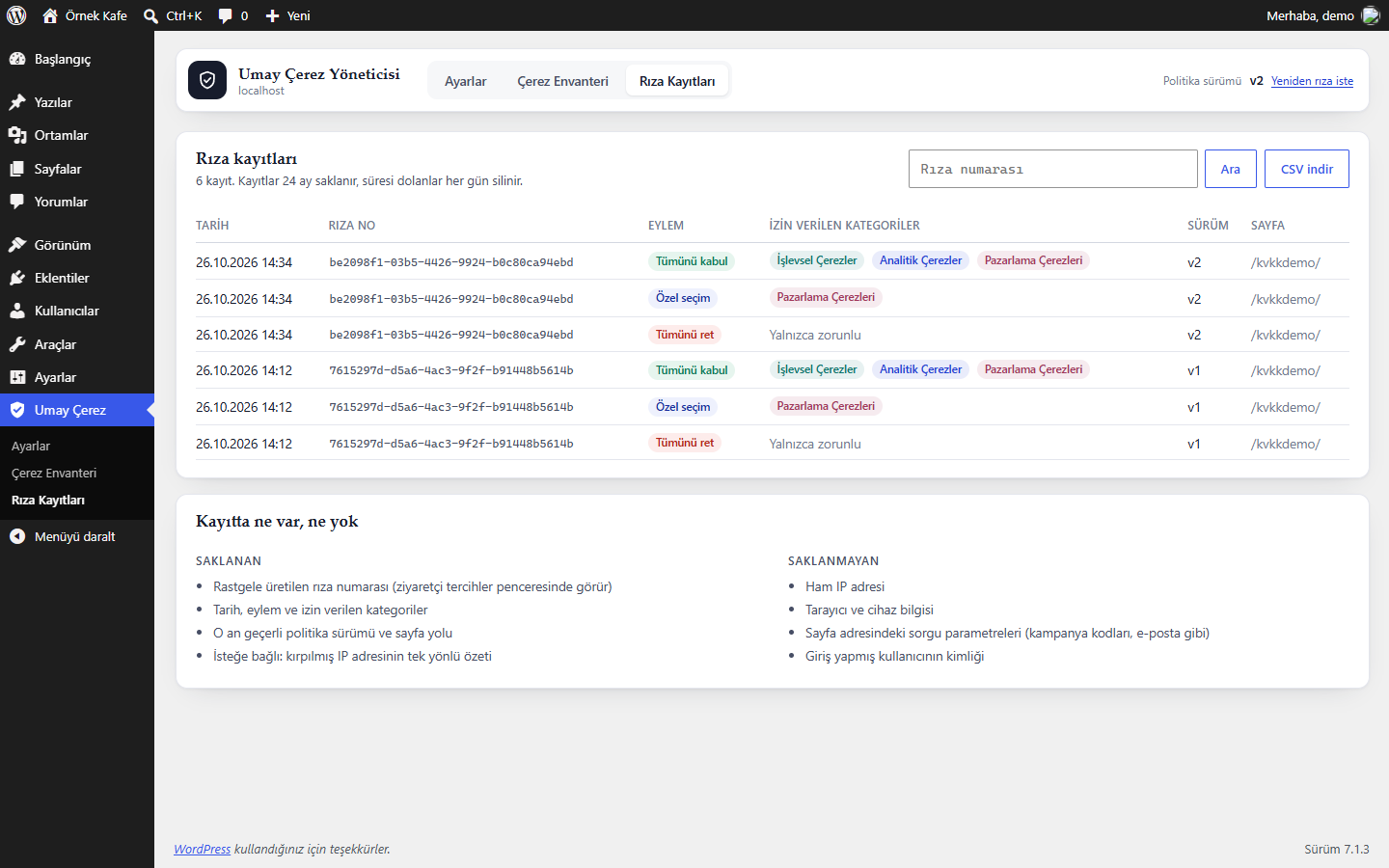
Each choice is stored in a table in your WordPress database so that you can show when and how consent was given. Records are searchable by consent ID and can be exported as CSV. They are deleted automatically after the retention period you choose (24 months by default).
Data stored by the plugin
The plugin does not send any data to external services. A consent record contains:
- a random consent ID generated by the server,
- the date and time (UTC), the action and the allowed categories,
- the policy version and the path of the page where the choice was made,
- optionally, a keyed hash (HMAC) of the visitor’s shortened IP address (IPv4 /24, IPv6 /48).
It does not store the raw IP address, browser or device details, query strings or the logged in user. The visitor’s choice is also saved in a first party cookie named kvkkc_consent so that it can be applied on the next page.
Legal notice
This plugin is a technical tool. It helps you apply the recommendations of the KVKK Cookie Guidelines on your site, but it is not legal advice and it does not guarantee legal compliance. The checklist in the settings screen only compares your settings with the guidelines.
Shortcodes and developer notes
[kvkk_cerez_tablosu]prints the cookie table. Usekategori="analitik"for a single category andaktarim="hayir"to hide the list of providers abroad.[kvkk_cerez_ayarlari text="..."]prints a link that opens the preferences window. A menu link with the address#kvkkc-ayarlardoes the same.- The
kvkkc:consentevent ondocumentcarries the allowed categories indetail.categories. - A
kvkkc_consentevent is pushed todataLayerwith thekvkkc_islevsel,kvkkc_analitikandkvkkc_pazarlamavariables, so tags in Google Tag Manager can use it as a trigger. - Add the
data-kvkkc-skipattribute to a script tag to exclude it from blocking. - Manual blocking rules can be added in the advanced settings as
address or code fragment|categorylines.
Development
The source code is developed in public on GitHub. Bug reports and pull requests are welcome.
External services
This plugin does not connect to any external service and does not send any data to third parties.
It contains a list of domains used by common third party services (for example googletagmanager.com or connect.facebook.net). The list is only used to recognise the code of those services on your own pages and to hold it back until the visitor gives consent. The site scan only requests pages of your own site from your server.
Screenshots
Installation
- Install and activate the plugin. Published pages with common legal page addresses (for example
/kvkk-aydinlatma-metni/or/cerez-politikasi/) are linked automatically. - Go to Umay Çerez > Çerez Envanteri, start the scan and add the services that were found to the inventory.
- Go to Umay Çerez > Ayarlar to adjust the layout and texts. The live preview shows the result.
- Add the
[kvkk_cerez_tablosu]shortcode to your cookie policy page.
If the site is behind Cloudflare or another reverse proxy, define the header that carries the real visitor IP in wp-config.php. It is only used for the optional IP hash and for rate limiting:
define( 'KVKKC_TRUSTED_PROXY_HEADER', 'HTTP_CF_CONNECTING_IP' );
FAQ
-
Does the plugin connect to any external service?
-
No. The plugin itself makes no requests to third party servers. The site scan only requests pages of your own site from your server. Third party code on your site (analytics, ads, videos) is only allowed to load after the visitor gives consent for its category.
-
How can a visitor change their choice?
-
Through the floating cookie icon in the corner of the page, a link added with the
[kvkk_cerez_ayarlari]shortcode, or a menu link with the address#kvkkc-ayarlar. The preferences window also shows the visitor’s consent ID. -
Click “Yeniden rıza iste” (request consent again) in the plugin header. The policy version goes up, earlier choices are no longer valid and the banner is shown again.
-
Does it work with page caching?
-
Yes. The HTML sent to visitors is the same for everyone and the decision is made in the browser. When settings or the inventory change, the plugin clears the cache of LiteSpeed Cache, WP Rocket, W3 Total Cache and WP Super Cache.
-
The settings screen has controls for the layout, position, colors, font size, corner radius and shadow, with a live preview. For anything beyond that, use the Additional CSS of your theme (Appearance > Customize > Additional CSS, or Styles > Additional CSS in the Site Editor). All elements of the banner use class names that start with
kvkkc, for example.kvkkc .kvkkc-btn. -
Is the plugin available in English?
-
The interface is written in Turkish. All strings use the WordPress translation functions, so translations can be added through translate.wordpress.org.
-
Does using this plugin make my site compliant with KVKK?
-
No plugin can do that on its own. The plugin covers the technical side of cookie consent (blocking, choices, records). Your privacy notice, cookie policy and data transfer arrangements still need to be prepared by you or your legal advisor.
Reviews
There are no reviews for this plugin.
Contributors & Developers
“Umay Çerez Yöneticisi” is open source software. The following people have contributed to this plugin.
Contributors
Translate “Umay Çerez Yöneticisi” into your language.
Interested in development?
Browse the code, check out the SVN repository, or subscribe to the development log by RSS.
Changelog
1.0.0
- First public release.