

Description
WireCore Order Archive Cleaner moves old orders out of the active order list. It adds the order status “Archived” and moves qualifying orders into it – automatically once a day in the background or manually from the order list.
Archived orders are not deleted. They remain in WooCommerce, keep counting as paid orders of the customer, can be opened, refunded and restored to their previous status at any time.
Archiving
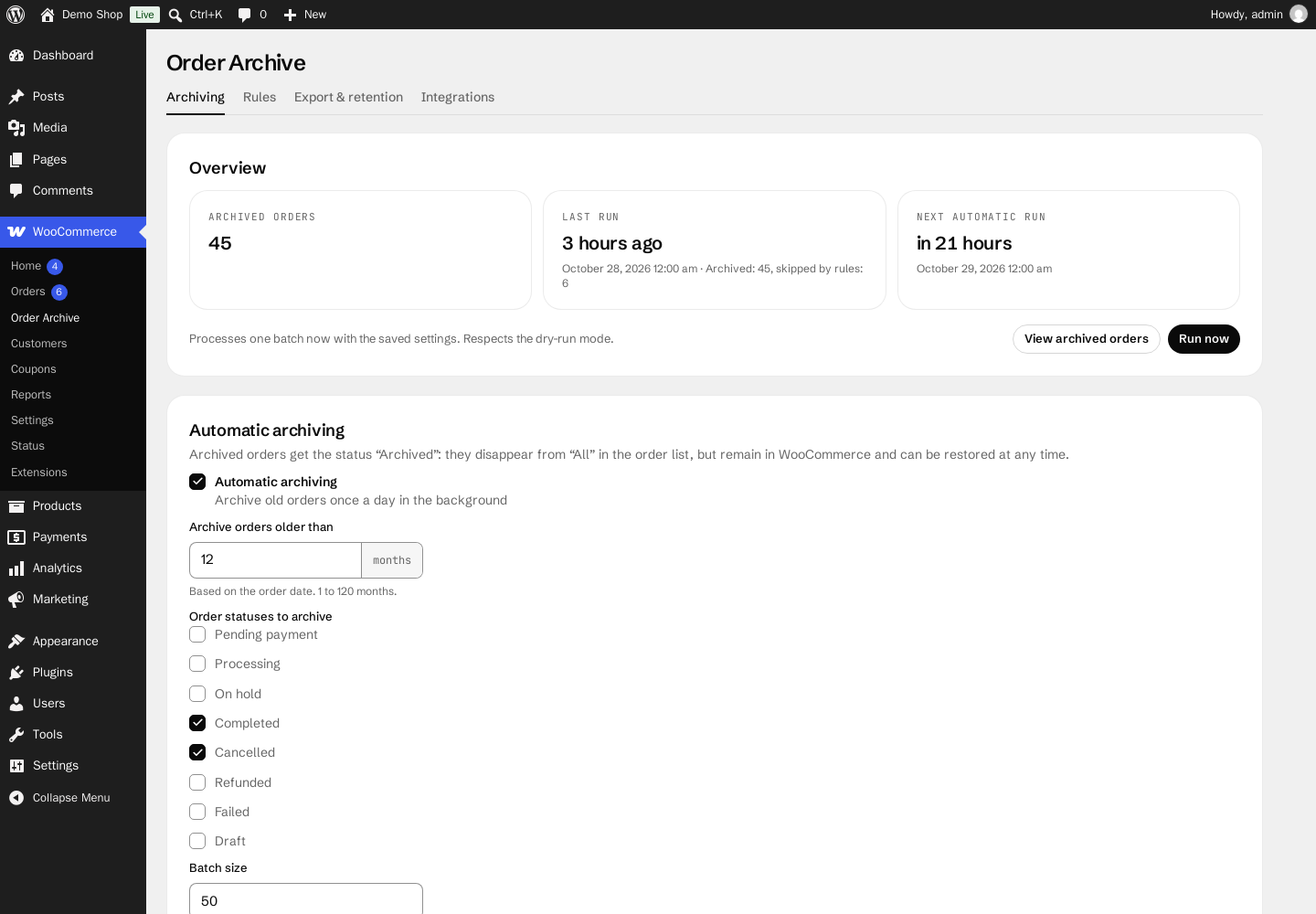
- Daily background run via the WooCommerce Action Scheduler, continued batch by batch until all orders are checked.
- Archive orders older than 1 to 120 months, with the order statuses of your choice.
- Batch size of up to 200 orders per batch.
- Dry-run mode: shows how many orders would be archived, without changing them.
- “Run now” on the settings page, with the result of the batch.
- Optional summary email to the site admin after each automatic run.
- “Archived” view in the order list; archived orders no longer appear under “All”.
- Bulk actions “Archive” and “Restore from archive” in the order list, archive and restore actions on the order screen.
- Restoring returns an order to the status it had before archiving.
- Dashboard widget with the number of archived orders.
- Compatible with High-Performance Order Storage (HPOS).
Rules
Orders matching one of these rules are never archived automatically:
- Orders with at least one refund.
- Orders with a total above an amount.
- Orders of customers with selected roles.
- Orders containing products from selected categories.
Export and retention
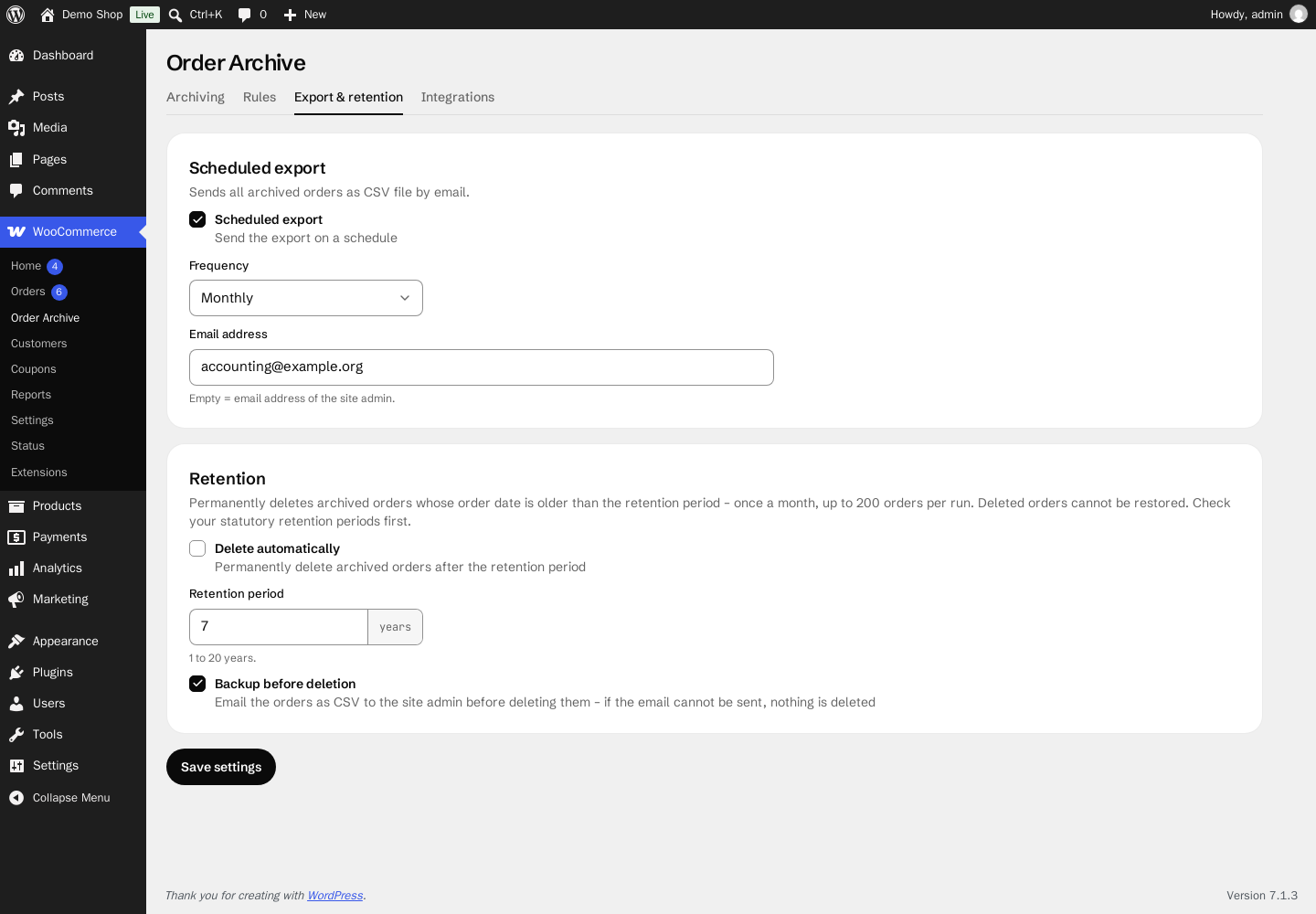
- Scheduled export: all archived orders as CSV file by email, weekly or monthly.
- Retention: permanently delete archived orders whose order date is older than 1 to 20 years – optionally only after emailing them as CSV backup. If the backup email cannot be sent, nothing is deleted. Disabled by default.
Webhook
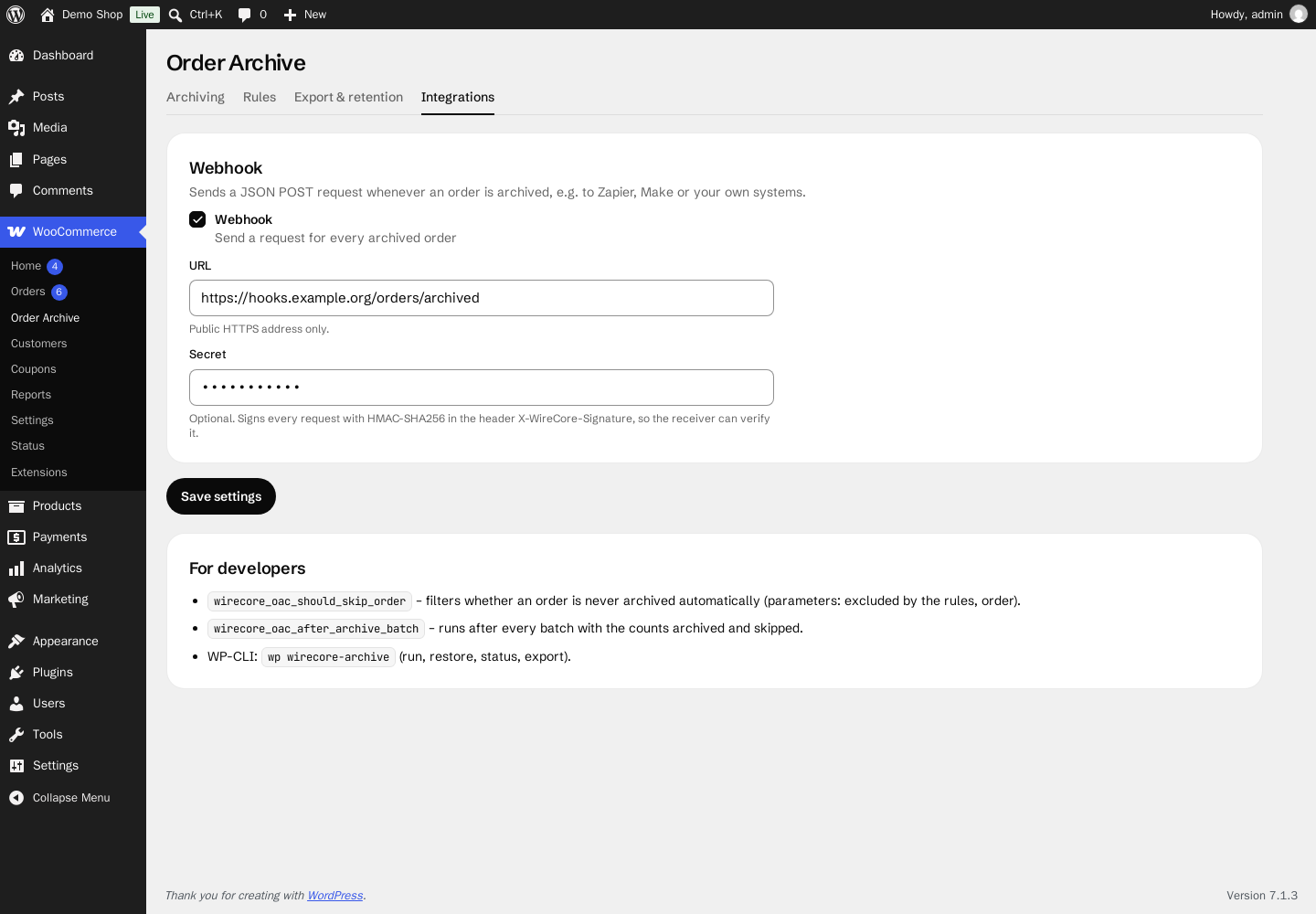
Sends a JSON POST request to a public HTTPS address whenever an order is archived, e.g. for Zapier, Make or your own systems. With a secret, every request is signed with HMAC-SHA256 in the header X-WireCore-Signature (sha256=<hex digest of the body>).
For developers
wirecore_oac_should_skip_order– filters whether an order is never archived automatically (parameters: excluded by the rules, order).wirecore_oac_after_archive_batch– runs after every batch with the countsarchivedandskipped.- WP-CLI:
wp wirecore-archive run|restore|status|export.
Privacy
The plugin does not set cookies and does not contact external services on its own. Only if you configure them:
- the webhook sends the order ID, order number, previous status, customer email address, total, currency, order date and the address of your site to the HTTPS address you entered,
- scheduled exports and the backup before deletion send archived orders with customer names and email addresses as CSV file to the email address you entered.
Source code and third-party resources
The settings page uses the WireLayer component library (MIT). assets/wirelayer/wirelayer.css is generated from the npm package @wirecore/wirelayer-css with npm run build:css; the source code of the plugin, including package.json, is available at github.com/WireCore/WP-Order-Archive-Cleaner-for-WooCommerce. Bundled with it:
- Tailwind CSS (MIT) – preflight and utilities compiled into
wirelayer.css - Schibsted Grotesk and JetBrains Mono fonts (SIL Open Font License 1.1,
assets/wirelayer/fonts/OFL.txt), served from the plugin – no external font service - Lucide icons (ISC)
Screenshots


Installation
- Install the plugin via Plugins Add New or upload the plugin folder to
/wp-content/plugins/. WooCommerce has to be active. - Activate the plugin.
- Go to WooCommerce Order Archive, check the cutoff period and the order statuses, and enable the dry-run mode for a first test with “Run now”.
FAQ
-
Are archived orders deleted?
-
No. Archiving only changes the order status to “Archived”. Orders are only deleted if you enable the retention setting.
-
How do I restore an archived order?
-
Open the “Archived” view in the order list and use the bulk action “Restore from archive”, or the action “Restore from archive” on the order screen. The order gets the status it had before archiving.
-
Why was an order not archived?
-
Check its status and date, and the rules: by default, orders with refunds are skipped. The dry-run mode shows how many orders would be archived and how many are skipped by the rules.
-
What happens to archived orders when I delete the plugin?
-
They keep the status “Archived”, which WooCommerce does not know without the plugin – they no longer appear in the order list. Restore them before deleting the plugin.
-
Does the plugin work with HPOS?
-
Yes. It uses the WooCommerce order APIs and declares compatibility with High-Performance Order Storage.
-
Is the plugin translated?
-
The plugin ships with German translations (formal and informal). Further translations are welcome on translate.wordpress.org.
Reviews
There are no reviews for this plugin.
Contributors & Developers
“WireCore Order Archive Cleaner for WooCommerce” is open source software. The following people have contributed to this plugin.
Contributors
Translate “WireCore Order Archive Cleaner for WooCommerce” into your language.
Interested in development?
Browse the code, check out the SVN repository, or subscribe to the development log by RSS.
Changelog
1.0.0
- Initial release.