
Description
One8 Weather Data Fields is a lightweight utility plugin that fetches current observation data directly from NOAA’s weather.gov API for your configured location. No personal data is sent to NOAA. Requests include a standard User-Agent identifying the plugin.
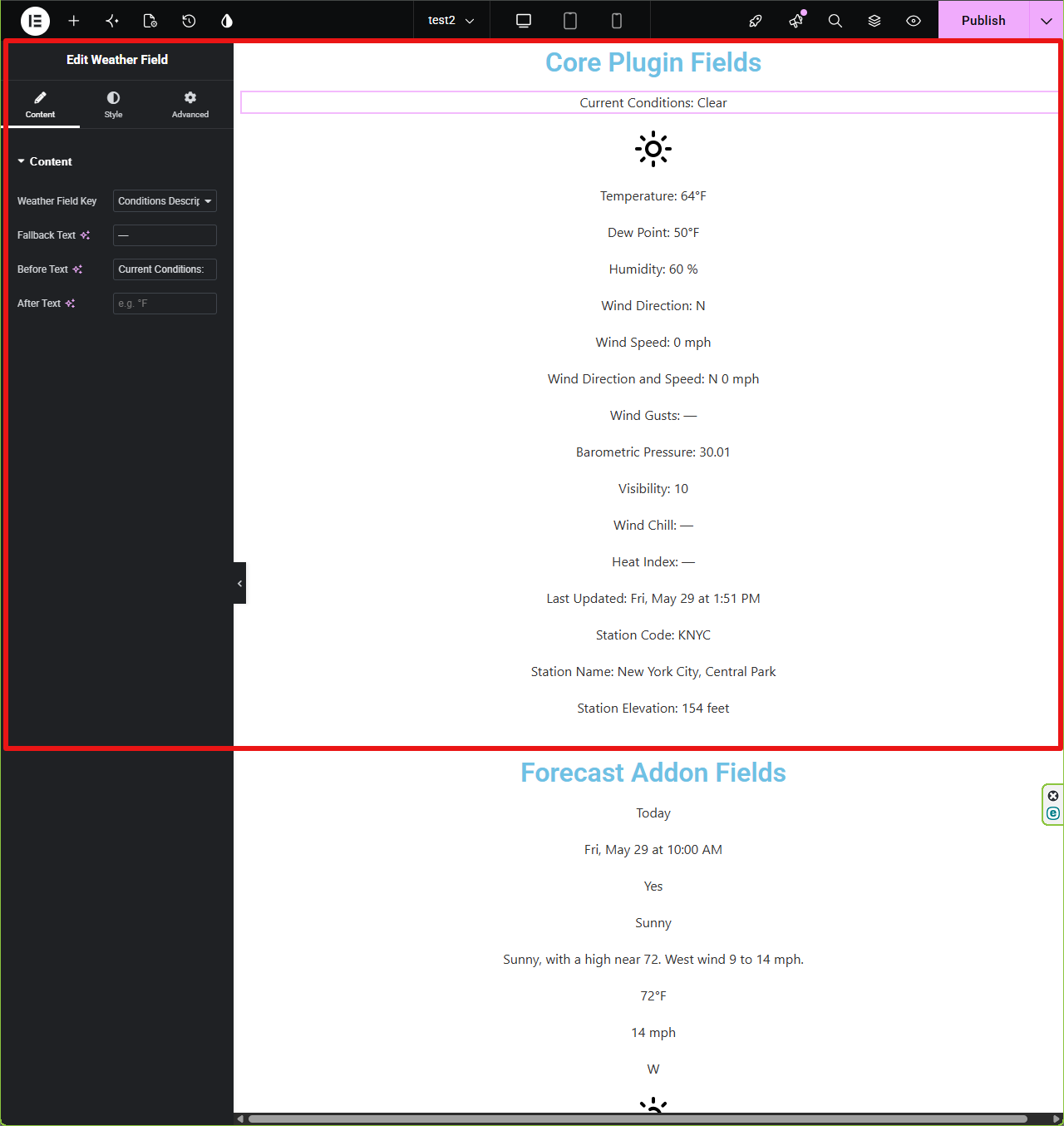
The free/core plugin displays current observation fields such as temperature, humidity, wind, pressure, visibility, station details, and current condition icons. It provides the data through Elementor widgets and the [weather_field] shortcode so you can style and integrate it in your own layout.
Forecasts, radar maps, alerts, marine data, tides, lunar data, and climate data are not included in the free/core plugin.
Features
- Fetch and cache current weather observations from NOAA/weather.gov
- Drag-and-drop Elementor widget for current observation fields
- Use a simple shortcode, e.g.:
[weather_field key="obs_temp"] - WP-Cron-driven caching, with an admin option to force refresh
- Developer hooks and filters to modify API URLs, cache TTL, and output format
Usage
1. Configure Your Location
After installing and activating One8 Weather Data Fields:
- Go to Settings -> One8 Weather Data Fields
- Enter your Latitude and Longitude (e.g.
40.6413,-73.7781for JFK) - (Optional) Use the ZIP code lookup on the Coordinates Lookup tab to auto-fill your coordinates
- Click Save Changes
- (Optional) Click Refresh Weather Data Now on the Manual Refresh tab to force a fresh fetch from NOAA
2. Using the Elementor Widget
If you use Elementor:
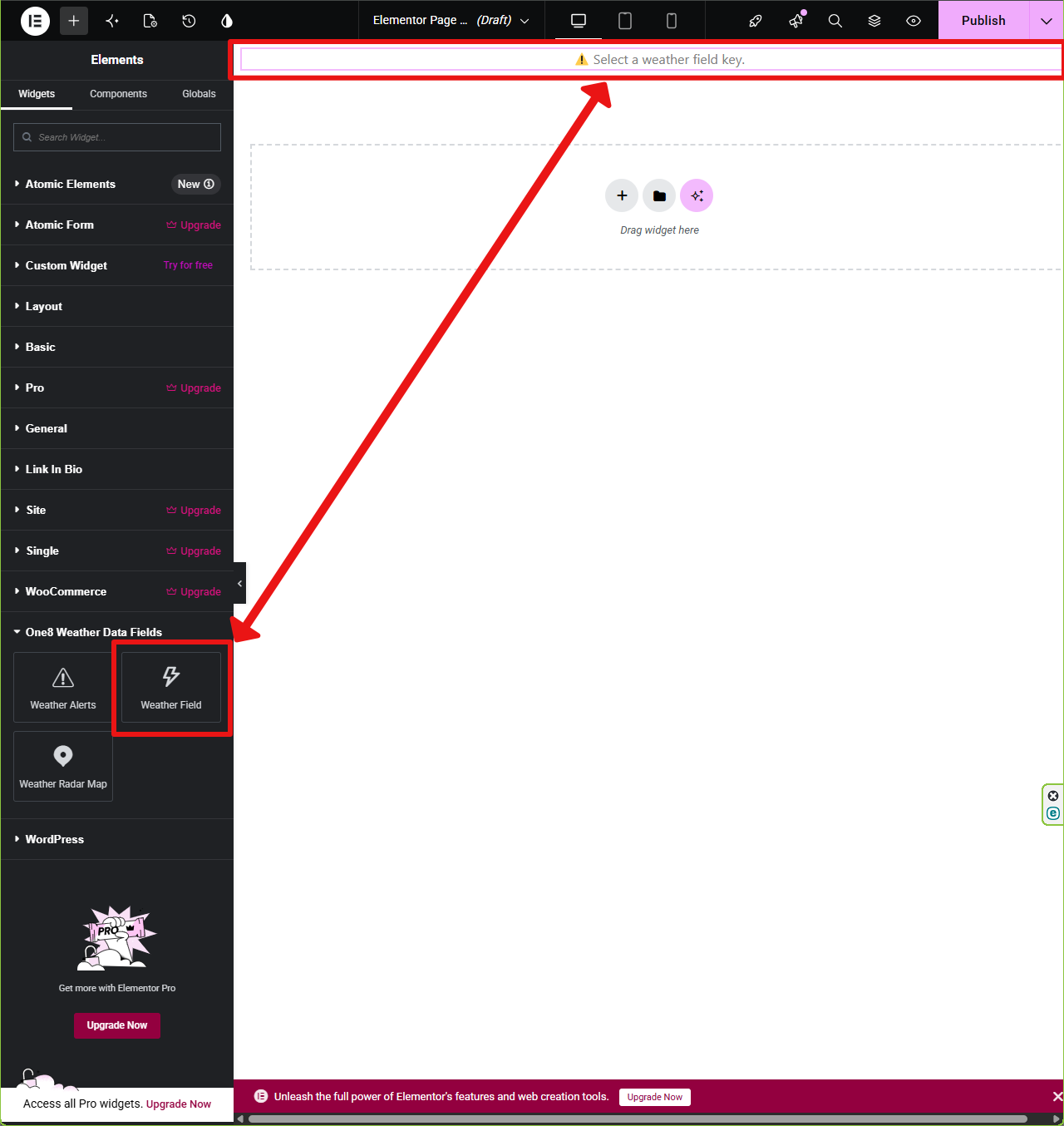
- Open any page in the Elementor editor
- Look for the One8 Weather Data Fields category
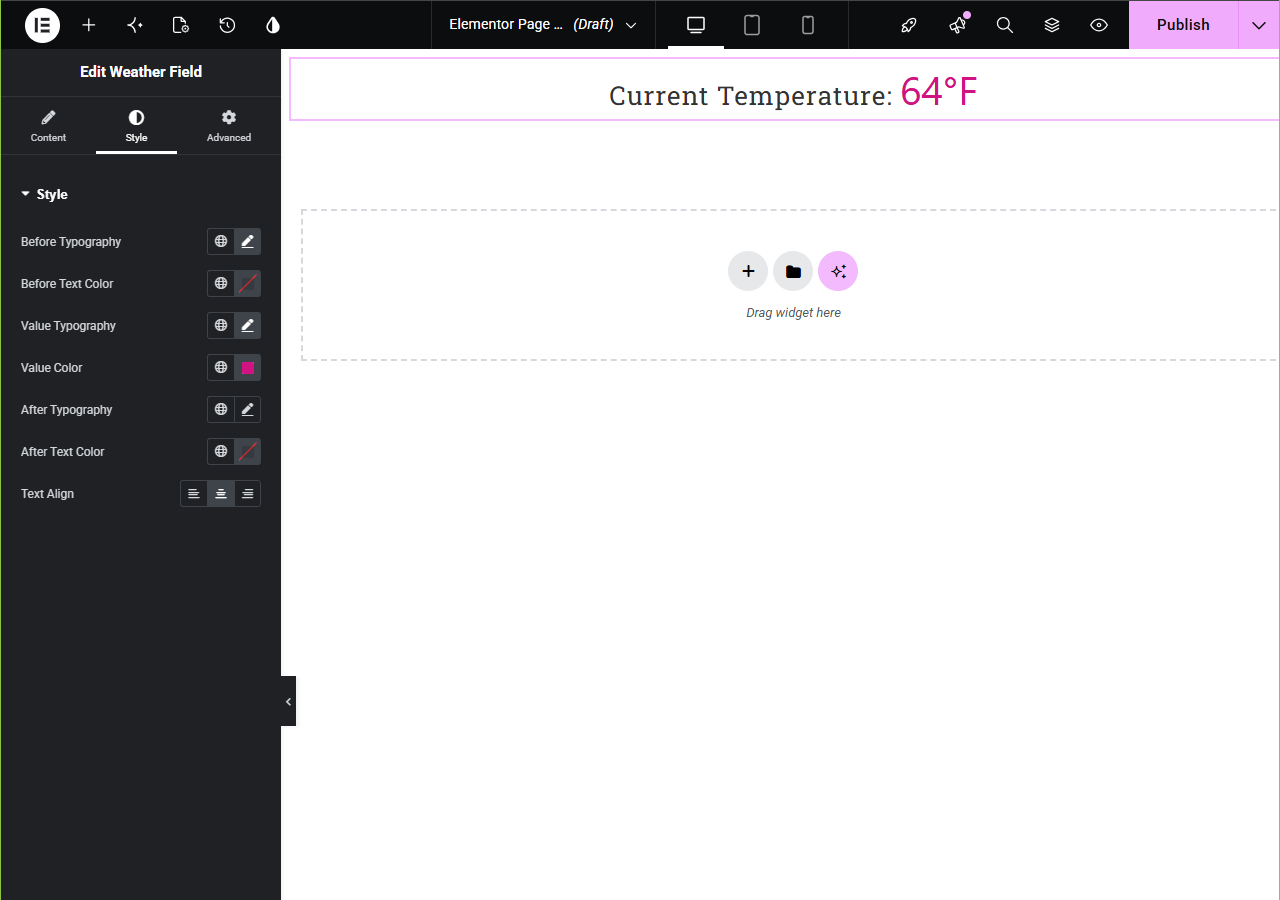
- Drag the Weather Field widget onto your page
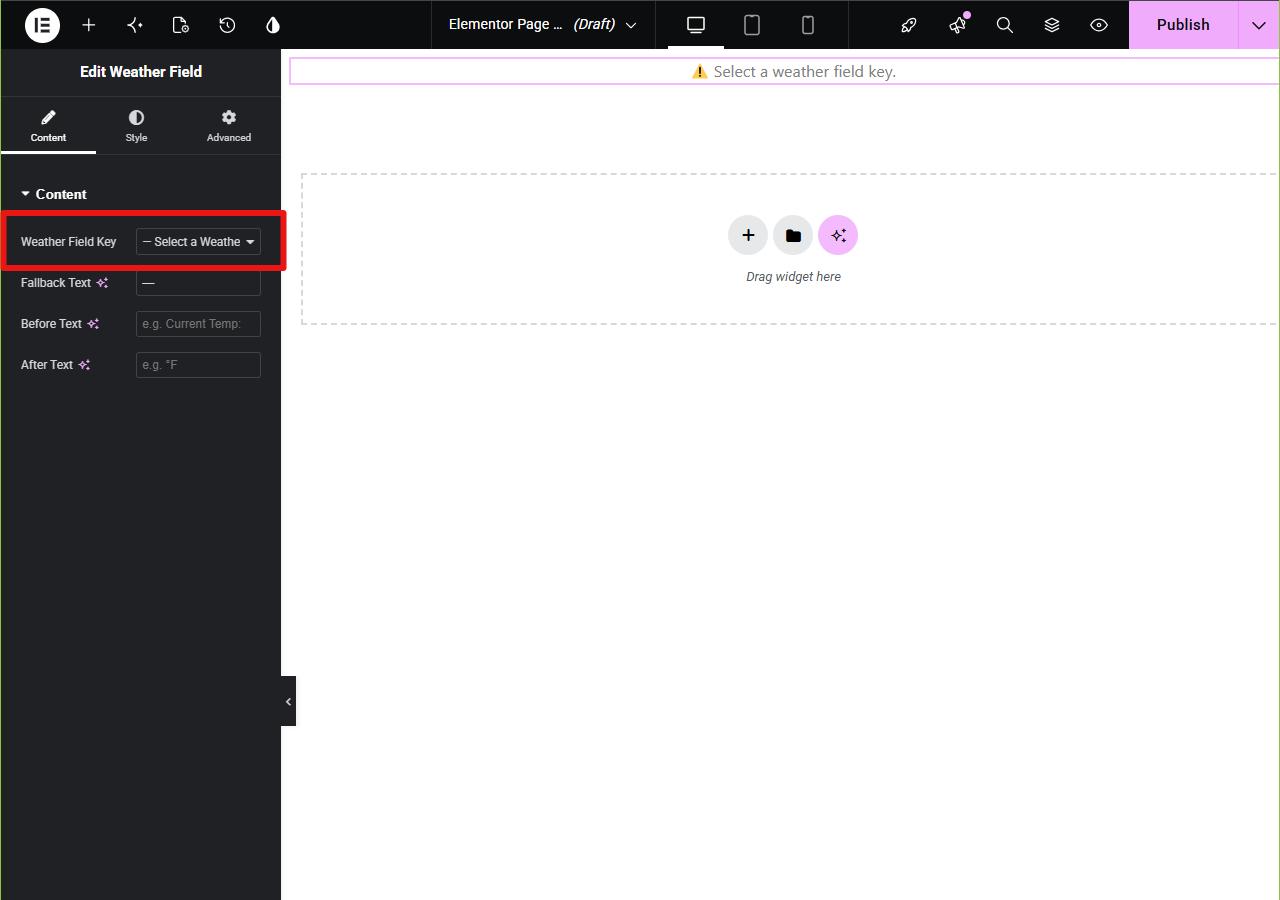
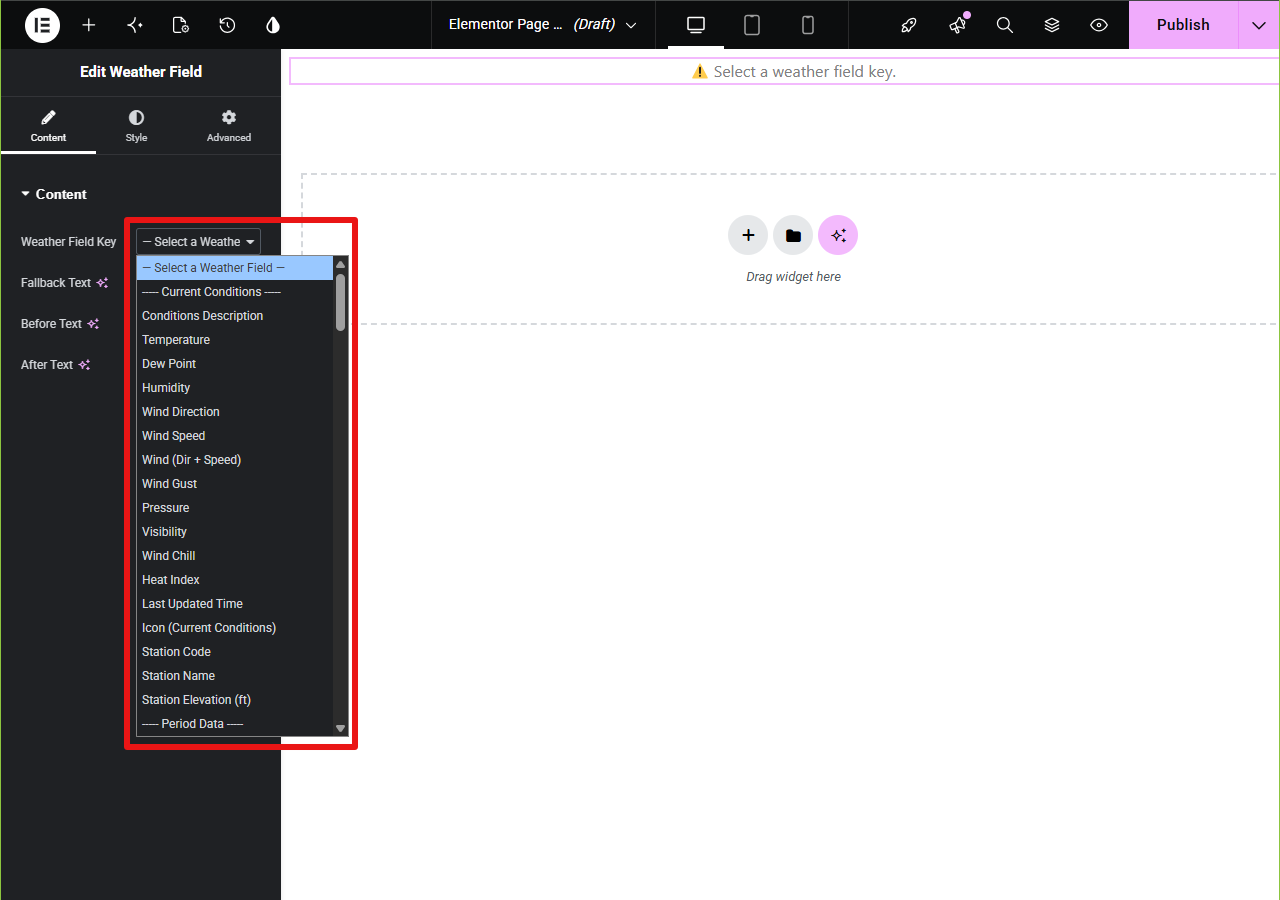
- Select your desired Field Key
- Use Elementor’s styling options (typography, color, padding, etc.)
- You can use multiple Weather Field widgets on the same page
- Each widget includes Elementor’s own Before and After text options
3. Using Shortcodes
Use the [weather_field] shortcode in any post, page, or widget.
Examples:
– Current temperature: [weather_field key="obs_temp"]
– Current wind gust with fallback: [weather_field key="obs_wind_gust" fallback="No gust reported"]
– Current wind (speed + direction): [weather_field key="obs_wind_combined"]
– Station code: [weather_field key="obs_station_code"]
– Current icon as an image: [weather_field key="obs_icon" type="icon" class="my-weather-icon"]
By default the shortcode uses the station selected by the plugin for your configured coordinates (or your optional station override in Settings).
Supported optional shortcode attributes are before, after, fallback, type, and class.
Available Shortcode Fields (Current Observations)
Use the [weather_field] shortcode with any of the following key="..." values:
obs_temp– Observed temperature at the reporting stationobs_dewpoint– Dew point temperatureobs_humidity– Relative humidity (percent)obs_wind_dir– Wind direction (e.g., “NW”)obs_wind_speed– Sustained wind speedobs_wind_gust– Peak wind gusts (if reported)obs_wind_combined– Combined wind direction and speedobs_pressure– Atmospheric pressureobs_visibility– Horizontal visibilityobs_wind_chill– Wind chill temperature (if reported by NOAA/weather.gov)obs_heat_index– Heat index value (if reported by NOAA/weather.gov)obs_desc– Textual description (e.g., “Partly Cloudy”)obs_time– Timestamp of the last observationobs_icon– URL to the icon representing current conditionsobs_station_code– Official station code (e.g., “KJFK”)station_name– Full name of the reporting stationstation_elev– Elevation of the reporting station
Privacy
This plugin fetches public weather observation data from the National Weather Service (NOAA) at api.weather.gov to display observations for your configured location. No personal data is sent to NOAA. Requests include a standard User-Agent identifying the plugin.
- NOAA Privacy: https://www.weather.gov/privacy
- NOAA API Docs: https://www.weather.gov/documentation/services-web-api
Acknowledgements
Built on the NOAA Weather.gov API
Inspired by the “Minimal Weather” shortcode concept
License
This plugin is licensed under the GPLv2 or later.
Screenshots
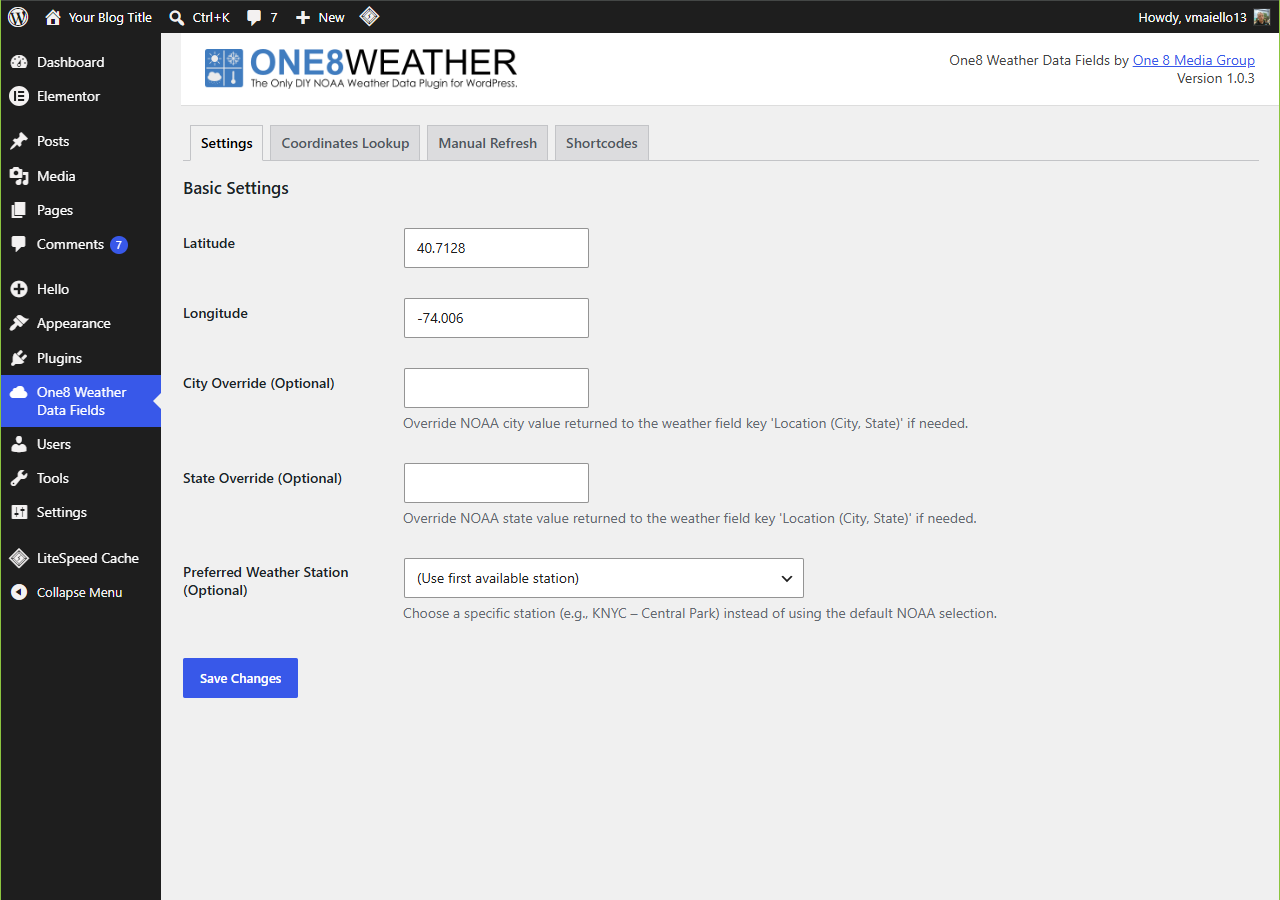
Settings Page – Enter your coordinates and select station 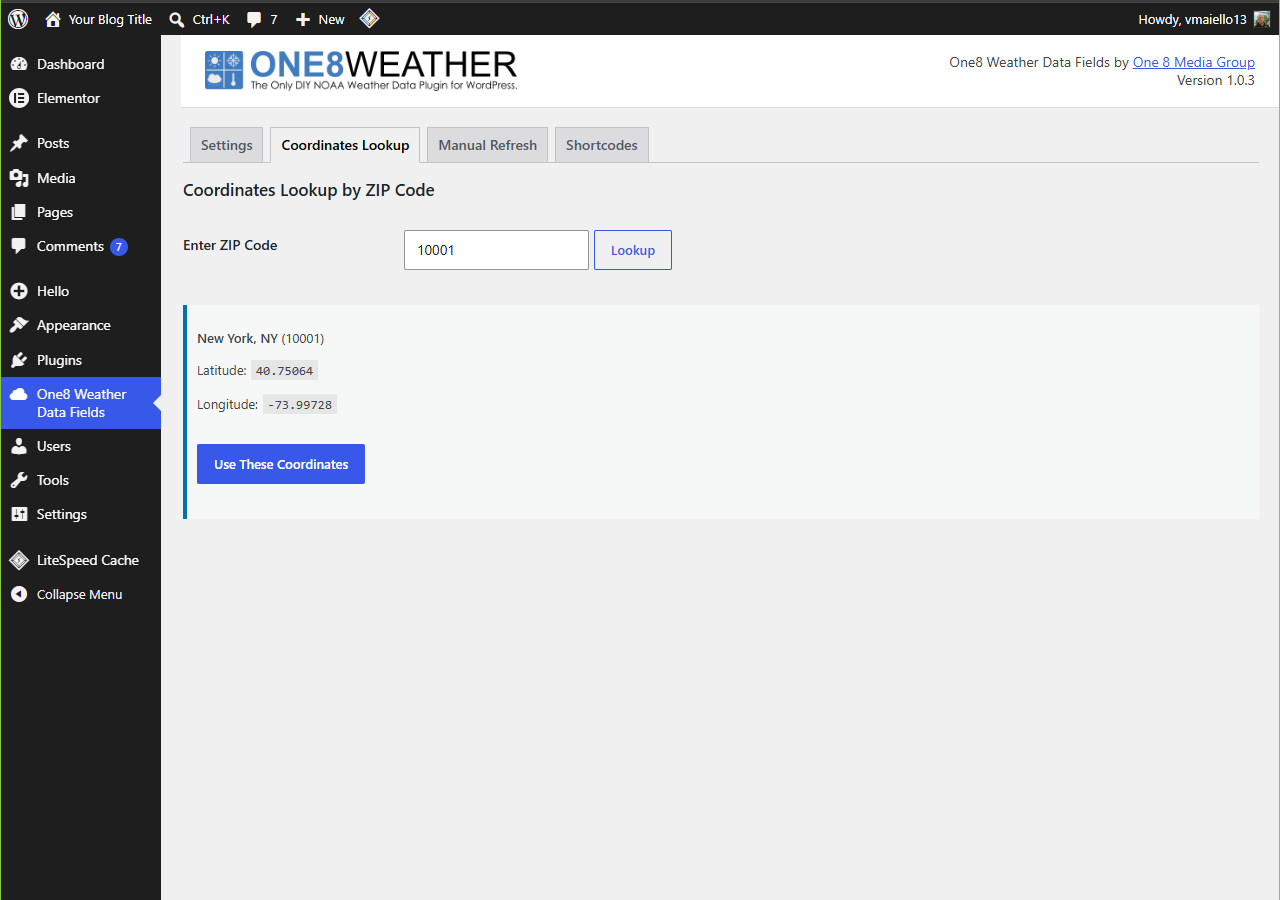
Shortcode Example – Display current observations on a page 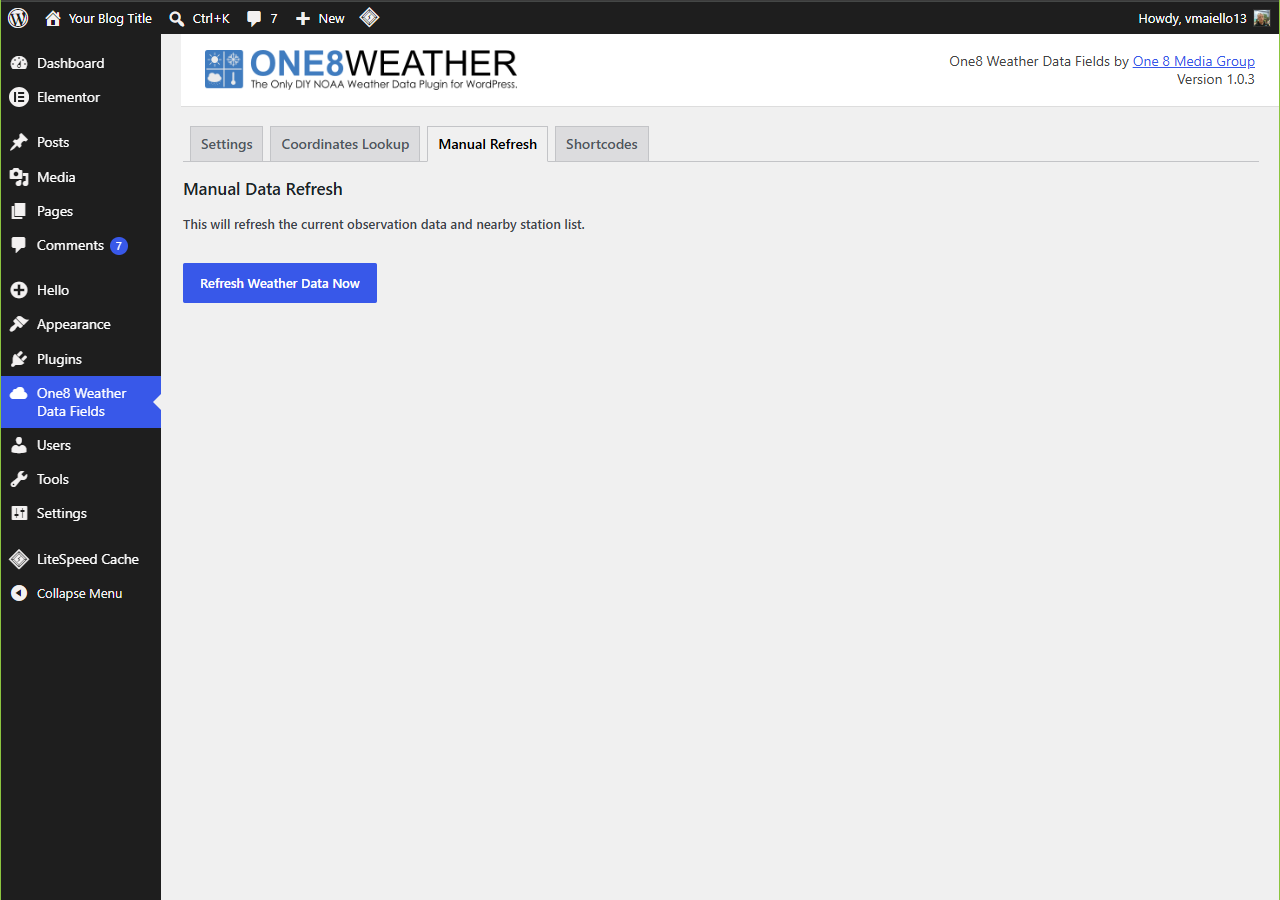
Elementor Widget – Drag and customize a “Weather Field” widget into your layout 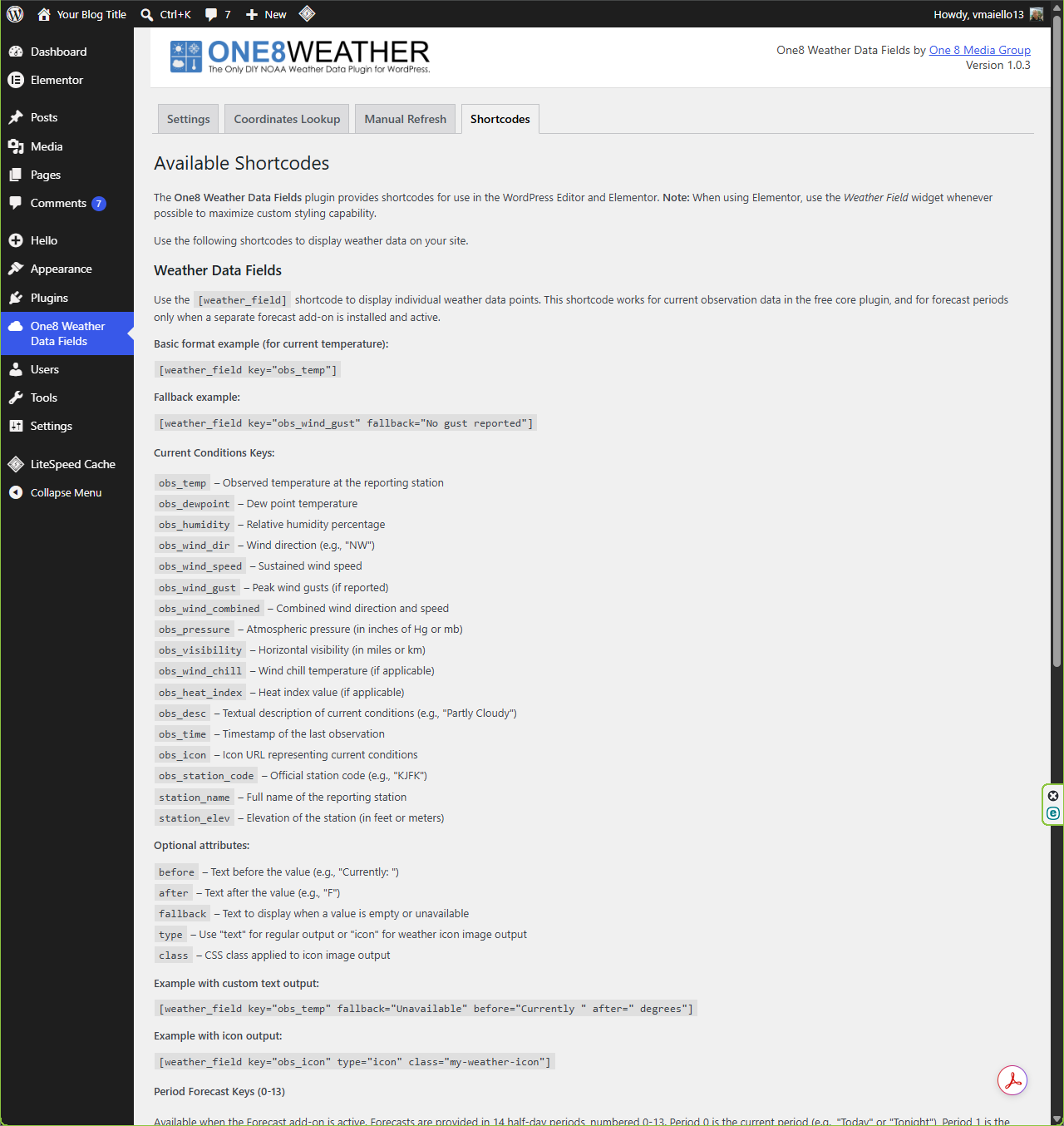
Installation
- Upload the
one8-weather-data-fieldsfolder to/wp-content/plugins/ - Activate the plugin through the Plugins screen in WordPress
- Go to Settings -> One8 Weather Data Fields and enter your Latitude and Longitude. The plugin includes a Lat/Lon Lookup function.
- Use the
[weather_field]shortcode or the “Weather Field” Elementor widget in your pages
FAQ
-
Do I need an API key?
-
No. NOAA’s weather.gov API is publicly accessible without authentication.
-
Does the free/core plugin include forecasts, radar maps, alerts, marine data, tides, lunar data, or climate data?
-
No. The free/core plugin displays current NOAA/weather.gov observation data through Elementor widgets and shortcodes.
-
How do I clear the cache?
-
Go to Settings -> One8 Weather Data Fields -> Manual Refresh, then click Refresh Weather Data Now.
You can also click Save on the Settings tab to refresh automatically. -
Can I change the output format?
-
Yes.
With Elementor, use its styling controls (typography, spacing, borders, etc.), and the widget’s Before / After text options.
With shortcodes, you can wrap output in your own HTML or combine multiple shortcodes to build a sentence.
Reviews
There are no reviews for this plugin.
Contributors & Developers
“One8 Weather Data Fields” is open source software. The following people have contributed to this plugin.
Contributors
Translate “One8 Weather Data Fields” into your language.
Interested in development?
Browse the code, check out the SVN repository, or subscribe to the development log by RSS.
Changelog
1.0.0
- Initial release: current NOAA/weather.gov observations via shortcode and Elementor widget