
Description
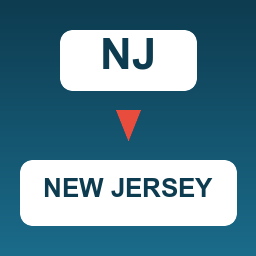
Full State Name for Gravity Forms fixes an annoying inconsistency in Gravity Forms: depending on the form, the add-on, and the code path, the Address field’s “State / Province” sub-input (input X.4) sometimes resolves to a 2-letter abbreviation (“NJ”) and sometimes to the full state name (“New Jersey”) when used in merge tags.
This causes real problems with:
- Notification emails that read “Your shipment is going to NJ.”
{all_fields}output mixing full city names with state codes.- URL query strings that pre-populate another Gravity Form — the second form’s state dropdown doesn’t match “NJ” against its option value of “New Jersey”, so the field stays blank.
The Solution
This plugin hooks into gform_merge_tag_filter and, only when the merge tag targets an Address field’s State sub-input (X.4) and the value is exactly a 2-letter code, expands it back to the full state name that Gravity Forms uses in its Address field dropdown.
Key Features
- Targeted — Only affects Address field State sub-inputs (X.4), nothing else
- Safe — Only acts when the value is exactly two letters; existing full names and other text pass through untouched
- Zero Configuration — Activate the plugin and the fix is live
- Filterable — Override or extend the code-to-name map with the
fsn_gf_state_mapfilter for non-US addresses or translated labels - Filterable expansion — Hook
fsn_gf_expanded_state_nameto customize the replacement on a per-field basis
Where It Applies
{all_fields}merge tag{Address (State / Province):X.4}merge tag- Notifications, confirmations, and any place merge tags are processed
- URL query strings built with merge tags (so the receiving form’s state dropdown picks the correct option)
Covered Codes
All US states (50), DC, US territories (PR, GU, VI, AS, MP), and military mailing regions (AA, AE, AP) — a total of 59 entries that match the default Gravity Forms Address state options exactly.
Screenshots

Notification email rendering with the full state name (after activating this plugin)
Installation
- Upload the
full-state-name-for-gravity-formsfolder to/wp-content/plugins/ - Activate the plugin through the ‘Plugins’ menu in WordPress
- That’s it — merge tags that resolve to 2-letter state codes are now expanded automatically
No configuration pages or global settings needed.
FAQ
-
Does this require Gravity Forms?
-
Yes. Gravity Forms 2.5 or higher must be installed and activated.
-
Does this change how state values are stored in entries?
-
No. Stored entry data is untouched. The expansion only happens when the value is being rendered through a merge tag.
-
Will it break my notifications that already show full state names?
-
No. The plugin only acts when the value is exactly a 2-letter code. Anything longer (including the full names you’re already seeing) passes through unchanged.
-
I have a non-US address field. Can I add my own regions?
-
Yes — use the
fsn_gf_state_mapfilter to merge in your own code-to-name pairs. -
Does this affect the value posted by the form itself?
-
No. It only filters merge tag output. The submitted value, validation, and storage all behave exactly as Gravity Forms does by default.
Reviews
There are no reviews for this plugin.
Contributors & Developers
“Full State Name for Gravity Forms” is open source software. The following people have contributed to this plugin.
Contributors
Translate “Full State Name for Gravity Forms” into your language.
Interested in development?
Browse the code, check out the SVN repository, or subscribe to the development log by RSS.
Changelog
1.0.2
- Confirmed compatibility with WordPress 7.0
- Sync internal
FSN_GF_VERSIONconstant with plugin header version
1.0.1
- Maintenance release: housekeeping and deploy pipeline verification
1.0.0
- Initial release
- Expands 2-letter state codes to full state names in
gform_merge_tag_filterfor Address X.4 sub-inputs fsn_gf_state_mapfilter to extend / override the code-to-name mapfsn_gf_expanded_state_namefilter for per-replacement customization