

Description
Your store never sleeps. Neither does MaxSellora.
Most visitors leave without buying — not because they don’t want to,
but because they couldn’t find what they needed fast enough.
MaxSellora fixes that.
A smart AI assistant pops up at the right moment, answers questions
instantly, recommends the perfect product, and guides the visitor
straight to checkout — just like your best salesperson would.
Except it works 24/7, speaks 4 languages, and never has a bad day.
💬 “It’s like having a sales rep on every product page, at the same time, for free.”
🚀 One-click setup. Zero configuration.
Install the plugin, connect your store, done. MaxSellora reads your
WooCommerce catalog automatically — no manual setup, no complicated
settings, no developer needed.
🆓 Start free. Grow when you’re ready.
No credit card. No time limit. The free plan gives you everything
you need to start turning visitors into buyers today.
🧠 Sells like a human. Scales like a machine.
- Understands natural language — customers type like they talk
- Recommends products based on what the customer actually needs
- Compares items side by side on request
- Checks real-time stock availability
- Tracks order status and shipping instantly
- Adds products to cart directly from the chat
💡 Why stores love MaxSellora
✅ Reduce bounce rate — engage visitors before they leave
✅ Increase average order value — smart upsell suggestions
✅ Cut support tickets — AI handles the common questions
✅ Never miss a sale — active 24/7, even when you sleep
✅ Live chat handoff — human operator takeover when needed
🌍 Multi-language, out of the box
Auto-detects visitor language and responds in:
English · Persian (Farsi) · Arabic · German
Plans & Pricing
- Demo mode — Try the widget before signing up. Runs entirely in mock mode; no data is sent to the API.
- Free plan — 10 AI-powered messages included (lifetime total). When the limit is reached, conversations are automatically routed to your human operators.
- Paid plans — Higher or unlimited AI message quotas. Manage from your dashboard at https://woocommerce.chatbot.shop-aiplugin.com.
Human Operator Support (all plans)
Operators can initiate a chat with any customer at any time, or
customers can request a human at any point. When an AI plan limit
is reached, the chat is handed off automatically — no customer is
ever left without support.
This plugin connects to the MaxSellora external API at
https://woocommerce.chatbot.shop-aiplugin.com to process visitor
messages and generate AI replies. By installing the plugin you accept
that visitor chat data is sent to that service. See the
External Services and Privacy sections below, and the full
Privacy Policy at https://shop-aiplugin.com/privacy and Terms of
Service at https://shop-aiplugin.com/terms.
Requirements
- WordPress 6.0 or higher
- WooCommerce 8.0 or higher
- PHP 8.0 or higher
External Services
This plugin sends data to one external API endpoint.
Endpoint:
https://woocommerce.chatbot.shop-aiplugin.com
Data sent:
* Chat message text
* Session identifier (stored in browser localStorage)
* Page URL
* Visitor IP address
* Customer name and email (when provided in the guest form or from a logged-in WooCommerce account)
* WooCommerce product data (title, description, price, stock, SKU, categories, attributes, gallery URLs, language) — sent only when the merchant runs Reindex Products or saves a product
When data is sent:
* Only when a visitor sends a chat message while the widget is active
* Only when the merchant manually triggers a product reindex
* No data is ever sent in Demo mode
Privacy policy: https://shop-aiplugin.com/privacy
Terms of service: https://shop-aiplugin.com/terms
Privacy
What personal data does this plugin collect?
The plugin does not store visitor data in your WordPress database. When a visitor uses the chat widget, the following data may be transmitted to https://woocommerce.chatbot.shop-aiplugin.com: chat message text, page URL, visitor IP address, optionally the customer’s name and email (from the guest form or a logged-in WooCommerce account), and a session identifier stored in the browser’s localStorage.
In Demo mode, no data is transmitted anywhere.
What about WooCommerce product data?
When the merchant runs Reindex Products (or saves a product while the plugin is connected), the plugin sends WooCommerce product data — title, description, price, stock, SKU, categories, attributes, gallery URLs, and language — to the MaxSellora API so the assistant can answer product questions accurately.
How do I declare this in my privacy policy?
The plugin automatically registers a suggested privacy snippet via wp_add_privacy_policy_content(). You can copy it into your site’s privacy policy from Tools Privacy Policy Guide. The full upstream policy is at https://shop-aiplugin.com/privacy.
How do I delete a customer’s chat history?
The merchant can remove conversations from the MaxSellora dashboard (Conversations Delete). This covers GDPR right-to-erasure requests. Deactivating the plugin immediately stops all further data transmission.
License and Legal
This plugin is licensed under GPLv2 or later and is fully GPL-compatible. The MaxSellora SaaS backend is a proprietary service governed by the Terms of Service at https://shop-aiplugin.com/terms.
Screenshots
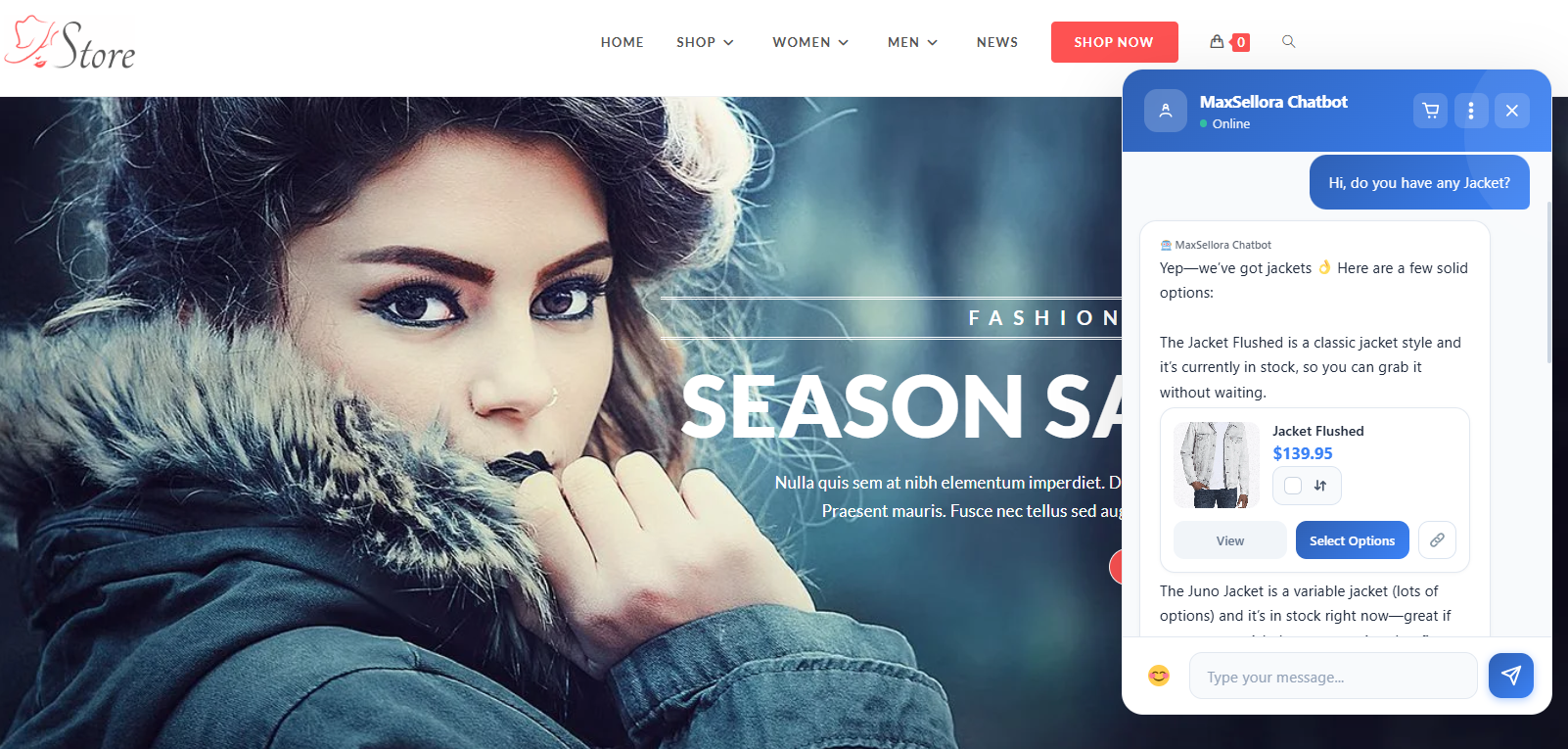
MaxSellora chat widget on the store frontend — product search 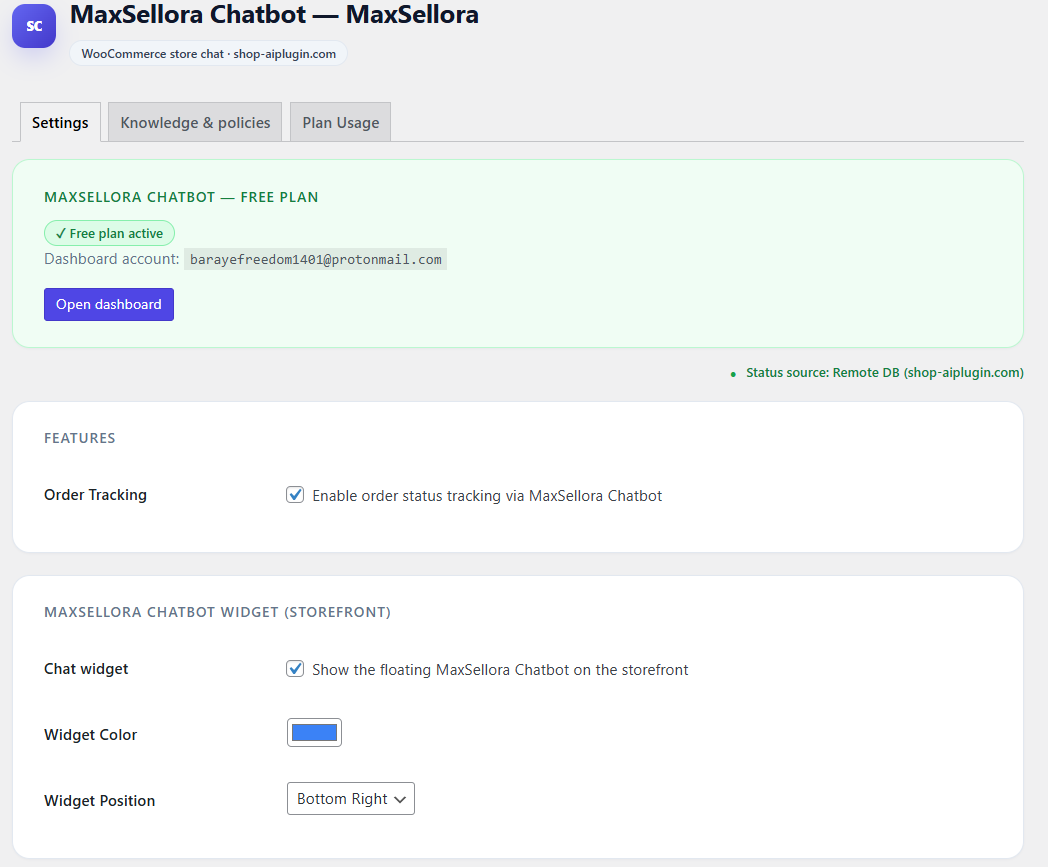
MaxSellora settings page under WooCommerce MaxSellora 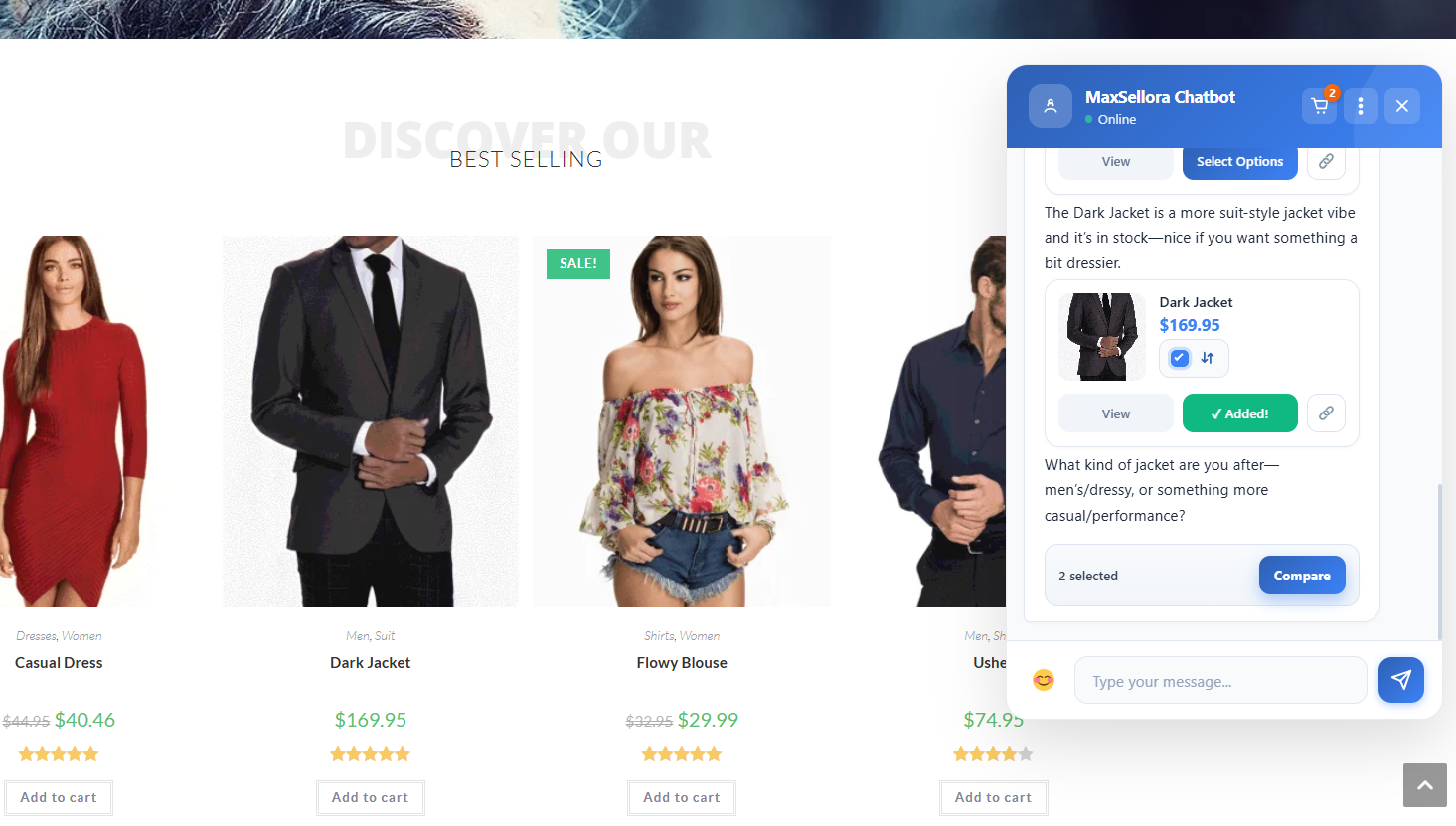
A sample chat conversation showing product comparison and add-to-cart
Installation
- Upload the
maxsellorafolder to/wp-content/plugins/or install through the WordPress plugin installer. - Activate the plugin through the Plugins menu.
- Go to WooCommerce MaxSellora.
Recommended — Automatic setup (Free plan):
Click Activate Free Plan. The plugin configures itself automatically: API connection, dashboard link, and WooCommerce REST API keys are all set up without any manual steps. When your free plan messages are used up, simply purchase a paid plan from your MaxSellora dashboard — all existing settings carry over and everything keeps working with no reconfiguration needed.
Alternative — Manual setup:
If you prefer to configure the connection yourself, follow these steps:
- Create an Account — Go to the MaxSellora registration page at https://woocommerce.chatbot.shop-aiplugin.com and create your admin account. This will be your main dashboard login.
- Add a Store — Navigate to Stores in the sidebar and click Add Store. Fill in your store name and WooCommerce credentials.
- Get WooCommerce API Keys — In your WordPress admin, go to WooCommerce Settings Advanced REST API. Click Add Key, set permissions to Read/Write, and copy the Consumer Key and Consumer Secret.
- Generate a MaxSellora API Key — In the MaxSellora dashboard, go to API Keys and create a new key for your store. Copy it — you will need it in the next step.
- Configure the Plugin — In WordPress admin, go to WooCommerce MaxSellora. Enter the API Key from step 4
- Click Save Changes, then Test Connection.
- Index Your Products — Click Reindex Products in the plugin settings to sync your WooCommerce catalog with the AI engine.
Tip: After adding new products to WooCommerce, click Reindex Products again to keep the AI’s knowledge base up to date.
To try the plugin before signing up, enable Demo mode from WooCommerce MaxSellora. Demo mode runs entirely on your server — no data is sent anywhere.
FAQ
-
What is Demo mode?
-
Demo mode is for testing only — not a preview of real AI features.
Responses are pre-defined and run locally on your server.
No data is sent externally, and no actual AI is involved.To experience real product recommendations, order tracking, and
AI-powered chat, activate the Free plan — no credit card needed. -
What is included in the Free plan?
-
The Free plan includes 10 AI-powered messages in total (lifetime). Once that limit is reached, all new conversations are automatically routed to your human operators. You can upgrade at any time from your MaxSellora dashboard.
-
What happens when an AI plan limit is reached?
-
The customer is seamlessly transferred to a human operator. No error is shown and no conversation is dropped. If no operator is online, the customer sees your configured offline message.
-
Do I need an account to use the plugin?
-
You need a MaxSellora account to use AI features and human operator management. Demo mode is available without an account. Sign up and connect your store from WooCommerce MaxSellora.
-
Can I customize the chat widget?
-
Yes. Under WooCommerce MaxSellora you can change the widget color and position (bottom-left or bottom-right).
-
Does it support multiple languages?
-
Yes. Built-in support for English, Persian, Arabic, and German. Language is auto-detected from your store settings.
-
How do I sync products?
-
Go to WooCommerce MaxSellora and click Reindex Products.
-
How do I add human operators?
-
Log in to your MaxSellora dashboard at https://woocommerce.chatbot.shop-aiplugin.com, go to Operators, and add your team members. Operators can chat with customers at any time from the dashboard.
Reviews

Contributors & Developers
“MaxSellora – AI Sales Assistant for WooCommerce” is open source software. The following people have contributed to this plugin.
Contributors
Translate “MaxSellora – AI Sales Assistant for WooCommerce” into your language.
Interested in development?
Browse the code, check out the SVN repository, or subscribe to the development log by RSS.
Changelog
1.0.2
- Added a server status card in the admin interface to display real-time connection status to the MaxSellora backend.
1.0.1
- Added: Plan Usage section in settings tab — shows how many products
and pages are currently indexed and available to the AI chat. - Added: Current plan display in the Settings tab.
- Fix: Contributors field corrected.
- Fix: Screenshot filenames updated to lowercase.
1.0.0
- Initial release — storefront AI chat, order tracking, multi-language,
product sync, add-to-cart from chat, live operator handoff. - Demo mode added: fully local mock responses, zero external API calls.
- Free plan: 10 lifetime AI messages; automatic operator handoff when
limit is reached. - Privacy: suggested privacy snippet registered via
wp_add_privacy_policy_content(). - Security: MaxSellora API key encrypted at rest in
wp_options, masked
in admin UI, SSL enforced on all outbound requests, settings inputs
sanitized.