

Description
Photoviq AI for WooCommerce allows store owners to generate AI-based product images directly from the WordPress dashboard.
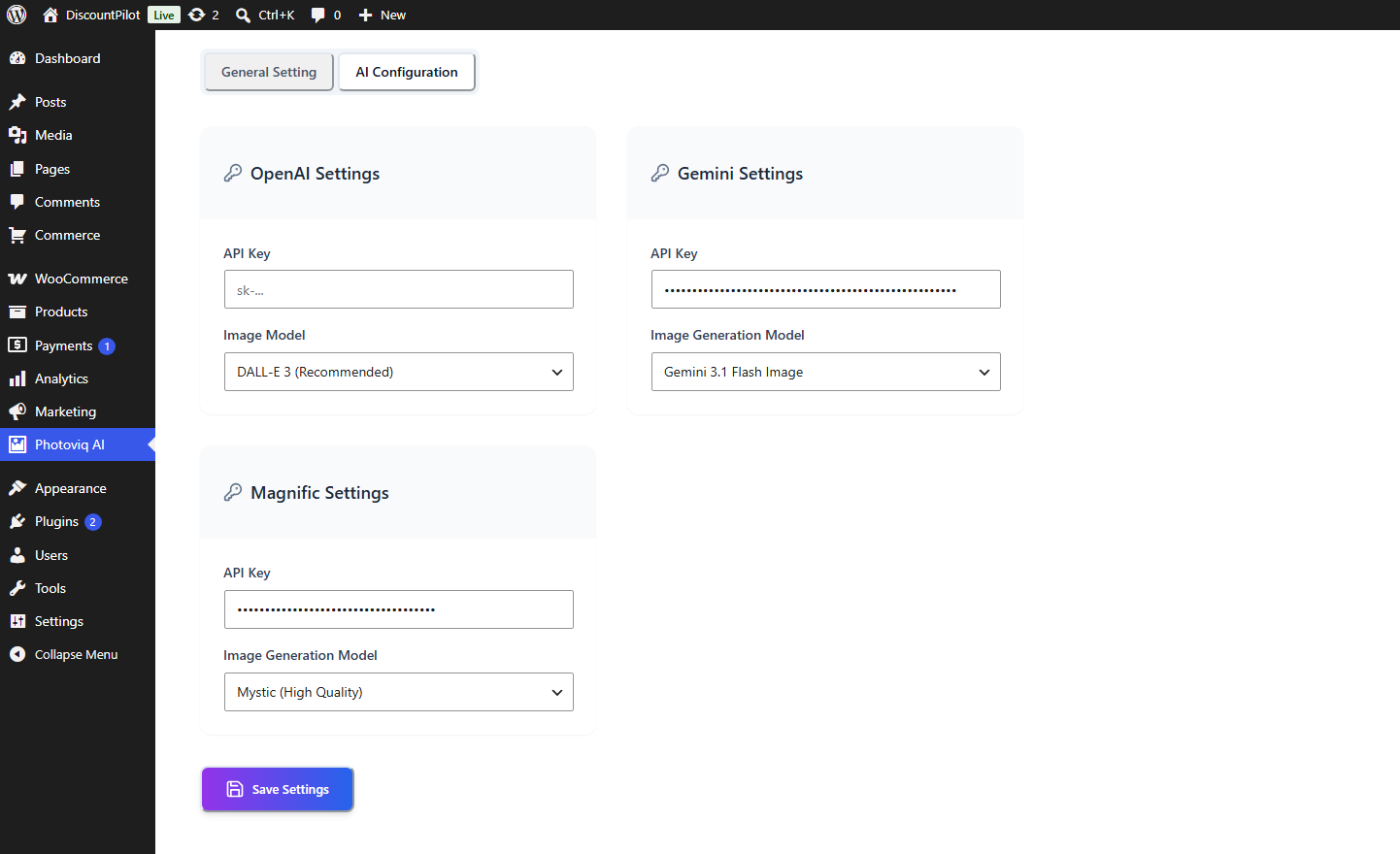
Using state-of-the-art AI visual models like OpenAI DALL-E 3, Google Gemini Imagen 3.0 and gemini-3.1-flash-image, and Magnific Mystic, Photoviq AI allows you to create professional product shots, lifestyle images, and creative backgrounds in seconds.
Whether you’re struggling with poor-quality vendor photos or high photography costs, Photoviq AI provides an affordable, instant way to enhance your product presentation and boost sales.
Why Choose Photoviq AI?
- Cost-Effective: Skip expensive professional photoshoots.
- Instant Results: Generate multiple variations in seconds.
- Smart Automation: Use product titles and descriptions as AI prompts automatically.
- Seamless Integration: Works directly within the WooCommerce “Edit Product” page.
Free Features
- Direct AI Prompting: Generate images directly from the WooCommerce
Edit Productscreen. - Image-to-Image (I2I): Upload a sketch or a raw photo and let AI turn it into a professional shot.
- AI Image Variations: Generate dozens of variations from a single reference image.
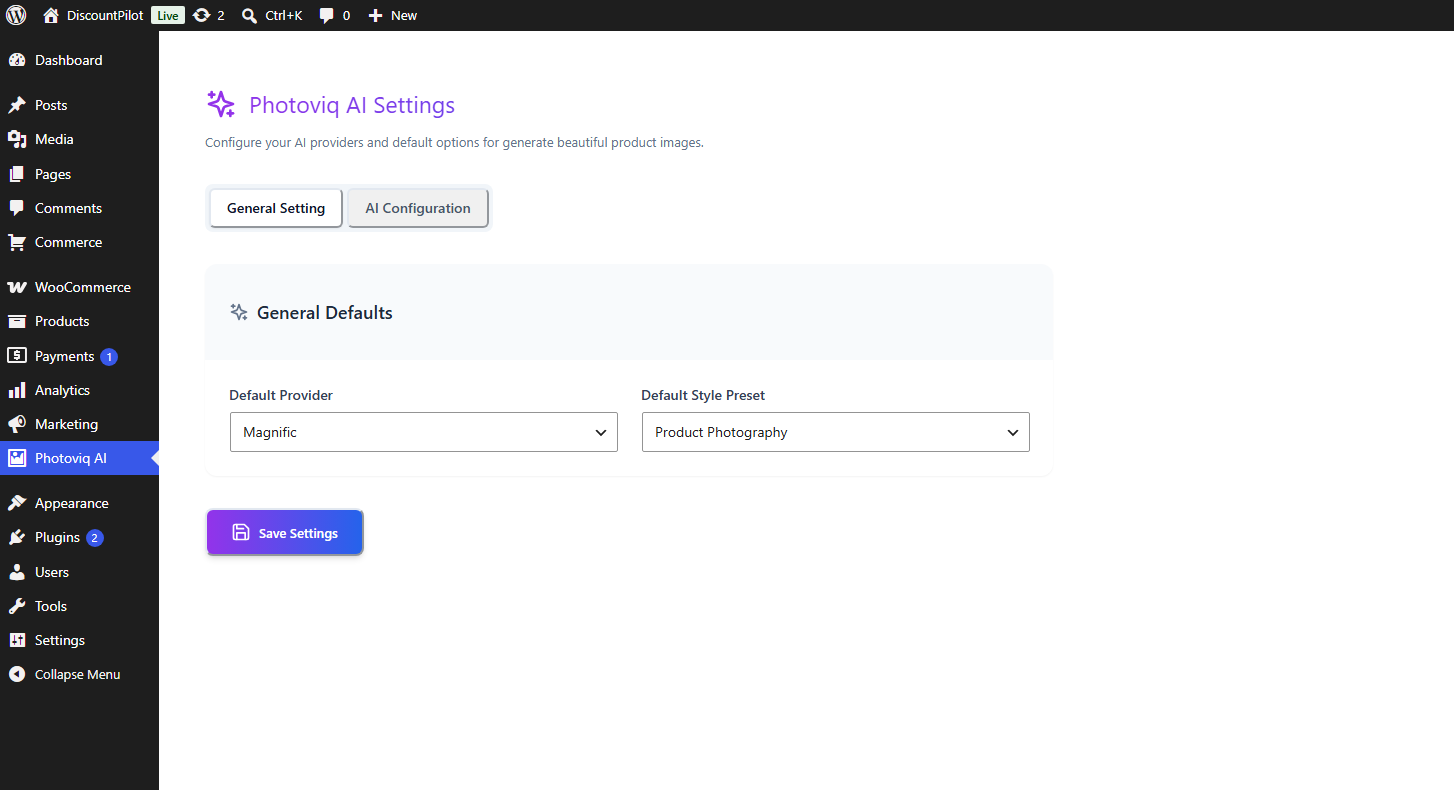
- Multi-Model Support: Integration with OpenAI (DALL-E 3), Google Gemini, and Magnific AI.
- Media Library Sync: One-click import into your WordPress Media Library.
- Instant Featured Image: Set any generated image as the Product Featured Image instantly.
- Gallery Creation: Batch generate images and add them to your product gallery.
- Smart Variables: Use
{product_name},{product_description}, and{price}in your prompts for better accuracy. - React-Powered UI: A modern, fast, and beautiful interface for a smooth workflow.
Pro Features
Upgrade to Photoviq AI for WooCommerce Pro for advanced AI capabilities and bulk processing tools:
- One-Click Background Removal: Instantly strip backgrounds for clean, Amazon-style product shots.
- Bulk Generation: Generate high-quality images for your entire catalog at once.
- Custom Scenery & Backgrounds: Upload your own backgrounds or describe custom environments.
- Ultra High-Resolution: Get crisp, 4K-ready images suitable for high-end e-commerce.
- Advanced Usage Tracking: Monitor API usage and team performance.
- Priority Support: Dedicated assistance for your business scaling needs.
- Prompt Templates: Save Templates for reuse;
- Prompt Enhnace: Enhnace prompt by ai;
- Prompt generation: Generate prompt from product information;
External Services
This plugin connects to external AI services to generate product images based on user prompts and WooCommerce product data.
OpenAI
This plugin can connect to the OpenAI API to generate AI images.
Data sent:
- User-provided prompt text
- Selected image size/settings
- WooCommerce product data (such as product title, price, and description) when used in prompts
This service is provided by OpenAI.
Terms of Service:
https://openai.com/policies/terms-of-use/
Privacy Policy:
https://openai.com/policies/privacy-policy/
Google Gemini
This plugin can connect to the Google Gemini API to generate AI images.
Data sent:
- User-provided prompt text
- Selected image size/settings
- WooCommerce product data (such as product title, price, and description) when used in prompts
This service is provided by Google.
Terms of Service:
https://policies.google.com/terms
Privacy Policy:
https://policies.google.com/privacy
Magnific
This plugin can connect to the Magnific AI API to generate AI images.
Data sent:
- User-provided prompt text
- Selected image size/settings
- WooCommerce product data (such as product title, price, and description) when used in prompts
This service is provided by Magnific.
Terms of Service:
https://www.magnific.com/legal/terms-of-use
Privacy Policy:
https://www.magnific.com/legal/privacy
Screenshots

Installation
- Upload the plugin files to the
/wp-content/plugins/photoviq-aidirectory, or install the plugin through the WordPress plugins screen. - Activate the plugin through the ‘Plugins’ screen in WordPress.
- Navigate to Photoviq AI in your dashboard and enter your API keys.
- Open any WooCommerce Product to start generating!
FAQ
-
Does this require an API key?
-
Yes, you will need an API key from OpenAI, Google Cloud (Gemini), or Magnific to generate images.
-
Can I use the images for commercial purposes?
-
The usage rights depend on the AI provider (OpenAI, Google, Magnific). Generally, most provide commercial rights for generated content, but please check their respective Terms of Service.
-
Does it support bulk generation?
-
Bulk generation is available in the Pro version of Photoviq AI.
Reviews
There are no reviews for this plugin.
Contributors & Developers
“Photoviq AI for WooCommerce” is open source software. The following people have contributed to this plugin.
Contributors
Translate “Photoviq AI for WooCommerce” into your language.
Interested in development?
Browse the code, check out the SVN repository, or subscribe to the development log by RSS.
Changelog
1.0.0
- Initial release of Photoviq AI.
- Integrated DALL-E 3, Gemini Imagen, and Magnific.
- Basic prompt variable support.