

Description
Innova GEO AI Indexer adds all the necessary fields and structures to WordPress for optimizing content for Generative Search Engines (ChatGPT, Claude, Gemini, Perplexity, Mistral, Kimi). It features automatic field population via multi-provider AI, multi-stack Schema.org JSON-LD output, and site-level llms.txt file management.
What the plugin does
- 14 Post-level GEO fields: Quick Answer, FAQ, Key Takeaways, Target Queries, Direct Definition, Citation Sources, Key Statistics, Related Entities, Schema Type, Expertise Level, Last Fact Check, Reading Time, Author Override, ItemList Entries.
- Multi-stack Schema.org JSON-LD: Organization + BreadcrumbList + Article/BlogPosting/NewsArticle/HowTo/Product/Review/Recipe/Event + FAQPage (optional) + ItemList (optional) — all within a single
@graphin the<head>. - Dynamic llms.txt: Automatically generated with pillar content + contact email + topical clusters.
- 5 AI Providers: Anthropic (Claude), OpenAI (ChatGPT), Google Gemini, Mistral, Kimi (Moonshot) — featuring native structured tool use for each provider.
- Two modes: Free / BYOK (default — Bring Your Own Key: paste your provider API key, no account or license required, plugin calls the provider directly). Optional Premium subscription at geocite22.com (managed via proxy with included credits, for users who don’t want to handle keys themselves).
- Audit Log: Full tracking of all AI generations in a dedicated table (insert-only, including tokens, duration, and credits consumed).
- Autocalc: Automatic reading time calculation from post content (~200 words/min, with manual override option).
- Encryption: API keys are encrypted at-rest using Sodium secretbox (derived from
AUTH_KEY).
Tiers
Free (default — no license, no account required)
GEO fields + JSON-LD + llms.txt + AI generation via BYOK. You bring your own API key from any of the supported providers (Anthropic / OpenAI / Gemini / Mistral / Kimi), paste it in Settings API Keys, and the plugin calls the provider directly. Nothing goes through geocite22.com — you pay only the provider for what you use, at their published rates.
Premium (optional, paid subscription at geocite22.com)
Zero configuration: AI calls pass through the geocite22.com proxy using Innova.ms managed keys, with a monthly credit allowance included and top-ups available. This tier is entirely optional — it exists for users who prefer not to manage their own API keys or want the convenience of a bundled service. The plugin is fully functional without it.
Privacy & Third-Party Services
The plugin communicates with these external services:
AI Providers (called directly by the plugin using your own API keys in the Free/BYOK mode; proxied through geocite22.com only if you subscribe to the optional Premium tier):
- Anthropic (Claude) — Terms of Service · Privacy Policy · endpoint
api.anthropic.com - OpenAI (ChatGPT) — Terms of Use · Privacy Policy · endpoint
api.openai.com - Google Gemini — Terms of Service · Privacy Policy · endpoint
generativelanguage.googleapis.com - Mistral AI — Terms of Service · Privacy Policy · endpoint
api.mistral.ai - Kimi / Moonshot AI — Terms of Service · Privacy Policy · endpoint
api.moonshot.cn
geocite22.com backend SaaS (called ONLY if you activate the optional Premium subscription — for license validation and as the AI proxy in Premium mode) — Terms of Service · Privacy Policy · endpoint geocite22.com.
In the Free (BYOK) mode AI generation calls go straight to the provider using your API keys — geocite22.com is not contacted at all, no account or license is required. In the optional Premium tier the AI calls transit through the geocite22.com proxy, but content bodies are not logged in plain text (only token counts, latency and status codes).
See the full privacy policy for details on what data is stored server-side and for how long.
Extension points
Filterable hooks for developers (see spec §17):
innogai22_schema_output— modify JSON-LD payload before output.innogai22_tool_schema— modify AI tool-use schema.innogai22_field_definitions— add/remove GEO fields.innogai22_supported_post_types— whitelist custom post types.innogai22_ai_providers— register custom AI providers.innogai22_required_capability— custom capability for plugin management.
Screenshots
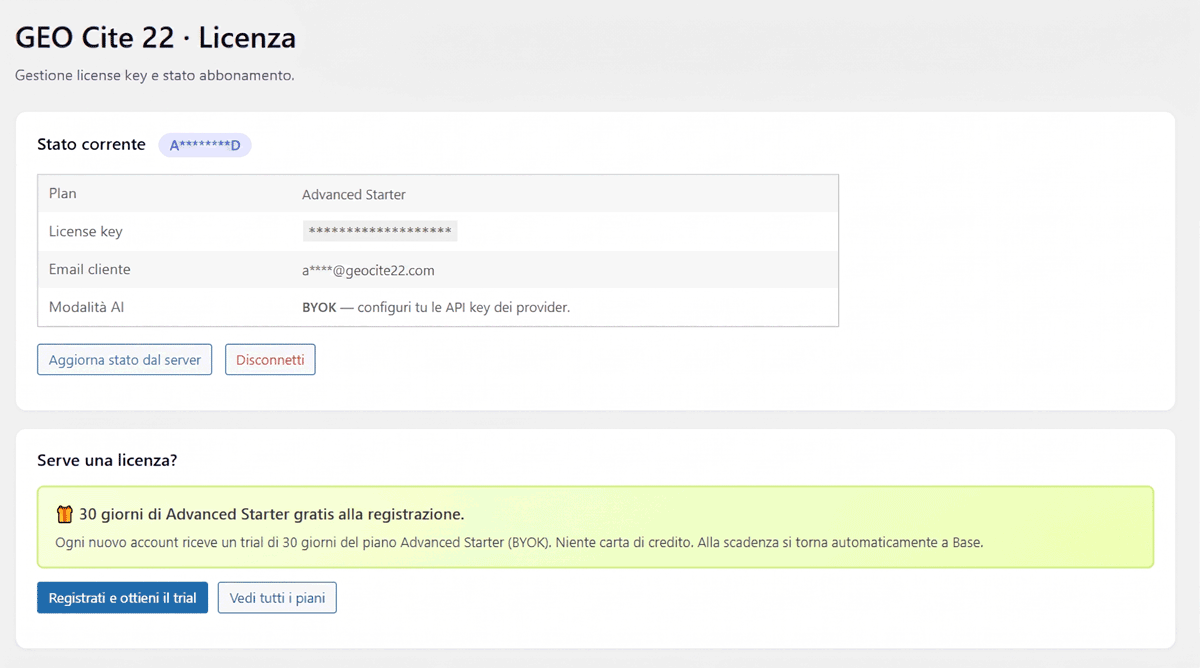
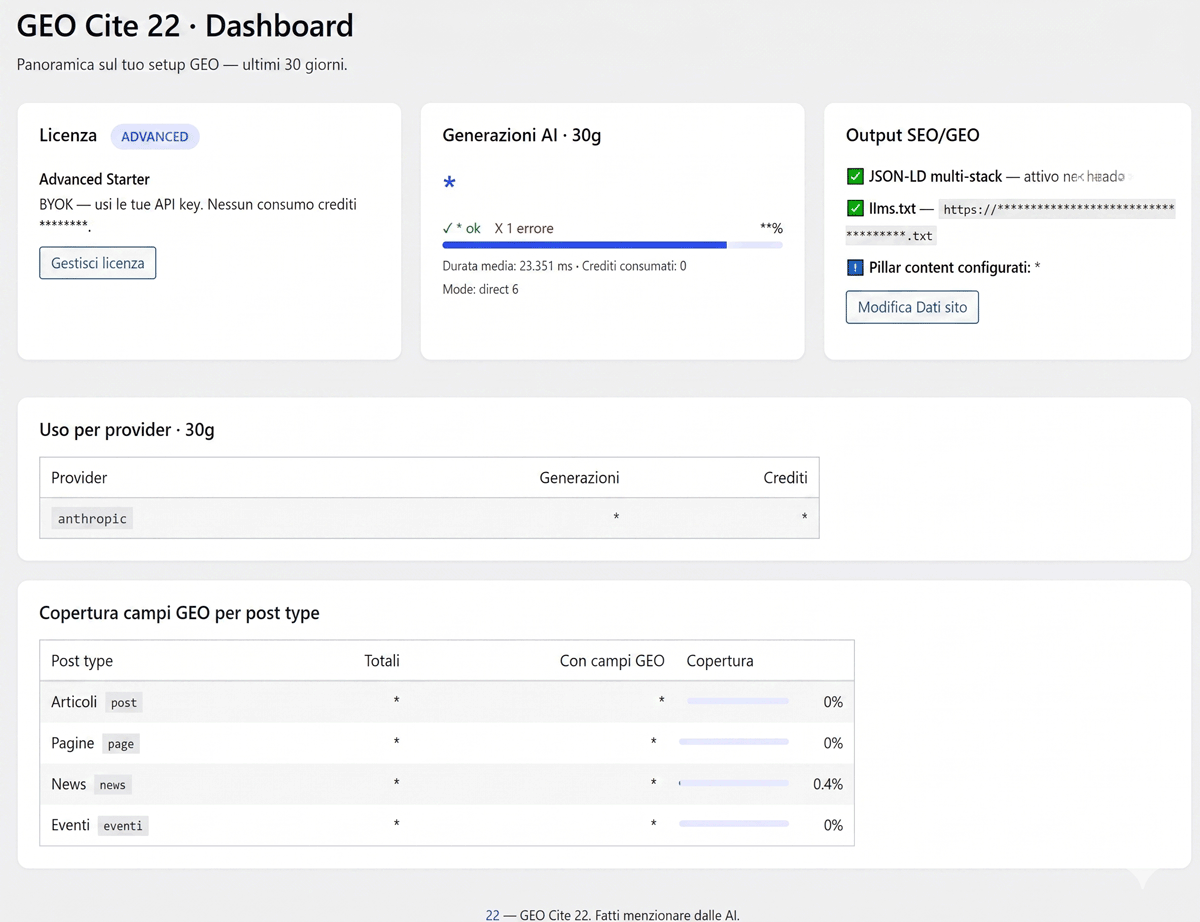
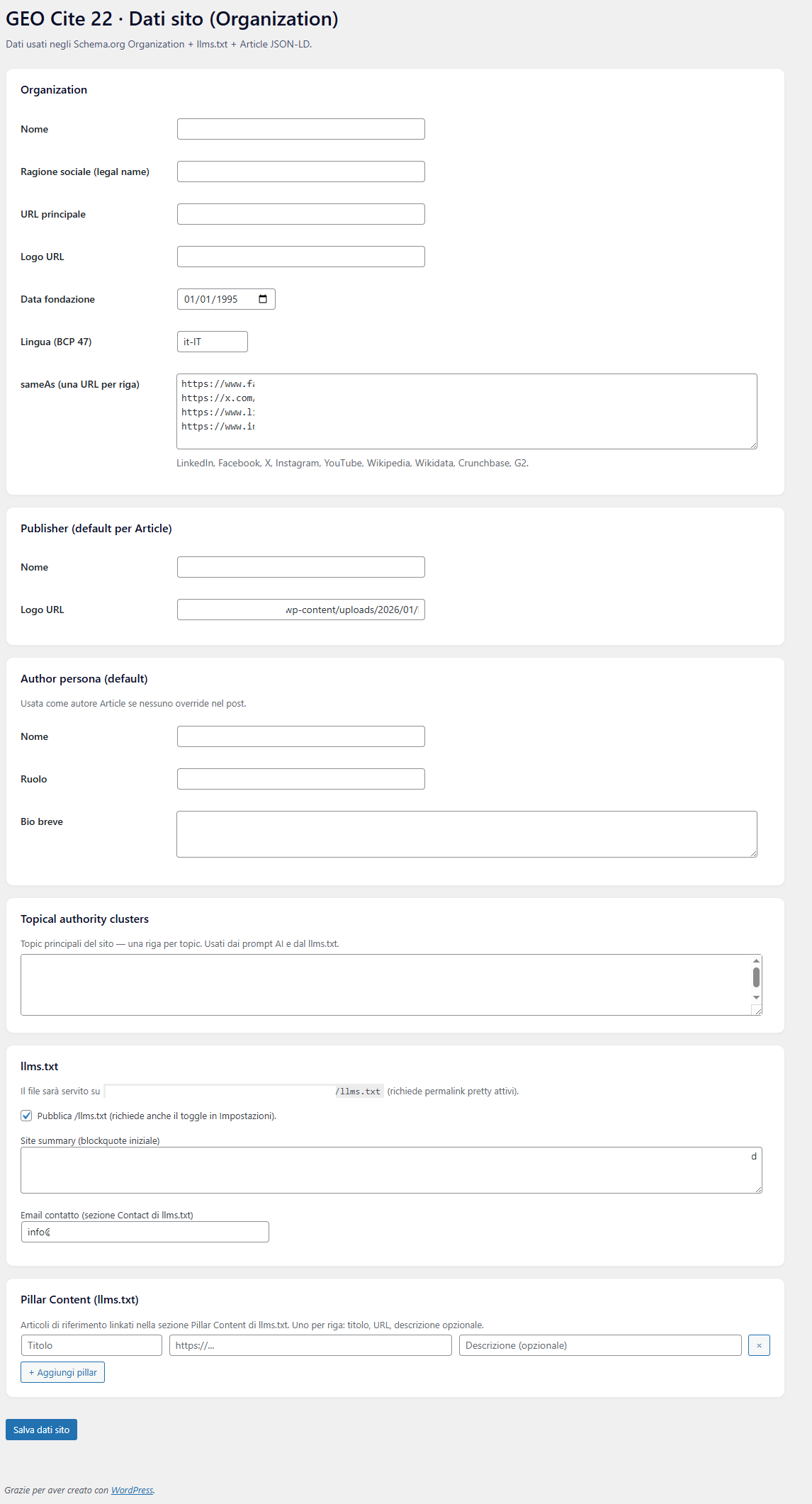
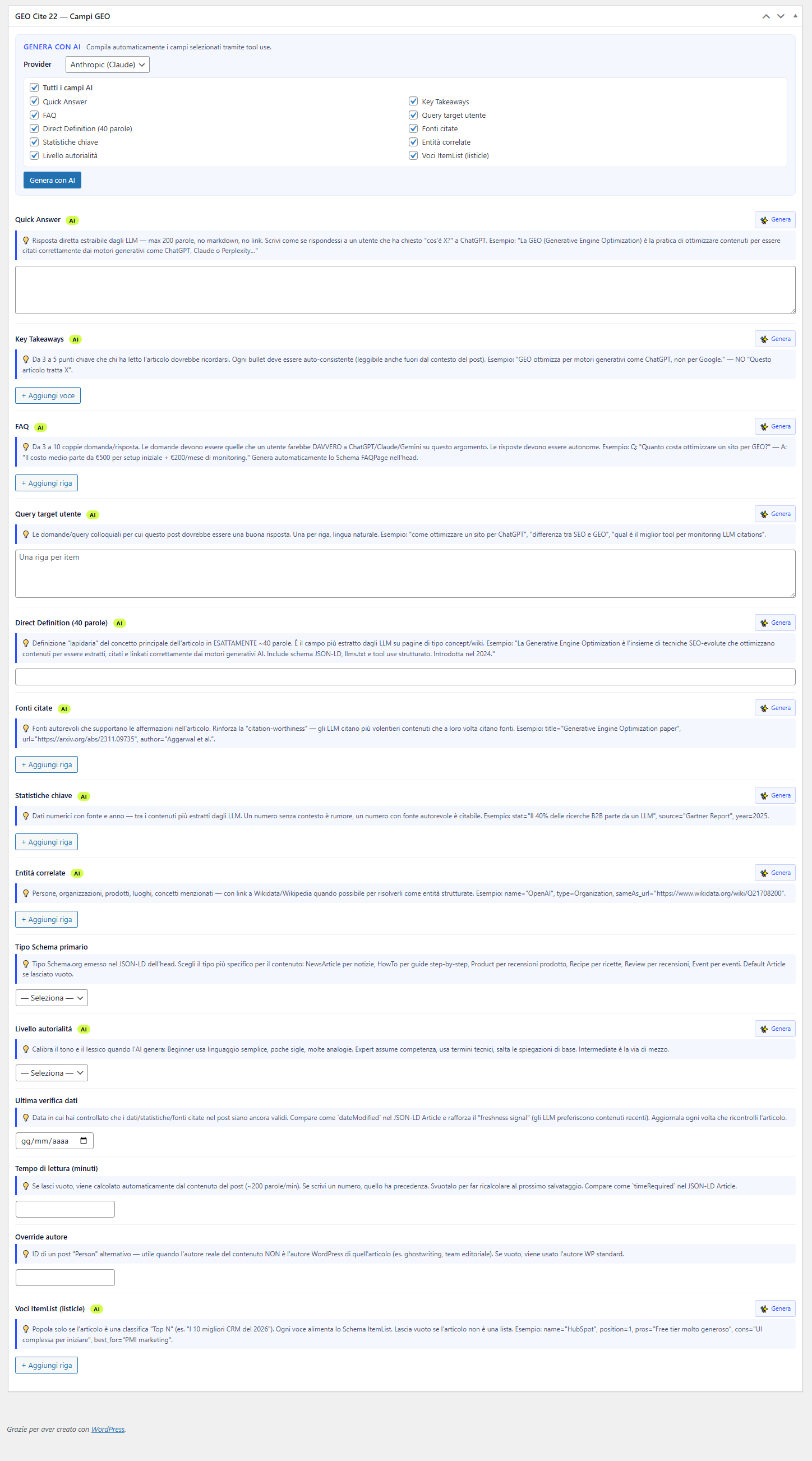
Installation
- Upload the
innova-geo-ai-indexerfolder to/wp-content/plugins/, or install directly from the WP Plugin Directory when available. - Activate the plugin through the WordPress Plugins menu.
- Ensure pretty permalinks are active (Settings Permalinks any option other than “Plain”).
- Configure Innova GEO AI Indexer Site Data (Organization, publisher, topical clusters, pillar content for llms.txt).
- Enable desired post types in Innova GEO AI Indexer Settings.
- (Optional, for AI generation) Paste one or more provider API keys in Innova GEO AI Indexer API Keys. This is the BYOK / Free mode — no license or account is required.
- (Optional, alternative to BYOK) Subscribe to the Premium tier at geocite22.com if you prefer managed AI with included credits and no key management, then paste the license key in Innova GEO AI Indexer License.
FAQ
-
Do I need an account or license to use the plugin?
-
No. The plugin is fully functional out of the box: install, activate, and use. The only thing you may want to add is a provider API key in Settings API Keys if you want to use the AI generation feature (BYOK mode — free from us, you pay the provider directly for what you use). Registration at geocite22.com is only needed if you choose to subscribe to the optional Premium tier (managed AI + credits).
-
Which AI providers are supported?
-
Anthropic (Claude), OpenAI (ChatGPT), Google Gemini, Mistral, and Kimi (Moonshot). The tool schema is automatically translated into each provider’s native format.
-
Free / BYOK mode (default) works with any of the 5 supported providers using your own API key — free of charge from us, you only pay the provider for what you use, at their published rates. No account or license required.
Premium (optional subscription at geocite22.com) removes the need to manage your own keys: AI calls pass through our proxy using Innova.ms managed keys, with a monthly credit allowance included and top-ups available. It’s a convenience layer — the plugin works fully without it.
-
Where are API keys stored?
-
In
wp_options(innogai22_providers), encrypted with Sodium secretbox. The encryption key is derived from yourAUTH_KEY(SHA-256). IfAUTH_KEYchanges, saved keys will become unreadable. -
Does the plugin work without JavaScript on the frontend?
-
Yes. The plugin does NOT inject JS into the frontend of client sites. The SEO/GEO output is pure HTML + static JSON-LD in the
<head>. The only JS is in the admin area (metaboxes + settings). -
Why does /llms.txt return a 404?
-
Check: 1) Pretty permalinks are active; 2) The “Publish /llms.txt” toggle is active in both Settings and Site Data; 3) Deactivate and reactivate the plugin to refresh rewrite rules.
-
Can I support the development of the plugin?
-
Yes, thank you! The Base plan is and will remain free. If you’d like to contribute to the open development, patch releases, and the evolution of AI integrations, you can make a donation via Stripe: Support Innova GEO AI Indexer.
Reviews
There are no reviews for this plugin.
Contributors & Developers
“Innova GEO AI Indexer” is open source software. The following people have contributed to this plugin.
Contributors
Translate “Innova GEO AI Indexer” into your language.
Interested in development?
Browse the code, check out the SVN repository, or subscribe to the development log by RSS.
Changelog
2.0.0
- Rebrand to Innova GEO AI Indexer (previously “GEO Cite 22”) to comply with the WordPress.org Plugin Review naming policy — the previous name was too similar to the existing “GeoCites” project. The backend SaaS at geocite22.com is unchanged and remains the partner service the plugin talks to.
- Slug, text domain, folder and main file all aligned to
innova-geo-ai-indexer. - License key format change:
GC22-XXXX-XXXX-XXXXINNOGAI22-XXXX-XXXX-XXXX. Existing license keys (issued before 2.0.0) are no longer accepted — request a new key from the geocite22.com dashboard. - Consolidated internal identifiers on a single unique prefix: constants
INNOGAI22_*, meta keys_innogai22_*, hook prefixinnogai22_, DB tableswp_innogai22_*, JS globalsinnogai22*, CSS classes.innogai22-*, shortcodes[innogai22_*]. PHP namespace staysInnovams\GeoAiIndexer22\(already brand-tied via the vendor segment). - Security hardening: API keys arriving from the Settings and AJAX test endpoints are now explicitly sanitized with
sanitize_text_field()before use (previously only trimmed — safe against tag/whitespace injection). - Documentation: new readme section listing third-party AI provider endpoints and links to each provider’s Terms/Privacy pages.
- Upgrade path (no automatic migration in this release): uninstall any previous “GEO Cite 22” plugin, install “Innova GEO AI Indexer” 2.0.0, and re-enter the new license key. Custom field values stored under the old
_gc22_*/_gai22_*meta keys are NOT read by 2.0.0 — back-fill manually if needed.
1.6.1
- UX: on the Purchase admin page, the “Activate Premium” button is replaced with a “Coming Soon” label — Premium plans are temporarily not purchasable. The webapp checkout blocks Premium attempts server-side too.
1.6.0
- New: public display of the GEO fields. Six fields (Quick Answer, Key Takeaways, FAQ, Direct Definition, Key Statistics, Citation Sources) can now also be shown to readers, not just emitted in the JSON-LD. Three complementary ways: automatic output in the post content (opt-in, per-field toggle and position in Settings “Frontend display”); shortcodes (
[innogai22_quick_answer],[innogai22_faq],[innogai22_key_takeaways],[innogai22_direct_definition],[innogai22_key_statistics],[innogai22_citation_sources]); and native Gutenberg blocks under the “Innova GEO AI Indexer” category. The FAQ uses a no-JavaScript <details> accordion. A field placed manually via shortcode or block is not duplicated by the automatic output.
1.5.1
- Fix: “Generate with AI” failing with “the provider did not return a valid tool_use”, especially on Gemini and when generating many fields at once. The token budget was too low (2048): structured multi-field output — plus the internal “thinking” of Gemini 2.x models — got truncated before the tool call was emitted. Raised to 8192.
- Fix: the Gemini error is no longer opaque — it now reports the real reason (finishReason MAX_TOKENS / MALFORMED_FUNCTION_CALL / safety block).
- Fix: the “Primary Schema type” field was not saved when updating/publishing a post. The select sanitizer lowercased the value, discarding valid CamelCase options (Article, BlogPosting, HowTo, FAQPage).
1.5.0
- Security fix (important): removed the
INNOGAI22_MOCK_LICENSE/INNOGAI22_MOCK_TIER/INNOGAI22_MOCK_AIconstants entirely. Theirtruedefault meant any production install that did not redefine them inwp-config.phpran in mock mode, granting a fake Premium Unlimited license to every well-formed key. The plugin now always validates the license against the real geocite22.com server — there is no longer any way to enable development mode with a localdefine(). - Changed: development mode is now the
premium_unlimitedlicense tier. A dev license issued by a geocite22.com admin unlocks unlimited credits/sites and makes “Generate with AI” return zero-cost mock payloads. It replaces both removed mock constants. - UX: Removed the technical “Mock license active” banner from the License admin page and the Mock diagnostics rows from the Support page.
- UX: the “API Keys Provider AI” box (Settings) now shows Advanced licenses a link to a step-by-step guide for creating the provider API keys.
- Compatibility: updated “Tested up to” flag to WordPress 7.0.
1.4.6
- UX: The Premium tier “Generate with AI” provider dropdown now lists only providers that the geocite22.com proxy actually has configured server-side (managed API keys with active budget). The license validation response now includes
available_managed_providers, persisted in the license cache and consumed by the metabox. If the webapp temporarily has no managed key for a provider, that option disappears from the dropdown — no more failed AI calls due to a missing managed key surfacing only after the request. Backward compatible: legacy cached license states default to all 5 providers until the next refresh (~12h cron).
1.4.5
- UX: The “Generate with AI” provider dropdown on the post editor now lists only providers with a configured API key (Advanced/BYOK). Premium tier still shows all five providers (the proxy handles keys server-side). When no provider is configured, the dropdown is replaced by a notice with a direct link to Settings, and the “Generate with AI” button is disabled. No more confusing “missing_api_key” errors after picking an unconfigured provider.
1.4.4
- Hardening: annotated the last 2 residual Plugin Check warnings on the GEO fields coverage query in
Support\ContentStats(DirectQuery + NoCaching on a JOIN over wp_posts/wp_postmeta — live aggregate for the dashboard, no caching is useful here).
1.4.3
- Hardening (Plugin Check warnings cleanup): annotated direct $wpdb queries on the plugin’s custom tables (innogai22_ai_log, innogai22_credits_log) and admin-only diagnostics with phpcs:ignore + motivation; explicit phpcs:ignore on $_POST arrays sanitized downstream and on read-only $_GET flash params; removed the explicit load_plugin_textdomain() call (WP 4.6+ auto-loads translations from the Domain Path header). composer.json is now included in the distribution zip to prevent the “missing composer.json” Plugin Check warning. No functional changes for the user.
1.4.2
- Compatibility: Updated “Tested up to” flag to WordPress 6.9.
- Hardening: Added translators: comments next to i18n calls with placeholders; revised output escaping in multi-stack JSON-LD and llms.txt; SQL LIKE queries now use $wpdb->esc_like() with prepared statements; enum-only files now include the ABSPATH guard. No functional changes for the user — cleanup required by the official WordPress.org Plugin Check.
1.4.1
- Fix: The “Interface Language” setting now takes effect immediately. On WordPress 6.7+, “just-in-time” translation loading bypasses the plugin_locale filter; added a second filter on load_textdomain_mofile that always intercepts the .mo path, regardless of how WP loads the domain.
1.4.0
- New: English translation for the plugin. The interface language automatically follows WordPress (Italian if WP is in Italian, English otherwise). You can force English or Italian from Settings “Interface Language”.
- New: AI generation now automatically detects the post language (compatible with multilingual plugins via the
innogai22_post_languagefilter) and instructs the model to respond in the same language.
1.3.1
- Added 4 screenshots to the plugin’s “View details” panel.
- Added a link to support development (optional Stripe donation).
1.3.0
- Expanded JSON-LD coverage: Direct Definition becomes
description, Key Takeaways are added toabstract, and Key Statistics appear asClaimalongside Cited Sources. - “Generate with AI” now always populates Related Entities and Cited Sources with at least 3 relevant items.
1.2.3
- Fix: “× Remove” and “+ Add” buttons in FAQ / Statistics / Sources / Entities lists now respond to clicks in all contexts, including the block editor.
1.2.2
- Fix: Repeater object rows (FAQ, Statistics, Cited Sources, Related Entities) no longer expand to abnormal heights.
1.2.1
- Fix: “Generate with AI” on BYOK (Advanced) tiers now correctly populates metabox fields for all 5 supported providers (Anthropic, OpenAI, Gemini, Mistral, Kimi).
1.2.0
- New: 30-day Advanced Starter free trial upon registration at geocite22.com.
- License panel and Dashboard show trial status and remaining days. Automatic downgrade to Base plan upon expiration without interruptions.
1.1.0
- The “Disconnect” button now notifies the geocite22.com server and immediately frees the plan slot in the user dashboard. Previously required a periodic cron job.
1.0.0
First stable release. 14 post-level GEO fields, multi-stack JSON-LD in the <head>, automatic llms.txt generation, multi-provider AI integration, three tiers (Base / Advanced / Premium), AI generation audit log, and at-rest API key encryption.