

Description
MTS AgeVerify ID Upload for WooCommerce adds a mandatory selfie + ID upload field to WooCommerce product pages for age verification purposes. The plugin is fully compatible with FunnelKit Cart, CartFlows, YITH AJAX Cart, standard WooCommerce, and all other cart plugins — both AJAX-based and standard form-submit-based.
Key Features
- Selfie + ID upload field on the product page (before Add to Cart button)
- Universal cart compatibility — works with FunnelKit Cart, AJAX mini-carts, and standard WooCommerce
- Pre-upload via AJAX on file selection — no form-submit dependency
- Session token system ensures file travels safely with any cart plugin
- Server-side MIME validation (no extension spoofing)
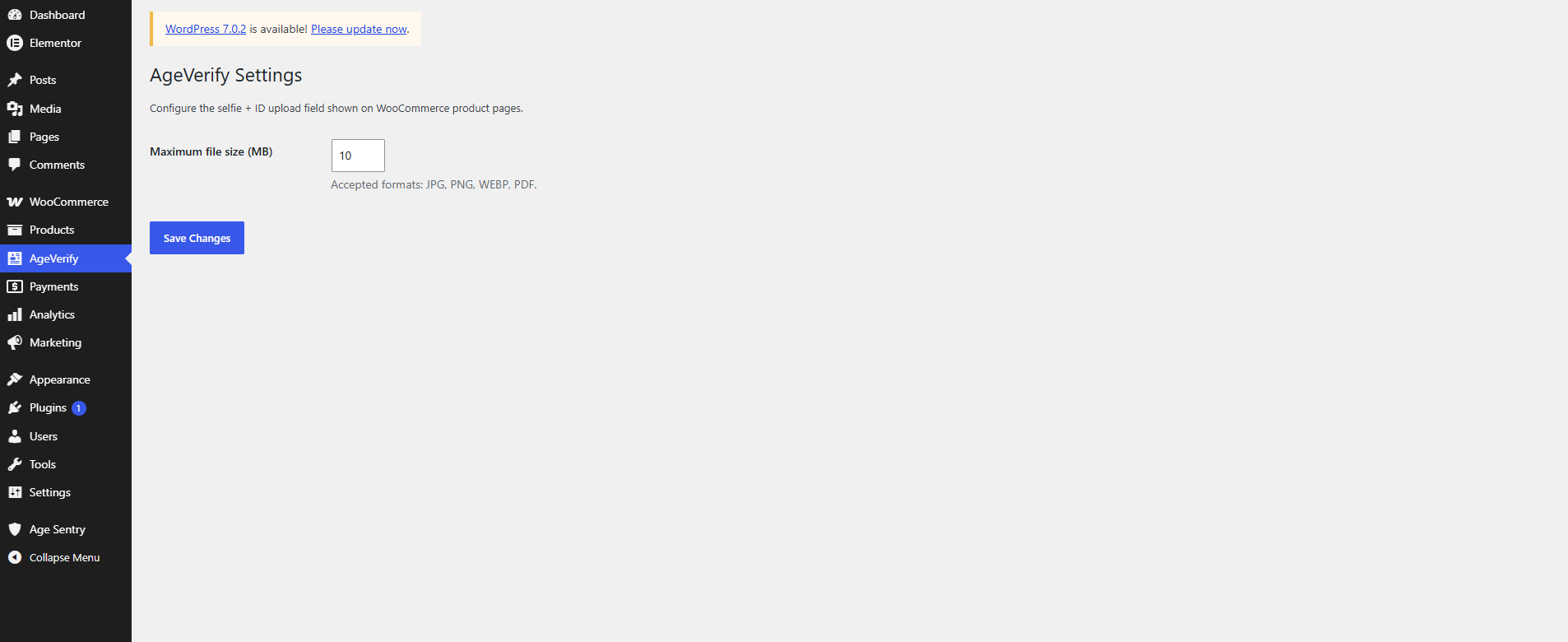
- Max file size enforcement (default: 10 MB)
- Accepted formats: JPG, PNG, WEBP, PDF
- Uploaded files stored securely in a protected directory (
.htaccessblocked) - View and download files directly from the WooCommerce order admin page
- Image thumbnail preview in admin for quick visual review
- Uploaded file name shown in cart and order details
- Verification status badge in admin (Pending / Approved / Rejected)
- Order email includes uploaded file reference
- Auto-cleanup of orphaned temp files via WP Cron (hourly)
- Files deleted automatically on order cancellation or deletion
- Fully translatable (Text Domain:
wc-age-verification-id-upload)
How It Works
- Customer selects their selfie + ID image on the product page.
- The file is instantly pre-uploaded via AJAX to a secure folder on the server.
- The server returns a unique session token.
- When the customer clicks “Add to Cart” (via any plugin — including FunnelKit), the token is sent as a hidden field.
- Server validates the token, retrieves the file, and attaches it to the cart item.
- At checkout, the file reference is saved to the order.
- Store admin can view, preview, and download the file from the order page.
Compatibility
- ✅ FunnelKit Cart (Slide Cart)
- ✅ CartFlows
- ✅ YITH WooCommerce Ajax Product Filter
- ✅ Standard WooCommerce (form submit)
- ✅ Elementor Pro WooCommerce widgets
- ✅ WooCommerce Blocks
Screenshots
Installation
- Upload the plugin folder to
/wp-content/plugins/or install via Plugins Add New Upload Plugin. - Activate the plugin from the Plugins menu.
- The upload field will automatically appear on all simple product pages above the Add to Cart button.
No configuration required — it works out of the box.
FAQ
-
Does this work with FunnelKit Cart / side cart?
-
Yes. Version 2.1.0 was specifically built to fix FunnelKit Cart compatibility. It uses a pre-upload + session token approach so the file is transferred independently of how the cart plugin sends the add-to-cart request.
-
Can I change the maximum file size?
-
Yes. Edit the
WCAV_MAX_MBconstant at the top of the plugin file. Default is 10 MB. -
Where are uploaded files stored?
-
Files are stored in
wp-content/uploads/age-verification/which is protected by.htaccessto prevent direct browser access. -
Who can view uploaded files in the admin?
-
Only users with the
manage_woocommercecapability (Shop Manager and Administrator roles). -
Are temp files cleaned up if a customer abandons the cart?
-
Yes. A WordPress Cron job runs hourly and deletes any pre-uploaded temp files older than 1 hour that were never attached to a cart item.
-
Does this work for guest (non-logged-in) customers?
-
Yes. The plugin uses the WooCommerce session (cookie-based) which works for both logged-in and guest users.
Reviews
There are no reviews for this plugin.
Contributors & Developers
“MTS AgeVerify ID Upload for WooCommerce” is open source software. The following people have contributed to this plugin.
Contributors
Translate “MTS AgeVerify ID Upload for WooCommerce” into your language.
Interested in development?
Browse the code, check out the SVN repository, or subscribe to the development log by RSS.
Changelog
2.1.0
- New: Pre-upload AJAX system — file is uploaded on selection, not on form submit.
- New: Session token approach — universal compatibility with FunnelKit Cart and all AJAX-based cart plugins.
- New: Hourly WP Cron job for orphaned temp file cleanup.
- Fix: FunnelKit Cart add-to-cart completely ignoring file upload (no
$_FILESin AJAX request). - Fix: Validation now correctly blocks AJAX add-to-cart if no file is pre-uploaded.
- Improved admin UI with image thumbnail previews and status badges.
1.0.0
- Initial release. Standard WooCommerce form-submit support only.