

Description
Image Boost is a free, powerful image optimization plugin that works 100% locally on your server. Unlike other optimization plugins, Image Boost requires no API keys, makes no external requests, and has no usage limits. Your images never leave your server.
It uses your server’s built-in Imagick or GD library to intelligently compress JPEG, PNG, GIF, and WebP images — reducing file sizes by up to 60% without visible quality loss.
🚀 Why Image Boost?
- 100% Local Processing — No API keys, no cloud uploads, no privacy concerns
- Zero Usage Limits — Optimize unlimited images, forever
- Smart Compression — Imperceptible quality loss with significant file size reduction
- WebP Delivery — Automatic
<picture>tag output for modern browser support - One-Click Bulk Optimize — Process your entire media library in minutes
- Full Backup System — Every original is safely backed up and can be restored instantly
- WooCommerce Ready — Works with product images, galleries, and all custom post types
⚡ How It Works
- Upload an image normally to your Media Library.
- Image Boost automatically compresses it in the background (if auto-optimize is enabled).
- A WebP version is generated and served to supported browsers via smart
<picture>tags. - View savings per image directly in the Media Library, or check the beautiful Dashboard for overall stats.
🎯 Compression Levels
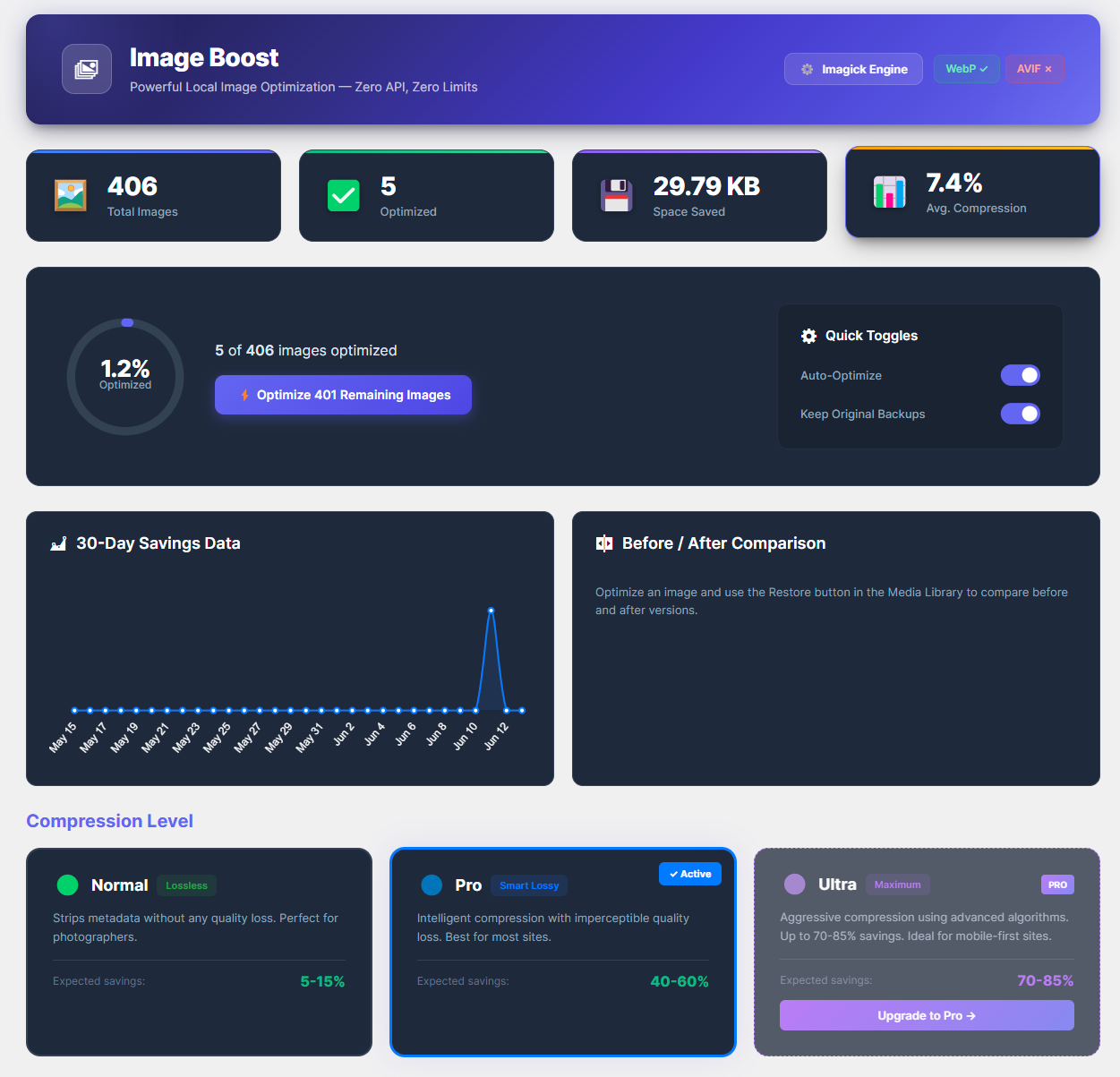
- Normal — Lossless metadata stripping. Zero quality loss. ~5-15% savings.
- Pro — Smart lossy compression with imperceptible quality loss. ~40-60% savings. (Recommended)
📋 Full Feature List
- Two compression levels: Normal (Lossless) and Pro (Smart Lossy)
- Automatic WebP format conversion
- Smart
<picture>tag delivery for WebP across all themes - Server-side delivery config (Apache .htaccess / Nginx rules)
- Background optimization queue via WP-Cron
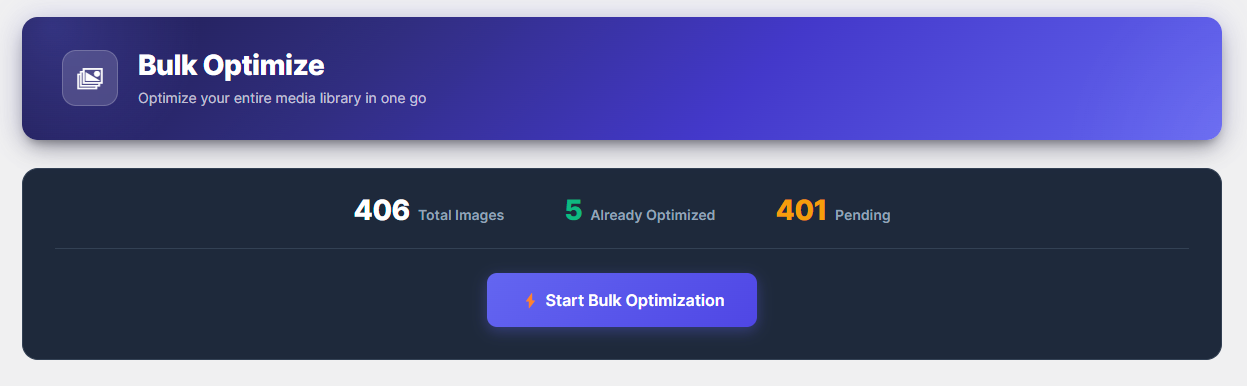
- Bulk Optimization with real-time progress bar
- Auto-optimize images on upload
- Full backup & one-click restore system
- Per-image optimization stats in the Media Library
- Image resizing (configurable max width)
- Metadata stripping with optional copyright preservation
- Native lazy loading injection
- Skip specific thumbnail sizes
- 30-Day Analytics Dashboard with savings chart
- WooCommerce & Custom Post Type support
- Multisite compatible
- Clean uninstall with optional data removal
- Beautiful, modern admin dashboard with dark theme
- Comprehensive documentation page built-in
Screenshots

Installation
Automatic Installation
- Go to Plugins Add New in your WordPress admin.
- Search for “Image Boost”.
- Click Install Now, then Activate.
Manual Installation
- Download the plugin ZIP file.
- Go to Plugins Add New Upload Plugin.
- Upload the ZIP file and click Install Now.
- Activate the plugin.
After Activation
- Navigate to Image Boost Dashboard to see your media library overview.
- Go to Image Boost Settings to configure compression level, WebP conversion, and backup preferences.
- Use Image Boost Bulk Optimize to compress all existing images at once.
FAQ
-
Does it work entirely locally?
-
Yes. Image Boost processes everything on your own server using Imagick or GD. No external API calls are made, and your images never leave your server.
-
Does it require an API key?
-
No. Image Boost is completely self-contained with zero external dependencies.
-
Are original images safe?
-
Yes! Originals are safely backed up in
/wp-content/uploads/imgboost-backups/and can be restored with a single click from the Media Library. Backups are protected from direct web access. -
What image formats are supported?
-
JPEG, PNG, GIF, and WebP images can be optimized. WebP versions are automatically generated for JPEG, PNG, and GIF originals.
-
Does it work with WooCommerce?
-
Yes, all WooCommerce product images, gallery images, and thumbnails are fully supported.
-
Will it slow down my site during optimization?
-
No. Bulk optimization processes one image at a time with built-in CPU throttling and memory management. Your site remains responsive throughout.
-
What happens if I deactivate the plugin?
-
Your optimized images remain optimized. Backups are preserved. No data is deleted on deactivation. If you uninstall (delete) the plugin, you can optionally remove all plugin data via the Settings page.
-
Yes. Image Boost includes memory pre-flight checks, Imagick resource limits, and single-threaded processing to work safely on shared hosting environments.
-
Can I exclude certain image sizes from optimization?
-
Yes. The Settings page allows you to select which WordPress image sizes to skip during optimization.
Reviews
There are no reviews for this plugin.
Contributors & Developers
“Imagi Boost” is open source software. The following people have contributed to this plugin.
Contributors
Translate “Imagi Boost” into your language.
Interested in development?
Browse the code, check out the SVN repository, or subscribe to the development log by RSS.
Changelog
1.1.0 — 2026-06-09
- Removed all Pro/trialware restrictions — all code in plugin is now fully free
- Pro features (Ultra, AVIF, Keep Copyright EXIF, Skip Thumbnail Sizes) moved to separate Pro plugin — display-only rows remain as upsell links
- Removed all “Pro” UI restrictions to comply with WordPress.org guidelines
- Updated Chart.js to v4.5.1
- Removed unnecessary load_plugin_textdomain() call (WordPress 4.6+ handles this automatically)
- Fixed inline in Media Library — now uses wp_add_inline_style() correctly
- Updated “Tested up to” to WordPress 7.0
1.0.0 — 2026-04-19
- Initial release
- Two compression levels: Normal (lossless) and Pro (smart lossy)
- Automatic WebP conversion and
<picture>tag delivery - Bulk optimization with real-time progress bar
- Auto-optimize images on upload via WP-Cron
- Full backup and one-click restore system
- Media Library integration with per-image stats
- Image resizing with configurable max width
- Metadata stripping with copyright preservation option
- Native lazy loading injection
- WooCommerce and Custom Post Type support
- Multisite compatibility
- Clean uninstall with optional data removal
- Modern admin dashboard with dark theme
- Built-in documentation page