
Description
Stop spam without collecting visitor data.
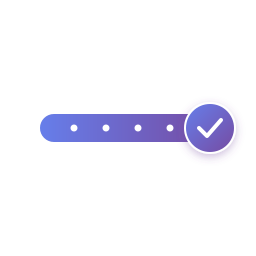
SOS Captcha protects your WordPress forms with an interactive slider challenge. Visitors drag a handle along a track to prove they are human. The plugin runs entirely on your own server — no tracking, no cookies, no external services.
Privacy by design
- No tracking pixels or analytics
- No cookies stored
- No data sent to external services
- GDPR, CCPA, and ePrivacy friendly
- All validation happens on your server
Visitor-friendly slider
- Touch-friendly interaction works on mobile
- Most visitors complete it in a few seconds
- Smooth animation on success
How the protection works
- Unique cryptographic tokens per session
- Random checkpoint positions (up to 8 in Free, 15 in Premium)
- Server-side timing validation
- Rate limiting (configurable, 60s default)
- Behavioral analysis (Premium)
- Honeypot fields and browser fingerprinting (Premium)
Form integrations
- Contact Form 7 (Free)
- WordPress Comments (Free)
- WPForms (Premium)
- Gravity Forms (Premium)
- Ninja Forms (Premium)
- WooCommerce checkout, registration & reviews (Premium)
Authentication form protection (Premium)
- WordPress login form (
wp-login.php) — protect against brute-force attacks - User registration form — prevent bot-generated accounts
- Lost-password form — block password-reset email spam
How it works
SOS presents a slider with randomly positioned checkpoints. Visitors slide a cursor along the track to activate each checkpoint in sequence. Each session generates unique cryptographic tokens with millions of possible combinations and server-side timing validation. Premium plans add behavioral analysis on top.
Free vs Premium
Free version includes:
- Unlimited forms and submissions
- Contact Form 7 integration
- WordPress comments protection
- Customizable appearance (colors, text)
- Up to 8 checkpoints per challenge
- Full GDPR compliance
- Community support
Premium features:
- WPForms, Gravity Forms, Ninja Forms integrations
- WooCommerce protection (checkout, registration, reviews)
- WordPress login, registration, and lost-password protection
- Advanced behavioral detection
- Browser fingerprinting
- Honeypot fields
- Local statistics dashboard (privacy-first, no data leaves your server)
- Priority email support
- White-label (remove badge)
- Up to 15 checkpoints per challenge
Upgrade to Premium — from €4.99/month or €47/year.
Technical Highlights
- Cryptographic security: Unique tokens per session with server-side validation
- No database bloat: Uses WordPress transients (auto-cleanup)
- Lightweight: Under 20KB total assets
- Performance: Cached responses, minimal server load
- Developer-friendly: Hooks and filters for customization
- Translation-ready: 10 languages included (EN, FR, DE, ES, IT, PT-BR, AR, JA, ZH, HI)
Compliance
- GDPR Article 25 (Privacy by Design)
- CCPA compliant (no personal data collection)
- ePrivacy Directive compliant (no cookies)
Support & Documentation
- Documentation at https://sos-captcha.com
- Community forum (Free)
- Email support (Premium)
- French and English support
Source Code
The plugin ZIP ships both the human-readable source (assets/challenge-slider.js, admin/js/sos-admin.js, assets/*.css, admin/css/*.css) and the minified production builds (.min.js, .min.css). WordPress loads the minified versions in production and the source versions when SCRIPT_DEBUG is enabled (define('SCRIPT_DEBUG', true) in wp-config.php).
Privacy Policy
SOS Captcha is designed with privacy at its core:
Data collection: None. We don’t collect, store, or transmit any personal data to external servers.
Cookies: None. The plugin sets no cookies.
External services: None. All processing happens on your WordPress server.
IP addresses: Not stored. Rate limiting uses transient hashes that auto-expire.
Statistics (Premium): Stored locally on your server only. Aggregated counters (blocked spam, form types) with no personally identifiable information.
Licensing (Premium only): When you activate a Premium license, your site URL and license key are sent to https://sos-captcha.com to validate the license. No user data is transmitted.
Hooks for Developers
sos_before_validation— Modify validation parameterssos_challenge_created— React to new challengessos_spam_blocked— Trigger actions when spam is blockedsos_should_show_badge— Control badge visibility
Screenshots

Interactive slider challenge — login protection 
Interactive slider challenge — account protection 
Interactive slider challenge — comment protection 
Contact Form 7 integration example 
Many Integrations available 
Customizable colors to match your brand 
avoid unnecessary challenges
Installation
Automatic Installation
- Go to Plugins Add New
- Search for “SOS Captcha”
- Click “Install Now” and then “Activate”
- Go to Settings SOS Captcha to configure
Manual Installation
- Download the plugin ZIP file
- Go to Plugins Add New Upload Plugin
- Choose the ZIP file and click “Install Now”
- Activate the plugin
- Go to Settings SOS Captcha to configure
Configuration
- Enable protection for your desired forms (Contact Form 7, Comments, etc.)
- Adjust the number of checkpoints (default: 6; 2–8 allowed in Free, up to 15 in Premium)
- Customize colors to match your site’s branding
- Test on a staging environment first
- Deploy to production
The plugin works out-of-the-box with default settings optimized for most sites.
FAQ
-
Is this really GDPR compliant?
-
Yes. SOS Captcha:
- Collects no personal data
- Sets no cookies
- Doesn’t track users
- Processes everything on your server
- Requires no consent banner
-
Does it require JavaScript?
-
Yes — the interactive slider requires JavaScript to work. If JavaScript is disabled, the form submission is blocked to protect against simple bots. For visitors without JavaScript, we recommend keeping a secondary spam protection layer.
-
Will this slow down my site?
-
No. The plugin adds less than 20KB of assets and uses efficient server-side processing. Operations use WordPress transients which auto-expire. There are no external API calls.
-
Can sophisticated bots defeat this?
-
No anti-spam solution is 100% perfect, but SOS makes automation difficult:
- Millions of possible checkpoint combinations
- Randomized positioning per session
- Server-side timing validation (too fast = rejected)
- Behavioral analysis (Premium)
- No single pattern to exploit
-
Does it work on mobile devices?
-
Yes. The slider is optimized for touch interfaces with visual feedback. Touch offset correction ensures accurate control even on small screens. Tested on iOS, Android, and tablets.
-
Can I use it with Contact Form 7?
-
Yes, Contact Form 7 is fully supported in the free version. Enable it in Settings SOS Captcha Integrations.
-
What about WPForms/Gravity Forms/Ninja Forms?
-
These are supported in the Premium version.
-
Can it protect my WordPress login and registration pages?
-
Yes, in the Premium version. SOS can protect:
wp-login.php— blocks brute-force login attacks- User registration form — prevents bot-generated accounts
- Lost-password form — stops password-reset email spam
Enable these under Settings SOS Captcha Integrations.
-
Can I customize the appearance?
-
Yes. You can customize:
- Gradient colors (start, middle, end)
- Label text
- Help text
- Verified text
- All text is translatable
Premium users can also remove the badge for a fully white-label look.
-
Is there a limit on submissions?
-
No limits on either version. Protect unlimited forms with unlimited submissions.
-
What happens if a legitimate user fails the challenge?
-
The challenge is designed to be easy for humans. If someone fails, they can simply try again. A rate limit (default 60s) prevents brute-force attempts.
-
Can I see spam statistics?
-
Yes, in the Premium version. The local statistics dashboard shows blocked submissions, success/failure rates, and per-form breakdowns. All stats are stored on your server — nothing is sent externally.
-
Do you offer refunds?
-
EU customers have a 14-day statutory right of withdrawal on Premium subscriptions. After that, subscriptions can be cancelled at any time and remain active until the end of the current billing period.
Reviews
There are no reviews for this plugin.
Contributors & Developers
“SOS Captcha — Privacy-First Spam Protection” is open source software. The following people have contributed to this plugin.
Contributors
Translate “SOS Captcha — Privacy-First Spam Protection” into your language.
Interested in development?
Browse the code, check out the SVN repository, or subscribe to the development log by RSS.
Changelog
1.0.71 – 2026-05-06
- New helper
SOSCAPTCHA_Generator::pro_extra_fields()/pro_extra_fields_html()— single source of truth for the Pro honeypot + browser-fingerprint hidden inputs that integrations need to render. Each of the 9 integration adapters (CF7, Comments, WPForms, Gravity Forms, Ninja Forms, WooCommerce reviews/checkout/registration, WP login/register/lost-password) now emits these fields when their toggles are on - Slider JS now computes a base64-encoded JSON fingerprint (
{ ua, lang, tz, screen }) on slider init and writes it into the hidden input — paired with Pro 1.0.10’s rewritten validator that checks the claimed UA matches$_SERVER['HTTP_USER_AGENT']to detect automation toolkits
1.0.70 – 2026-05-06
- Critical: slider validation failed on the last checkpoint. The “next checkpoint highlight” code in
assets/challenge-slider.jsrancheckpointDots[lastCheckpoint + 1].style.borderColor = …after the AJAX block had already advancedlastCheckpointto the final index — so it dereferencedundefinedonce the last dot was reached. The TypeError aborted the rest ofupdatePosition, including thesetTimeoutthat writes collected tokens to the form’s hiddensoscaptcha_tokensinput. End result: form submitted with empty tokens server rejected with “invalid_tokens”. Added a guard so the highlight only runs when there’s actually a next checkpoint.
1.0.69 – 2026-05-06
- Critical fix: slider challenge wouldn’t load (admin-ajax 400 with
action: soscaptcha_get_challenge_config). The three front-end AJAX endpoints (get_challenge_config,collect_token,refresh_challenge) were registered PHP-side under the legacywp_ajax_sos_*prefix, but the slider JS sendsaction=soscaptcha_*(matching the WP.org 4+ char prefix rule applied in 1.0.54). Mismatch meant every challenge fetch returned 400 — the slider couldn’t render and form submissions on protected pages couldn’t validate. PHP side now useswp_ajax_soscaptcha_*to match.- Affected pages: every form protected by the plugin (login, comments, CF7, demo page, etc.)
- Same root-cause family as the license-activation 400 (1.0.2) and the settings auto-save 400 (1.0.65) — finally hunted down the third instance.
1.0.68 – 2026-05-06
- Plugin Check fixes (regressions caught after 1.0.67 publish): proper escaping on the disabled-input attribute (now uses WordPress’s
disabled()helper instead of echoing a raw string),/* translators: */comment moved adjacent to its__()call, andload_plugin_textdomain()removed (WP auto-loads translations for WP.org-hosted plugins since 4.6 — the call is flagged as discouraged)
1.0.67 – 2026-05-06
- Fix Pro integration toggles failing silently — the integrations save handler’s allow-list was seeded with only the 2 free integrations (
comments,cf7). Pro’s filter (since 1.0.64) only flips lock flags on the canonical registry instead of adding entries, so any Pro toggle (wpforms,gravityforms, etc.) was silently stripped during save. The handler now seeds fromSOSCAPTCHA_Integrations::filtered()so all 9 keys are accepted, with a server-side guard that still blocks Pro toggles when the license isn’t active
1.0.66 – 2026-05-06
- Translations refreshed for all 9 non-English locales (no source-string changes; pairs with Pro 1.0.8 which ships the matching superset
.mo)
1.0.65 – 2026-05-06
- Fix admin Settings/Integrations not saving — AJAX action names registered as
wp_ajax_sos_save_*but the JS auto-save POSTedaction=soscaptcha_save_*. Mismatch meant every change failed silently. Both sides now usesoscaptcha_save_* - Fix critical error on the “Get Pro” page — DeepL strips
%splaceholders when translating short format strings, soprintf( 'or %s/year (save 20%%)', $price )blew up on PHP 8+ withArgumentCountError. Refactored to two simpler translatable strings + runtime guard that falls back to English if the translation is missing the placeholder - Translations regenerated; the previously broken yearly-savings line now renders cleanly in all 9 non-English locales
1.0.64 – 2026-05-06
- Integrations grid now shows the Pro form integrations (WPForms, Gravity Forms, Ninja Forms, WooCommerce, WP login/register/lost-password) as locked previews even when the Pro plugin isn’t installed at all — users see what’s available without needing to install Pro first
- New shared data file
includes/data/integrations.php(single source of truth, mirrors the tier matrix pattern) accessed via the newSOSCAPTCHA_Integrationshelper - Re-added the 3 gradient color presets (Classic / Purple / Ocean) to the Appearance tab; locked when no Pro license is active
- Translations: refreshed for the new locked-preview, preset, and statistics strings
1.0.63 – 2026-05-05
- Settings page rebuilt to surface Pro features as locked previews — visitors and admins can see what each tier unlocks without installing Pro first
- Validation tab: new “Advanced bot detection” section (behavior analysis, honeypot, browser fingerprint) shown disabled with a Pro badge until licensed
- Challenge reduction tab: new “Auto-reload on timeout” toggle, locked until licensed
- New “Appearance” tab with gradient color pickers and a “Show / hide badge” toggle, both locked until licensed
- New “Statistics” submenu entry in the admin sidebar (with a lock icon) when Pro isn’t active — click it to see the Pro upsell page
- New
SOSCAPTCHA_Tiers::is_pro_active()helper backed by thesoscaptcha_pro_activefilter; Pro flips it on when its license is valid
1.0.61 – 2026-05-05
- New: single source of truth for plan tiers and feature matrix at
includes/data/tier-matrix.php(readable through theSOSCAPTCHA_Tiershelper class). Both the free “Get Pro” page and the Pro plugin’s “License” page render from it, kept in sync with sos-captcha.com pricing - “Get Pro” page rebuilt: 4-tier comparison (Free / Starter / Pro / Agency) with monthly + yearly prices, “MOST POPULAR” badge on Pro, per-tier CTAs to sos-captcha.com
- Translations: regenerated all .pot/.po/.mo for the latest source strings (previous .mo files dated back to 1.0.50, missing dozens of strings added by the prefix renames)
1.0.60 – 2026-05-05
- Translations: explicitly call
load_plugin_textdomain()so admin strings translate on manually-uploaded installs (not just WordPress.org-distributed ones) - Integrations grid: render Pro integrations with a “Pro” lock badge + Upgrade CTA when no Pro license is active (relies on the new
premium_lockedflag exposed by the Pro plugin’ssoscaptcha_integrationsfilter) - Add
soscaptcha_show_get_pro_menufilter; the Pro plugin (1.0.2+) hooks it to hide the “Get Pro” upsell submenu once a license is active
1.0.59 – 2026-05-05
- Fix admin JS 404: rename
admin/js/sos-admin.{js,min.js}admin/js/soscaptcha-admin.{js,min.js}so the file matches the prefixed enqueue path introduced in 1.0.54
1.0.57 – 2026-05-05
- Fix fatal error on activation: rename class files from
class-sos-*.phptoclass-soscaptcha-*.phpso they match therequire_oncepaths introduced in 1.0.54 (the rename touched the require paths but not the files on disk) - WordPress.org Plugin Check: prefix view-scope variables in
admin/views/{settings,integrations,get-pro}.phpwithsoscaptcha_to clearWordPress.NamingConventions.PrefixAllGlobals.NonPrefixedVariableFoundwarnings
1.0.56 – 2026-05-05
- Prefix the three form-traveling input names (
challenge_session,challenge_nonce,collected_tokenssoscaptcha_session,soscaptcha_nonce,soscaptcha_tokens) to avoid collisions with other plugins on host forms - Updated all integrations (Contact Form 7, Comments + premium adapters) and the slider JS selectors accordingly
1.0.55 – 2026-05-04
- Extend the
soscaptcha-prefix to CSS classes and script handles (4+ char prefix everywhere) for WordPress.org compliance
1.0.54 – 2026-05-04
- Rename PHP class prefix from
SOS_toSOSCAPTCHA_and function prefix fromsos_tososcaptcha_(4+ char prefix per WordPress.org guidelines)
1.0.53 – 2026-05-03
- Architecture: split the plugin into a free build (this plugin) and an optional
sos-captcha-procompanion plugin loaded through WordPress filters/actions - Free plugin no longer contains any premium code paths — addresses WordPress.org trialware concern
- Companion plugin declares
Requires Plugins: sos-captcha(WP 6.5+)
1.0.52 – 2026-05-03
- Source assets shipped in the ZIP are now stripped of dev comments (CSS and JS), keeping the code human-readable for reviewers without leaking internal notes
- Plugin loaders unchanged: .min.js and .min.css load in production, source files load with SCRIPT_DEBUG=true
- Removed GitHub repo link from readme (source ships inside the plugin)
1.0.51 – 2026-05-03
- WordPress.org compliance round 2 (response to reviewer feedback)
- Trialware: build-time post-processor strips all $is_licensed conditionals from the free ZIP (new bin/strip-license-checks.php)
- Source code visibility: ship non-minified .js / .css alongside their .min counterparts; document GitHub repo in readme
- Security: AJAX endpoints now require a session-tied HMAC nonce (cache-friendly). Form submissions verify the nonce in the validator. All 8 integrations render the nonce field.
1.0.50 – 2026-04-29
- Rebrand: plugin renamed from “SOS Anti-Spam” to “SOS Captcha” — slug, text-domain and language files updated to “sos-captcha”
- Main file renamed: slide-out-spam.php sos-captcha.php
- No functional change for existing installs; cleaner branding aligned with sos-captcha.com
1.0.49 – 2026-04-27
- WordPress.org compliance pass
- Prefix all AJAX actions with sos_ to avoid collisions
- Remove load_plugin_textdomain (not needed for plugins hosted on WordPress.org)
- Replace the License page in the free build with a Compare-plans page (no license input, no external API call)
- Premium upgrade is now a manual download from sos-captcha.com (Plugins Add New Upload)
- Initial public release
- Contact Form 7 and WordPress comments protection
- WP login, registration, and lost-password protection (Premium)
- Up to 8 checkpoints (Free) / 15 (Premium)
- 10-language support