Description
Xinc Events for Dice is the simplest way to embed your Dice.fm event listing on any WordPress site.
If you’re a venue, promoter, or artist with a Dice.fm partner account, this plugin wraps Dice’s official JS widget in a proper WordPress block and shortcode so you never have to touch raw code again.
Note: This is an independent, community-developed plugin — it is not developed by, endorsed by, or affiliated with Dice FM or any of its parent companies. “Dice” and “Dice.fm” are trademarks of their respective owners.
Third-party service
This plugin relies on the Dice.fm event listing widget, a JavaScript-based service hosted by Dice FM. When the widget is displayed on your site, a script is loaded from Dice’s CDN (widgets.dice.fm) and event data is fetched from Dice’s API servers on behalf of your visitors.
- Service provider: Dice FM
- Script loaded:
https://widgets.dice.fm/dice-event-list-widget.js - Dice FM Terms of Service
- Dice FM Privacy Policy
No data is sent from your WordPress site to any third party — the widget runs entirely in the visitor’s browser.
What it does
- Adds a Dice Events block to the Gutenberg editor — drop it anywhere on any page or post
- Provides a
[dice_events]shortcode for classic editor users and widget areas - A Settings page (Settings Dice Events) to enter your Partner ID and set global defaults once
- Loads Dice’s official widget script — all event data is fetched directly from Dice’s servers, so your listing is always live and up to date
- The Dice script is only loaded on pages that contain the block or shortcode — never added globally
Features
- List or gallery layout
- Light or dark colour scheme
- Highlight colour (full colour picker in settings, hex in shortcode)
- Font family: inherit from your theme, serif (Georgia), or sans-serif (Helvetica)
- Square or round booking buttons
- Display mode: regular, simple, or full
- Event titles: show event name, city, or venue
- Toggle event images, ticket prices, track previews, and new badge on/off
- Hide postponed and/or cancelled events
- Purchase overlay — let fans buy tickets directly through the widget
- Custom number of events (1–500)
- Powerful filters — filter by venue name, artist, promoter, city, tags, price range, currency, or Dice internal IDs
- Optional container height override (e.g.
600px,80vh) - Full width / wide alignment support for the Gutenberg block
- Live Test Widget Preview on the settings page — see exactly how your events will look before embedding
- Multiple instances on the same page — each gets its own unique container
How to use
- Install and activate the plugin
- Go to Settings Dice Events and enter your Partner ID and API Key
- Optionally add a venue or other filter to narrow your event feed
- Save and check the live preview at the bottom of the page
- Add the Dice Events block anywhere in the Gutenberg editor, or use
[dice_events]in any widget area or classic editor
Shortcode reference
[dice_events layout="list" theme="light" highlight_colour="#000000" font_family="Georgia" button_style="square" show_images="true" show_price="true" hide_postponed="false" hide_cancelled="false" tags="Venue Name" height="600px"]
All attributes are optional — omit any to inherit the global settings value.
The tags attribute accepts a comma-separated list: tags="The Underworld,Fabric London"
Performance
The Dice widget script (dice-event-list-widget.js) is loaded only on pages that contain the block or shortcode. It is never added to every page globally.
Screenshots

Gutenberg block with placeholder and Display sidebar panel (layout, theme, font, button style, highlight colour) 
Settings page — Configuration and Formatting sections (Partner ID, API Key, display mode, event titles, toggles, number of events) 
Settings page — Styling and Filters sections (layout, button style, colour scheme, highlight colour, font family, venue/artist/city filters) 
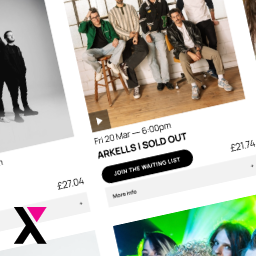
Gallery layout on the frontend showing live event listings with images, prices, and buy buttons 
Live Test Widget Preview on the settings page — see exactly how your events will look before embedding
Blocks
This plugin provides 2 blocks.
- Xinc Events for Dice
- Dice Events Listing
Installation
- Upload the
xinc-events-for-dicefolder to/wp-content/plugins/ - Activate Xinc Events for Dice through the Plugins screen in WordPress
- Go to Settings Dice Events and enter your Partner ID and API Key
- Add any filters (e.g. venue name) to narrow your event feed
- Use the Gutenberg block or
[dice_events]shortcode to embed your listing
FAQ
-
Where do I find my Partner ID?
-
Log in to your Dice MIO dashboard, go to Partner Tools Widget Creator. Your 8-character alphanumeric Partner ID is shown there. You can also generate it at dice.fm/partners/widget.
-
Does this work with the Classic Editor?
-
Yes — use the
[dice_events]shortcode in any post, page, or text widget. -
Where do I find my API Key?
-
Log in to your Dice MIO dashboard, go to Partner Tools Widget Creator. Your API Key is shown there. Both the Partner ID and API Key are required for the widget to work.
-
Can I show events from a specific venue only?
-
Yes. Go to Settings Dice Events Filters and enter the venue name (e.g. “The Underworld”). You can also filter by artist, promoter, city, tags, price range, or Dice internal IDs. Multiple values can be comma-separated. The
tagsshortcode attribute also accepts comma-separated values for per-instance filtering. -
Can I have multiple widgets on the same page?
-
Yes. Each block or shortcode instance gets a unique container, so you can embed multiple listings (e.g. different filtered views) on a single page.
-
Why does the block show a placeholder in the editor?
-
Dice’s widget script does not run inside WordPress’s editor iframe. You’ll see a styled placeholder instead. Use the Test Widget Preview on the Settings page to see how your events look.
-
Is this an official Dice.fm plugin?
-
No — this is an independently developed plugin that wraps Dice’s official public widget. All event data is served from Dice’s own infrastructure. Dice FM is a trademark of its respective owner.
-
I see “Please set your Partner ID” in the editor — why?
-
Go to Settings Dice Events and enter your Dice Partner ID. The block requires a valid Partner ID to render on the frontend.
Reviews
There are no reviews for this plugin.
Contributors & Developers
“Xinc Events for Dice” is open source software. The following people have contributed to this plugin.
Contributors
Translate “Xinc Events for Dice” into your language.
Interested in development?
Browse the code, check out the SVN repository, or subscribe to the development log by RSS.
Changelog
1.0.2
- Added full filter support: venue name, artist, promoter, city, tags, price range, currency, and Dice internal IDs
- Fixed Gutenberg block alignment — wide and full width now work correctly
- Added global padding to full-width block to match theme content area
- Settings page restructured: Configuration (credentials) moved to the top
- Removed listing title field (not relevant in WordPress context)
- JS config output now matches Dice’s own embed format and property order
- Optional fields (numberOfEvents, tags) only included when non-default
1.0.1
- Added API Key field to settings
- Added all Dice widget formatting options (display mode, event titles, track preview, new badge, number of events, purchase overlay)
- Restructured settings page into Formatting / Styling / Configuration sections
- Fixed font family values to match Dice widget (Georgia, Helvetica)
- Fixed widget container property (divId)
- Hide postponed and cancelled events by default
1.0.0
- Initial release