

Description
FixSeal is the easiest way to collect visual feedback and bug reports from WordPress site owners and clients.
A floating button appears on your site. Click it, draw a box over any problem area, describe the issue, and submit — your developer or agency gets a rich, actionable notification instantly. No back-and-forth emails. No vague “the site is broken” messages.
Whether you’re a freelancer managing client sites, an agency running dozens of WordPress installs, or a site owner who wants a direct line to your developer, FixSeal turns visual feedback into structured fix requests your team can act on immediately.
Visual User Feedback & Bug Reporting
- Draw a selection box over any element on the page — no guessing where the issue is
- 4 request types: Fix a Bug, Improve This, Add Something, Security Concern
- Urgency levels: Whenever / This Week / URGENT
- File upload: images, video, PDF — up to 10 MB
- Built-in screen recording via browser MediaRecorder API
- Auto-captures full site context: page URL, browser, device, viewport, PHP version, active theme, WordPress version
- All reports saved as private posts in WordPress admin — no external database
Fix Request Management
- Fix Requests dashboard — every submission in one place with full context
- Rich HTML email notification with screenshot preview, browser info, and site details
- Submitter receives an instant confirmation email
- Reply-to is set to the submitter so you can reply directly from your inbox
- Filter, search, and track status of every request
Site Health Monitoring
- Automatic background checks every 6 hours via WP-Cron
- Monitors: SSL certificate, PHP errors, site speed, WordPress core updates, form health, Elementor status
- Email alerts when a check changes from OK to warning or critical
- Status overview on the FixSeal dashboard
Broken Links & 301 Redirects
- Automatic 404 error logging with URL, referrer, and hit count
- Set 301 redirects directly from the admin — no .htaccess editing needed
- Admin debug bar on 404 pages (visible to admins only)
Site Tools
- Cache Manager — purge cache from W3 Total Cache, WP Rocket, LiteSpeed Cache, WP Super Cache, Autoptimize
- One-Click Quick Fixes — clear Elementor CSS cache, flush permalinks, reset Gravity Forms locks, clear transients
- WP-Cron Inspector — view upcoming scheduled jobs, spot overdue or stuck events
- Fix Report — email a professional site health summary to yourself or your client
- Server Environment — PHP version, memory limit, WP_DEBUG status, file editor state
Email Delivery (Free)
- Default WordPress mail (wp_mail) — zero configuration needed
- Custom SMTP — use your own mail server with no external account required
Optional Pro / Agency add-ons
Separate add-on plugins and services are available at fixseal.dmitru.com. They are not required for this WordPress.org plugin to work.
- FixSeal Pro add-on — Mailgun and SendGrid delivery, project-management integrations, webhooks, and ticket push workflows
- FixSeal Agency add-on — white-label overlay branding, booking CTAs, central client reporting, and multi-site workflow tools
Developer-Friendly
- Zero frontend dependencies — vanilla JS, no jQuery, no React
- Scoped CSS — no conflicts with Elementor, Divi, Beaver Builder, or the block editor
- Small JS payload, loads asynchronously
- Multisite compatible
FixSeal is built for WordPress developers, freelancers, and agencies who want a professional, self-hosted alternative to tools like UserFeedback, BugHerd, and Marker.io. The WordPress.org plugin works without a subscription, without sending client data to third parties, and without complexity.
Pro & Agency Add-ons
The free plugin on WordPress.org is fully functional and includes all core features. For API email delivery, integrations, and agency white-labeling, separate add-on plugins are available at fixseal.dmitru.com.
FixSeal Pro add-on adds:
- Advanced mail-provider adapters and delivery diagnostics
- Jira, Linear, GitHub Issues, Teamwork, and webhook integrations
- Automatic and manual ticket push workflows
FixSeal Agency add-on adds:
- White-label overlay branding
- Booking CTAs in the feedback popup
- Central client reporting and multi-site workflow tools
The add-ons are installed separately and extend this plugin through WordPress hooks. No feature in the WordPress.org plugin requires a license key.
External Services
FixSeal does not send data to third-party services by default. The core plugin stores bug reports in WordPress and sends email using WordPress mail or the SMTP server configured by the site administrator.
Custom SMTP
This plugin can optionally send notification and confirmation emails through a custom SMTP server configured by the site administrator.
Data sent through the configured SMTP server:
– Email recipient and sender addresses
– Email subject and message body
– Bug report title, description, metadata, and links to uploaded files when included in the email
No email is sent through a custom SMTP server unless the administrator selects Custom SMTP and saves SMTP credentials in the plugin settings. The SMTP service is chosen by the site administrator and is governed by that provider’s terms and privacy policy.
Teamwork
This WordPress.org plugin does not contact Teamwork by itself. A separately installed FixSeal add-on can optionally integrate with Teamwork (teamwork.com) to allow bug reports to be sent directly to a Teamwork project as tasks, with optional file attachments.
This integration is only active when the site administrator installs the add-on and explicitly configures Teamwork credentials in the add-on settings. It is never triggered automatically by this WordPress.org plugin.
Data sent to Teamwork by the separate add-on:
– Bug report title, description, and metadata (when creating a task)
– Screenshot or attachment files (when file upload is enabled)
– Teamwork account credentials (API key and site URL, used for authentication)
No data is sent unless the add-on is installed, the integration is configured, and a bug report is submitted.
Teamwork Terms of Service: https://www.teamwork.com/legal/terms-of-service/
Teamwork Privacy Policy: https://www.teamwork.com/legal/privacy-notice/
Screenshots
The floating feedback button with a pulse animation on the frontend 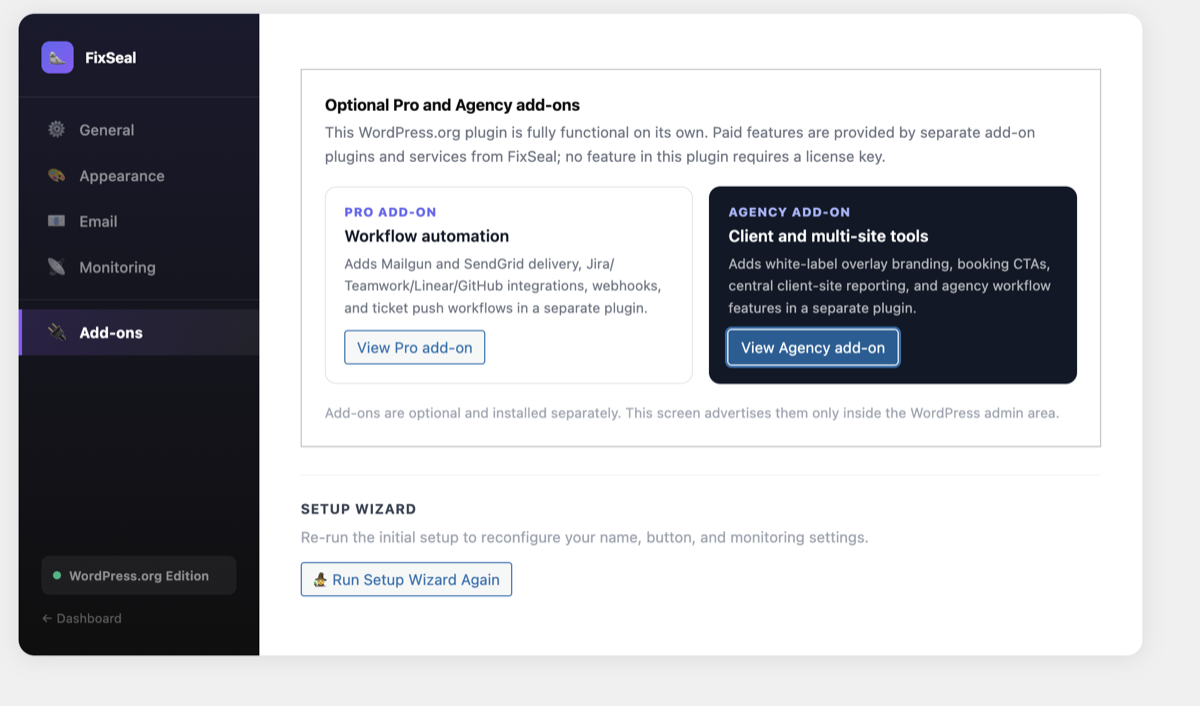
Visual selection overlay — draw a box over any problem area 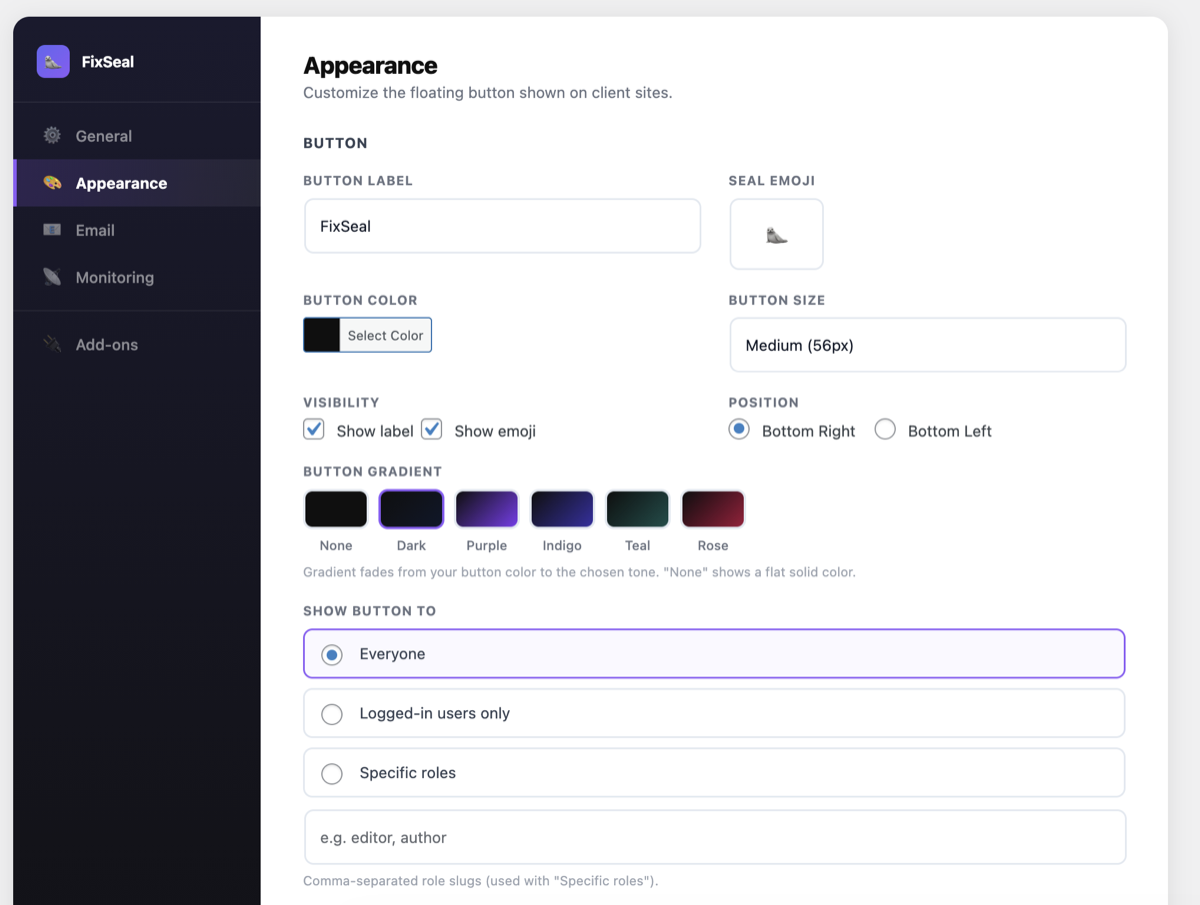
Fix request form with request type, urgency, file upload, and screen recording 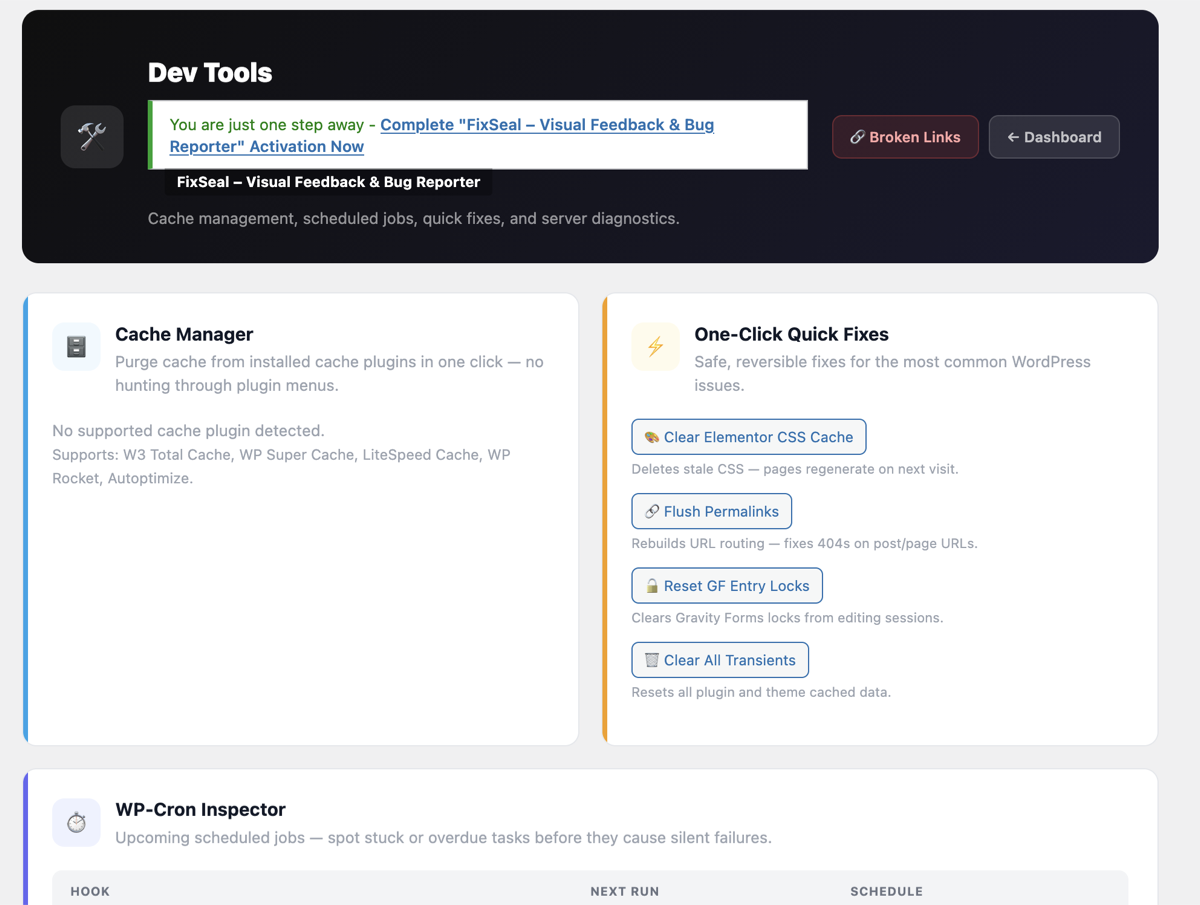
Fix Requests list in the WordPress admin with full submission details 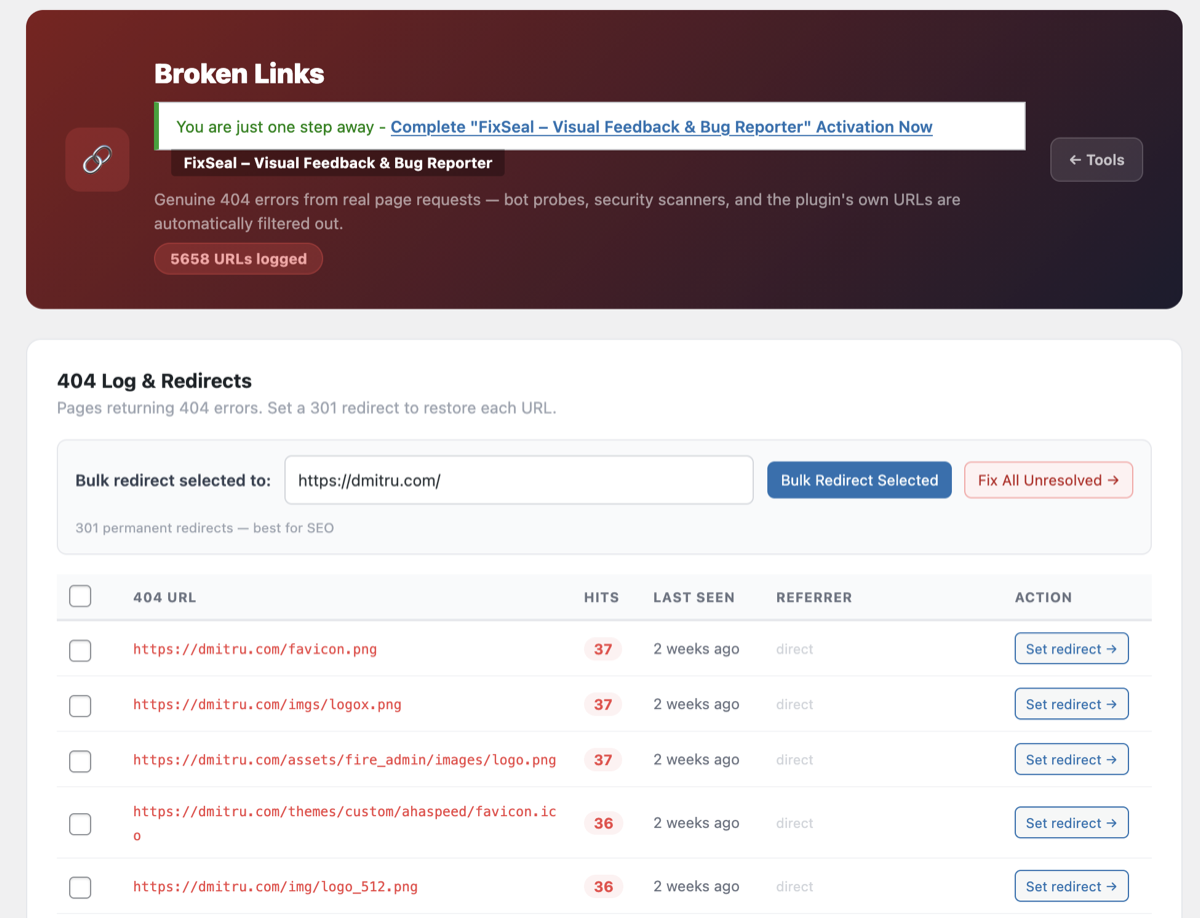
Settings page with sidebar navigation tabs 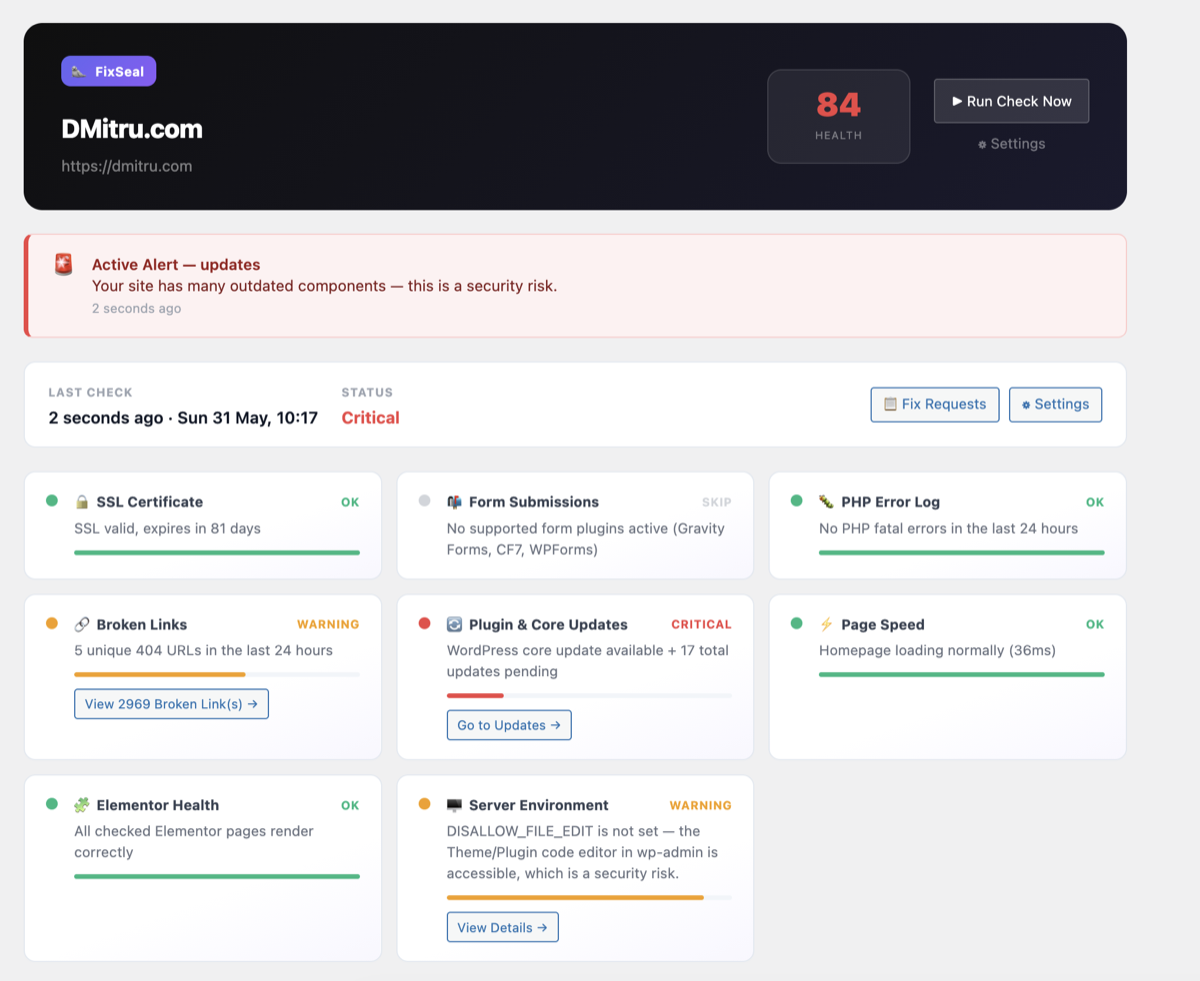
Tools page with Cache Manager, Quick Fixes, and WP-Cron Inspector 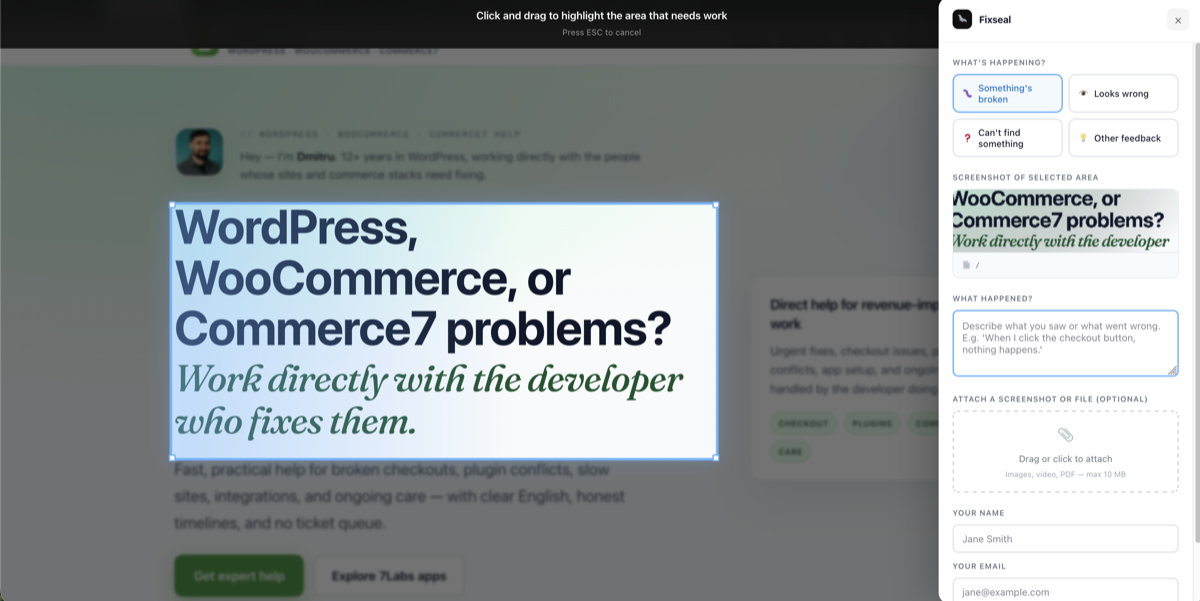
Broken Links page with 404 log and 301 redirect manager
Installation
- Upload the
fixsealfolder to/wp-content/plugins/ - Activate the plugin via the Plugins menu in WordPress admin
- A setup wizard launches automatically on first activation
- Go to FixSeal Settings to configure your name, email, and button appearance
- The floating feedback button appears on all frontend pages immediately
FAQ
-
Does this require an API key or external account?
-
No. The core plugin works on your own WordPress installation — no FixSeal account, API key, or subscription required. Optional integrations with external services are available only through separately installed add-ons from fixseal.dmitru.com.
-
Where are submitted feedback reports stored?
-
All submissions are saved as private posts in the
fixseal_leadcustom post type, visible under FixSeal Fix Requests in the WordPress admin. No data is sent to FixSeal servers by the WordPress.org plugin. -
Yes. Under FixSeal Settings Access, you can show the button to everyone, logged-in users only, or specific user roles. Ideal for limiting feedback collection to clients or admins.
-
Does it work with page builders?
-
Yes. All CSS uses the
.fixseal-prefix. The overlay usesposition: fixedwith a highz-index, compatible with Elementor, Divi, Beaver Builder, and the block editor. -
Will the monitoring checks slow down my site?
-
No. Health checks run via WP-Cron on a background schedule (every 6 hours), not on page loads. There is no performance impact for your visitors.
-
Does this affect frontend page speed?
-
The frontend script is small and loads asynchronously from your own server. No external scripts are loaded for the base functionality.
-
Is this a self-hosted alternative to UserFeedback, BugHerd, or Marker.io?
-
Yes. FixSeal gives you visual feedback collection, bug reporting, and site monitoring entirely on your own WordPress server. No SaaS subscription required, no client data sent to third parties.
-
Is this plugin GDPR-friendly?
-
Yes. All feedback submissions are stored on your own WordPress installation. No data is shared with third-party services by default. If you configure custom SMTP or install a separate integration add-on, data is sent only according to that explicit configuration.
-
Does the submitter get a confirmation email?
-
Yes. Every time a fix request is submitted, the submitter automatically receives a confirmation email acknowledging receipt. The developer’s notification email also CCs the submitter so replies go directly back to them.
Reviews
There are no reviews for this plugin.
Contributors & Developers
“FixSeal – Visual Feedback & Bug Reporter” is open source software. The following people have contributed to this plugin.
Contributors
Translate “FixSeal – Visual Feedback & Bug Reporter” into your language.
Interested in development?
Browse the code, check out the SVN repository, or subscribe to the development log by RSS.
Changelog
1.0.0
- Initial public release
- Visual area selection overlay with crosshair cursor
- Fix request form: type, urgency, description, file upload, screen recording
- Fix requests saved as private posts in WordPress admin
- Rich HTML email notification with full site context
- Submitter confirmation email with CC on admin notification
- Site monitoring: SSL, PHP errors, speed, updates, forms, Elementor
- Email alerts on monitoring status change
- Broken links 404 log with automatic tracking
- 301 redirect manager from the admin
- Admin redirect debug bar on 404 pages
- Tools: Cache Manager, Quick Fixes, WP-Cron Inspector, Fix Report, Server Environment
- Setup wizard for first-time configuration
- Access control: everyone / logged-in / by role
- WP-Cron background health checks
- Multisite compatible