

Description
Stop paying a third-party service just to talk to your own users
If you run a WordPress site, you already pay for hosting and you already have a user base. Paying $50 to $400 a month for a SaaS feedback tool to host your public roadmap on a separate subdomain feels backward.
SimpleBoards puts the same workflow inside your own site. Visitors submit ideas, vote on what they want most, and watch roadmap items move from “Up Next” through “In Progress” to “Released” without ever leaving your brand.
Live demo and Pro details: simpleboardswp.com
Who it is built for
- WordPress plugin and theme authors collecting feature requests from real users.
- SaaS founders who want a public roadmap on their main site, not a third-party subdomain.
- Agencies sharing roadmap visibility with clients in a portal they already own.
- Membership and community sites turning member ideas into shipped features.
- Internal product teams running roadmap planning entirely inside the WordPress admin.
What it actually does
A public ideas board. Visitors submit ideas, including guests with no account required. Each idea gets voting, threaded comments, categories, and statuses. You see real demand instead of guessing.
A kanban-style public roadmap. Status columns (call them “Up Next”, “In Progress”, “Released”, or anything you want) show progress so users stop emailing your team for updates.
Feature voting that drives real decisions. Sort by most-voted, filter by category or status, and put your roadmap effort where the demand is loudest.
Editable everything. Status names, status colors, category labels, the “Share an idea” button text, email notification copy. All editable without code.
Designed to not break your theme. The public stylesheet is scoped and uses CSS custom properties, so the board renders consistently whether your site runs Astra, Kadence, GeneratePress, Blocksy, or the default Twenty-Twenty themes.
One-click LoopedIn migration. Coming from LoopedIn? Import the CSV with titles, descriptions, statuses, dates, and vote counts preserved. Pick “allow duplicates” or “overwrite by title”.
Why it is different
- Lives inside WordPress. No SaaS subscription, no separate domain, no SSO setup.
- No external accounts required. Guests can vote and submit without signing up.
- Your data stays on your server. Votes, ideas, comments, and emails live in your database. No third party reads them.
- GPL licensed and open source. You own what you install. Modify it, extend it, audit it.
Free features
- Public roadmap and ideas board, on the same page or split across two pages.
- Voting and threaded comments on every item.
- Guest submissions without forcing visitors to register.
- Search, filter, and sort on both ideas and roadmap, toggleable per board.
- Custom statuses with color, plus a “Release stage” flag so completed items show “Released” instead of “Due”.
- Custom categories with color.
- Moderation tools: bulk-edit, reject, or publish from the WordPress admin.
- LoopedIn CSV importer with vote counts and duplicate-handling.
- Editable email notification templates for new submissions and rejections.
- Editable submission button text to match your brand voice.
- Per-item subscriptions for users who want updates, plus one-click unsubscribe.
- Pretty permalinks and a
[sbir_board product="board-slug"]shortcode for any page. - Theme-resilient public CSS so the board stays predictable across themes.
Pro add-on
SimpleBoards Pro adds the things teams ask for after their first month of use:
- Private boards. Restrict by role so internal planning stays internal.
- Announcements tab and widget. Publish a changelog of release notes and product updates with unread badges and dismissible cards.
- Workflow automations. Auto-promote ideas to roadmap when a vote threshold is hit. Auto-change status when a checklist finishes. Notify by email when an item goes overdue.
- Checklist progress on cards. Track sub-tasks on roadmap items with a visible progress bar.
- Design controls. Layout, colors, typography, vote button shape, column width, and preset themes (Clean Light, Midnight Glass, Pulse) without writing CSS.
- Saved theme presets. Build a design once, reuse it across boards.
- Torin AI assistant. Analyze incoming ideas by intent, find duplicates, suggest the next action.
Common use cases
- Replacing a paid Canny, UserVoice, or LoopedIn subscription with a self-hosted alternative.
- Adding a public roadmap to a WordPress plugin or theme’s own site, on a
/roadmappage. - Running a “feature requests” portal for a SaaS marketing site.
- Sharing roadmap visibility with agency clients without giving them admin logins to internal tools.
- Collecting community feedback on a membership site or course platform.
- Internal product planning inside the WordPress admin for teams already living in WordPress.
More info, live demo, and support: simpleboardswp.com
Email: contact@simpleboardswp.com
Screenshots
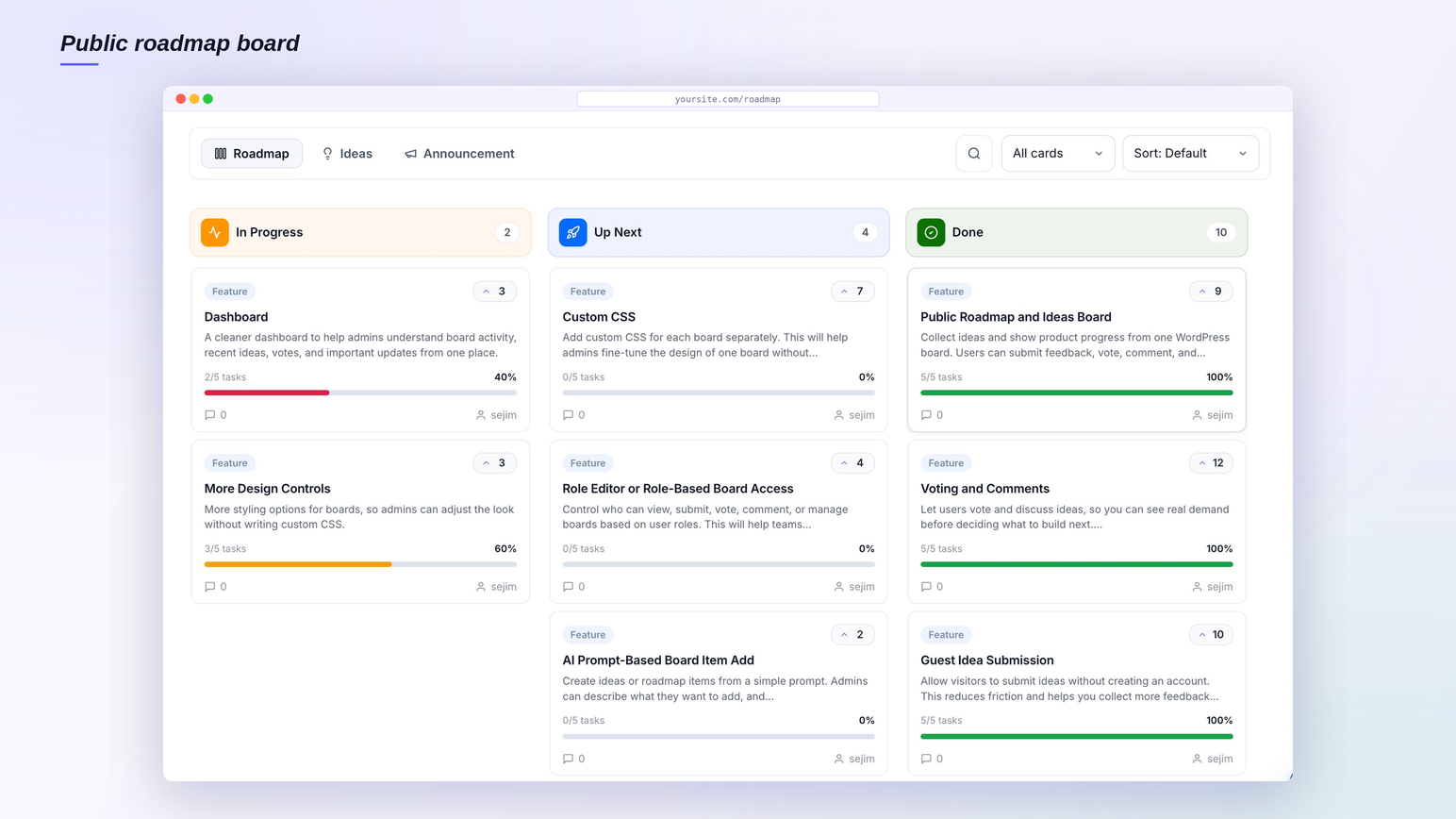
Public roadmap board with kanban columns showing planned, in progress, and shipped work. 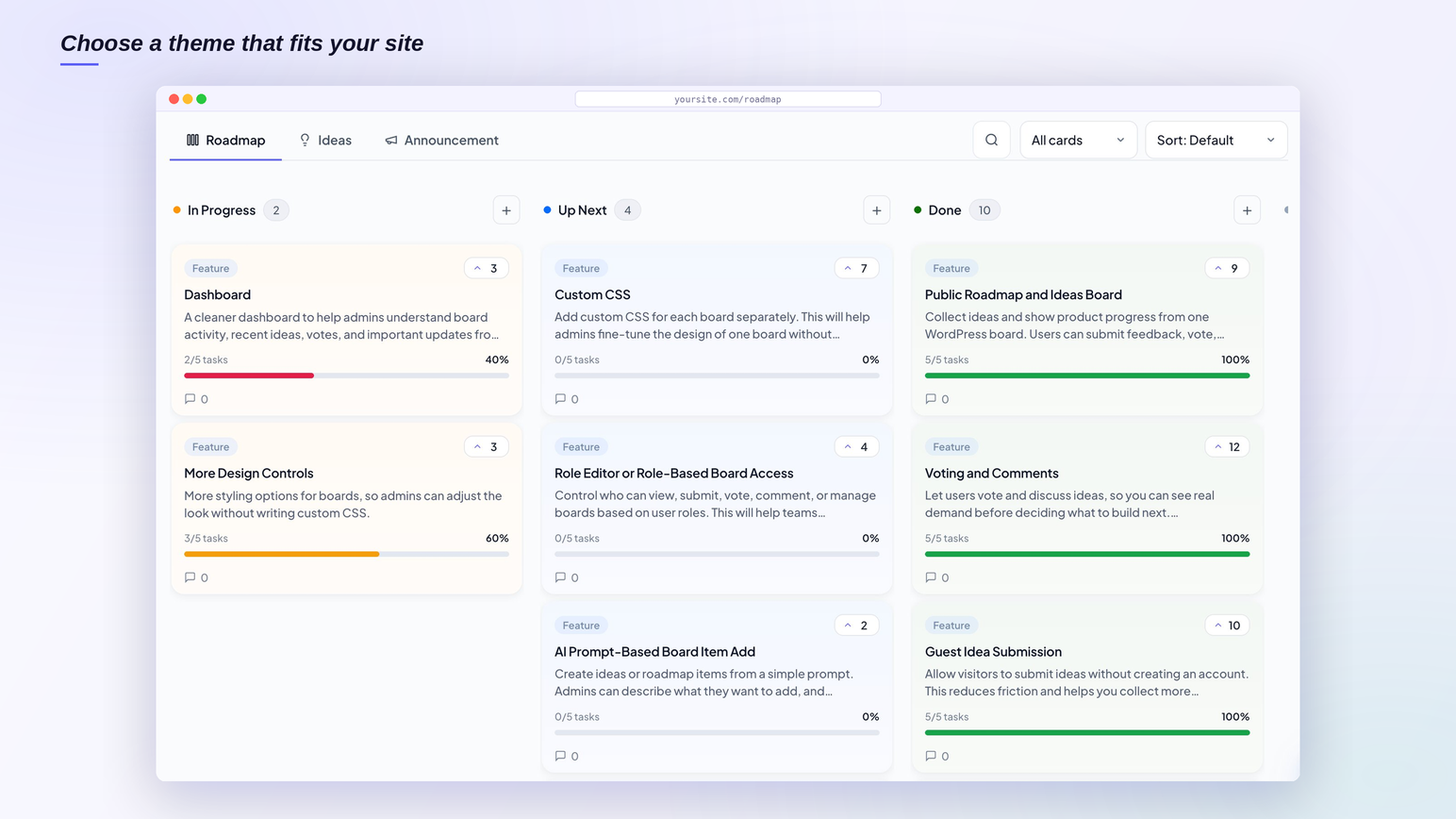
Theme picker lets you match the board’s style to your site without writing CSS. 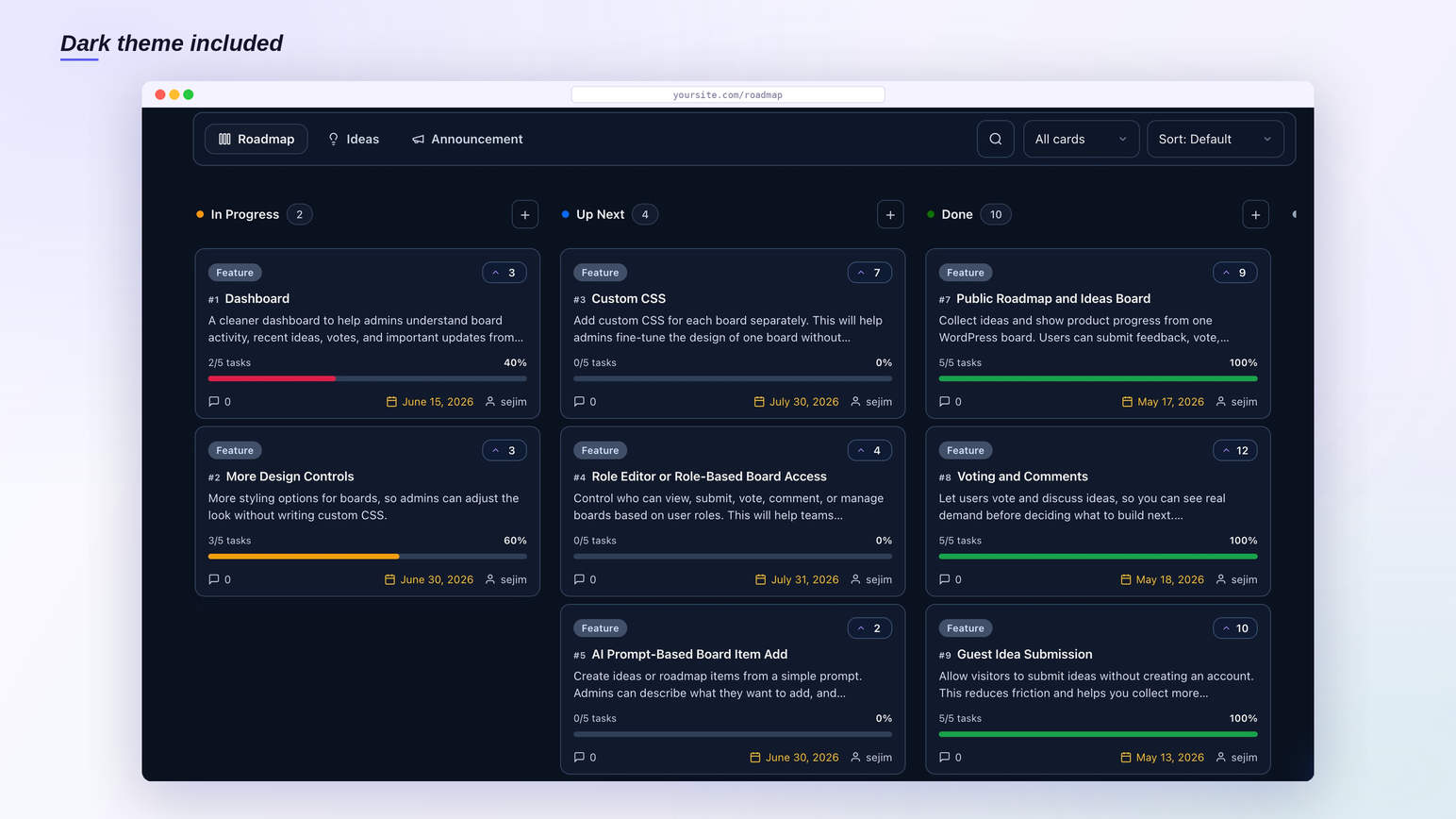
Built-in dark mode for the public roadmap and ideas board. 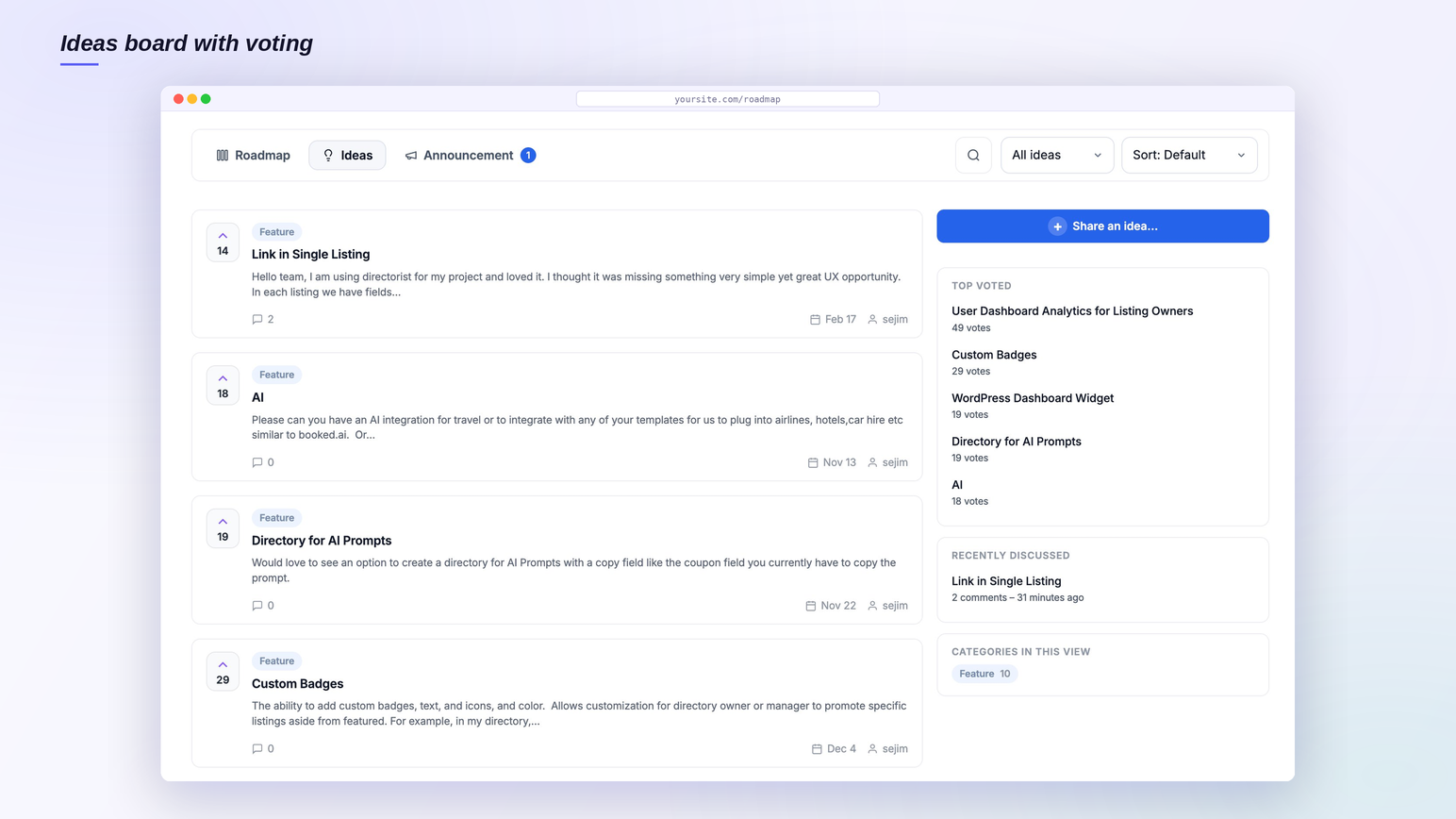
Ideas board with voting, top voted sidebar, and submit-an-idea button. 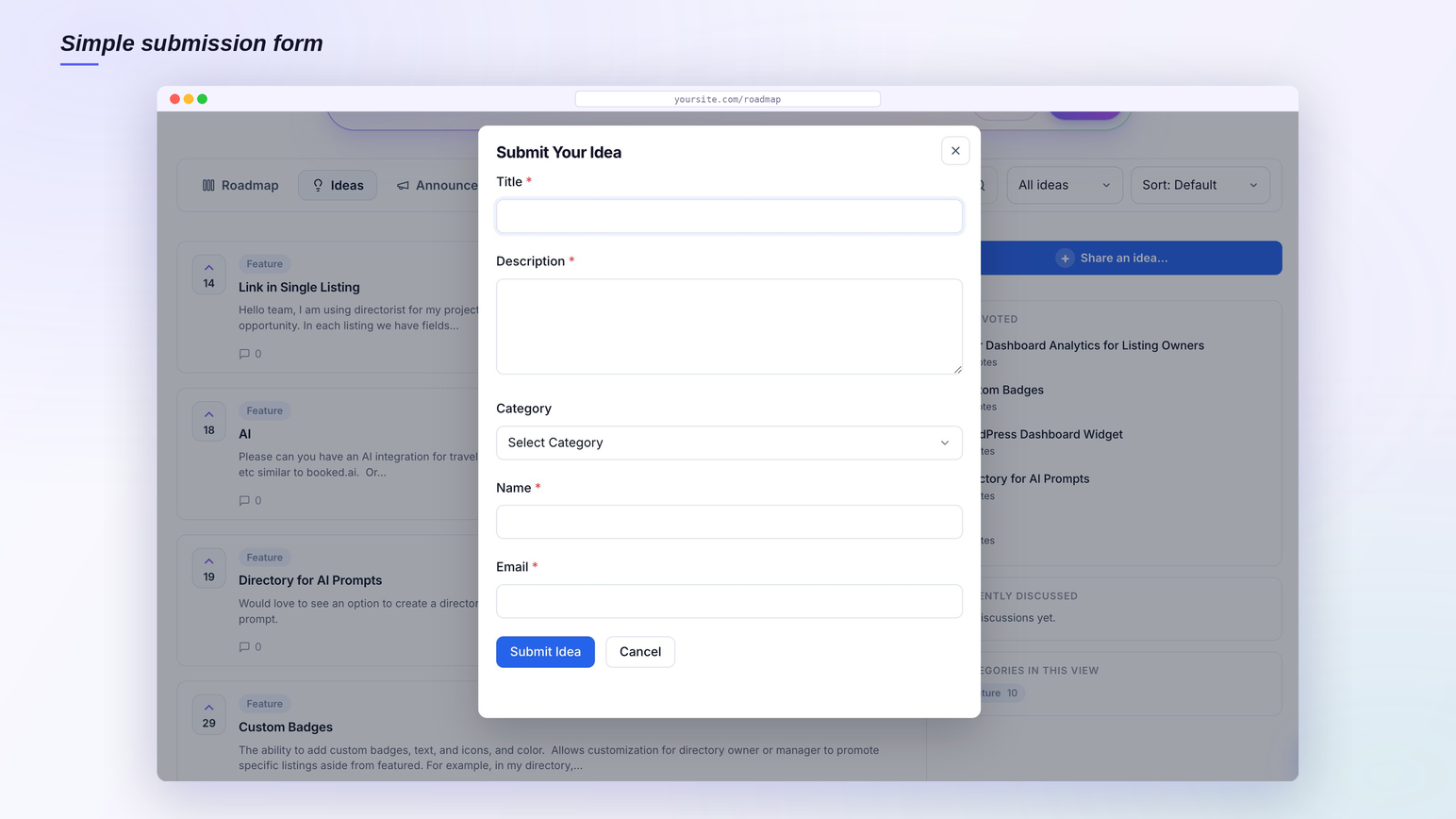
Simple submission form that lets guests submit ideas without an account. 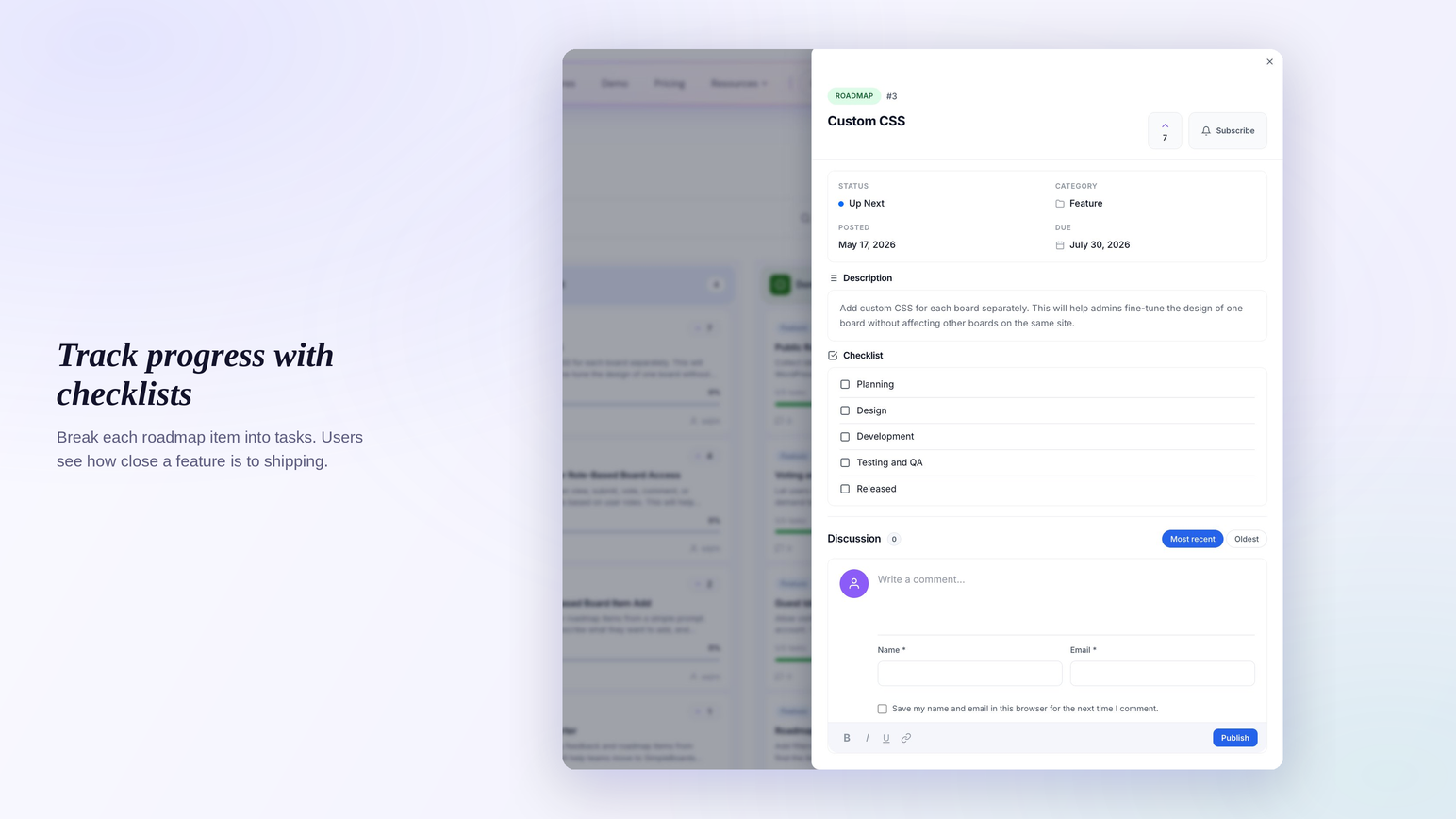
Roadmap item drawer with checklist tasks so users see how close a feature is to shipping. 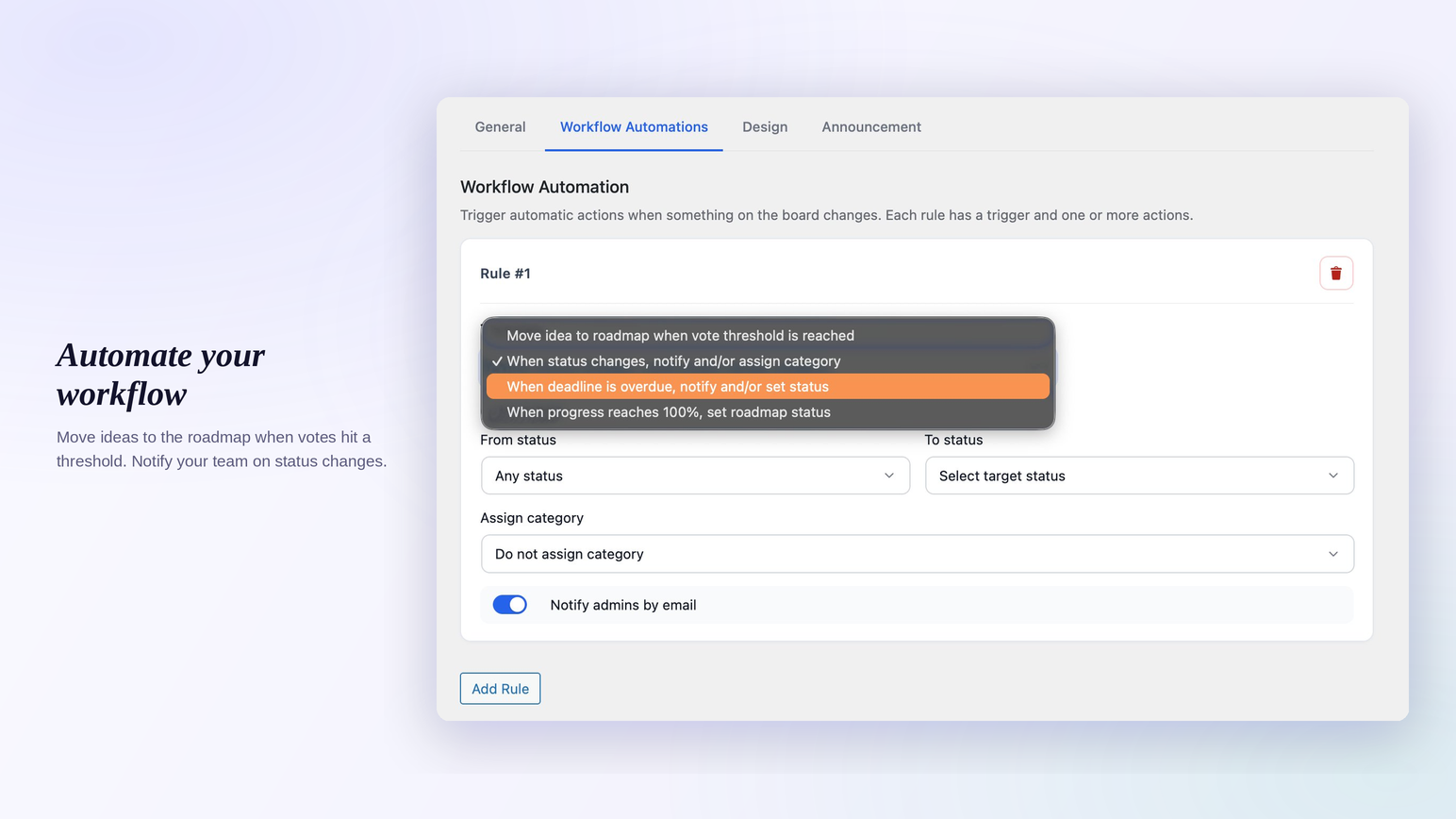
Workflow automation rules that promote ideas and notify your team on status changes. 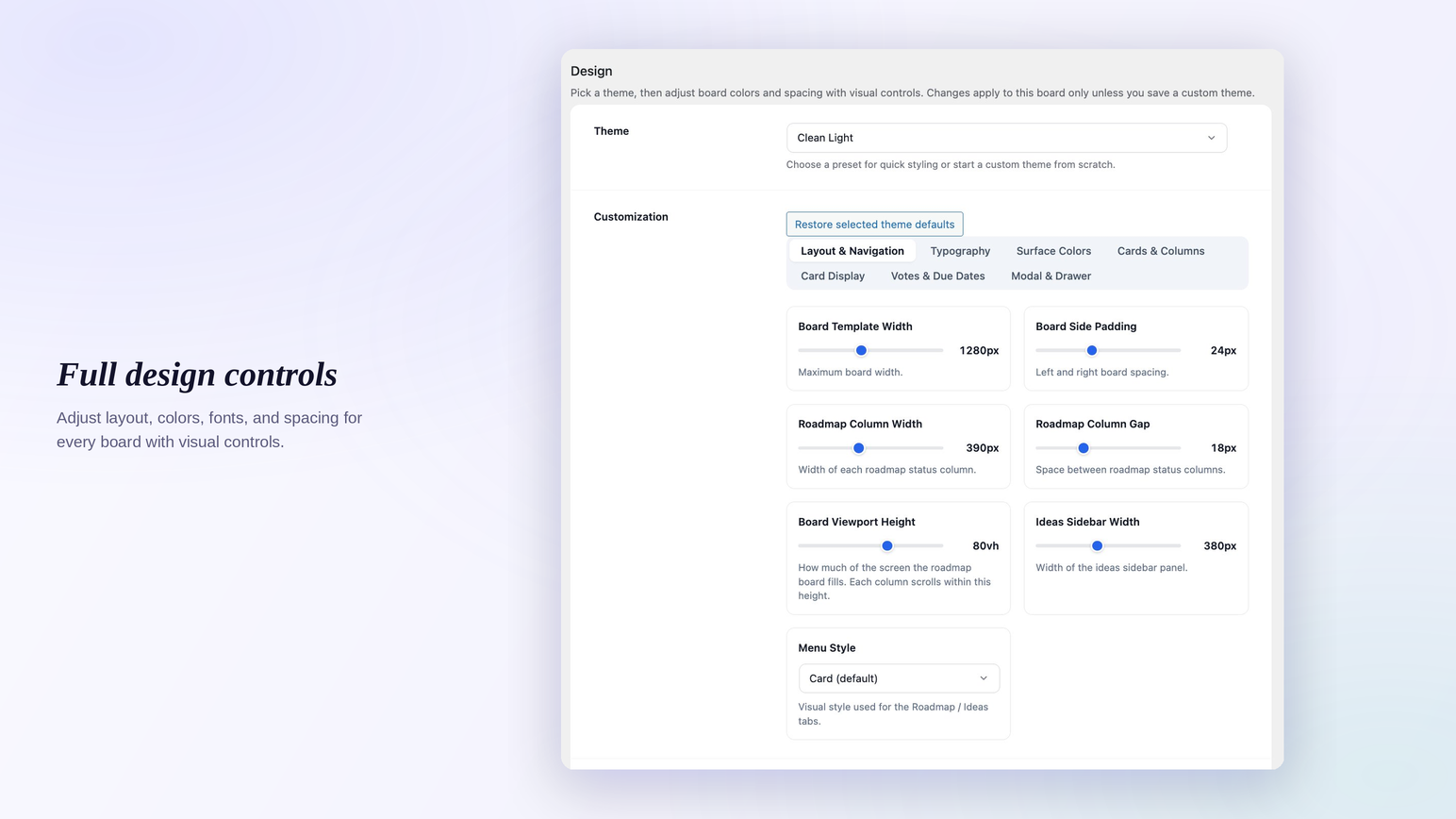
Full design controls for board layout, columns, typography, and spacing. 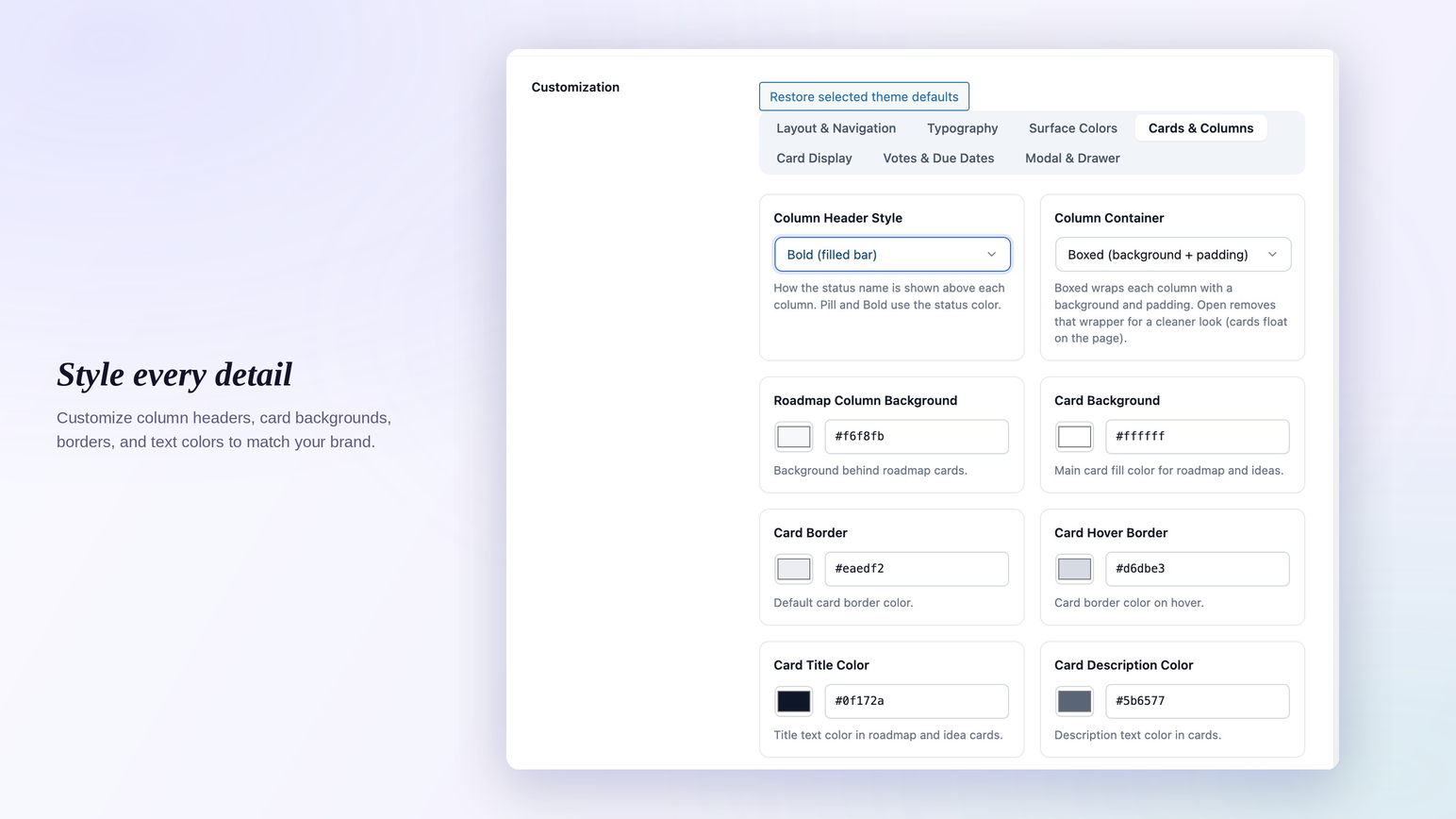
Per-board customization for column headers, card backgrounds, borders, and text colors. 
Torin AI top ideas tab ranks every idea by votes and comments. 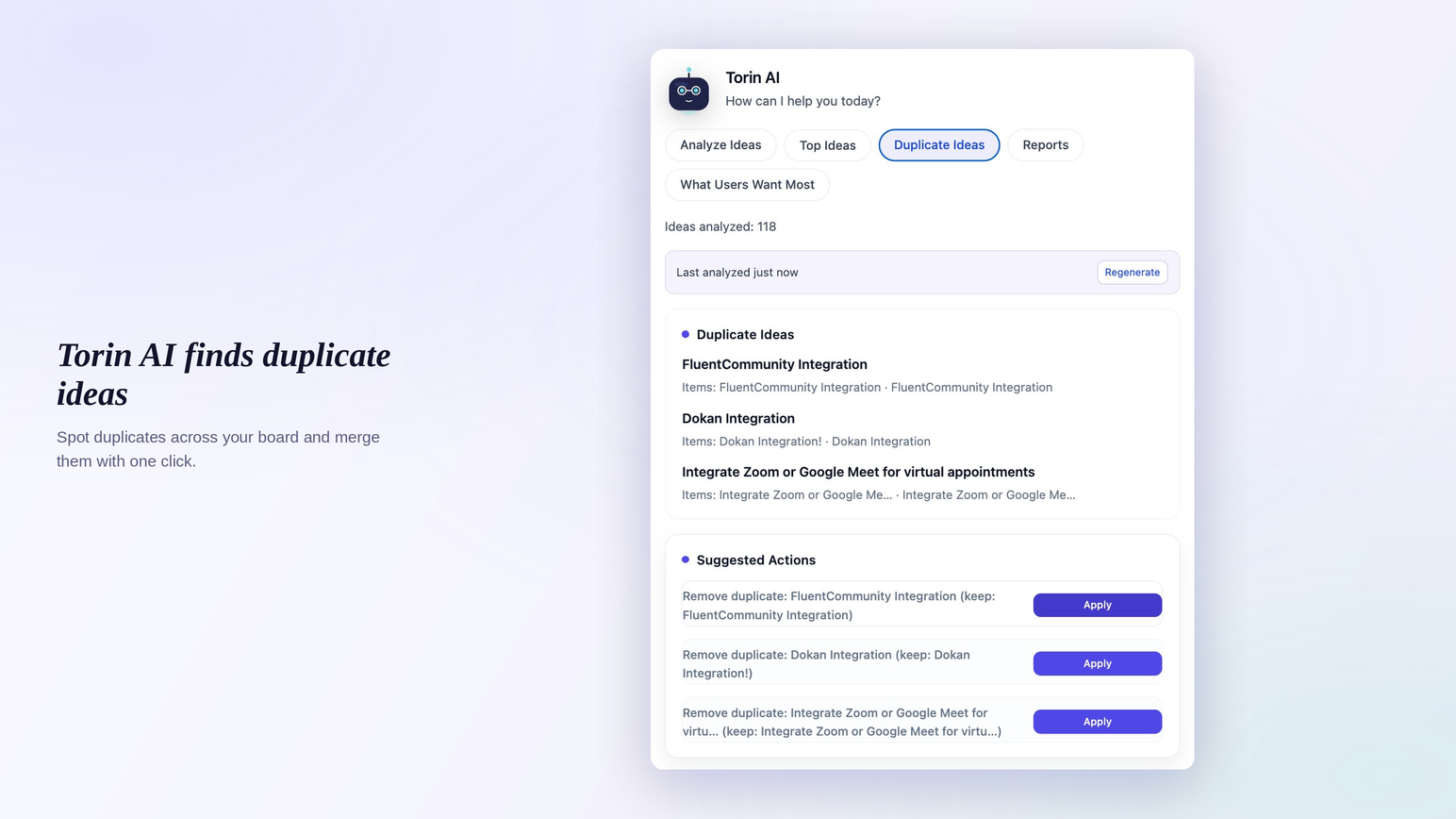
Torin AI duplicate detection finds overlapping ideas so you can merge them. 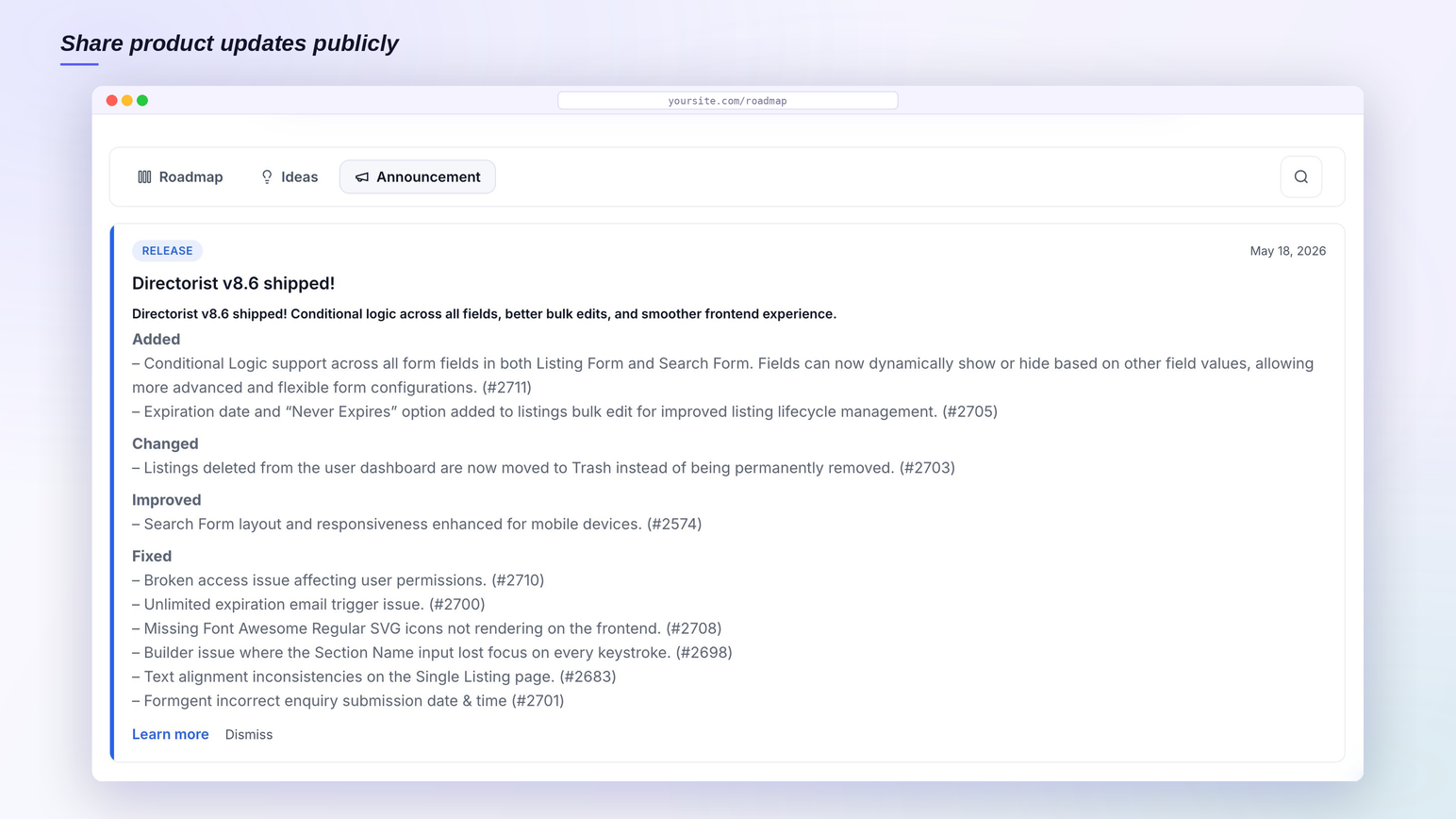
Announcements tab for posting release notes on the public board. 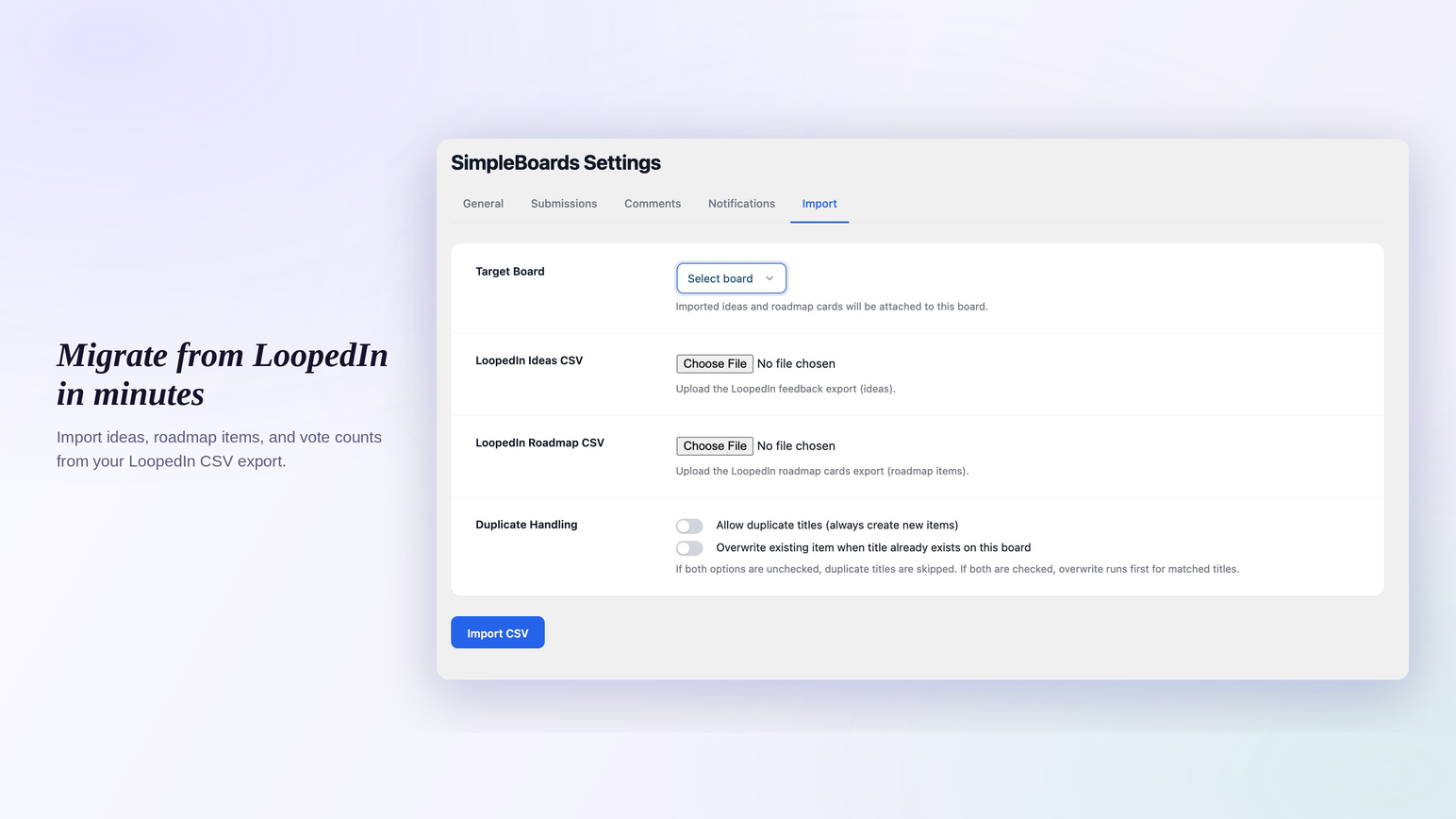
CSV importer for LoopedIn ideas, roadmap items, and vote counts. 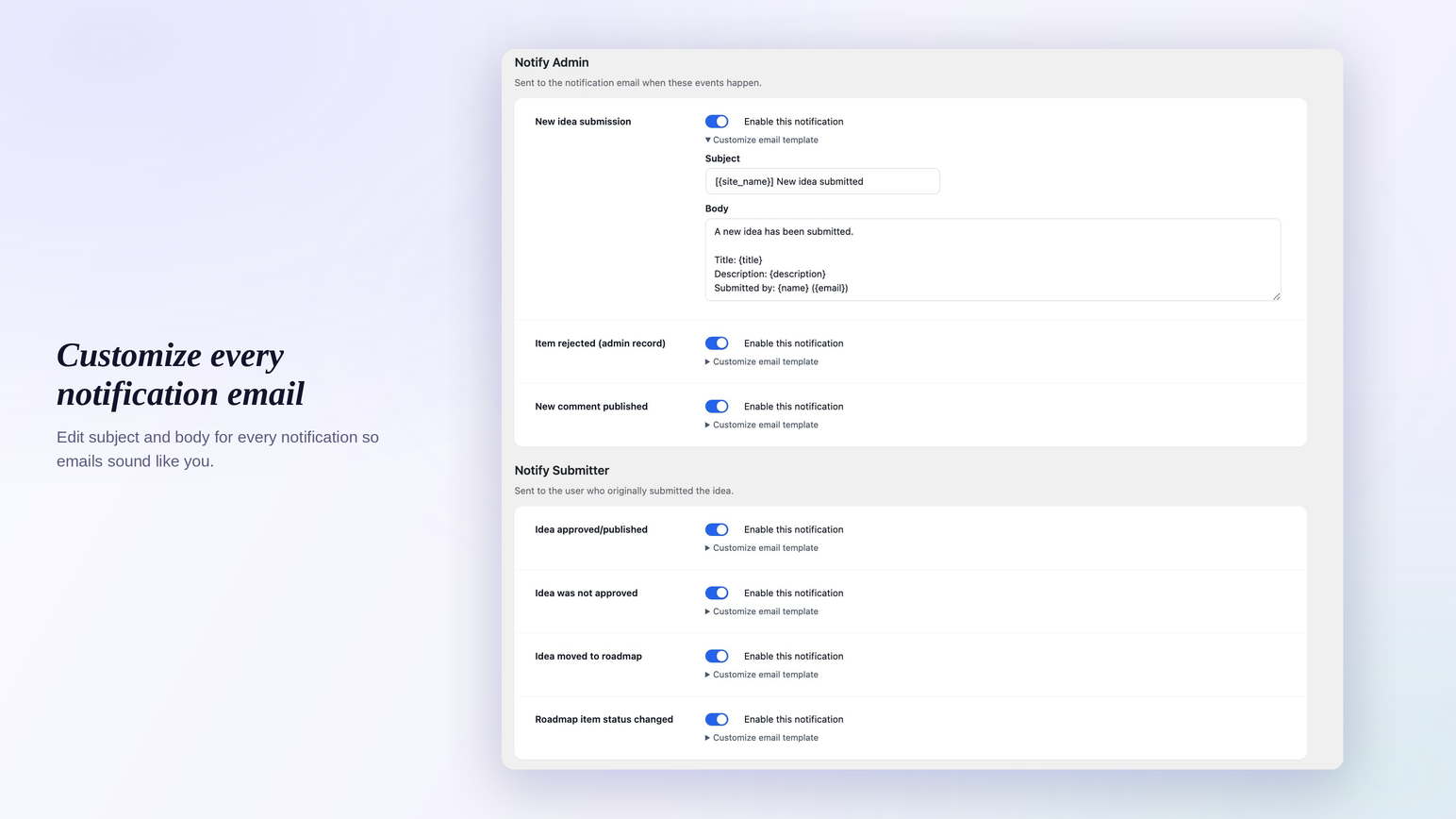
Notification email editor for submissions, status changes, and rejections.
Installation
- Upload the
simpleboards-roadmapfolder to/wp-content/plugins/, or install via Plugins > Add New > Upload Plugin. - Activate SimpleBoards in your Plugins list.
- Go to SimpleBoards > Boards and create your first board.
- Add
[sbir_board product="your-board-slug"]to any page or post. - Publish the page. Visitors can submit ideas and vote right away.
For step-by-step setup with screenshots, see the SimpleBoards documentation.
FAQ
-
Is this a self-hosted alternative to Canny, UserVoice, or LoopedIn?
-
Yes. The free plugin covers public ideas, voting, comments, and a kanban roadmap. The Pro add-on covers announcements, workflow automations, and design controls that competing SaaS tools charge $30 to $300 a month for. If you need enterprise SSO with multiple identity providers or multi-team workspaces, those SaaS tools still have an edge there. For everyone else, SimpleBoards replaces the subscription cleanly.
-
How is this different from a Trello or Notion roadmap embed?
-
Trello and Notion are not built for public product feedback. They have no voting, no per-item subscriptions, no guest submissions, and embedded views render like an iframe stitched onto your site. SimpleBoards renders natively inside your theme, supports guest voting, and is fully indexable on your own domain.
-
Will it slow down my site?
-
The plugin uses prepared SQL with proper indexes, batched meta priming, and an object-cache layer for vote counts. Boards with thousands of items stay responsive. No external HTTP requests happen during page render.
-
Will it conflict with my theme?
-
The public CSS is scoped and uses CSS custom properties so theme styles cannot override layout or contrast accidentally. The plugin is regularly tested on the default themes (Twenty Twenty-X), Astra, Kadence, GeneratePress, and Blocksy. If you hit a specific theme conflict, email support with the theme name.
-
How do I show a board on a page?
-
Use the shortcode
[sbir_board product="board-slug"]and replaceboard-slugwith the slug of your board. You can place it on as many pages or posts as you want. -
Can one board show both roadmap and ideas?
-
Yes. Each board can show the roadmap tab, the ideas tab, or both. Per-board settings control which view appears by default.
-
Can people submit ideas without logging in?
-
Yes. Enable Allow guest submissions in SimpleBoards > Settings. Guests provide a name and email. Their submissions land in the same moderation queue as logged-in submissions.
-
Can users filter and sort items?
-
Yes. Filter by category or status. Sort by newest, oldest, or most voted. You can show or hide filter and sort controls per board.
-
Can I import existing feedback from LoopedIn?
-
Yes. The Settings > Import screen accepts LoopedIn CSV exports. It preserves titles, descriptions, statuses, dates, and vote counts. Pick whether to allow duplicate titles or overwrite existing items.
-
Can I import vote counts manually if my source had no per-user data?
-
Yes. The item edit screen has a Votes field. Set the total vote count directly. Useful when you have an aggregate number but no individual vote rows.
-
Are there email notifications?
-
Yes. Admins can be notified of new submissions. Submitters can subscribe to per-item status updates. Email subject lines and bodies are editable in Settings > Emails.
-
Is there a Pro version?
-
Yes. Pro adds private boards, announcements, workflow automations, design controls, checklist progress, and the Torin AI assistant. See simpleboardswp.com for details and pricing.
-
Where do I get support?
-
Email contact@simpleboardswp.com or open a thread in the plugin’s wordpress.org support forum.
Reviews
There are no reviews for this plugin.
Contributors & Developers
“Roadmap & Feedback Board for WordPress – SimpleBoards” is open source software. The following people have contributed to this plugin.
Contributors
Translate “Roadmap & Feedback Board for WordPress – SimpleBoards” into your language.
Interested in development?
Browse the code, check out the SVN repository, or subscribe to the development log by RSS.
Changelog
1.0.4
- Compatibility: tested up to WordPress 7.0.
- Roadmap board: bold column-header style now uses a borderless soft gradient tint with no icon background or shadow, so the header reads as a colored chip rather than a heavy bar.
- Roadmap board: bold-header height tightened from 56px to ~48px for a sleeker toolbar.
- Drag-and-drop: kanban placeholder is now identical in size across every column (previous fix raced jQuery UI’s reparenting; switched to a CSS-variable approach scoped on the board container).
- Search-icon button now uses the same border token as the dropdowns next to it, so the toolbar reads as one consistent row.
- Removed a stale CSS comment referencing card selectors that no longer exist.
1.0.3
- Settings screen: tabs now switch instantly with no page reload, and a single Save Changes button at the bottom commits every tab at once. Unsaved edits in one tab are no longer lost when clicking another tab.
1.0.2
- Free install: “Workflow Automations” and “Design” tabs no longer appear on the board setup screen unless the Pro add-on is active (previously rendered as empty tabs).
1.0.1
- Theme compatibility: board now forces its configured width without modifying theme wrappers, so nav menus on Astra and other classic themes render identically to every other page.
- Twenty Twenty-Five fixes: removed the top gap above the board and hid the unrelated “More posts” section on board pages.
- Twenty Twenty-Four: stripped the leftover “— by” byline that was leaking from the theme’s post-author block.
- Ideas sidebar: layout is now shielded from block-theme styling so it stays at the configured width on every theme.
- Top-clearance detector ignores normal-flow theme headers and the WordPress admin bar; logged-in and logged-out users see identical top spacing.
- Comment edit toolbar: Cancel and Save buttons now sit inline with the formatting buttons instead of stacking below.
- Comment submission shows a dismissible confirmation banner so guests know their comment was received (and may need approval).
- Added 6 more screenshots to the plugin gallery.
1.0.0
First stable release.
- Public roadmap and ideas board with shortcode embedding.
- Voting, threaded comments, and per-item subscriptions.
- Search, filter, and sort on both ideas and roadmap views.
- Guest submissions and full moderation tools.
- Custom statuses with a “Release stage” flag, custom categories with colors.
- LoopedIn CSV import preserving vote counts, with duplicate handling.
- Manual vote count editor for backfilling imports without per-user data.
- Editable submission button text and email notification templates.
- Theme-resilient public styling tested across major themes.
- Pro features available: private boards, announcements, workflow automations, design controls, checklist progress, Torin AI assistant.