
Description
Ultimate Member Widgets for Elementor adds a full set of user directory widgets to the Elementor page builder. Build member grids, searchable directories, staff pages, and user profile displays visually — no shortcodes, no custom code.
The plugin ships two separate directory engines: one powered by Ultimate Member for membership sites, and one built on native WordPress users that works on any WordPress site, even without Ultimate Member installed.
Live Demo | Go Pro | Documentation
Free Widgets
User Directory Grid — Responsive card or list layout with AJAX live search, role filters, meta field filters, and three pagination modes (numbered pages, Load More button, Infinite Scroll). Demo
WordPress User Directory Grid — A native WordPress user directory with no Ultimate Member dependency. Ideal for team pages, staff directories, and contributor lists on any site.
User Profile Flip Cards — Interactive flip cards with configurable front and back meta fields. Demo
User Avatar Display — Single-user avatar for profile pages. Full border, radius, and CSS filter controls.
User Meta Fields — Display any combination of user meta fields on the currently viewed profile. Supports text, URL, phone, image, and file field types. Demo
User Profile Name — Output the current profile user’s name in any format (display name, first, last, full, username, nickname) with full typography and color controls. Demo
Free Feature Highlights
- Filter directory by any WordPress user role
- Show any custom user meta field from Ultimate Member or any other plugin
- Card grid and list layouts
- Pagination: numbered pages, Load More button, or Infinite Scroll
- AJAX live search and AJAX meta field filters — no page reload
- Show only approved Ultimate Member users, or all WordPress users
- Order by display name, registration date, last login, post count, or any custom field
- 1 to 6 responsive columns
- Full Elementor styling: colors, typography, spacing, border radius, box shadow
- Works with free Elementor — Elementor Pro not required
Pro Widgets
- Sortable User Table — Searchable, sortable DataTable with column sort and pagination. Demo
- User Profile Carousel — Touch-friendly Swiper slider. Demo
- User Directory Filter — Standalone filter panel: dropdowns, checkboxes, and radio buttons. Demo
- Two Column, Three Column, Zigzag layouts — Additional directory layouts.
- Profile Page Builder (9 widgets) — Build a fully custom Ultimate Member profile page inside Elementor. Includes: cover photo, header, bio, meta fields, social links, action bar, completion bar, custom tabs, and profile body. The only plugin that gives you full Elementor control over the UM profile page.
Screenshots
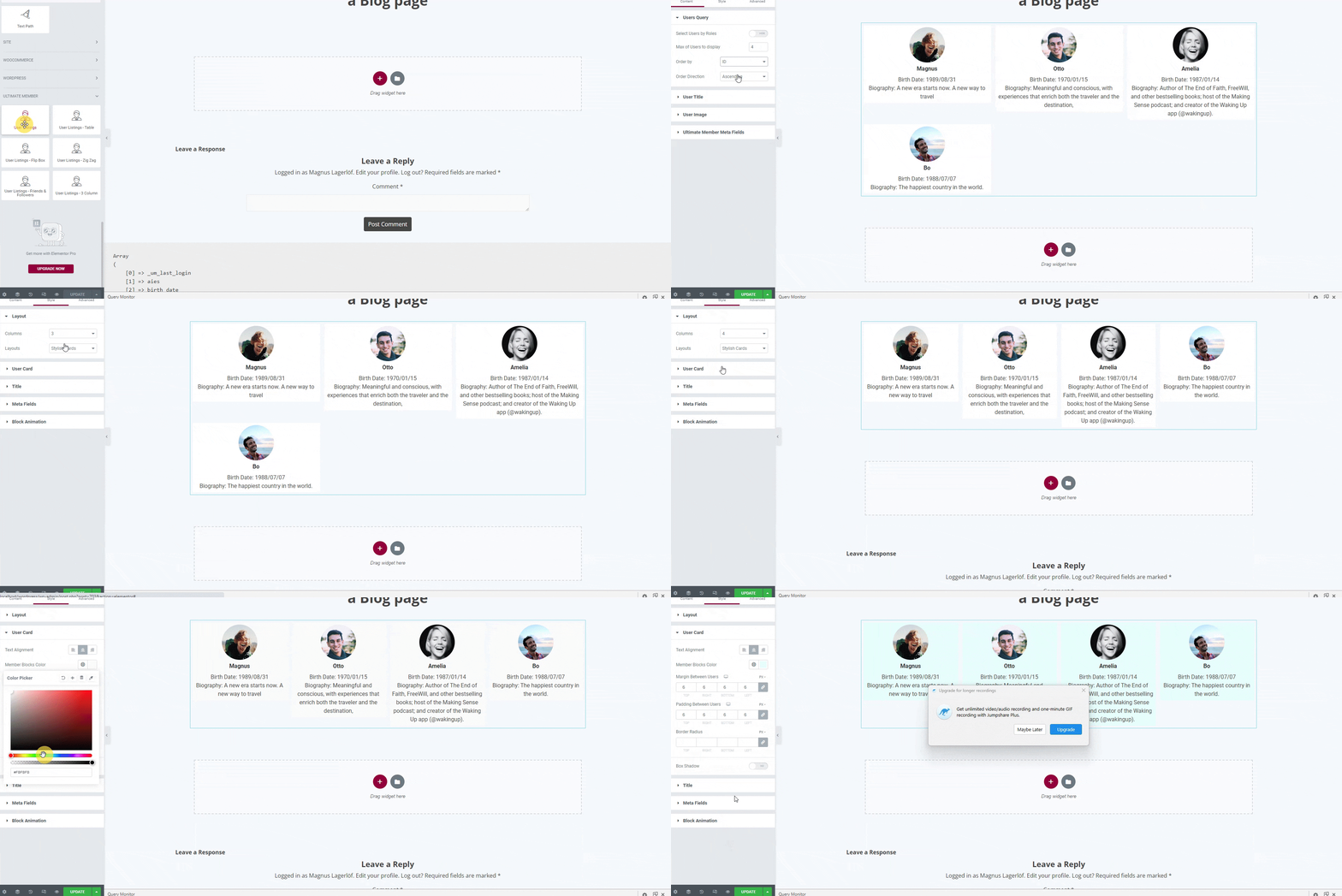
Elementor editor — User Directory Grid widget and controls panel 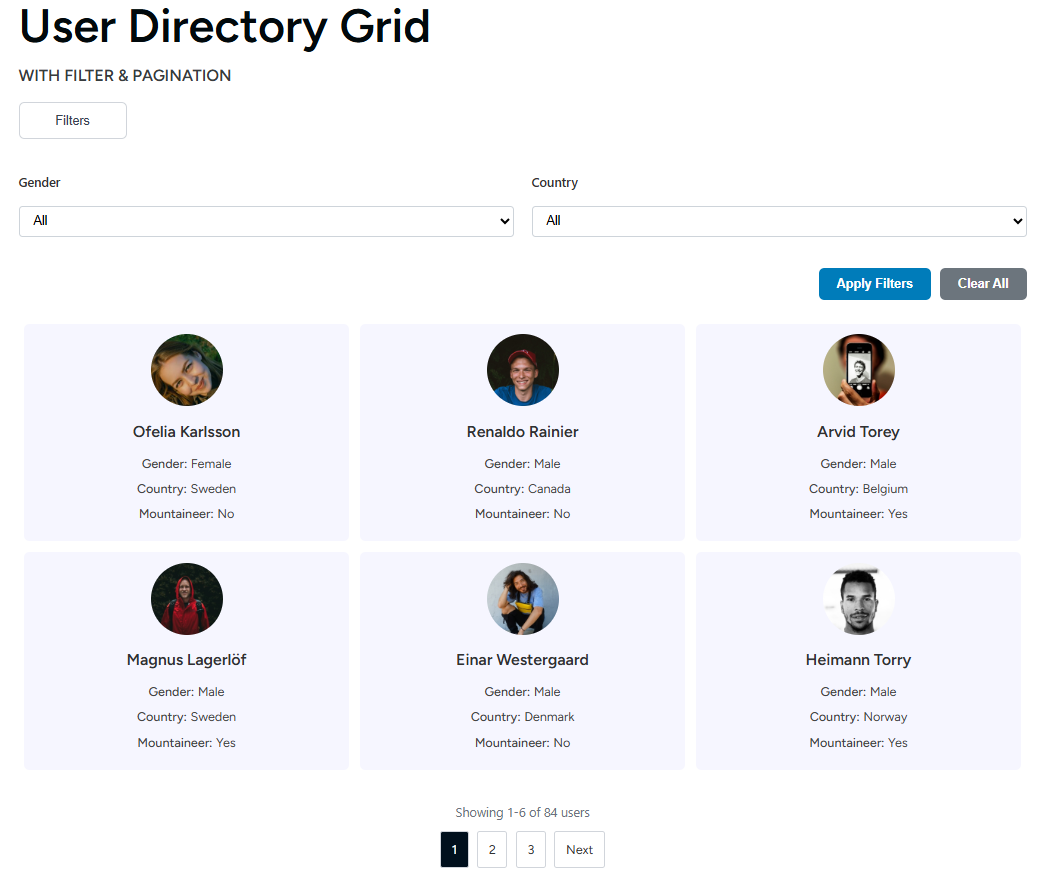
Live directory — card grid layout with avatar, name, and meta fields 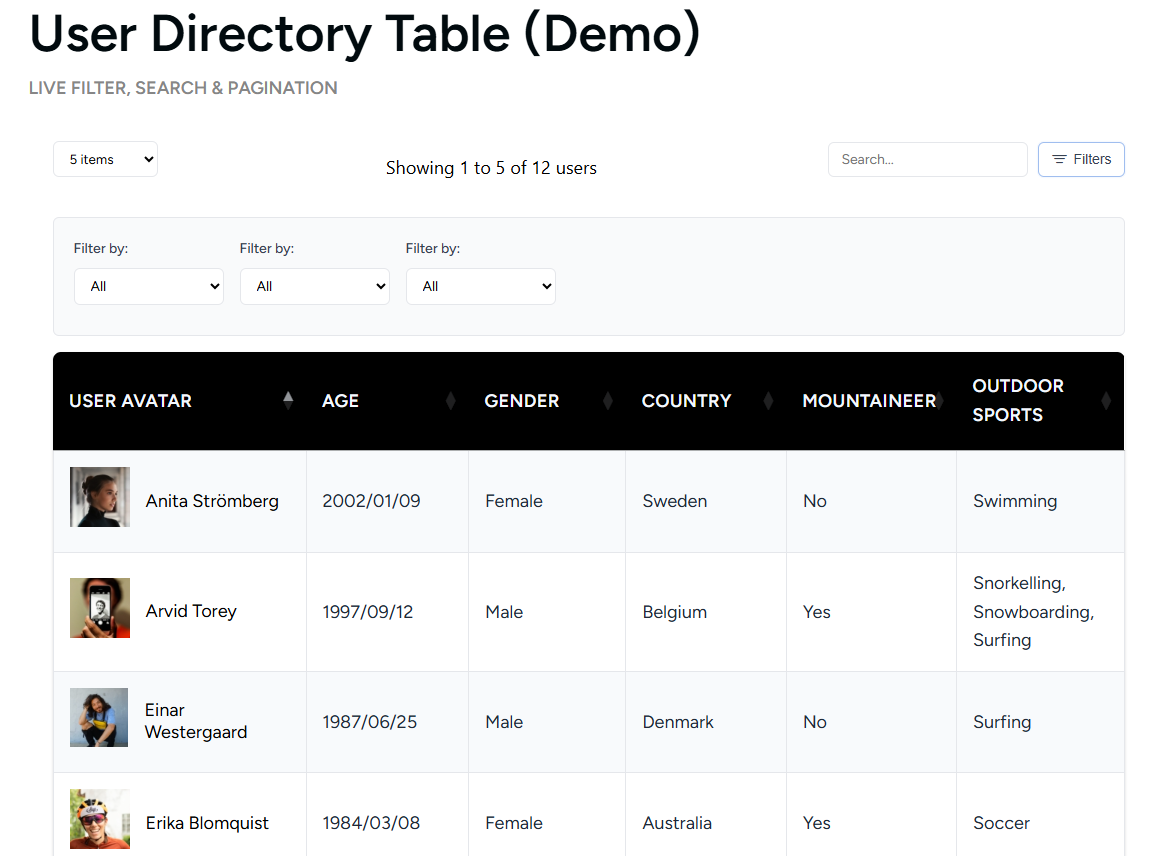
Live directory — list layout 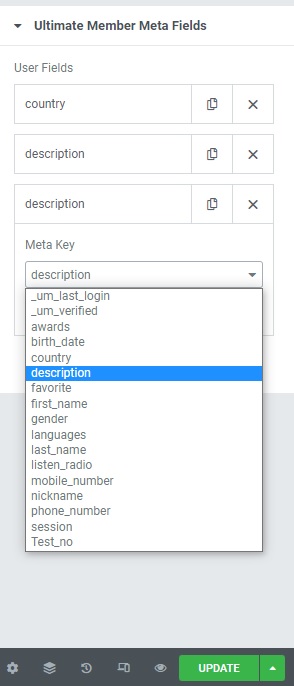
Pro: Sortable user table with column sort and search 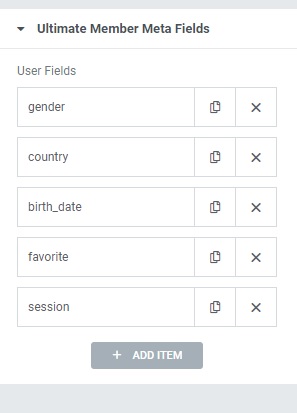
Pro: User profile carousel 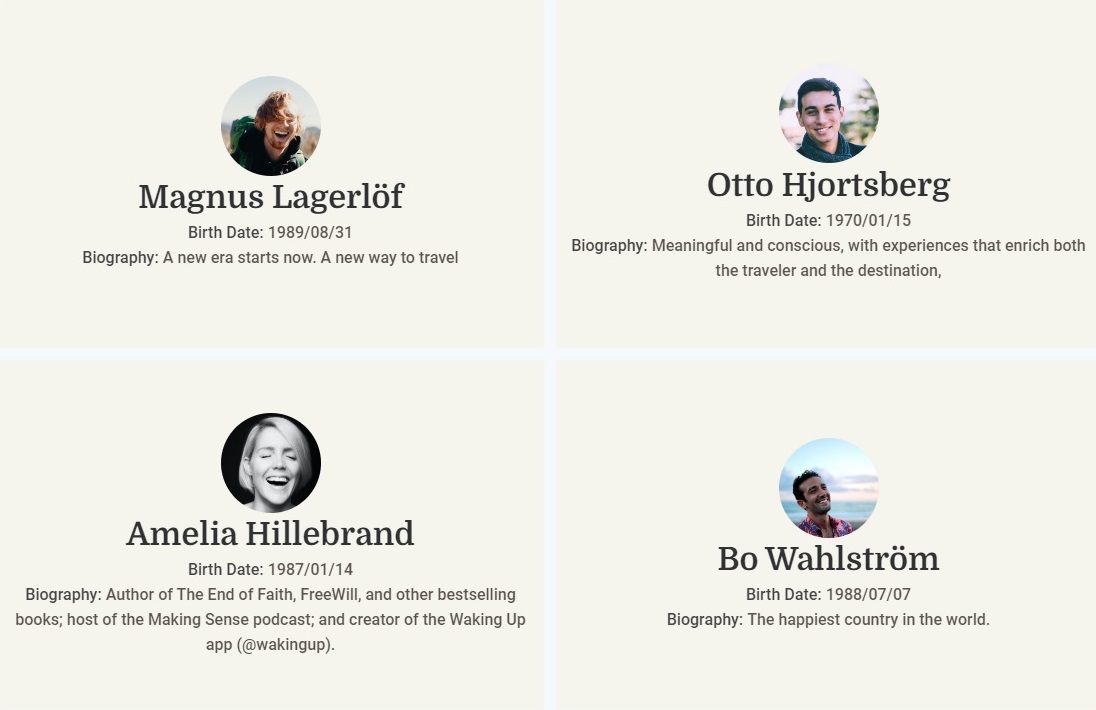
User Profile Flip Cards — front and back views 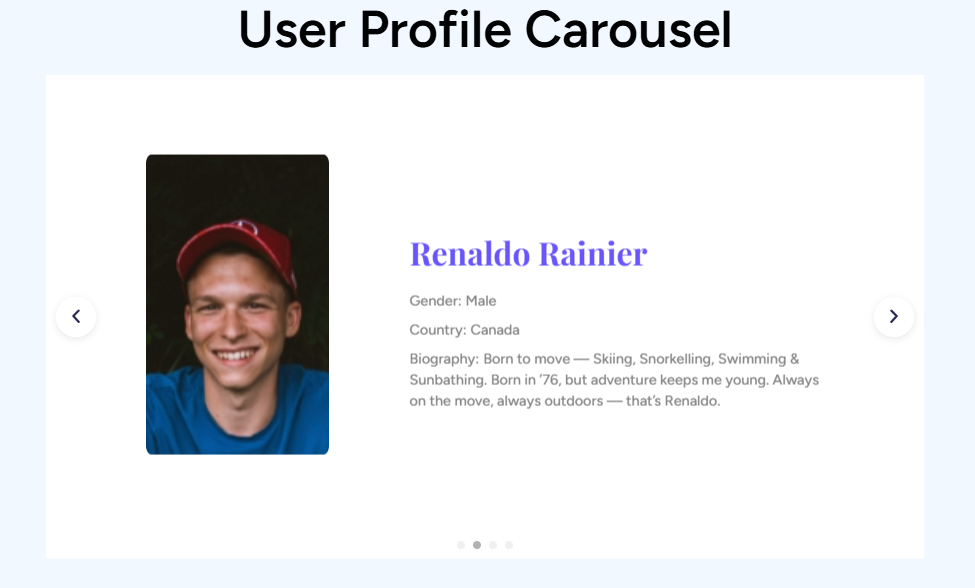
Meta field selector — choose any registered user field
Installation
- Install and activate Elementor — the free version is sufficient.
- Optionally install Ultimate Member for UM-powered widgets. The WordPress User Directory Grid widget works without it.
- Install this plugin via Plugins Add New or upload the zip manually.
- Activate the plugin.
- Open any page in the Elementor editor and find the widgets under the User Directory panel category.
FAQ
-
Does this work without Ultimate Member?
-
Partially. The WordPress User Directory Grid widget is fully independent and works on any WordPress site. The remaining widgets (Directory Grid, Flip Cards, Avatar, Meta Fields, Profile Name) are designed to work with Ultimate Member.
-
Is Elementor Pro required?
-
No. All free widgets work with the free version of Elementor.
-
Can I filter members by custom fields?
-
Yes. The User Directory Grid supports AJAX meta field filters — visitors can filter by any custom field without a page reload.
-
Can I show only approved Ultimate Member users?
-
Yes. A “Show Only Approved Users” toggle is available in the widget settings.
-
Can I display Ultimate Member custom fields like phone, location, or bio?
-
Yes. The field selector lists every registered user meta key, including all fields created by Ultimate Member. Pick the fields you want and they appear on each user card.
-
Can I order the directory by last login or a custom field?
-
Yes. Sort options include display name, first name, last name, registration date, last login, post count, user ID, and any custom meta field.
-
Can I control who sees sensitive fields like email?
-
The free version restricts sensitive fields (email, login, first/last name) to users with the
list_userscapability. Public visitors receive only safe whitelisted fields. The Pro version adds per-field visibility rules configurable per widget. -
Can I build a custom profile page with Elementor?
-
Yes, with Pro. The Profile Page Builder provides 9 dedicated widgets for replacing the default Ultimate Member profile template with a fully custom Elementor layout.
-
Is this compatible with caching plugins?
-
Yes. If you experience issues with minification, exclude
wp-content/plugins/ultimate-member-widgets-for-elementor/assets/js/from your caching plugin’s JS processing. -
Does this work in multisite?
-
Yes. Each site in the network operates independently with its own user query scope.
Reviews


Contributors & Developers
“Ultimate Member Widgets for Elementor – User Directory & Member Grid” is open source software. The following people have contributed to this plugin.
Contributors
Translate “Ultimate Member Widgets for Elementor – User Directory & Member Grid” into your language.
Interested in development?
Browse the code, check out the SVN repository, or subscribe to the development log by RSS.
Changelog
2.5
- Security: AJAX filter endpoints now verify nonce before any file I/O or class loading. Unauthenticated requests can no longer probe server-side structure.
- Security: meta_query items from the widget_settings payload are now sanitized (key, value, compare allowlist) before reaching WP_User_Query.
- Security: per_page in the UM AJAX handler clamped to a maximum of 100.
- Security: debug output (stack trace, file paths, line numbers) gated behind WP_DEBUG on all error paths.
- Security: email address removed from default public meta fields in WP User List handler.
- Fixed: sort order control now works for all options — ID, first/last name, last login, post count, email. Previously all options except display_name silently fell back to registration date.
- Fixed: box shadow control referenced a non-existent Controls_Manager constant. Replaced with Group_Control_Box_Shadow.
- Fixed: admin notice dismiss nonce mismatch caused every dismiss click to silently fail.
- Fixed: PHP fatal when Elementor is inactive — two admin notice callbacks were referenced but never defined.
- Fixed: deprecated Elementor\Scheme_Color and Scheme_Typography imports in the flip card widget caused PHP warnings on Elementor 3.x.
- Fixed: widget category sometimes did not appear in the Elementor panel due to hook registration timing.
- Fixed: meta key selector ran an uncached table scan on every Elementor editor load. Results now cached for one hour.
- Fixed: Pro layout values stored in the database (e.g. from a template import) caused user cards to disappear. They now fall back to the card layout.
- Fixed: serialized meta LIKE query produced incorrect SQL patterns.
- Fixed: filter key sanitization used sanitize_text_field instead of sanitize_key in the UM AJAX handler.
- Fixed: widget order_by and order settings not passed to the query engine, so the panel sort setting was ignored.
- Added: Table and Carousel layout options visible in the free widget with an upgrade tooltip on click.
- Added: meta cache primed after user queries to avoid N+1 meta fetches when rendering cards.
- Added: query result transients invalidated automatically on user profile, meta, or role changes.
- Improved: user-processing loop unified into shared static methods across both AJAX handlers.
- Improved: pro upgrade notice scoped to admin-only roles and screens.
- Improved: admin notice CSS moved from an inline style block to an external file.
For older entries see changelog.txt included in the plugin.