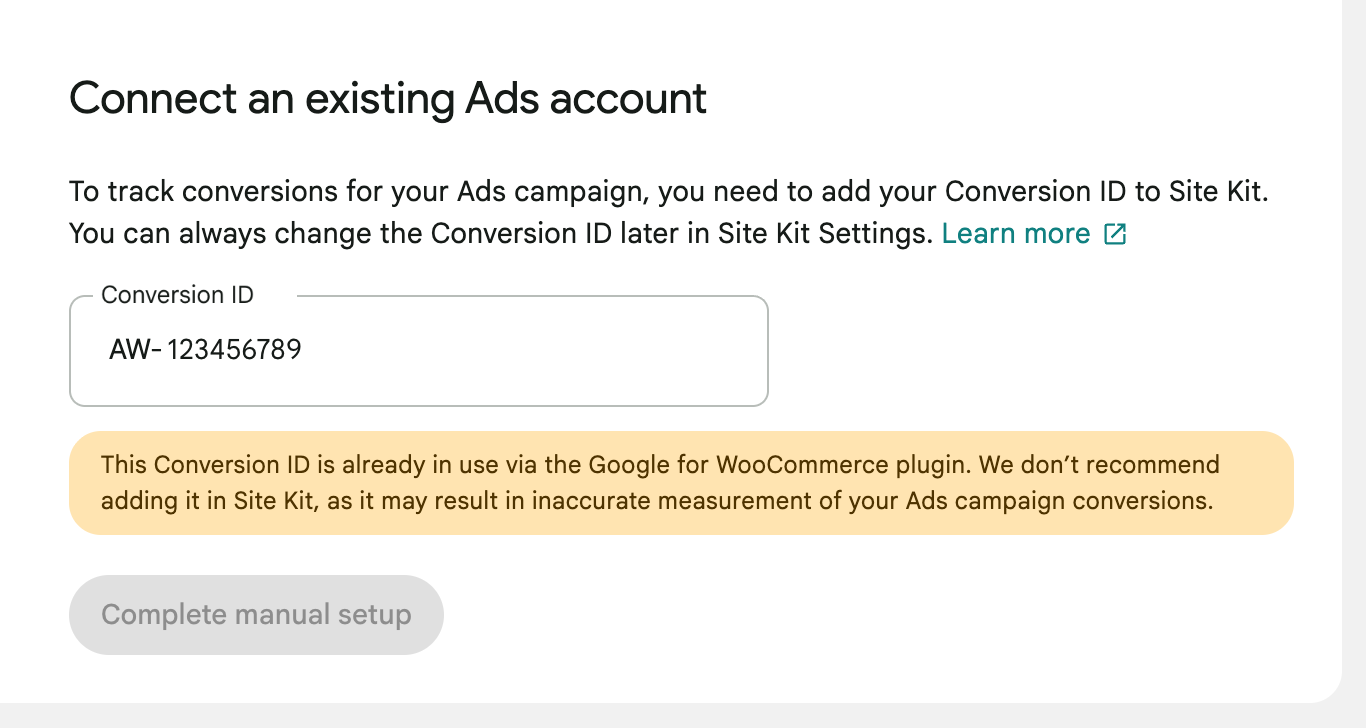
Thanks for sharing your experience @gillyfleur, and sorry to hear of your issue regarding double tracking. If you were using both Site Kit and Google for WooCommerce, indeed there can be situations like you describe whereby double tracking can occur, in Ads or Analytic, in particular if plugin conversion tracking is enabled. I will bring your support topic and suggestions for the attention of the team based on your experience.
Note also that you can use Site Kit to disable Analytics and other data within the Site Kit dashboard, while configurating the plugin so that it doesn’t place a snippet by default. We do also highlight when an existing snippet is found, to make users aware of such scenarios. Previously we didn’t allow Site Kit to place a snippet if an existing non-Site Kit placed snippet was detected, but there are cases whereby users would like more than once snippet placed. I believe also there is a woocommerce_ga_disable_tracking filter that can be used to ensure the Google Analytics for WooCommerce plugin doesn’t insert your snippet if you prefer to use only a Site Kit placed snippet.
Should you run into any issues going forward, feel free to open a support topic here in the Site Kit forums also. We’re more than happy to do much of the troubleshooting for such scenarios. Regardless, we do appreciate your feedback and I’ll bring this up for discussion.
Thanks James. Firstly, I’d suggest a much better wording – remove “Plugin” as that does not imply Customer Purchase or Form Submission clearly. E.g. Instead use: “Conversion Tracking into Google Analytics & Adwords” – and have a better explanatory text on the page. E.g. “This means we automatically detect any conversion points on your site, such as a Customer Purchase or Form Submission from well-known plugins, and report these into Analytics and Adwords. Please note, it can report twice if you are also using conversion tracking via Tag Manager or another plugin.”
The problem was not that there was an existing Analytics snippet. That was the not issue. I expected this option to only apply to Analytics. It is that it also applies to Adwords. And this can have a very costly implication for unaware Marketing Managers, who are deciding spend based on reports that are double counting, without being aware of it.
-
This reply was modified 7 months ago by
 gillyfleur.
Thanks for the suggestion @gillyfleur. Regarding the title change, I’ll pass this suggestion forward to the team. I also created a GitHub issue in relation to adding a user facing notice to the setting, see below:
https://github.com/google/site-kit-wp/issues/12531
Feel free to chime in on that issue or let me know here of any changes to make. Note also that we do have an existing snippet detection in the case of ads, see here. Rather than a notice, would some type of detection, in particular with Ads, be something you would see of use?
Note that the team do review feature requests periodically, so I can’t be certain any change would make it to any of the plugins future releases.
Hi James, Thanks. That’s great. Yes. We didn’t connect Ads into Site Kit deliberately because we had Google for Woocommerce installed. That’s why we didn’t see the snippet that you pasted above.
I was so surprised because the option for this extra Conversion Tracking was under the Analytics Service settings in Site Kit. And it’s in the small print on the help page where it says: “Once plugin conversion tracking has been enabled, certain actions from a selection of supported WordPress plugins will be recorded in Google Analytics and/or Google Ads.” https://sylk.co.uk/wp-admin/admin.php?page=googlesitekit-settings#/connected-services/analytics-4/edit
Extra detection of Google Ads Plugins/Tracking Code at this point then would also be very valuable. 👍
Does that help?
Kind regards,
Cheryl
Just to let you know that I didn’t forget about you! We spoke about this and indeed there can be cases where double tracking could be counted if you’re using Tag Manager with Ads or another plugin. For Google for Woo, Site Kit only collects the transaction action only, as other plugins may be. This should be counted as a conversion once. Do feel free to chime on the related GitHub issue regarding a notice based on your experience. Thank you.