@surlofia,
This issue cones from the cache plugin you use. Please read this topic and exclude the forum from your cache plugin as soon as possible: https://wpforo.com/community/faq/wpforo-and-cache-plugins/
@gvectors-team
Thank you for your reply.
Unfortunately, it did not work.
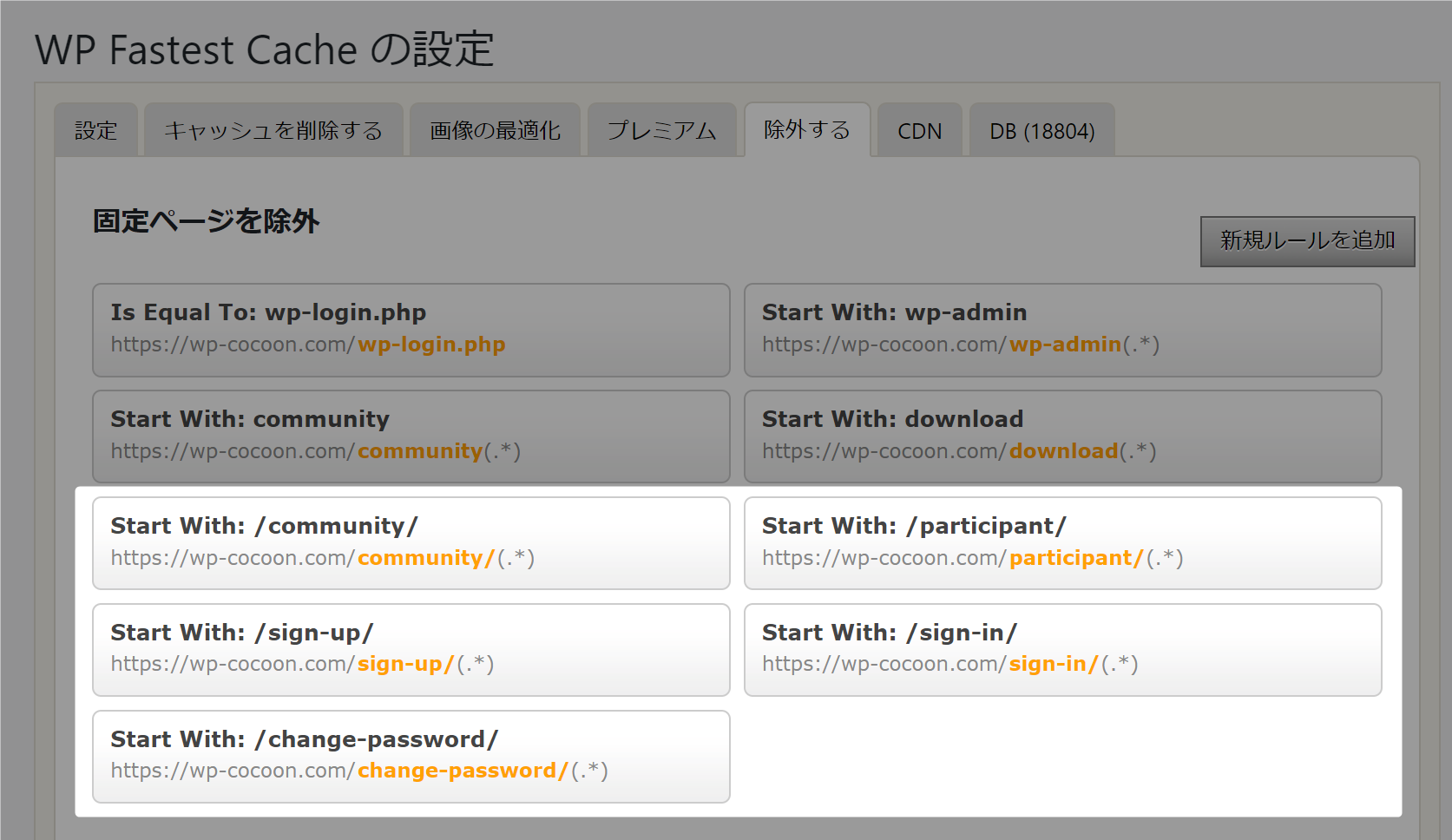
The cache plugin is wp fastest cache, and we have already removed it once according to the instructions that appeared when updating wpForo 2.0.x.
Please see ScreenShots Image (Bellow is the link to picture image.)
https://wp-cocoon.com/wp-content/uploads/wpforo/default_attachments/1664462832-2022-09-29_23h40_29.png
from
https://wp-cocoon.com/community/postid/64766/
However, we don’t think this setting has anything to do with the problem, because we disabled the plugin this time.
We don’t remember from which version of wpForo the problem occurred.
However, we are sure that it is v2.0.0 or later.
We suspect that the conditions of the bug are as follows

[condition #1]
Deleting a post that has been "unapproved" ("waiting for approval") will cause the topic to disappear from the top of the forum.
(We have created a similar environment and verified that the problem is reproduced here.)

Or

[condition #2]
Deleting a user who holds a post that has been "unapproved" ("awaiting approval") will cause the topic to disappear from the top of the forum.
(This is only speculation and we have not been able to reproduce the issue.)
=========
If there are spam submissions that have been "unapproved" and are "awaiting approval" (= under [condition #2]), the following steps may be necessary.

Step 1
Delete all spam submissions once written by pressing "Approve".
Step 2
Then delete the user.

In the previous version, it was OK to just delete the user, but to avoid the problem, the following procedure is necessary, which may be quite troublesome....

1. press "Approve
2. Delete the spam postings
3. Check if the spam user has any "waiting for approval" posts
4. Delete the user
Thank you for reading our long article.
@surlofia,
Please move this topic to wpForo Support forum: https://wpforo.com/community/
@gvectors-team
Could you move it with using the administrator authority ?
I am not sure how to move it.
Thank you in advance.
@surlofia,
copy the text in your topic and paste it in the new topic created in wpForo Community.
@surlofia,
ok, this topic would be set solved.