chatbot is not very good
-
How do we give the chatbot knowledge so it provides correct responses? Like for example if a customer asks for a discount code?
The main response we get from this chatbot is:-
“I don’t have enough information in my knowledge base to answer that question accurately.”
ps. we have tried manually submitting information to the knowledge base and it is pretty useless and doesnt want to refer to it quite a lot of the time.

-
Hi @chilliwax,
Thanks for reaching out and great questions! If the information in your knowledge database is not being referenced its likely due to your similarity threshold being set too high. MxChat actually has a very good way for you to test and review this.
If you are logged in as an admin, go to the frontend of your website and you will see on the left side a little tab that says “MxChat Debugging”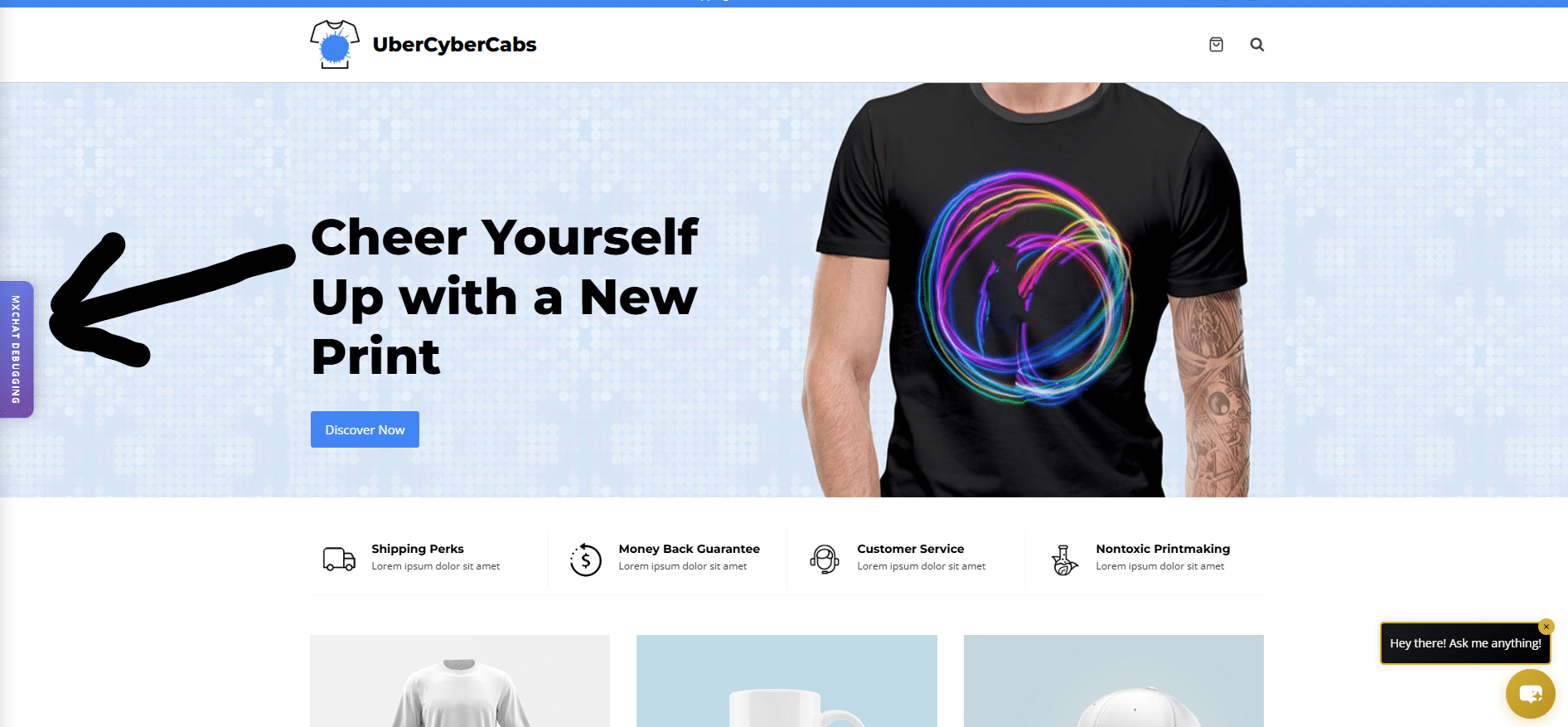
What you will want to do is open that slide out panel and then open your chatbot and enter user queries. This will show you all the key information you need to align your chatbot and verify information. It will show the top 10 highest matches from your knowledge database, their similarity scores, and which ones would be given to the AI for context. It will also show you the same information for any Actions you have.
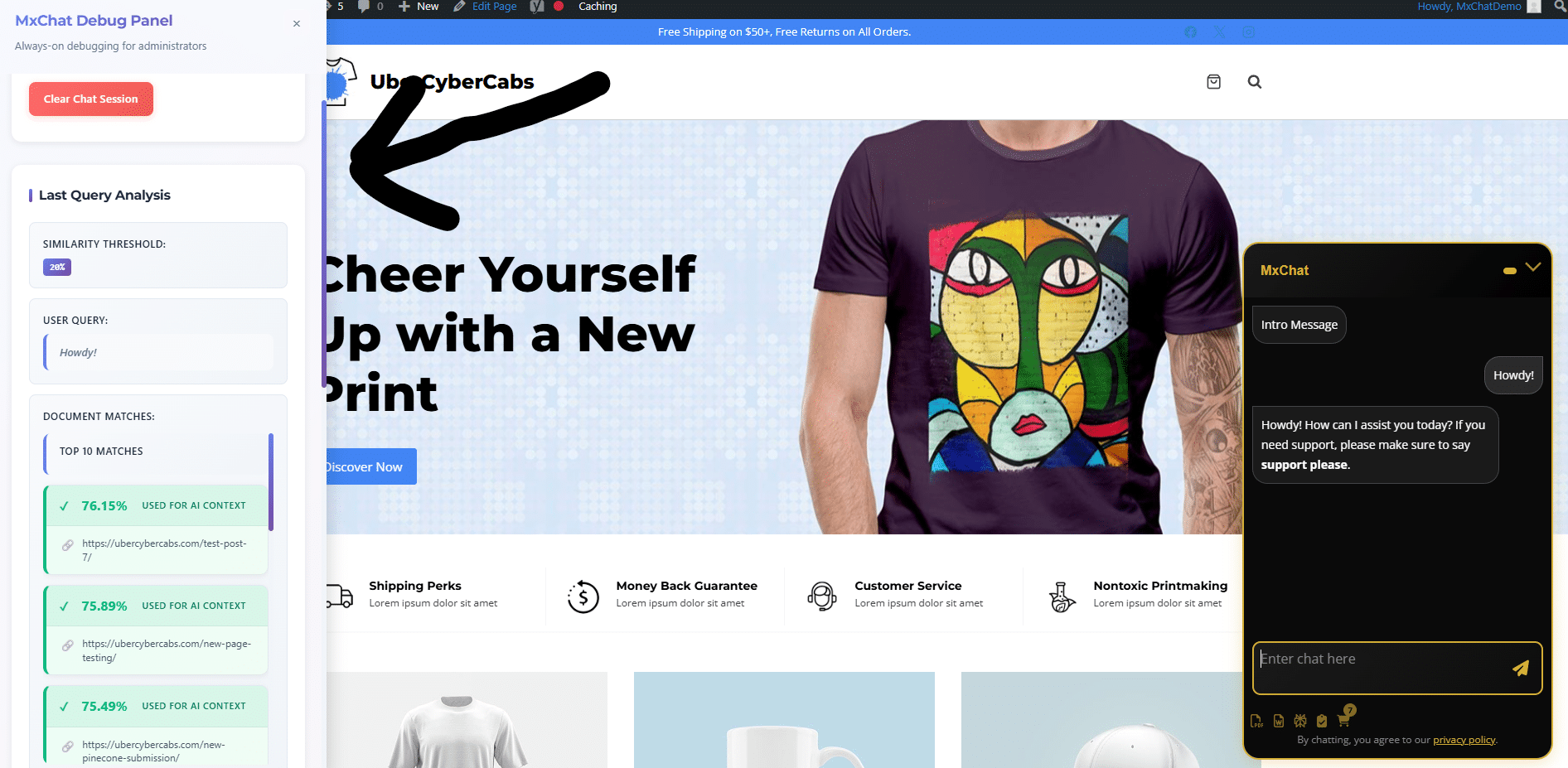
Realistically, you can lower your similarity threshold to the lowest setting and use that and it will likely be fine. Review this information and let me know if it helps you some!
Thanks,
Maxwell
Hi thanks but we have it on the lowest threshold of 20 and it will not reference the discount information from our knowledge base for some reason.
we have this in the knowledge base: –Do you have a discount code? A discount code you can use is SAVE10 - this gives 10% off at checkout. Please ensure you enter the text as one word i.e SAVE10 and not SAVE 10Yet if we ask the same question we get the standard response of not having enough knowledge to answer.
Did you check the front-end debugger and confirm it was pulling in the content? Are you able to provide the image similar to mine above showing the user query and what documents are being matched?
i cant figure out how to attach an image here unfortunately….
that’s okay it’s not user friendly to do so. I would assume it did show it though?
Last few questions: When you submitted it manually did you provide a source URL? Are you still mainly using the default AI behavior instructions?
no we didnt supply a source URL because i have inputted it manually so cant see why it would need a source url.
source URLs are not required, but recommended. The default AI instructions are aligned to be used with source URLs. This helps your chatbot only talk about information related directly to your website/content and not use the models “general knowledge”.
try this – delete the entry and do it again but use a source URL. For the source simply copy your main domain landing page and enter it here: https://mxchat.ai/links/
copy the url it generates and enter that as the source. Give that a try and let me know.
and no it didnt show our response anywhere even in the helper tool you mentioned….we have literally inputted the answer to the question in our knowledge base and when we ask the same question we get the standard response of no knowledge
ok got it working, just deleted it and re-did it putting our homepage as our source. It seems a source URL is needed for it to reference the info.
is there a way for us to tighten/restrict some of the answers – for example we need to give a very specific response for customers who ask about returning items.
thank you. I will also review documents submitted with no source URL and update you.
hey @chilliwax,
regarding refunds, if you have a refund page or a page with refund information you can just submit that.
if it’s only like one or two sentences of info, you can also include it directly in the ai behavior section.
Thr last option would be manually like you did with the coupon code but just use the link generator above to create a unique URL because submitting the same URL overrides previous ones.
hi, we have tried adopting the approach you have suggested with the URL using the tool you provided but unfortunately it does not work and the chatbot is unable to recall the information we add. The info we manually add (using the direct content option) isnt referenced in the debug panel either.
.
-
This reply was modified 1 year, 3 months ago by
chilliwax.
Hi @chilliwax ,
I’d love to help you troubleshoot and get it resolved for you. Can you maybe contact me privately via email or a support ticket on my website? That way we can exchange images easier and I can provide more detailed tailored assistance.
Thanks!
-
This reply was modified 1 year, 3 months ago by

The topic ‘chatbot is not very good’ is closed to new replies.