Feature Request: RGB / RGBA

-
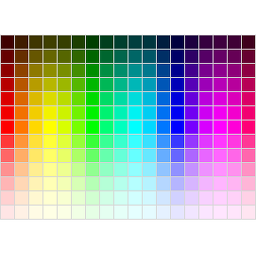
The plugin already supports RGB. If you have a look at the screenshots on the plugin’s site you can see an example of what combination of settings will offer custom colours. The picker is based on HSL but the text field next to it takes a RGB in hexa notation.
Transparency is not possible without changing the TinyMCE and the Curtomizer beyond the means WordPress offers on its own. Maybe the lads and gals of WordPress will eventually add support for transparency but until that happens all we have is RGB.I didn’t explain that right, GeneratePress and Elementor have alpha color pickers and Central Color Palette does not work on those color pickers.
I would pay for the author/contributor to make Central Color Palette work as the default palette for GP and Elementor, that way you could have a global palette.
Thanks
Ah I see. Adding a alpha slider to the settings page is not a problem.
Though, I see a possible conflict:
TinyMCE does not support RGBA so every custom colour has to be stripped of its alpha component. If you take a strong red and apply 10% transparency the result on a white background is a rather pale pink for the Customizer/Elementor yet TinyMCE receives that strong red. I do not consider this ‘global’ and missing the promise this plugin makes.Maybe you have a suggestion on that matter. I am willing to create a branch of this plugin suited to your need. Though until next week I do not have much time at hand, but then I will investigate how to add transparency to TinyMCE.
You offer to pay for your request is very kind, but as I am a Buddhist monk, I do not accept money.
Be assured, this plugin is free as is its support and development.-
This reply was modified 9 years ago by
Daniel Menȝies. Reason: typo
I am not explaining this right, I’m not worried about TinyMCE transparency.
Some themes use alpha pickers in the customizer and Central Color Palette does not work with those pickers.

Thanks!
One thing I found with those alpha pickers is the array must start with [0], I change the palettes with php code and had to use array_values to get the keys in order and starting with [0].
I’m going to look again at the Central Color Palette in the db, maybe I’ll see something.
Thanks!
Very good, then I know what you need. I let you know when I got a prototype.
OK here we go: version 1.9
Give it a spin and tell me if it suits your need.
Note: If Elementor is inactive you will not be able to define alpha channels on the settings page.Sorry for taking so long and thank you for your effort but that does not fix the GeneratePress Alpha color pickers.
I found the problem, those pickers require the hex hash #.$palettes = array_column( get_option( 'kt_color_grid_palette' ), '0' ); foreach ( $palettes as &$val ) { $val = '#' . $val; } return $palettes;Maybe you have a better way?
Thank You
Have a look at [1.9] index.php:208. This is the only place wpColorPicker gets altered. You can see that each colour is either converted to a rgba() or each rgba-hexa notation is prepended with a hash.
Could you open WP’s Customizer and have a look at the source code (usually Ctrl+U). Search for ‘jQuery.wp.wpColorPicker.prototype.options.palettes’. Could you copy’n’paste the <script>-block for me to have a look at? -
This reply was modified 9 years ago by

The topic ‘Feature Request: RGB / RGBA’ is closed to new replies.