Hi there,
Thanks for reaching out!
I haven’t seen this error before.
Could you please follow these instructions to re-install the plugin via FTP and let me know if it works?
Don’t worry, you won’t lose any data from the plugin.
I did how you told. But still I am facing that issue.
Hi @redoan99,
Judging by your screenshot, it seems there’s something blocking the cron URL connection in your website.
I see a message from Cludflare
Enable JavaScript and cookies to continue
nxbazar.com needs to review the security of your connection before proceeding.
Could you please try to whitelist our cron URL in Cloudflare’s settings?
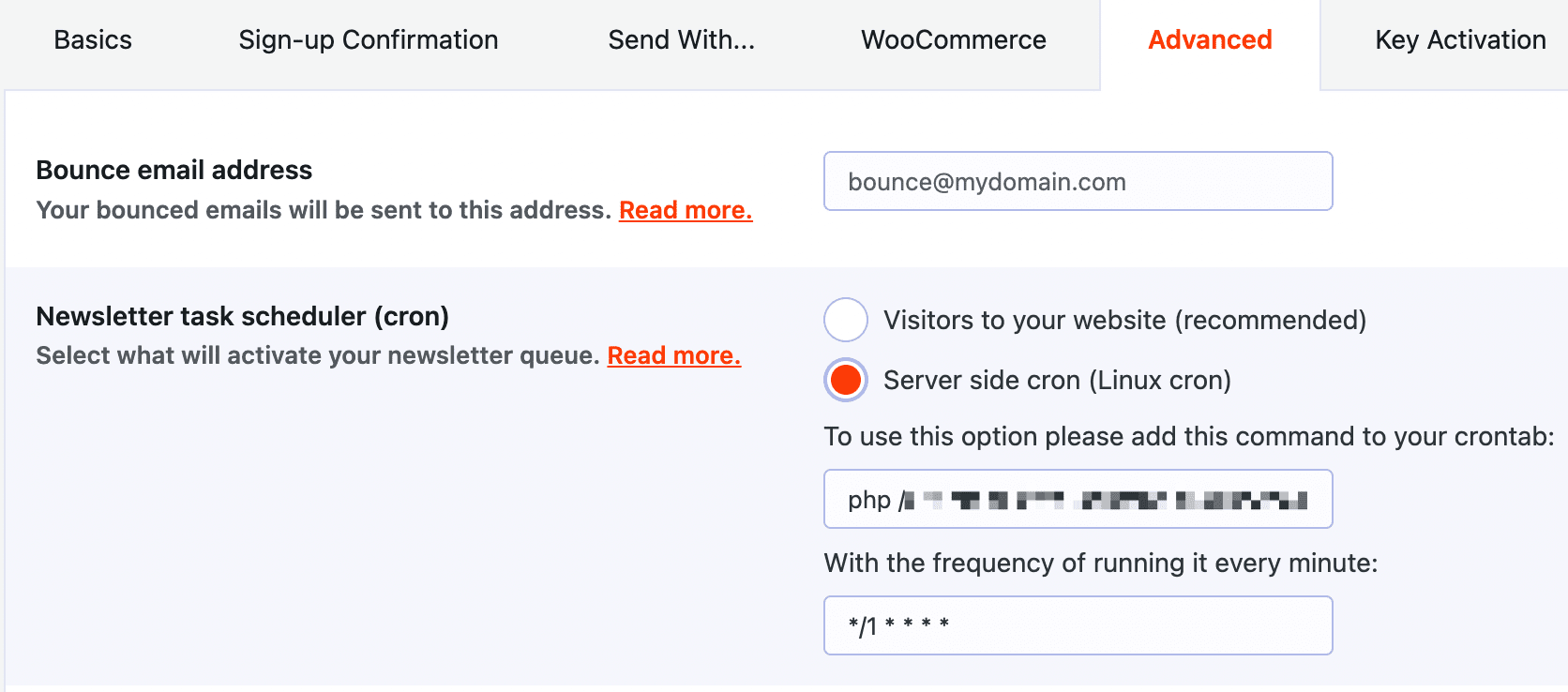
Alternatively, you can also try to change the cron option to the “Linux Cron”.
You’ll find this option via MailPoet > Settings > Advanced > Task Scheduler “Linux Cron”. Set this and follow the on-screen instructions.
Most hosts provide a cron interface in their control panel and cPanel also includes an option to set the cron. If for any reason your host doesn’t have that, let us know your host and we’ll walk you through it.
Any issues, let us know.
See the screenshot and tell me what to do here
https://snipboard.io/t5iUXR.jpg
You should leave the settings like this:
Pre defined: Every minute
Minute: *
Hour: *
Day of month: *
Month: *
Day of week: *
Command: Paste here the command you see when going to your WP-admin > MailPoet > Settings > Advanced > Server side cron tab.
Hi there @redoan99,
We haven’t heard back from you in a while, so I’m going to mark this as resolved – we’ll be here if and/or when you are ready to continue.




