Custom CSS Order of Precedence Issue
-
In preparation for the deprecation/elimination of custom templates and custom css, I’ve been attempting to implement the migrations and fixes shown on the NGG site.
WRT the custom CSS, I followed the instructions in Method 1 shown here, and copied my custom CSS to the custom CSS area of my template (Divi).
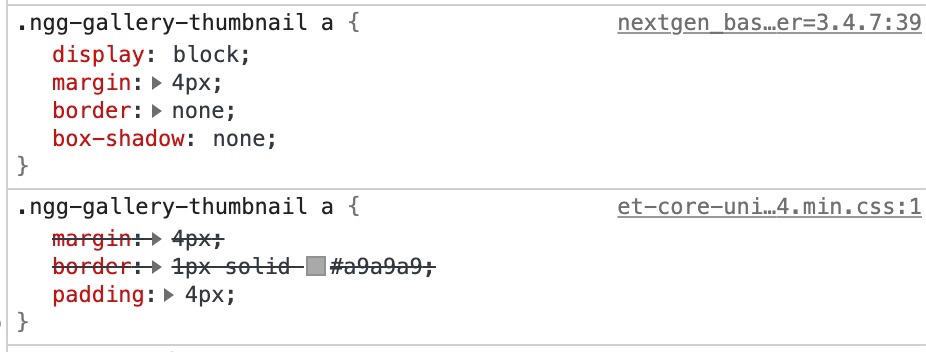
When I then went to my site, the formatting was incorrect. Looking at my browser’s inspector, it shows that NGG’s default CSS is taking precedence over the custom CSS.
Screenshot is here.
The default that is loading in that screenshot is at /wp-content/plugins/nextgen-gallery/products/photocrati_nextgen/modules/nextgen_basic_gallery/static/thumbnails/nextgen_basic_thumbnails.css.
The block below is the CSS from the custom CSS area of my theme.
Is there a reason why the default CSS is taking precedence? I can override some of it through !important tags, but not all, since some of the default CSS is also marked !important, and it still takes precedence.
Thanks in advance.
Jed

The topic ‘Custom CSS Order of Precedence Issue’ is closed to new replies.