Title: RSS Aggregator – RSS Import, News Feeds, Feed to Post, and Autoblogging
Author: RebelCode
Published: January 5, 2012
Last modified: March 3, 2026
---
Search plugins
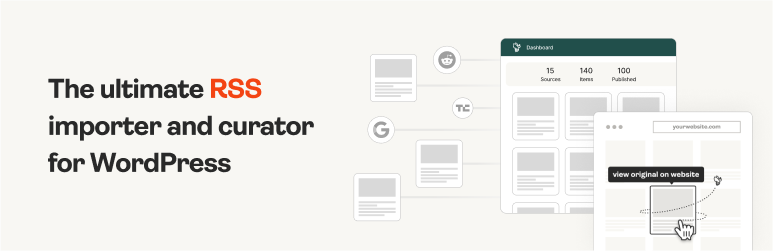

# RSS Aggregator – RSS Import, News Feeds, Feed to Post, and Autoblogging
By [RebelCode](https://profiles.wordpress.org/rebelcode/)
[Download](https://downloads.wordpress.org/plugin/wp-rss-aggregator.5.0.12.zip)
* [Details](https://wordpress.org/plugins/wp-rss-aggregator/#description)
* [Reviews](https://wordpress.org/plugins/wp-rss-aggregator/#reviews)
* [Installation](https://wordpress.org/plugins/wp-rss-aggregator/#installation)
* [Development](https://wordpress.org/plugins/wp-rss-aggregator/#developers)
[Support](https://wordpress.org/support/plugin/wp-rss-aggregator/)
## Description
WP RSS Aggregator is the perfect plugin to quickly import RSS feeds, build a news
aggregator, and for easy autoblogging.
This is why it is used on 50,000+ websites to aggregate and curate content from
all over the web.
### WP RSS Aggregator: The original and still the most popular RSS import plugin for WordPress
Import and display RSS feeds anywhere on your site.
Set up any RSS feed once and let Aggregator do the rest automatically. Create a
constant flow of fresh content to keep your audience engaged.
Whether you’re [creating a news aggregator](https://www.wprssaggregator.com/how-to-start-a-news-aggregator-site/),
sharing related posts, curating videos, or displaying a collection of articles,
RSS is still the best way to do it.
[All Features](https://www.wprssaggregator.com/features/?utm_source=wordpress-dot-org&utm_medium=readme&utm_campaign=readme_description)
| [Video Guides](https://www.wprssaggregator.com/video-library/?utm_source=wordpress-dot-org&utm_medium=readme&utm_campaign=readme_description)
| [Get Aggregator Pro](https://www.wprssaggregator.com/pro-plan/?utm_source=wordpress-dot-org&utm_medium=readme&utm_campaign=readme_description)
### Discover the power of Aggregator and RSS feeds
With more than a decade of experience in the aggregator and RSS space, we’ve built
WP RSS Aggregator to be your ideal partner for autoblogging, [content hubs](https://www.wprssaggregator.com/content-hub/?utm_source=wordpress-dot-org&utm_medium=readme&utm_campaign=readme_description),
and news aggregators of all kinds. Here are our [main features](https://www.wprssaggregator.com/features/?utm_source=wordpress-dot-org&utm_medium=readme&utm_campaign=readme_description):
🚀 **Quick Setup**: Add RSS feeds from unlimited sources in seconds, whether for
news feeds, blog posts, or anything else. [Learn more](https://www.wprssaggregator.com/help-topics/getting-started/?utm_source=wordpress-dot-org&utm_medium=readme&utm_campaign=readme_description)
🔎 **RSS Feed Auto-Discovery**: Enter a website’s URL and let WP RSS Aggregator
find the RSS feed. [Learn more](https://www.wprssaggregator.com/help/adding-a-source/?utm_source=wordpress-dot-org&utm_medium=readme&utm_campaign=readme_description)
🧭 **The Hub**: Get a full view of your imported feed items, filter by source or
folder, and quickly reject unwanted content. A clearer way to manage what gets shown
on your site.
🚦 **Manage Your Sources**: Keep track of your RSS feed sources in one place. Monitor,
pause, and track their automation. [Learn more](https://www.wprssaggregator.com/help/sources-list/?utm_source=wordpress-dot-org&utm_medium=readme&utm_campaign=readme_description)
🔄 **Auto-Updating Content**: Keep your website fresh with new content, both as
an autoblog & to supplement existing content.
🛠 **Customizable Displays**: Showcase your RSS feeds in stylish layouts that highlight
the content you want to share. [Learn more](https://www.wprssaggregator.com/help/creating-a-display/?utm_source=wordpress-dot-org&utm_medium=readme&utm_campaign=readme_description)
🙋 **Built-In Attribution**: Automatically credit the original authors and content
creators.
📊 **Optimize Performance**: Control the number of RSS feed items imported and stored
on your site to keep it running smoothly.
🏗️ **Build It Your Way**: Use the WP RSS Aggregator [block](https://www.wprssaggregator.com/help/block/)
or [shortcode](https://www.wprssaggregator.com/help/shortcode/?utm_source=wordpress-dot-org&utm_medium=readme&utm_campaign=readme_description)
to display RSS feeds anywhere, using any site builder.
### WP RSS Aggregator is built with you in mind
There is a lot more to an RSS aggregator than meets the eye. Here are a few additional
perks that make working with RSS feeds worth your while.
📈 **[SEO Benefits](https://www.wprssaggregator.com/rss-feed-seo/?utm_source=wordpress-dot-org&utm_medium=readme&utm_campaign=readme_description)**:
Become an instant source of quality content, generate backlinks, and gain more trust
in the eyes of search engines (like Google) and AI systems that rely on structured,
regularly updated content.
💡 **Generate Content Ideas**: Monitor your RSS feed sources and learn more about
which content you should write yourself. Take inspiration and create original content.
🔗 **Custom RSS Feeds**: Create a custom RSS feed from imported RSS feed items to
use anywhere you want.
🌍 **Multilingual Support**: Integrate with translation plugins to translate imported
content into any language.
💵 **Monetize Your Content**: Learn how to [make money with WordPress](https://www.wprssaggregator.com/monetize-wordpress/?utm_source=wordpress-dot-org&utm_medium=readme&utm_campaign=readme_description)
by leveraging your content.
### 🔑 Unlock Premium Upgrades
Your website deserves the best, so we’ve been building [premium upgrades](https://www.wprssaggregator.com/upgrade/?utm_source=wordpress-dot-org&utm_medium=readme&utm_campaign=readme_description)
for WP RSS Aggregator since 2013 with the goal of helping you deliver the best experience
possible to your visitors while improving your website’s performance.
* **[Feed to Post](https://www.wprssaggregator.com/features/feed-to-post/?utm_source=wordpress-dot-org&utm_medium=readme&utm_campaign=readme_description)(
❤️ Most Popular)**: Automatically convert RSS feeds into WordPress posts, pages,
or any custom post type.
* **[Full Text RSS Feeds](https://www.wprssaggregator.com/features/full-text-rss-feeds/?utm_source=wordpress-dot-org&utm_medium=readme&utm_campaign=readme_description)**:
Import the full content from sources that only provide RSS feed excerpts or are
missing images.
* **[Curate Your Content](https://www.wprssaggregator.com/help/curate-items-before-publishing/?utm_source=wordpress-dot-org&utm_medium=readme&utm_campaign=readme_description)**:
Automatically or manually curate your content to only share the most relevant
items on your site.
* **[Display Templates](https://www.wprssaggregator.com/features/displays/?utm_source=wordpress-dot-org&utm_medium=readme&utm_campaign=readme_description)**:
Attract more attention with stylish feed designs, including titles, excerpts,
images, audio, video, and attribution.
* **[Video Aggregator](https://www.wprssaggregator.com/help/youtube-display/?utm_source=wordpress-dot-org&utm_medium=readme&utm_campaign=readme_description)**:
Import and share YouTube videos from any channel or user.
* **[Organize Your Content](https://www.wprssaggregator.com/help/using-folders-in-aggregator/?utm_source=wordpress-dot-org&utm_medium=readme&utm_campaign=readme_description)**:
Use Folders as a powerful way to group, manage, and display your sources more
effectively.
* **[Automated Filtering](https://www.wprssaggregator.com/features/automations/?utm_source=wordpress-dot-org&utm_medium=readme&utm_campaign=readme_description)**:
Precisely control what content is imported and displayed using keywords, phrases,
and tags.
* **[AI Integrations](https://www.wprssaggregator.com/features/integrations/?utm_source=wordpress-dot-org&utm_medium=readme&utm_campaign=readme_description)**:
Use our WordAI and SpinnerChief integrations with Feed to Post to create original
titles and content.
* **Custom Mapping**: Map custom fields from RSS feed sources to any custom field
in your posts or pages.
Get access to all of these amazing features with our [Premium WP RSS Aggregator Plans](https://www.wprssaggregator.com/upgrade/?utm_source=wordpress-dot-org&utm_medium=readme&utm_campaign=readme_description).
### Why use WP RSS Aggregator?
From bloggers and content creators to developers and digital teams, people have
built some wonderful projects using RSS feeds. Here’s are a few we’ve highlighted
over the years.
**Content Curation: [Personal Finance Blogs](https://www.wprssaggregator.com/case-study-personal-finance-blogs-content-curation/?utm_source=wordpress-dot-org&utm_medium=readme&utm_campaign=readme_description)**
“
It has been approximately four and a half months since the launch. We’ve seen some**
strong traffic growth** month over month. We’re up to over 10,000 page views a month,
which is great for a new blog but also just any blog in general. In terms of the
traffic, **we’re sending about 150 clicks to various posts and blogs** on a daily
basis.” – Erik Tozier ⭐️⭐️⭐️⭐️⭐️
**Industry News Aggregator: [World of WordPress](https://www.wprssaggregator.com/case-study-worldofwp-multilingual-news-aggregator/?utm_source=wordpress-dot-org&utm_medium=readme&utm_campaign=readme_description)**
“
I was searching for a good plugin to aggregate all the feeds. WP RSS Aggregator
has the functionality I was looking for. I’ve tried other plugins, but **this was
the one I knew could do everything**. I get 150 visitors a day, so that’s probably
4,500 visitors per month, and I think maybe **99% of visitors land on one of the
articles aggregated by the plugin**.” – Ronald Heijnes ⭐️⭐️⭐️⭐️⭐️
**Content Syndication: [The Broker List](https://www.wprssaggregator.com/case-study-content-syndication-thebrokerlist/?utm_source=wordpress-dot-org&utm_medium=readme&utm_campaign=readme_description)**
“
WP RSS Aggregator is **time-saving**. Our members love it because it doesn’t cause
them any extra work. We can just pull their content in. Don’t hesitate! I would
definitely work with Mark and his team. **They will give you 110%** and solve any
issues you may have.” – Linda Day Harrison ⭐️⭐️⭐️⭐️⭐️
**Local News Aggregator: [Bristol Today](https://www.wprssaggregator.com/bristol-today-case-study/?utm_source=wordpress-dot-org&utm_medium=readme&utm_campaign=readme_description)**
“
After identifying the news sources I wanted to link out to, I searched for the best
possible way to create a reliable feed (and without ruffling any feathers!). Thankfully,
RSS is still going strong and each of the sites had active feeds. After a bit of
research, WP RSS Aggregator stood out as the leading WordPress plugin in the space
and I was impressed with their product pages. – Ross Merritt ⭐️⭐️⭐️⭐️⭐️
Browse through our [**Showcase**](https://www.wprssaggregator.com/customers/?utm_source=wordpress-dot-org&utm_medium=readme&utm_campaign=readme_description)
to see how WP RSS Aggregator is being put to great use on a large variety of WordPress
sites, from CrossFit to celebrity news, and gaming to government updates.
_A word of advice: Don’t steal other people’s work; give credit where it’s due.
WP RSS Aggregator makes it extremely easy to automatically credit the original source
for full attribution._
### 5-star customer support
Our comprehensive [Help Center](https://www.wprssaggregator.com/help/?utm_source=wordpress-dot-org&utm_medium=readme&utm_campaign=readme_description)
provides you with everything you need to install, set up and customize WP RSS Aggregator
to your needs. You can also browse through a number of FAQs to get started.
If that doesn’t do the trick, we provide support for the free version of WP RSS
Aggregator via the [WordPress support forums](https://wordpress.org/support/plugin/wp-rss-aggregator),
while for premium support and pre-sales questions you can contact us via our [premium support channel](https://www.wprssaggregator.com/contact/?utm_source=wordpress-dot-org&utm_medium=readme&utm_campaign=readme_description).
## Screenshots
* [[
* Feed items displayed using WP RSS Aggregator’s list layout.
* [[
* Adding the RSS Aggregator Display Gutenberg block.
* [[
* Adding/Editing a feed source in WP RSS Aggregator.
* [[
* A list of sources in WP RSS Aggregator.
* [[
* A list of imported feed items in WP RSS Aggregator.
* [[
* Setting up a display in WP RSS Aggregator.
* [[
* The Hub, showing recently imported content.
* [[
* Using the Feed to Post premium feature to import items as posts.
* [[
* Using the Feed to Post premium feature to import YouTube videos.
## Blocks
This plugin provides 1 block.
* RSS Aggregator Display Display RSS feed content
## Installation
**Installing and setting up the WP RSS Aggregator plugin:**
Method 1:
> 1. Go to the Plugins page in your WordPress site’s dashboard.
> 2. Click the “Add Plugin” button.
> 3. Search for “WP RSS Aggregator”.
> 4. When found, click on the “Install” button, then hit the “Activate” button once
> it has installed.
> 5. Go to the **Aggregator** menu item to access the Hub.
> 6. * Click **“Add a new source”** to set up your [first feed source](https://www.wprssaggregator.com/help/adding-a-source/?utm_source=wordpress-dot-org&utm_medium=readme&utm_campaign=readme_installation)
> and start importing content.
> * Then click **“Create a new display”** to build a [display](https://www.wprssaggregator.com/help/creating-a-display/?utm_source=wordpress-dot-org&utm_medium=readme&utm_campaign=readme_installation)
> using that source and embed it on your site.
Method 2:
> 1. Click on the “Download” button above.
> 2. Go to the Plugins page in your WordPress site’s dashboard.
> 3. Click the “Add Plugin” button.
> 4. Click the “Upload Plugin” button.
> 5. Click the “Choose file” button and upload the wp-rss-aggregator.zip file, and
> click “Install Now”.
> 6. Activate the WP RSS Aggregator plugin from the ‘Plugins’ section in your dashboard.
> 7. Go to the **Aggregator** menu item to access the Hub.
> 8. * Click **“Add a new source”** to set up your [first feed source](https://www.wprssaggregator.com/help/adding-a-source/?utm_source=wordpress-dot-org&utm_medium=readme&utm_campaign=readme_installation)
> and start importing content.
> * Then click **“Create a new display”** to build a [display](https://www.wprssaggregator.com/help/creating-a-display/?utm_source=wordpress-dot-org&utm_medium=readme&utm_campaign=readme_installation)
> using that source and embed it on your site.
**Displaying the feed items**
Use the **RSS Aggregator Display** [block](https://www.wprssaggregator.com/help/block/?utm_source=wordpress-dot-org&utm_medium=readme&utm_campaign=readme_installation)
or [shortcode](https://www.wprssaggregator.com/help/shortcode/?utm_source=wordpress-dot-org&utm_medium=readme&utm_campaign=readme_installation)
on any page or post to display the imported items.
**Note:** Each display has its own shortcode, which you can find on the Displays
page.
## FAQ
### What websites can I import content from?
You can import content from any website that offers a valid RSS or XML feed. Just
enter the website URL into WP RSS Aggregator, and it will automatically detect and
list the available feeds for you. Most websites provide RSS feeds – [here’s how to find them](https://www.wprssaggregator.com/help/finding-an-rss-feed/?utm_source=wordpress-dot-org&utm_medium=readme&utm_campaign=readme_faq).
### How do I display the imported feed items?
Create a display with the layout of your choice to showcase imported items anywhere
across your site. To show the items, you can use either one (or a combination) of
the options below.
* Option 1: Use our [block](https://www.wprssaggregator.com/help/block/?utm_source=wordpress-dot-org&utm_medium=readme&utm_campaign=readme_faq)
in the Gutenberg/block editor (WP 5.0 and later).
* Option 2: Use our [shortcode](https://www.wprssaggregator.com/help/shortcode/?utm_source=wordpress-dot-org&utm_medium=readme&utm_campaign=readme_faq)
in your posts and pages.
### Is there a limit on the number of feed sources I can set up?
No, there is no limit for the number of feed sources to import items from. Having
many (50+) feed sources should not present any problems in itself. However, pulling
in posts from many sites is bound to put your server under some stress, so you might
want to consider using a hosting solution that goes beyond your typical shared host
and staggering the feed imports.
Check out our dedicated page on [WordPress hosting](https://www.wprssaggregator.com/recommended-web-hosts/?utm_source=wordpress-dot-org&utm_medium=readme&utm_campaign=readme_faq)
recommendations.
### Can I import the full text from any source site?
In the majority of cases, this is possible using our Feed to Post and Full Text
features, both of which are part of our most popular bundle, the [Pro Plan](https://www.wprssaggregator.com/pro-plan/?utm_source=wordpress-dot-org&utm_medium=readme&utm_campaign=readme_faq).
When importing the full text from a source, please make sure to check and abide
by the source site’s terms and conditions on the sharing of their content.
### Can I add Twitter (now known as X) RSS feeds to my WordPress site?
Creating Twitter RSS feeds for your WordPress site involves a few simple steps using
third-party services since Twitter no longer offers native RSS feed support. Here’s
a quick overview:
1. Select a Third-Party Service: Use an RSS feed generator such as RSS.app or Nitter
to create your Twitter RSS feed. These platforms allow you to convert Twitter content
into RSS feeds.
2. Generate Your Twitter RSS Feed: Follow the specific instructions on your chosen
platform to generate the RSS feed URL for the Twitter content you wish to display.
3. Integrate with WP RSS Aggregator: Once you have your RSS feed URL, use WP RSS Aggregator
on your WordPress site to add and configure your new feed source.
For detailed instructions, including step-by-step guidance, please visit [our full article on creating Twitter RSS feeds](https://www.wprssaggregator.com/twitter-rss/?utm_source=wordpress-dot-org&utm_medium=readme&utm_campaign=readme_faq).
### How can I display the latest posts from a Facebook page on my WordPress site?
To showcase the latest posts from a Facebook page on your WordPress site, you can
create an RSS feed for that Facebook page using a third-party service like FetchRSS.
Once you have the RSS feed URL, you can easily integrate this feed into your site
using WP RSS Aggregator. For a detailed guide on generating the RSS feed and integrating
it with WP RSS Aggregator, including step-by-step instructions, visit [our full article on how to create a Facebook RSS feed](https://www.wprssaggregator.com/facebook-rss-feed/?utm_source=wordpress-dot-org&utm_medium=readme&utm_campaign=readme_faq).
### Does WP RSS Aggregator work using JSON as the source?
No, our plugin does not currently import from JSON, it only imports from RSS and
Atom structured XML.
### Why do I get “No feed items found” when I insert the shortcode on a page or post?
1. Try adding a few more feed sources and make sure they are valid by using the RSS
Feed Validator.
2. Make sure that feed items have been imported by visiting the Feed Items page.
3. Try out the solutions listed in our [Feed Items Not Importing](https://www.wprssaggregator.com/help/items-not-importing/?utm_source=wordpress-dot-org&utm_medium=readme&utm_campaign=readme_faq)
help center section.
4. It’s important to make sure your WordPress cron system is working well. If not,
the feeds cannot be imported. If in doubt, you can install the WP Crontrol plugin
to check for bad cron or check out these [helpful tips](https://www.wprssaggregator.com/help/solutions-to-cron-issues/?utm_source=wordpress-dot-org&utm_medium=readme&utm_campaign=readme_faq).
If the problems persist, please [contact our support team](https://wordpress.org/support/plugin/wp-rss-aggregator).
If you’re using a premium plan, please use the [premium support channel](https://www.wprssaggregator.com/contact/?utm_source=wordpress-dot-org&utm_medium=readme&utm_campaign=readme_faq).
### Can I store imported feed items as Posts?
Yes, you can do that using the [Feed to Post](https://www.wprssaggregator.com/features/feed-to-post/?utm_source=wordpress-dot-org&utm_medium=readme&utm_campaign=readme_faq)
feature. You will not only be able to store items as posts, but as any post type.
You can also set the author, set tags and categories, import images into the gallery
or set featured images, and much more. These can then be displayed in your theme’s
blog page, via a page builder, etc. Add [Full Text RSS Feeds](https://www.wprssaggregator.com/features/full-text-rss-feeds/?utm_source=wordpress-dot-org&utm_medium=readme&utm_campaign=readme_faq)
into the mix for the most powerful combination of features. Both of these features
are available in the [Pro Plan](https://www.wprssaggregator.com/pro-plan/?utm_source=wordpress-dot-org&utm_medium=readme&utm_campaign=readme_faq)
### Some RSS feeds only give a short excerpt. Any way around that?
Yes, along with the [Feed to Post](https://www.wprssaggregator.com/features/feed-to-post/?utm_source=wordpress-dot-org&utm_medium=readme&utm_campaign=readme_faq)
feature we have another feature called [Full Text RSS Feeds](https://www.wprssaggregator.com/features/full-text-rss-feeds/?utm_source=wordpress-dot-org&utm_medium=readme&utm_campaign=readme_faq)
that can get the full content of most feeds that only supply a short excerpt. Both
of these features are available in the [Pro Plan](https://www.wprssaggregator.com/pro-plan/?utm_source=wordpress-dot-org&utm_medium=readme&utm_campaign=readme_faq).
When importing the full text from a source, please make sure to check and abide
by the source site’s terms and conditions on the sharing of their content.
### Where can I find the documentation for the plugin?
Our complete Help Center with FAQs, Glossary, and Video Library can be found [here](https://www.wprssaggregator.com/help/?utm_source=wordpress-dot-org&utm_medium=readme&utm_campaign=readme_faq).
## Reviews

### [total disaster](https://wordpress.org/support/topic/total-disaster-5/)
[sebastianlm](https://profiles.wordpress.org/sebastianlm/) March 16, 2026 1 reply
I have used this plugin for many years and it worked okayish, but recently they
completely rebuilt/refactored the plugin and totally fucked up. And that is for
months now – and no resolution in sight. I even have the paid premium version. It
begins with the plugin ‘forgetting’ my licence key again and again (which breaks
my automation). When I manually refresh the licence key it works again. Basic functionalities(
like filtering content by xml attributes) are not working. And if you report those
issues to them you get answers like (original quote!): “The issue that you reported
is a known issue in Aggregator v5 and our team is working on a fix. The fix will
be included in one of the upcoming releases of Aggregator. We appreciate your patience
while we work on resolving this. ” – and just remember: I pay for a product they
label “Elite” – lol Thanks for nothing.

### [Love V5, 2nd to none support](https://wordpress.org/support/topic/love-v5-2nd-to-none-support/)
[art137](https://profiles.wordpress.org/art137/) February 6, 2026 1 reply
I have been using RSS Aggregator for a few years on various sites and besides the
top notch support I have received the V5 upgrade has certainly improved it even
more. Great work guys!

### [Simply the Best](https://wordpress.org/support/topic/simply-the-best-735/)
[namynahuj](https://profiles.wordpress.org/namynahuj/) January 30, 2026 1 reply
After comparing several different options, I found WP RSS Aggregator to be clearly
the best. Especially the latest version is excellent in the terms of setup and usability.
For reasons unrelated to the plugin I had to contact their support, which was really
fast and knowledgeable. Thank you for that too!

### [Fantastic Support and Plugin](https://wordpress.org/support/topic/fantastic-support-and-plugin-13/)
[shaunmehr](https://profiles.wordpress.org/shaunmehr/) December 16, 2025 1 reply
Great plugin and support, could not recommend it enough.

### [Great plugin](https://wordpress.org/support/topic/great-plugin-40969/)
[baziyants](https://profiles.wordpress.org/baziyants/) October 19, 2025 1 reply
Great product

### [Outstanding support!](https://wordpress.org/support/topic/outstanding-support-308/)
[ilgizzo](https://profiles.wordpress.org/ilgizzo/) October 7, 2025 1 reply
The WP RSS Aggregator team was absolutely fantastic — quick, friendly, and very
clear in their explanations. They helped me solve an import issue with great professionalism,
going beyond a standard reply. Thanks to their support, I understood exactly what
went wrong, and now everything works perfectly.A reliable plugin with top-level
support — highly recommended! 👏
[ Read all 554 reviews ](https://wordpress.org/support/plugin/wp-rss-aggregator/reviews/)
## Contributors & Developers
“RSS Aggregator – RSS Import, News Feeds, Feed to Post, and Autoblogging” is open
source software. The following people have contributed to this plugin.
Contributors
* [ RebelCode ](https://profiles.wordpress.org/rebelcode/)
* [ Jean ](https://profiles.wordpress.org/jeangalea/)
* [ Mark Zahra ](https://profiles.wordpress.org/markzahra/)
* [ Miguel Muscat ](https://profiles.wordpress.org/mekku/)
* [ Gabriella Abela ](https://profiles.wordpress.org/gabygalea/)
* [ Omid Akhavan ](https://profiles.wordpress.org/omidakhavan/)
“RSS Aggregator – RSS Import, News Feeds, Feed to Post, and Autoblogging” has been
translated into 10 locales. Thank you to [the translators](https://translate.wordpress.org/projects/wp-plugins/wp-rss-aggregator/contributors)
for their contributions.
[Translate “RSS Aggregator – RSS Import, News Feeds, Feed to Post, and Autoblogging” into your language.](https://translate.wordpress.org/projects/wp-plugins/wp-rss-aggregator)
### Interested in development?
[Browse the code](https://plugins.trac.wordpress.org/browser/wp-rss-aggregator/),
check out the [SVN repository](https://plugins.svn.wordpress.org/wp-rss-aggregator/),
or subscribe to the [development log](https://plugins.trac.wordpress.org/log/wp-rss-aggregator/)
by [RSS](https://plugins.trac.wordpress.org/log/wp-rss-aggregator/?limit=100&mode=stop_on_copy&format=rss).
## Changelog
#### 5.0.12 (2026-03-03)
**Added**
– Added `migrated_to_v5` status field to Site Health information.
**Changed**
– Improved output escaping in AJAX responses and renderer output for
improved security hardening.
**Fixed**
– Fixed undefined `$listClass` variable warning when “Show Bullets” is
disabled in List Displays. – Improved input validation and output handling in AJAX
responses to enhance overall security and stability. – Fixed folder filter not applying
to items in the “Pending Approval” section of the Hub.
#### 5.0.11 (2026-01-14)
**Changed**
– Improved consistency and safety of rendered HTML output.
**Fixed**
– Featured images are now correctly imported from RSS feeds where images
are served via a CDN. – Resolved an issue where sources migrated from v4 to v5 could
have their post type incorrectly set to “Post” instead of “Feed Item” on Free and
Basic plan licenses. – Hardened display rendering logic to improve robustness. –
Improved handling of user-supplied data in shortcode processing.
#### 5.0.10 (2025-12-16)
**Fixed**
– Fixed a fatal error that could occur when enabling Allow Embedded Content
while saving a feed source in Aggregator v4.
**Changed**
– Added admin notices to communicate Aggregator v4 end-of-life status
and guide users through migration to v5. The v4 end-of-life date has been extended
to January 31, 2026, during which support will continue to be provided to allow
additional time for migration.
#### 5.0.9 (2025-12-09)
**Changed**
– Updated v4 to use the latest SimplePie methods for better compatibility
with newer WordPress versions. This is a backwards-compatibility fix and may not
remain reliable long-term, so we strongly recommend upgrading to v5.
#### 5.0.8 (2025-12-02)
**Fixed**
– Migration notice in v4 can now be dismissed. – Sources imported as
posts now link to their corresponding imported posts in displays. – Folder selection
in displays is now correctly respected. – “Import images into media library” setting
is now properly respected when disabled. – Images for “Feed Items” no longer import
all the content images into the media library. – Signup email now sends as expected.
#### 5.0.7 (2025-11-24)
**Added**
– Black Friday offer prompts for free users.
**Changed**
– Updated the Manage Plan page for premium users.
#### 5.0.6 (2025-10-22)
**Added**
– Embedded feature overview videos to highlight what’s available in higher
plans.
**Fixed**
– Multisite license activation now applies network-wide when activated
from the Network Admin, restoring expected v4 behavior.
#### 5.0.5 (2025-10-15)
**Changed**
– Updated plan pricing in the Manage Plan page.
#### 5.0.4 (2025-09-30)
**Added**
– Full Spanish translation.
**Changed**
– Clearer handling and messaging when plugin versions don’t align.
**Fixed**
– JavaScript notices caused by version mismatches. – Issue where certain
licenses blocked Premium plugin updates incorrectly.
#### 5.0.3 (2025-09-16)
**Added**
– Restored embedded content support – imported posts once again include
embeds such as the YouTube video player (parity with v4). – Version compatibility
check – prevents activating mismatched free/premium versions to avoid critical errors.
**Fixed**
– Conflict when using Aggregator with the BuddyBoss theme. – Conflict
when using Aggregator with Visual Composer. – Conflict with The Events Calendar
where “Events > Import” linked to the Aggregator Hub instead of Events’ own import
page. – Bug where feed publish dates were converted to UTC, causing posts to import
as “Scheduled” instead of “Published.” – loadtextdomain_just_in_time issue; translations
now load correctly. – Bug where the “Trim the content” word limit was ignored, displaying
full content. – Free version importing images into the Media Library even though
they weren’t used.
#### 5.0.2 (2025-08-26)
**Fixed**
– Premium updates were not being detected correctly in v5.0.0 and v5.0.1
due to a configuration issue.
#### 5.0.1 (2025-08-14)
**Added**
– Migration block that prevents add-on users from upgrading to v5 without
the Premium plugin installed and activated, avoiding feature loss and confusion.
**Changed**
– Improved performance when loading very large numbers of imported
items or previewing sources with large item counts.
**Fixed**
– Restored and improved metadata in custom feeds after migration to v5.–
Corrected SQL syntax issue that could prevent the Sources list from loading in certain
MySQL configurations. – Resolved fatal error when processing base64-encoded image
URLs in feed preview. – Fixed rollback from v5 to v4 to prevent “Invalid post type”
errors and ensure full restoration of previous settings and functionality. – Corrected
feed validation in v5 so that valid feeds are recognized, even if affected by default
User Agent handling.
#### 5.0.0 (2025-07-24)
**Added**
– Fully rebuilt **user interface** with a modern design and improved
navigation – **Feed Items**: Now in its own sidebar section, no longer nested under
Aggregator – **New onboarding experience** for first-time users – **New migration
wizard** for v4 users – All-new **Aggregator Hub** to act as a centralized dashboard
to create new sources, displays, curate and view imported content – Stats on sources,
imported items, and rejected items – New **Recently Imported** section (with filters)–
Ability to reject feed items after they are imported – **Update Strategy**: – Do
not update posts (default – same as v4) – Keep posts up-to-date – automatically
update posts when feed content changes – **Smart source creation** flow with tabs:
Details, Automations, Advanced – **Live Feed Preview** – view feed items before
importing – **New Credit Method (Default method):** – If a source feed author does
not exist on the site, Aggregator now assigns posts to a newly created **“Source
Author”** user by default – This user will appear as the original author’s name
both in the Hub and on the front end – **Displays Page** – table view with display
names, shortcodes, and instances – **Display previews** – view layout on multiple
devices before publishing – **Improved block** – **Help Center updates** – clearer
access to FAQs, docs, and support
**Changed**
– “Templates” renamed and redesigned as **Displays**, now with preview
and improved UX – **Display-to-source relationship restructured** – previously,
a template could be reused across individual sources, categories, or all sources.
Now, each display is tied to a specific source, a set of sources, or an entire folder—
offering more precise control but no longer global reuse. – Feed Sources page redesigned,
now shows where each source is used
**Fixed**
– **PHP 8.1+ Compatibility** – Fixed deprecated return types and strict
type issues on PHP 8.1/8.2 – Removed bundled Twig dependency, as Twig is no longer
used – **Plugin Conflicts – Shield Security** – Refactored code and dependency loading
to avoid blocking behavior
**Removed / Deprecated**
– Removed **blacklist URL tool** from Tools – now handled
via “Rejected Items” in the Hub – Removed **Logs screen** – integrated with WordPress
Site Health – Removed ability to **assign one template to multiple unrelated sources**–
Removed ability to create a custom slug for feed sources – Removed “Reset to default
settings” option – Removed “Use source info” option – Removed “Use GUIDs” option–
Removed Help Scout support beacon – Feed Items table no longer shows “Image” and“
Folder” columns – **Deprecated developer hooks from Aggregator v4**: – Many custom
actions and filters (e.g. wprss_ftp_post_args) have been removed or refactored in
v5. Custom code relying on these may no longer function correctly.
#### 4.23.12 (2024-07-15)
**Fixed**
– Fixed a security vulnerability that allows subscribers to pause feed
sources (CVE-2024-6621).
#### 4.23.11 (2024-05-28)
**Fixed**
– The previous version introduced a bug that omitted the user-agent header
from RSS feed requests.
#### 4.23.10 (2024-05-20)
**Fixed**
– Some feeds were wrongly deemed to be invalid due to how cURL sends
the user-agent string.
#### 4.23.9 (2024-05-13)
**Fixed**
– Fixed a cross-site scripting vulnerability when an admin notice ID
is invalid.
#### 4.23.8 (2024-04-25)
**Added**
– Prepared notices and messages for the upcoming v5.0 update.
**Changed**
– Better error logging when a feed item fails to get saved.
**Fixed**
– Compatibility with PHP 8.x versions. – Compatibility with the “Widget
Options” plugin.
#### 4.23.7 (2024-02-28)
**Fixed**
– Media thumbnail images without a MIME type were not being properly
detected.
#### 4.23.6 (2024-01-31)
**Changed**
– Error information is suppressed for feeds with local address URLs.
This improves the previous fix for CVE-2024-0628.
#### 4.23.5 (2024-01-24)
**Fixed**
– Error messages no longer reveal information about potentially inaccessible
resources. (CVE-2024-0628) – JavaScript code in feed item URLs is now properly sanitized
and escaped. (CVE-2024-0630) – Word trimming did not work correctly when posts had
leading whitespace. – The Templates page did not load properly on some websites.
#### 4.23.4 (2023-11-18)
**Added**
– Black Friday offer links.
**Changed**
– Updated the “More Features” page.
#### 4.23.3 (2023-11-01)
**Changed**
– Disabled the deactivation poll.
#### 4.23.2 (2023-09-29)
**Added**
– An important notice regarding the upcoming major update that will require
PHP 7.4 or higher.
**Changed**
– Twig date translation can now be disabled using the `wpra/twig/use_translations`
filter.
**Fixed**
– Some PHP 8 compatibility issues. – Corrected how image are searched
in the content and excerpt of an item.
#### 4.23.1 (2023-04-10)
**Fixes**
– Fixed an error in the block that prevented it from being edited and
previewed.
#### 4.23 (2023-04-06)
**Added**
– New users can now sign up to receive a free starter guide. – YouTube
feeds now provide the video description, which is now imported into feed items.
**Changed**
– Links to the pricing page for premium plans have been replaced with
links to a new “upgrade” page.
**Fixes**
– Fixed a conflict with some themes and their front-end search capabilities.–
The on-boarding wizard now correctly shows up for new users only. – Sorting feed
items by date now works as expected.
#### 4.22.4 (2023-02-08)
**Added**
– Images in RSS item excerpts are now properly detected. – New `wpra/
images/file_name` filter to change the filename of imported images.
#### 4.22.3 (2023-02-01)
**Added**
– New filter to disable the scrolling animation when clicking on pagination
links in templates. [See docs](https://kb.wprssaggregator.com/article/861-disable-the-pagination-scroll-effect).
#### 4.22.2 (2022-12-19)
**Changed**
– Code changes for PHP 8.0 compatibility. – Code changes for partial
PHP 8.1 compatibility. The plugin still triggers some warnings on PHP 8.1, but should
work fine.
**Removed**
– Removed the Black Friday and Cyber Monday promotion banners. – Removed
the 2022 feedback survey.
#### 4.22.1 (2022-11-23)
**Added**
– Promotion for Black Friday and Cyber Monday 2022 deals. – Notification
for the 2022 feedback survey.
**Fixed**
– The custom feed was missing the `` date tag.
#### 4.22 (2022-08-06)
**Changed**
– YouTube embeds in the lightbox now begin playing automatically, if
the browser allows it.
#### 4.21.1 (2022-07-20)
**Fixed**
– An out-of-memory PHP error when importing items.
#### 4.21 (2022-07-13)
**Changed**
– Updated Twig to v1.42.2, to support PHP 8 or later. – Optimized feed
item date processing when an item is being imported. – Permalink and GUID checks
are now done across all feed sources when an item is being imported.
**Fixed**
– Various PHP 8 errors and deprecations compatibility. – The classic
editor button was generating incorrect shortcodes.
#### 4.20 (2022-01-18)
**Added**
– New option to use feed item GUIDs instead of permalinks to detect duplicate
items.
**Changed**
– Small performance improvement when importing feed items.
**Fixed**
– A warning about `get_headers()` only working with URLs. – A warning
about iteration over a non-array value. – An AJAX XSS vulnerability on the Feed
Sources page. Thanks WPScan!
= 4.19.3 (2021-11-24)
**Fixed** – An error during cron schedule filtering. – Not
all image URLs in enclosure tags were being detected.
= 4.19.2 (2021-10-28)
**Changed** – Cleaned up the code significantly. – Consistent
permalink normalization between the preview and importing. – Some plugin strings
were not internationalized. – Source information is extracted from feed items more
reliably. – Audio links in feed items are detected more reliably. – Enclosure images
in feed items are detected more reliably.
**Fixed**
– HTML entities caused unique title checks to always fail. – Some request
data was not filtered and/or sanitized properly. – Some plugin-generated content
was not properly escaped for use in HTML. – URLs added manually to the blacklist
are now properly validated. – Feed sources and feed items restored from the trash
become “draft” since WordPress 5.6.
#### 4.19.1 (2021-09-14)
**Changed**
– More details are now logged when a fatal error occurs during an import.–
Using local versions of images and stylesheets.
**Fixed**
– Importing would sometimes fail when trying to fetch the media:thumbnail
image. – Some request data was not filtered and/or sanitized properly. – Some plugin-
generated content was not properly escaped for use in HTML.
#### 4.19 (2019-07-06)
**Added**
– Support for importing images from `` tags.
**Changed**
– Exceptions thrown during an import and caught and logged.
#### 4.18.2 (2021-04-26)
**Changed**
– Audio players no longer preload the audio file. Audio is now loaded
only the play button is clicked.
**Fixed**
– Pagination would sometimes cause the page to scroll upwards. – Images
were wrongly determined to be from Facebook and were being renamed incorrectly. –
Invalid cron schedules no longer cause a fatal error. – The shortcode icon in the
classic editor would sometimes not be shown.
#### 4.18.1 (2021-03-15)
**Added**
– New filters to change the time limits during image downloads.
**Changed**
– Using a single store URL for addon license verification. – Increased
the PHP execution time limits for image downloads.
**Fixed**
– Licenses for the Templates addon could not be verified.
#### 4.18 (2021-03-08)
**Added**
– The total import time is now recorded in the debug log.
**Changed**
– Omitting dev files from the plugin, reducing its size. – Redesigned
the “More Features” page. – Feed items link to the original article when shown without
a template and in RSS feeds. – Allocating more PHP execution time for image downloads.
**Fixed**
– Images with HTML entities in the URL resulted in broken images and
missing featured images. – The code that checks when a feed is saved no longer runs
unnecessarily. – Fixed styling issues with the “Save” button in the Templates edit
page. – The max title length option in the “Default” template was being applied
in the “Feed Items” page.
#### 4.17.10 (2020-12-01)
**Fixed**
– After updating the Templates add-on from v0.2, the add-on would be
deactivated.
#### 4.17.9 (2020-11-25)
**Changed**
– Auto image detection is now able to find the feed channel image. –
SimplePie auto-discovery is turned off when the “Force feed” option is enabled. –
The Feed Source post type is no longer public. – Meta box styling has been updated
to match WordPress 5.3’s updated styles.
**Fixed**
– Removed referer header from feed requests, fixed importing for some
feeds. – Feeds that contain items without titles no longer only import just the
first item. – Cron jobs are properly added/removed when the plugin is activated/
deactivated, respectively. – Problems with the default template no longer trigger
a fatal error.
#### 4.17.8 (2020-10-06)
**Changed**
– Disabled SimplePie’s HTML sanitization. – Updated jQuery code to
be compatible with the upcoming update in WordPress. – Images without an extension
can now be imported. – The image importing function now allows the image URL and
local path to be changed via filters. – Changed how item importing is logged in
the debugging log. The log now shows what hooks can reject an item.
**Fixed**
– WooCommerce Product type dropdown and accompanying options disappear
while WP RSS Aggregator is active. – Addressed notices about `register_rest_route`
being called incorrectly. – The “Validate feed” link did not work. – Sites on a
multi-site network would see an error about a function not existing. – Errors would
not be properly rendered for non-fatal notices and warnings.
#### 4.17.7 (2020-08-12)
**Added**
– New HTML classes for pagination buttons.
**Fixed**
– The featured image when using the Feed to Post add-on was not being
saved.
**Changed**
– FeedBurner feeds no longer need to have “format=xml” at the end of
the URL.
#### 4.17.6 (2020-07-29)
**Added**
– A link in the New/Edit Feed Source page on how to find an RSS feed.
**Changed**
– The “Force feed” option turns off SSL verification. – Improved wording
on the Help page. – Dates in templates can now be translated. – The link to the
article on how to find an RSS feed now links to an article from the plugin’s knowledge
base. – The “Unique Titles” feed option can now be set to default to the global
setting.
**Fixed**
– Rewrite rules would always get flushed when plugins tamper with them,
such as Polylang Pro. – The “Delete All Imported Items” reset option was deleting
all posts on the site. – Image options would not show up when using Feed to Post
to import Feed Items.
#### 4.17.5 (2020-04-22)
**Changed**
– Now showing a case study of a site using the Pro Plan in the on-boarding
wizard. – Licenses are now managed by the main site. Child sites do not have access
to the licenses page.
**Fixed**
– The custom feed did not include items imported as posts or other post
types.
**Removed**
– Temporarily disabled the “What’s New” page. – Removed the integration
with Lorem on the “Help & Support” page. – Removed the integration with Lorem on
the “More Features” page.
#### 4.17.4 (2020-03-16)
**Changed**
– The default template is now created based on type, not slug.
**Fixed**
– Templates could not be saved if the request contained extra form data.–
The default template would be copied multiple times if a post on the site had the“
default” slug. – Feed item title did not escape HTML entities correctly. – Source
name and link were sometimes incorrect in the custom feed. – Undefined index during
error handling. – Better error messages when an error occurs.
#### 4.17.3 (2020-01-23)
**Changed**
– Updated code to fix deprecation warnings on PHP version 7.4 and later.–
Updated the Twig library to version `1.41.0` to fix deprecation warnings on PHP
version 7.4 and later. – Updated the default translation files to contain up-to-
date text.
**Fixed**
– Removed a false-positive error from the log. – Localization in Twig
templates did not work. – When revisions are enabled, an error would prevent feed
sources from being saved. – Translations were being loaded from an invalid path.–
The default featured image in the New/Edit Feed Source page did not preview after
saving the feed source. – Missing space between the link `a` tag and the `href`
attribute on PHP 7.4
#### 4.17.2 (2019-12-19)
**Added**
– The error handler now includes the file and line where the error occurred.
**Changed**
– The obsolete “Link Source” option is now only shown when the Excerpts&
Thumbnails add-on is active.
**Fixed**
– The new “feeds” shortcode parameter only showed feed items for the
first 10 feed sources.
#### 4.17.1 (2019-12-12)
**Fixed**
– The new slug option was appearing on the edit pages for posts of all
types.
#### 4.17 (2019-12-11)
**Added**
– New “Tools” that replaces the “Blacklist”, “Import/Export” and “Debugging”
pages. – New option to control whether items with future dates are scheduled or
published with truncated dates. – New “feeds” shortcode parameter to select feed
sources by their slug names. – New “1 week” update interval option to update feeds
once every week. – The “Edit Feed Source” page now allows the slug to be edited.–
The “Edit Feed Source” page now shows shortcode snippets.
**Changed**
– RSS feeds that are invalid due to leading whitespace are now trimmed
and may now be imported. – Images that have the same URL are now downloaded to the
media library only once. – Updated some styles to match the new WordPress 5.3 aesthetic.–
Optimized template saving to be more performant and less error prone. – Improved
error messages in REST API responses. – Removed some log messages. – Fatal errors
are now always logged. – Optimized cron-related functionality. – The plugin will
no longer register cron schedules that already exist. – License-related notices
are now only shown to users who have access to the Licenses settings page.
**Fixed**
– The “Import Source” option did not work. – Templates now link imported
posts to the local post instead of to the original article. – Images with HTML entities
in the URL could not be downloaded. – Feed items without a PolyLang translation
did not show up in templates. – PHP notices were triggered when trying to download
invalid images. – The feed item count in the “Feed Sources” page would show zero
when certain add-ons are installed. – Removed a warning shown in templates about`
reset()` expecting an array. – Thumbnails imported by Excerpts & Thumbnails were
not shown in templates. – Some databases would report the following error during
logging: “Column ‘date’ cannot be null”. – Unserializing the options for the system
info triggered PHP notices.
## Meta
* Version **5.0.12**
* Last updated **1 month ago**
* Active installations **50,000+**
* WordPress version ** 6.2.2 or higher **
* Tested up to **6.9.4**
* PHP version ** 7.4.0 or higher **
* Languages
* [Catalan](https://ca.wordpress.org/plugins/wp-rss-aggregator/), [Dutch](https://nl.wordpress.org/plugins/wp-rss-aggregator/),
[English (US)](https://wordpress.org/plugins/wp-rss-aggregator/), [French (France)](https://fr.wordpress.org/plugins/wp-rss-aggregator/),
[Italian](https://it.wordpress.org/plugins/wp-rss-aggregator/), [Romanian](https://ro.wordpress.org/plugins/wp-rss-aggregator/),
[Russian](https://ru.wordpress.org/plugins/wp-rss-aggregator/), [Spanish (Argentina)](https://es-ar.wordpress.org/plugins/wp-rss-aggregator/),
[Spanish (Chile)](https://cl.wordpress.org/plugins/wp-rss-aggregator/), [Spanish (Spain)](https://es.wordpress.org/plugins/wp-rss-aggregator/),
and [Swedish](https://sv.wordpress.org/plugins/wp-rss-aggregator/).
* [Translate into your language](https://translate.wordpress.org/projects/wp-plugins/wp-rss-aggregator)
* Tags
* [autoblogging](https://wordpress.org/plugins/tags/autoblogging/)[feed to post](https://wordpress.org/plugins/tags/feed-to-post/)
[news aggregator](https://wordpress.org/plugins/tags/news-aggregator/)[rss aggregator](https://wordpress.org/plugins/tags/rss-aggregator/)
[rss import](https://wordpress.org/plugins/tags/rss-import/)
* [Advanced View](https://wordpress.org/plugins/wp-rss-aggregator/advanced/)
## Ratings
4.5 out of 5 stars.
* [ 457 5-star reviews ](https://wordpress.org/support/plugin/wp-rss-aggregator/reviews/?filter=5)
* [ 28 4-star reviews ](https://wordpress.org/support/plugin/wp-rss-aggregator/reviews/?filter=4)
* [ 8 3-star reviews ](https://wordpress.org/support/plugin/wp-rss-aggregator/reviews/?filter=3)
* [ 9 2-star reviews ](https://wordpress.org/support/plugin/wp-rss-aggregator/reviews/?filter=2)
* [ 52 1-star reviews ](https://wordpress.org/support/plugin/wp-rss-aggregator/reviews/?filter=1)
[Add my review](https://wordpress.org/support/plugin/wp-rss-aggregator/reviews/#new-post)
[See all reviews](https://wordpress.org/support/plugin/wp-rss-aggregator/reviews/)
## Contributors
* [ RebelCode ](https://profiles.wordpress.org/rebelcode/)
* [ Jean ](https://profiles.wordpress.org/jeangalea/)
* [ Mark Zahra ](https://profiles.wordpress.org/markzahra/)
* [ Miguel Muscat ](https://profiles.wordpress.org/mekku/)
* [ Gabriella Abela ](https://profiles.wordpress.org/gabygalea/)
* [ Omid Akhavan ](https://profiles.wordpress.org/omidakhavan/)
## Support
Issues resolved in last two months:
11 out of 11
[View support forum](https://wordpress.org/support/plugin/wp-rss-aggregator/)