Title: Softminal Cache
Author: Softminal
Published: October 24, 2026
Last modified: October 31, 2026
---
Search plugins

# Softminal Cache
By [Softminal](https://profiles.wordpress.org/softminal/)
[Download](https://downloads.wordpress.org/plugin/softminal-cache.1.1.4.zip)
* [Details](https://wordpress.org/plugins/softminal-cache/#description)
* [Reviews](https://wordpress.org/plugins/softminal-cache/#reviews)
* [Development](https://wordpress.org/plugins/softminal-cache/#developers)
[Support](https://wordpress.org/support/plugin/softminal-cache/)
## Description
[Features](https://softminalcache.com/features/) | [Blog](https://softminalcache.com/blog/)
| [Get Support](https://support.softminal.com)
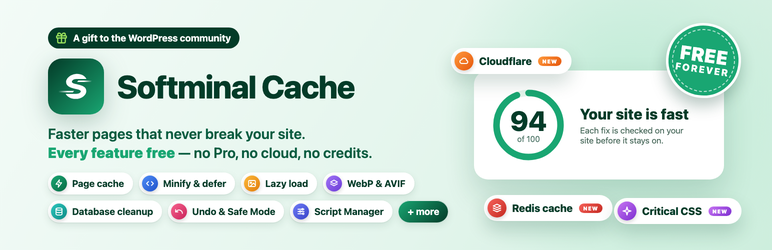
Softminal Cache makes your site fast and keeps it safe while doing so. 🛡️ Risky
changes are checked on your own site right after you save them, and every change
can be undone.
🎁 **100% free, forever.** There is no Pro version, no upsell, no ads and no account.
Every feature is in this plugin, and nothing leaves your server.
#### 🧩 More from Softminal
* **[ImageCraft](https://wordpress.org/plugins/imagecraft-ai-alt-text-file-renamer-image-seo/)**–
image optimizer: compression, WebP & AVIF, AI alt text and titles, SEO file names
and an image SEO audit. Works side by side with Softminal Cache.
* **[B2B Suite for WooCommerce](https://wordpress.org/plugins/softminal-b2b-wholesale-for-woocommerce/)**–
wholesale prices, customer-group pricing, trade registration, quantity rules
and a bulk order form.
#### ⚡ Page cache
* Pages are stored the first time they are built and served to the next visitors**
before WordPress loads**, through a standard `advanced-cache.php` drop-in. If
the drop-in cannot be installed, pages are still served from inside WordPress.
* **Clears itself** when you publish or update content, approve a comment, change
the theme, menus or widgets, or install updates. Purge everything or one page
from the plugin screen or the admin bar.
* **Separate copy for phones**, **serve the old copy while rebuilding** (stale-
while-revalidate), and optional caching of 404 pages, feeds and **logged-in users**(
private per-session copies, never for editors or administrators).
* Keep pages from 1 hour to 7 days; exclude URLs with wildcards or regular expressions;
add your own never-cache cookies; tracking parameters such as `utm_*`, `fbclid`
and `gclid` share one cached copy.
* **Cache rules:** keep some pages for a different time (from 15 minutes to 7 days,
by address pattern), never cache for chosen browsers or apps (user agent), clear
extra pages whenever a post is updated, and tick **Don’t cache this page** on
any single post or page.
* **Widget and fragment cache:** reuse the output of classic widgets, and of any
slow part of a page with the `softminal_cache_fragment()` helper, even on pages
that can’t be cached as a whole (logged-in users, carts). Emptied with the page
cache.
* **Multilingual sites** (WPML, Polylang): a homepage that redirects by browser
language is never cached, translations are cleared together, and preload covers
every language.
* **Preload** rebuilds pages in the background from your sitemap (or your homepage
links), at a speed set from your host’s limits.
* **Browser cache and compression** rules for Apache and LiteSpeed, and a snippet
to copy for Nginx.
* **Redis object cache:** one switch after a connection test (address or socket,
database, password stored encrypted, key prefix, TLS). Never replaces another
object cache, only clears this site’s keys, and pages keep working if Redis goes
down.
#### ✨ Optimize
* **JavaScript:** minify, load scripts after the page is visible (defer, WordPress
6.3+), wait for the visitor before running scripts (delay, cookie banners kept
working), remove jQuery Migrate, combine neighbouring files, with an exclusion
list.
* **Speed hints:** connect early to other sites (preconnect, DNS prefetch, suggested
from the speed audit), load chosen files first (preload), and open the next page
before the click (WordPress 6.8+ speculative loading, configured; a tiny hover-
prefetch script on older versions).
* **CSS:** minify stylesheets and inline styles, combine neighbouring files, with
an exclusion list. **Critical CSS** and **remove unused CSS**, generated in your
own browser from sample pages of your site (no cloud service): the first screen’s
styles go into the page, and each stylesheet can be replaced by just the rules
your pages use, with the full file loading on the visitor’s first scroll or tap.
* **Cloudflare and Varnish:** clear them whenever this cache is cleared (API token
stored encrypted).
* **CDN:** serve images, styles, scripts, fonts and media from one or more pull-
zone CDN addresses, with a Test button and an exclusion list.
* **HTML:** minify the page itself (spaces and comments), leaving code blocks,
text boxes, scripts and styles as they are.
* **Fonts:** host Google Fonts on your own site, show text while fonts load (`font-
display: swap`), preload the main fonts.
* **Images:** lazy-load images, videos and embeds (the first pictures always load
at once), add missing width and height, **WebP and AVIF copies** of new uploads
served through `` (when your server supports them; the screen shows
it), convert existing images in the background, a media audit for huge images
and missing alt text, a YouTube preview that loads the player only on click,
lazy background images, the main image loaded first (preload), and lazy render
for far-down sections.
* **Compress and resize** new and existing JPEG and PNG uploads on your own server(
GD or Imagick, no cloud), with the original kept so you can restore it, and a**
Resize** button for huge images in the media audit. **Gravatar pictures** can
be kept on your own site.
* **Script Manager:** turn any script or stylesheet off everywhere, only on certain
pages, or for logged-in users only. Files other files need are never removed.
* **Bloat:** remove the emoji script, embeds, Dashicons for visitors, XML-RPC,
head clutter, self-pingbacks and version numbers; slow down Heartbeat; limit
revisions; turn off RSS feeds, Google Fonts added through WordPress and block
styles on pages without blocks; close the WordPress REST API to logged-out visitors;
load WooCommerce’s cart fragments, styles and scripts only on shop pages; set
the editor’s autosave interval.
#### 🧹 Database
* Clean post revisions (keeping the newest ones; autosaves are always kept), auto-
drafts, trashed posts and comments, spam, expired transients, pingbacks, and
data left behind by deleted posts, comments, users and categories, with a confirmation
step and a scheduled clean-up (daily, weekly or monthly).
* Optimise tables and convert old MyISAM tables to InnoDB, each with a dry run
first.
* See where your database space goes, which options are loaded on every page, and
which scheduled tasks are stuck.
#### 📊 Dashboard, profiles and safety
* **Speed audit** with a score out of 100, measured on your own site in your browser:
page load, server response, page weight, requests and the largest image, each
with its change since the first audit, a **Fix** button on each finding and **
Fix all safe ones** in one click.
* **Quick actions** on the Dashboard: purge the cache, start a preload, test the
cache, and jump to the settings you use most.
* **Profiles:** Safe (the default), Balanced and Aggressive, with a table of what
each one turns on.
* **Self-check:** after a change that could break pages, the plugin loads your
homepage and a post, watches for errors, and switches the change back by itself
if the site got worse.
* **Undo** the latest change for 24 hours, a full settings history to restore any
earlier one, and **Safe Mode** to pause every optimisation while you check something(
the page cache keeps working).
* Detects other caching plugins and host caches (Kinsta, WP Engine, Flywheel, Pressable)
and stays out of their way; detects other optimisation plugins and leaves their
area to them.
#### 🧰 Tools
* Import settings from WP Rocket, and (beta) from LiteSpeed Cache, W3 Total Cache,
WP Fastest Cache, WP-Optimize, Autoptimize and Perfmatters. You see what came
over and can undo it.
* **Factory reset** (undoable), and a **Purge** menu in the admin bar for the roles
you choose (editors, shop managers…).
* Export and import settings as a JSON file; a debug log of what the cache did;
a config file (`wp-content/softminal-cache.json`) for sites managed from code;
WP-CLI commands (`wp softminal-cache purge|preload|status|db clean|settings export
|import`).
#### 🌍 Languages
The plugin screen is translated into Spanish, French, German, Italian, Portuguese(
Brazil), Japanese and Dutch. Help translate it into your language on [translate.wordpress.org](https://translate.wordpress.org/projects/wp-plugins/softminal-cache/).
#### 🔒 Never cached, automatically
So carts, logins and private pages always stay correct:
* Logged-in users (unless you turn on their private copies) and recent commenters.
* Cart, checkout, account and receipt pages of WooCommerce, FluentCart and Easy
Digital Downloads, and shoppers who have a cart.
* Search results, previews, password-protected and private pages, page-builder
editors.
* Form submissions and any request that isn’t a normal page view; pages that set
a cookie.
* Any page where another plugin asks for no caching with the standard `DONOTCACHEPAGE`
constant.
#### 🤝 Contribute
Softminal Cache is developed and maintained by [Softminal](https://softminal.com).
Contributions are welcome: report a bug, suggest a feature or send a pull request
on [GitHub](https://github.com/softminal/softminal-cache-public).
If another caching plugin is active, deactivate it first; two page caches fight
each other.
### Third-party services
Softminal Cache does not connect to any external service and collects no data. These
things make requests, all started by you:
* **Test cache, Preload, the speed audit and the self-check** request pages of
your own site (`home_url()`) to measure or rebuild them. Nothing is sent anywhere
else.
* **CDN** (Cache CDN, off by default): the **Test** button asks the CDN address
you entered for one WordPress core file (`wp-includes/js/jquery/jquery.min.js`)
and compares it with your copy. When the CDN is on, your visitors’ browsers load
your files from that CDN, under your CDN provider’s terms and privacy policy.
The plugin itself sends nothing else to it.
* **Cloudflare** (Cache Cloudflare and Varnish, off until you connect): with the
API token you enter, the plugin calls `api.cloudflare.com` to find your site’s
zone and to clear Cloudflare’s cache when this plugin clears its own (the addresses
of changed pages, or everything). Nothing else is sent. See Cloudflare’s [terms](https://www.cloudflare.com/website-terms/)
and [privacy policy](https://www.cloudflare.com/privacypolicy/).
* **Bunny** (Cache Cloudflare, Bunny and Varnish, off until you connect): with
the API key you enter, the plugin calls `api.bunny.net` to list your pull zones(
to find the one whose origin is this site) and to clear that pull zone when this
plugin clears everything. Nothing else is sent. When you use the pull zone as
your CDN, your visitors’ browsers load your files from Bunny. See bunny.net’s
[terms](https://bunny.net/tos/) and [privacy policy](https://bunny.net/privacy/).
* **Keep Gravatar pictures on your site** (Optimize Images, off by default): when
a page shows a commenter’s or author’s Gravatar that is not stored yet, your
server downloads that picture once from `secure.gravatar.com` (the address WordPress
already uses, built from the email hash) and serves it from your site from then
on, refreshing it after a week. Nothing else is sent. See Gravatar’s [terms](https://wordpress.com/tos/)
and [privacy policy](https://automattic.com/privacy/).
* **Google PageSpeed** (Dashboard, only when you click **Check with Google**):
the plugin sends the address of the page you picked (a page of your own site)
and the free Google API key you entered to `www.googleapis.com` (PageSpeed Insights
API). Google loads that page with Lighthouse and sends back the results, which
are stored on your site. Nothing else is sent, and nothing runs in the background.
See the [PageSpeed Insights API terms](https://developers.google.com/terms) and
Google’s [privacy policy](https://policies.google.com/privacy).
* **Host Google Fonts on your site** (Optimize Fonts, off by default): when you
turn it on, your server downloads the stylesheet and font files your theme already
loads from `fonts.googleapis.com` and `fonts.gstatic.com` once, in the background,
and serves them from your site from then on. See Google’s [Fonts terms](https://developers.google.com/fonts/terms)
and [privacy policy](https://policies.google.com/privacy). Your visitors stop
connecting to Google.
## Screenshots
[⌊Dashboard: speed score with the change since the first audit, quick actions, recommended
fixes with Fix and Fix all, the page cache card and profiles.⌉⌊Dashboard: speed
score with the change since the first audit, quick actions, recommended fixes with
Fix and Fix all, the page cache card and profiles.⌉[
Dashboard: speed score with the change since the first audit, quick actions, recommended
fixes with Fix and Fix all, the page cache card and profiles.
[⌊Cache tab: page cache options, exclusions, preload and server rules.⌉⌊Cache tab:
page cache options, exclusions, preload and server rules.⌉[
Cache tab: page cache options, exclusions, preload and server rules.
[⌊Optimize → JavaScript: minify, defer and jQuery Migrate, with the self-check result
on the right.⌉⌊Optimize → JavaScript: minify, defer and jQuery Migrate, with the
self-check result on the right.⌉[
Optimize JavaScript: minify, defer and jQuery Migrate, with the self-check result
on the right.
[⌊Optimize → Images: lazy loading, WebP/AVIF copies, converting existing images,
media audit.⌉⌊Optimize → Images: lazy loading, WebP/AVIF copies, converting existing
images, media audit.⌉[
Optimize Images: lazy loading, WebP/AVIF copies, converting existing images, media
audit.
[⌊Database: clean-up with counts, scheduled cleaning, table sizes, autoloaded options.⌉⌊
Database: clean-up with counts, scheduled cleaning, table sizes, autoloaded options
.⌉[
Database: clean-up with counts, scheduled cleaning, table sizes, autoloaded options.
[⌊Tools: settings history with Restore, debug log, config file and WP-CLI reference.⌉⌊
Tools: settings history with Restore, debug log, config file and WP-CLI reference
.⌉[
Tools: settings history with Restore, debug log, config file and WP-CLI reference.
## FAQ
### Does it work with WooCommerce and FluentCart?
Yes. Cart, checkout, account and receipt pages are never cached, and visitors who
have a cart always get a live page, so nobody ever sees someone else’s cart.
### Why does it change wp-config.php?
WordPress only loads a page cache early (before plugins and themes) when `WP_CACHE`
is on. Softminal Cache adds `define( 'WP_CACHE', true ); // Added by Softminal Cache`
near the top, and removes exactly that line when you deactivate it. If the file
can’t be written, nothing breaks: pages are still cached from inside WordPress,
and the plugin screen shows the line so you can add it yourself.
### Where are cached pages stored?
In `wp-content/cache/softminal-cache/` (each site has its own folder on a network).
To use another folder, add `define( 'SOFTMINAL_CACHE_CACHE_DIR', '/full/path/' );`
to `wp-config.php`. Minified files, font copies and WebP/AVIF images are kept in`
wp-content/cache/softminal-cache-assets/` and next to the original images.
### How do I check that a page came from the cache?
Open the page in a private window and look at the response headers: `X-Softminal-
Cache: HIT` means it came from the cache, `MISS` means it was built and stored,
and `BYPASS: reason` says why it wasn’t cached. The Dashboard’s **Test cache** does
this for you.
### Does it work on Nginx, Apache and LiteSpeed?
Yes. Pages are served by PHP, so no server rules are needed for caching. Browser-
cache and compression rules are written to `.htaccess` on Apache and LiteSpeed;
on Nginx the plugin gives you a snippet to add to your server block. On Nginx, also
add the snippet’s `deny` rules: Apache reads the cache folder’s `.htaccess`, Nginx
does not, and the rules keep the cache folder and the config file from being opened
directly.
### Does it work on multisite?
Yes. Each site keeps its own settings and cached pages, and pages are served from
inside WordPress. Table changes (optimise, InnoDB conversion) need a network administrator.
### Does it work with other image plugins?
Yes. If ImageCraft, ShortPixel, Performance Lab or Modern Image Formats already
makes WebP/AVIF copies, Softminal Cache leaves image formats to that plugin and
its Dashboard says “Handled by” that plugin. Compression steps aside the same way
for Smush, ShortPixel, Imagify, EWWW, TinyPNG, reSmush.it, Optimole and ImageCraft.
Lazy loading and image sizes still work.
### I use a host with its own page cache.
Managed hosts such as Kinsta, WP Engine, Flywheel and Pressable already cache pages;
Softminal Cache detects them, keeps its page cache off and still runs every other
optimisation.
### Will it break my site?
Every risky change is checked on your site right after you save it and switched
back by itself if your homepage or a post got worse. If something still looks wrong,
click **Undo**, turn on **Safe Mode**, or **Purge**.
### Does the plugin send anything anywhere?
No. There is no account, no telemetry and no external service. See “Third-party
services” below for the optional ones you turn on (Google Fonts download, your CDN,
Cloudflare, Bunny, Google PageSpeed).
### How do I remove it completely?
Deactivate it to remove the drop-in, the `WP_CACHE` line, the `.htaccess` rules
and all cached pages. Delete it to also remove its settings, its history table,
its cache folders and the WebP/AVIF copies it made (copies made by another image
plugin are left alone). To keep the settings when deleting, add `define( 'SOFTMINAL_CACHE_KEEP_DATA_ON_UNINSTALL',
true );` to `wp-config.php`. If you compressed images, the untouched originals of
images you still have stay in `wp-content/uploads/softminal-cache-originals/` so
they are never lost (originals of deleted images are removed); delete that folder
yourself when you no longer need them. Apache and LiteSpeed never serve that folder;
on Nginx, add `location ^~ /wp-content/uploads/softminal-cache-originals/ { deny
all; }`.
## Reviews
There are no reviews for this plugin.
## Contributors & Developers
“Softminal Cache” is open source software. The following people have contributed
to this plugin.
Contributors
* [ Softminal ](https://profiles.wordpress.org/softminal/)
[Translate “Softminal Cache” into your language.](https://translate.wordpress.org/projects/wp-plugins/softminal-cache)
### Interested in development?
[Browse the code](https://plugins.trac.wordpress.org/browser/softminal-cache/),
check out the [SVN repository](https://plugins.svn.wordpress.org/softminal-cache/),
or subscribe to the [development log](https://plugins.trac.wordpress.org/log/softminal-cache/)
by [RSS](https://plugins.trac.wordpress.org/log/softminal-cache/?limit=100&mode=stop_on_copy&format=rss).
## Changelog
#### 1.1.4 – 31 Oct, 2026
* New: Google PageSpeed scores on the Dashboard.
* New: Bunny CDN support.
* New: a check that your cache folder is closed to the web.
* Improved: one main button on the Dashboard.
* Improved: a warning before you leave unsaved changes.
* Improved: better browser cache and compression checks.
* Improved: simpler times and fewer warnings.
* Improved: updated translations.
#### 1.1.3 – 30 Oct, 2026
* New: keep some pages for a different time, from 15 minutes to 7 days.
* New: never cache for chosen browsers or apps.
* New: clear extra pages when a post is updated.
* New: a “Don’t cache this page” box in the post editor.
* New: widget cache, and a `softminal_cache_fragment()` helper for slow parts of
a page.
* New: compress and resize JPEG and PNG images on your own server. Originals are
kept.
* New: a Resize button for huge images in the media audit.
* New: keep Gravatar pictures on your own site.
* New: clean data left behind by deleted comments, users and categories.
* New: more bloat options, including RSS feeds, Google Fonts and WooCommerce cart
fragments.
* New: factory reset, with Undo.
* New: a Purge menu in the admin bar for the roles you choose.
* New: support for WPML and Polylang sites.
* New: translated into Spanish, French, German, Italian, Portuguese (Brazil), Japanese
and Dutch.
* Improved: a simpler Dashboard with quick actions and “Fix all safe ones”.
* Fixed: speed changes are green only when the site got faster.
#### 1.1.2 – 29 Oct, 2026
* New: Critical CSS, generated in your own browser from sample pages of your site(
no cloud service). The first screen’s styles go into the page and the full stylesheets
load without holding it back.
* New: Remove unused CSS, generated the same way. Each stylesheet is replaced by
just the rules your pages use; the full file loads on the visitor’s first scroll
or tap. Pages that no longer match keep their normal CSS until you generate again.
* New: Redis object cache with a connection test, encrypted password, key prefix,
database, socket and TLS. It never replaces another object cache, only clears
this site’s keys, and pages keep working if Redis goes down.
* New: Speed hints: connect early to other sites (preconnect and DNS prefetch,
suggested by the speed audit) and load chosen files first (preload).
* New: Open the next page before the click (speculative loading), using WordPress’s
own on 6.8+ and a tiny script on older versions.
* New: YouTube preview: the video’s picture and a play button; the player loads
only when someone clicks.
* New: Lazy background images: backgrounds set on a section load as it comes into
view.
* New: Main image loaded first (preload LCP image).
* New: Lazy render: far-down sections are drawn only when the visitor gets near
them.
* Improved: the Cache tab is split into sections (Page cache, Browser and server,
CDN and Cloudflare, Object cache).
* Improved: calmer focus style on text fields, and a plug icon on the Cloudflare
Connect button.
* Profiles: Balanced now adds critical CSS, the YouTube preview and the main image
preload; Aggressive adds all the new options. If you use one of these profiles,
choose it again after updating to get them.
#### 1.1.1 – 27 Oct, 2026
* Security (multisite only): only a network admin can change the CDN address, because
every script of the site loads from it. Site admins can still choose the file
types and exclusions.
* Security (multisite only): a Cloudflare token set in wp-config.php is shared
by the whole network, so only a network admin can connect, disconnect, switch
purging or clear the whole zone with it. A purge started by a site admin clears
only that site’s pages.
* Single sites are not affected.
#### 1.1.0 – 27 Oct, 2026
* New: CDN. Serve images, styles, scripts, fonts and media from up to five pull-
zone CDN addresses, with a Test button, file types and an exclusion list (Cache
tab).
* New: Cloudflare and Varnish. Clear them whenever this plugin clears its cache:
changed pages by address, or everything. The Cloudflare API token is stored encrypted,
or set in wp-config.php (Cache tab).
* New: delay JavaScript until the visitor scrolls, taps or presses a key. jQuery,
cookie banners and your exclusions keep running at once; logged-in users are
not affected (Optimize JavaScript Advanced).
* New: combine CSS and combine JS. Neighbouring files become one without changing
their order (Optimize CSS / JavaScript Advanced).
* New: minify HTML. Spaces and comments are removed; code blocks, text boxes, scripts
and styles are left as they are (Optimize CSS HTML).
* The Aggressive profile now includes delay JS and combine CSS/JS. A site that
used Aggressive shows “Custom” until it picks Aggressive again.
* Importers carry over these settings from WP Rocket, LiteSpeed Cache, W3 Total
Cache, WP Fastest Cache, WP-Optimize, Autoptimize and Perfmatters.
* Fix: relative image and font addresses inside a stylesheet linked as /wp-content/…
now keep working after minify.
* A small card on the plugin screen asks for a review a week after you start using
the plugin. “Maybe later” asks again in two weeks; “Write a review” or “I already
did” ends it.
* Help: the “More from Softminal” text now says each plugin has a free version
on WordPress.org.
#### 1.0.0 – 25 Oct, 2026
* Optimize: minify and defer JavaScript, remove jQuery Migrate, minify CSS, local
Google Fonts with swap and preload, lazy loading and missing image sizes, WebP/
AVIF copies of uploads with bulk conversion and a media audit, Script Manager,
Bloat removal.
* Cache: separate copy for phones, stale-while-revalidate, 404 and feed caching,
logged-in private copies, regular-expression exclusions, custom never-cache cookies
and ignored parameters, preload from the sitemap, browser-cache and compression
rules.
* Database: clean-up with confirmation and schedule, table optimise and InnoDB
conversion with dry runs, autoloaded options, stuck scheduled tasks.
* Dashboard: speed audit with score, history and Fix buttons; Safe, Balanced and
Aggressive profiles; self-check that undoes a change that broke the site; Undo
for 24 hours and a settings history with Restore; Safe Mode.
* Help: a ? button in the top bar opens the docs, blog, support and more free plugins
from Softminal.
* Tools: importers for seven other plugins (six of them in beta), settings history
with pages, settings export/import, debug log, config file, WP-CLI.
* Security: pages that set a cookie are never stored, full-length atomic writes,
per-site cache and file folders on a network, private logged-in copies tied to
WordPress’s secret keys, wp-config.php edits written owner-only.
#### 0.1.0 – 19 Oct, 2026
* First release: page cache served before WordPress loads, Test cache, automatic
clearing, Purge from the plugin screen and admin bar, cache lifetime and URL
exclusions, safe handling of carts, logins and private pages, light and dark
mode.
## Meta
* Version **1.1.4**
* Last updated **20 hours ago**
* Active installations **Fewer than 10**
* WordPress version ** 6.2 or higher **
* Tested up to **7.1.4**
* PHP version ** 7.4 or higher **
* Tags
* [cache](https://wordpress.org/plugins/tags/cache/)[optimization](https://wordpress.org/plugins/tags/optimization/)
[performance](https://wordpress.org/plugins/tags/performance/)[speed](https://wordpress.org/plugins/tags/speed/)
[webp](https://wordpress.org/plugins/tags/webp/)
* [Advanced View](https://wordpress.org/plugins/softminal-cache/advanced/)
## Ratings
No reviews have been submitted yet.
[Your review](https://wordpress.org/support/plugin/softminal-cache/reviews/#new-post)
[See all reviews](https://wordpress.org/support/plugin/softminal-cache/reviews/)
## Contributors
* [ Softminal ](https://profiles.wordpress.org/softminal/)
## Support
Got something to say? Need help?
[View support forum](https://wordpress.org/support/plugin/softminal-cache/)
## Donate
Would you like to support the advancement of this plugin?
[ Donate to this plugin ](https://buy.polar.sh/polar_cl_fFLQ2tAhmfgJh1rmIz9pKN8YhWk1LNAslvk6K2T8IdK)