Title: Orbitstem SEO
Author: Pratik Prajapati
Published: October 23, 2026
Last modified: October 28, 2026
---
Search plugins
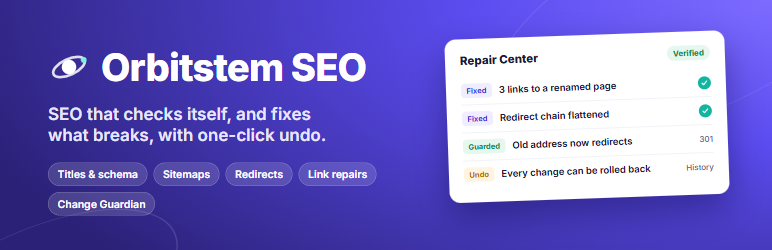

# Orbitstem SEO
By [Pratik Prajapati](https://profiles.wordpress.org/pratik2198/)
[Download](https://downloads.wordpress.org/plugin/orbitstem-seo.1.1.0.zip)
* [Details](https://wordpress.org/plugins/orbitstem-seo/#description)
* [Reviews](https://wordpress.org/plugins/orbitstem-seo/#reviews)
* [Installation](https://wordpress.org/plugins/orbitstem-seo/#installation)
* [Development](https://wordpress.org/plugins/orbitstem-seo/#developers)
[Support](https://wordpress.org/support/plugin/orbitstem-seo/)
## Description
Most SEO plugins help you write a title, give you a green light, and stop there.
Orbitstem SEO keeps watching your site after you hit Publish. It finds broken links,
redirect chains and pages that quietly dropped out of search. It warns you when
a theme or plugin update breaks your SEO. It fixes what can be fixed safely, and**
every change it makes can be undone**.
**Everything is free.** There is no Premium version, no add-ons, no account and
no upsell banners.
#### Three promises
1. **No Premium version, ever.** Every feature is in this free plugin.
2. **No account, no tracking.** No data leaves your site unless you switch on a feature
that needs it (and the readme says exactly what it sends).
3. **Every change can be undone.** Repairs, redirects, imports and risky edits are
recorded with a one-click undo.
#### Free here, often a paid upgrade elsewhere
Feature
Orbitstem SEO
Redirect manager with 404 log
Free
Automatic 301 redirect when you change a URL
Free
Facebook and X (Twitter) previews
Free
Up to 5 keyphrases with synonyms
Free
Internal link suggestions while you write
Free
FAQ, HowTo, Product, Recipe, Event, Course, JobPosting, Review and Video schema
Free
Local SEO: address, opening hours, LocalBusiness schema
Free
WooCommerce Product schema (price, stock, reviews)
Free
Image, video and news sitemaps
Free
Block AI crawlers in one click
Free
Broken link checker
Free
#### Automatic 301 redirects when you change a URL
Change the address (slug) of a published post or page, and the old address redirects
to the new one at once, so visitors, bookmarks and search engines never hit a “page
not found”. Pages below it (child pages) are redirected too, and older redirects
are pointed straight at the new address, so you never get a chain. The Repair Center
then offers to update the links in your other posts. Every address change is recorded
and can be undone.
#### Writing: a sidebar that helps, without a score race
* **Search preview** for Google, on desktop and mobile, with length guidance for
the title and description.
* **Facebook and X previews**, with a social title, description and image when
you want them different from what search engines show.
* **Up to five keyphrases with synonyms.** Plain advice such as “Mention the focus
keyphrase in the first paragraph”, plus a warning when a keyphrase is repeated
so often that it reads like stuffing. No colored score to chase.
* **Readability tips:** long sentences, long paragraphs, missing subheadings and(
in English) passive voice.
* **Links panel:** which posts link here, broken links in this post, and suggested
links to your other posts, each with the exact sentence and an “Add link” button.
* **Pre-publish check:** when you click Publish, real problems only, with one-click
fixes where possible. For example, the page is set to noindex, there’s no description,
another page already uses this title, an image has no alt text, or the post links
to nothing.
#### SEO Issues: a scan that shows the evidence
A background scan looks at your whole site and lists what needs attention, with
the exact posts, links and addresses involved and how to fix each one:
* broken internal links and images, and (optional) broken links to other sites;
* links that go through a redirect, redirect chains and loops;
* content that no other post links to;
* pages competing for the same search (same keyphrase or near-identical titles);
* sitemap entries that fail, redirect, are noindex or point elsewhere, and indexable
content missing from the sitemap;
* duplicate or conflicting SEO tags printed by the theme or another plugin.
Switch on “Explain like I’m new” to get one plain sentence per issue: what it is,
why it matters, what to do.
#### Repair Center: fixes you can preview and undo
* Update links that go through a redirect, so they point straight at the final
page.
* Flatten redirect chains into a single step.
* Update links to pages whose address changed.
* **Orphan rescue:** add links to pages nothing links to, from posts that already
mention them.
* Remove broken internal links while keeping their text (always asks first).
Each repair shows exactly what will change before you apply it, is checked afterwards,
and can be rolled back. If you want, the safe repairs run automatically after each
scan, with the same checks.
#### Watching your site for you
* **Update guard:** right after any theme, plugin or WordPress update, Orbitstem
SEO checks ten key pages and warns you at once if the update removed a title,
broke a canonical, added noindex or a second H1, or dropped your schema.
* **Change history (Repair > History):** every SEO change on the site, who made
it and when, grouped by day. That includes repairs, redirects, address and noindex
changes, imports, and theme, plugin and WordPress updates. If traffic drops on
a Tuesday, you can see what changed on Monday. Changes made by Orbitstem have
an Undo button.
* **Change Guardian:** before you change a page’s address, set it to noindex or
trash it, you see what depends on it. “Trash (check impact)” lets you choose
a redirect before a page is removed.
* **Regression Monitor:** weekly snapshots of what every page tells search engines,
compared over time, with unexplained changes flagged.
* **SEO health email**, weekly or monthly (optional): what was fixed, what changed,
what needs attention. It’s sent from your own site.
#### Schema (structured data)
One connected JSON-LD graph per page: WebSite, Organization or Person, WebPage,
Article and BreadcrumbList. Add a rich result to any post from the sidebar: FAQ,
HowTo, Product, Recipe, Event, Course, JobPosting, Review or Video.
The sidebar says in plain words what is still missing. An incomplete rich result
is left out of the page, so search engines never see half-filled data. It also links
to Google’s Rich Results Test.
* **YouTube videos** in your posts get video schema automatically.
* **WooCommerce products** get full Product schema: price or price range, stock,
SKU, brand, GTIN, ratings and the newest reviews. WooCommerce’s simpler markup
is replaced, so there is one Product, not two.
* **Local SEO:** business type, address, phone, opening hours and coordinates become
LocalBusiness schema on your homepage. The `[orbitstem_business]` shortcode shows
the same details to visitors.
#### Sitemaps
* XML sitemaps built on WordPress’s own, leaving out noindexed items, items with
a canonical elsewhere, and anything you switch off per post. Last-modified dates
are included.
* Image sitemap, video sitemap and (for news publishers) a Google News sitemap,
listed in robots.txt automatically.
* “Why isn’t this page in my sitemap?” is answered in plain words, from the command
line (`wp orbitstem-seo why 42`) as well.
#### Redirects and 404s
* 301, 302, 307 and 308 redirects and 410 Gone, exact or pattern-based, with hit
counts. Rules can never redirect the admin area, login page or REST API, so you
cannot lock yourself out.
* A 404 log of what visitors could not find (paths and hit counts only, never IP
addresses). It also groups missing addresses by folder, such as `/old-shop/â€
¦`, so you can fix a whole folder with one redirect.
* Import and export redirects as CSV. Import from Redirection, Yoast SEO Premium
and Rank Math with a preview, and undo the whole import in one click.
* Export as Apache (.htaccess) or nginx rules, so very large sites can answer redirects
before WordPress loads.
#### Crawlers, AI and staging
* **robots.txt editor:** extra rules are added to WordPress’s robots.txt, and every
change can be undone.
* **Block AI crawlers** one by one (GPTBot, ClaudeBot, Google-Extended, CCBot,
PerplexityBot and more), each with a plain note on what it does.
* **llms.txt** (optional): a short guide to your site that AI tools can read to
understand and quote it correctly.
* **Staging protection:** on a copy WordPress knows is not live (`WP_ENVIRONMENT_TYPE`
set to staging, development or local, or a localhost or .test address), every
page asks search engines not to index it, so a test copy never competes with
your live site. Apart from addresses that cannot be reached from the internet(
localhost, .test, .local and similar), it does not guess from the web address:
names like staging.example.com only get a suggestion to set `WP_ENVIRONMENT_TYPE`.
A clear warning shows on every admin screen while it is active. While another
SEO plugin is active, Orbitstem is in safe mode and staging protection is paused;
its pages say so. On a live site, you’re warned if “Discourage search engines”
was left on after going live.
* **Empty archives:** optionally noindex category and tag pages that have no posts.
#### Instant indexing with IndexNow (optional)
When you publish, update, move or remove content, Orbitstem SEO can notify search
engines that support IndexNow (for example Microsoft Bing), so they recrawl the
page sooner. A log in Settings shows every submission and the answer. It’s off until
you switch it on. Google does not use IndexNow; it finds your changes through your
sitemap.
#### Bulk editing and spreadsheets
* Edit SEO titles, descriptions and noindex for many items in one table.
* Export to CSV, edit in Excel, Google Sheets or LibreOffice, and import again.
You can also change **page addresses (slugs)** in bulk: each changed address
gets its 301 redirect automatically. You see a preview of every change before
anything is saved, and the import can be undone in one click.
#### Switching from another SEO plugin
* Import titles, descriptions, canonical URLs, robots settings and focus keyphrases
from **Yoast SEO, Rank Math, All in One SEO, SEOPress and The SEO Framework**,
plus Yoast SEO’s title templates.
* **Compare before you switch:** see what your pages print now next to what Orbitstem
SEO will print, for sample pages, before anything changes.
* Only empty fields are filled, the other plugin’s data is never changed, and the
import can be rolled back.
* While another SEO plugin is active, Orbitstem SEO prints no head tags (safe mode)
and tells you why, so you never get duplicate titles.
#### Setup in three minutes
A short wizard asks what kind of site this is (blog, shop, local business, company
or personal) and who is behind it. It brings over data from your old SEO plugin
and runs the first scan. You end on a dashboard that shows the few things worth
fixing first, not forty.
#### For developers
* WP-CLI: `wp orbitstem-seo scan`, `issues`, `redirects list|export|import`, `snapshot`,`
why `, `indexnow `.
* Filters such as `orbitstem_seo_head_tags`, `orbitstem_seo_schema`, `orbitstem_seo_staging_guard`
and `orbitstem_seo_indexnow_send`.
#### Also from the developer
[Media Rename — OrbitStem](https://wordpress.org/plugins/orbitstem-media-rename/)
renames images and other media files safely: every link is updated, old addresses
redirect, and every rename can be undone. Free, like this plugin. The two plugins
work independently.
### External services
Orbitstem SEO works on your own server. It contacts other services only for the
optional features below, which are off until you switch them on.
**IndexNow** (Settings > Automation > Instant indexing). When you publish, update,
move or remove a post, the plugin sends the following to `https://api.indexnow.org/
indexnow`:
* the changed addresses of your site; * your site’s host name; * a verification
key it created.
IndexNow shares them with the participating search engines. Nothing about visitors
or users is sent. Submissions are logged in Settings. [IndexNow terms](https://www.indexnow.org/terms).
**Check external links** (Settings > Checks & history). During scans, the plugin
sends one request to each website your content links to, at most once a week per
address, to see whether the link still works. Nothing beyond the request itself
is sent.
**Links only, nothing loaded.** The editor’s “Test in Google’s Rich Results Test”
link and the “Get directions” link of the `[orbitstem_business]` shortcode are plain
links. Nothing is sent unless someone clicks them. Video schema and the video sitemap
point at YouTube’s thumbnail and player addresses for videos in your content, without
fetching anything from YouTube.
## Screenshots
[⌊The dashboard shows what needs attention first, with one click to each fix.⌉⌊The
dashboard shows what needs attention first, with one click to each fix.⌉[
The dashboard shows what needs attention first, with one click to each fix.
[⌊SEO Issues lists every problem with its evidence (post, address, link text, result)
and how to fix it.⌉⌊SEO Issues lists every problem with its evidence (post, address,
link text, result) and how to fix it.⌉[
SEO Issues lists every problem with its evidence (post, address, link text, result)
and how to fix it.
[⌊The Repair Center previews every change before it is applied: here, links to a
page whose address changed.⌉⌊The Repair Center previews every change before it is
applied: here, links to a page whose address changed.⌉[
The Repair Center previews every change before it is applied: here, links to a page
whose address changed.
[⌊History: every repair and change is verified and can be rolled back.⌉⌊History:
every repair and change is verified and can be rolled back.⌉[
History: every repair and change is verified and can be rolled back.
[⌊The editor sidebar has a live search-result preview, length guidance and the page's
link impact.⌉⌊The editor sidebar has a live search-result preview, length guidance
and the page's link impact.⌉[
The editor sidebar has a live search-result preview, length guidance and the page’s
link impact.
[⌊The Change Guardian records risky changes, such as a new page address or noindex,
and lets you undo them.⌉⌊The Change Guardian records risky changes, such as a new
page address or noindex, and lets you undo them.⌉[
The Change Guardian records risky changes, such as a new page address or noindex,
and lets you undo them.
[⌊The Regression Monitor compares snapshots and flags changes no recorded edit explains.⌉⌊
The Regression Monitor compares snapshots and flags changes no recorded edit explains
.⌉[
The Regression Monitor compares snapshots and flags changes no recorded edit explains.
[⌊Redirects: 301, 302, 307, 308 and 410, exact or pattern-based, with hit counts.⌉⌊
Redirects: 301, 302, 307, 308 and 410, exact or pattern-based, with hit counts.⌉[
Redirects: 301, 302, 307, 308 and 410, exact or pattern-based, with hit counts.
[⌊The 404 log shows what visitors could not find, with one click to create a redirect(
no IP addresses stored).⌉⌊The 404 log shows what visitors could not find, with one
click to create a redirect (no IP addresses stored).⌉[
The 404 log shows what visitors could not find, with one click to create a redirect(
no IP addresses stored).
[⌊The Bulk Editor edits titles, descriptions and noindex in one table, with CSV
export and import.⌉⌊The Bulk Editor edits titles, descriptions and noindex in one
table, with CSV export and import.⌉[
The Bulk Editor edits titles, descriptions and noindex in one table, with CSV export
and import.
[⌊Optional automatic repairs after each scan, with the same checks and rollback
as manual repairs.⌉⌊Optional automatic repairs after each scan, with the same checks
and rollback as manual repairs.⌉[
Optional automatic repairs after each scan, with the same checks and rollback as
manual repairs.
## Installation
1. In your WordPress admin, go to Plugins > Add New, search for “Orbitstem SEO”, then
install and activate it.
2. Click “Start setup” on the Orbitstem SEO dashboard. The wizard takes about three
minutes.
3. Edit any post or page: the “Orbitstem SEO” panel in the block editor sidebar has
the previews, checklist, links and schema.
Coming from another SEO plugin? The setup wizard and Orbitstem SEO > Import bring
your data over before you deactivate it.
## FAQ
### Is Orbitstem SEO really free?
Yes. Every feature described here is in this plugin. There is no Premium version,
no add-ons, no account and no license key.
### Does it create a redirect when I change a page’s URL?
Yes, automatically. The old address redirects to the new one (301) as soon as you
save, child pages are redirected too, and older redirects are pointed straight at
the new address. You can undo the change from the Guardian screen, and update links
in your other posts from the Repair Center.
### Can I switch from Yoast SEO, Rank Math or another SEO plugin?
Yes. Use the setup wizard or Orbitstem SEO > Import, and first use “Compare pages”
to see what will change. Titles, descriptions, canonical URLs, noindex settings
and focus keyphrases are copied. Redirects from Redirection, Yoast SEO Premium and
Rank Math can be imported under Redirects > Import & export. The other plugin’s
data is left untouched. Deactivate it when you’re happy with the result.
### Is there an SEO score?
No, on purpose. Scores push people to repeat keywords until a light turns green.
Orbitstem SEO gives plain suggestions instead, and warns you when a keyphrase is
repeated too often.
### Does it fix problems automatically?
Only if you switch it on, and only for safe repairs: links that go through a permanent
redirect, and redirect chains. Each change is checked right away and undone if the
check fails, and every change can be rolled back. Removing broken links and adding
new links always need your confirmation.
### Can I undo a change Orbitstem SEO made?
Yes. Every repair, redirect change, import, address change and robots.txt change
is recorded in Repair > History, or on the Guardian screen, with a Roll back or
Undo button. A rollback is refused only when the item was edited again since, so
newer work is never overwritten.
### What does the update guard do?
After a theme, plugin or WordPress update, it checks ten key pages and compares
them with the day before. If the update removed a title, changed a canonical, added
noindex or a second H1, or dropped your structured data, you see a warning on your
dashboard right away. If Monitor alerts are on, you also get an email.
### Does it work with WooCommerce?
Yes. Products get full Product schema automatically, and WooCommerce’s own simpler
markup is turned off, so search engines see one Product. Products and product categories
get their own templates, sitemap entries and per-item fields.
### Does it support local businesses?
Yes. Under Settings > Local SEO, enter your business type, address, phone, opening
hours and coordinates. They become LocalBusiness schema on your homepage, and the`[
orbitstem_business]` shortcode shows them to visitors.
### Should I block AI crawlers?
That’s your choice. Settings > Crawlers lists the main AI crawlers with a plain
note on each. Some only collect pages to train AI models; others power AI search
answers that can send you visitors. Blocking is a request in robots.txt; well-behaved
crawlers follow it.
### Does IndexNow work with Google?
No. Google does not use IndexNow. Microsoft Bing and other participating search
engines do. Google finds your changes through your sitemap, which Orbitstem SEO
keeps up to date.
### My site is a staging copy. Will it appear in Google?
Not with staging protection on (the default), as long as WordPress knows it is a
copy: add `define( 'WP_ENVIRONMENT_TYPE', 'staging' );` to the copy’s wp-config.
php (many hosts do this for you). Then every page asks search engines not to index
it, and every admin screen says so. Apart from localhost, .test, .local and other
addresses that cannot be reached from the internet, the web address is not used
to decide, so a live site is never hidden by mistake. On your live site this does
nothing, and the dashboard warns you if “Discourage search engines” is still on
after going live.
### Does the scan slow down my site?
No. It runs in the background in small steps (each a few seconds at most), using
WordPress’s scheduled tasks. On a test site with 10,000 posts and 50,000 links,
a first full scan took about two and a half minutes of background work and under
60 MB of memory.
### Do redirects slow down page loads?
A site with no redirects pays nothing. With redirects, each request costs one indexed
database lookup. With 10,000 redirects and 200 pattern rules, that measured about
0.3 ms per request. Very large sites can export the rules for Apache or nginx.
### Does it work with my theme?
Yes. Block themes (such as Twenty Twenty-Five) and classic themes that support the
title-tag feature show one correct title. The dashboard warns you if a classic theme
does not support it.
### Does it work on multisite?
Yes. Each site in the network has its own settings, redirects, scan results and
history.
### How do I edit SEO titles or URLs in a spreadsheet?
Open Orbitstem SEO > Bulk Editor, expand “Export or import a spreadsheet (CSV)”
and download the file. Change the columns you want, keep the id column, and upload
it. You see exactly what will change before you confirm. A changed slug on a published
page gets its 301 redirect automatically, and the whole import can be undone in
one click.
### Does deactivating the plugin delete my SEO data?
No. Deactivating keeps everything. Deleting the plugin removes your settings and
per-item SEO fields only if you first tick “Delete all Orbitstem SEO settings and
per-item SEO fields” under Settings > Advanced.
### Is it translation ready?
Yes. All text uses the orbitstem-seo text domain and can be translated on translate.
wordpress.org.
## Reviews
There are no reviews for this plugin.
## Contributors & Developers
“Orbitstem SEO” is open source software. The following people have contributed to
this plugin.
Contributors
* [ Pratik Prajapati ](https://profiles.wordpress.org/pratik2198/)
[Translate “Orbitstem SEO” into your language.](https://translate.wordpress.org/projects/wp-plugins/orbitstem-seo)
### Interested in development?
[Browse the code](https://plugins.trac.wordpress.org/browser/orbitstem-seo/), check
out the [SVN repository](https://plugins.svn.wordpress.org/orbitstem-seo/), or subscribe
to the [development log](https://plugins.trac.wordpress.org/log/orbitstem-seo/)
by [RSS](https://plugins.trac.wordpress.org/log/orbitstem-seo/?limit=100&mode=stop_on_copy&format=rss).
## Changelog
#### 1.1.0
* **New: setup wizard.** Your site type, name and logo, moving over from another
SEO plugin, and the first scan.
* **New in the editor:**
- Facebook and X previews, with a social title, description and image (shared
by Facebook, X and LinkedIn) that can differ from the SEO title and description.
- Desktop and mobile Google previews.
- Up to five keyphrases with synonyms, and readability tips.
- A links panel with suggested internal links and an “Add link” button.
- A pre-publish check with one-click fixes.
* **New: rich results.** FAQ, HowTo, Product, Recipe, Event, Course, JobPosting,
Review and Video schema, with plain-language checks.
* **New: automatic schema.** Video schema for YouTube videos, full WooCommerce
Product schema, and Local SEO with LocalBusiness schema and the `[orbitstem_business]`
shortcode.
* **New: sitemaps.** Image, video and Google News sitemaps, a per-post “leave out
of the sitemap” switch, and “why is this page not in my sitemap?” explanations.
* **New: crawlers.** A robots.txt editor with undo, AI crawler blocking, llms.txt,
staging protection (only on sites WordPress knows are not live: WP_ENVIRONMENT_TYPE
set to staging, development or local, or a localhost or .test address), and noindex
for empty archives.
* **New: IndexNow (optional).** Notifies Bing and other participating search engines
when content changes, with a log of every submission.
* **New: update guard.** Checks key pages right after theme, plugin and WordPress
updates.
* **New: change history by day (Repair > History)**, including site updates, and
an optional SEO health email.
* **New: links.**
- Orphan rescue adds links to pages nothing links to.
- A finder for pages competing for the same search.
- “Explain like I’m new” mode in SEO Issues.
* **New: redirects.**
- CSV import and export.
- Import from Redirection, Yoast SEO Premium and Rank Math.
- 404s grouped by folder, fixed with one redirect.
- Apache and nginx export of simple one-address redirects (pattern rules stay
in WordPress, where admin and login are protected).
* **New: importing.** “Compare before you switch” when moving from another SEO
plugin. Focus keyphrases are imported from Yoast SEO, Rank Math and SEOPress.
* **New: CSV.** Slugs (page addresses) in the CSV, with automatic redirects.
* **New: WP-CLI.** The `wp orbitstem-seo` commands.
* **Fixed: the Bulk Editor, classic editor, term and settings forms** could change
text containing “&” or “<” when saved without edits.
* **Fixed: SEO fields lost backslashes** when saved.
* **Fixed: the Repair Center lost a link to a renamed page** after a scan or after
saving the linking post.
* **Fixed: redirect chains** were left behind for child pages after a parent page
was renamed twice.
* **Fixed: redirect sources with “/./”, “/../” or “//”** did not match.
* **Fixed: the Import preview’s “Now” column** showed the default instead of the
saved setting.
#### 1.0.0
* First public release.
## Meta
* Version **1.1.0**
* Last updated **9 hours ago**
* Active installations **Fewer than 10**
* WordPress version ** 6.5 or higher **
* Tested up to **7.1.4**
* PHP version ** 7.4 or higher **
* Tags
* [local seo](https://wordpress.org/plugins/tags/local-seo/)[redirects](https://wordpress.org/plugins/tags/redirects/)
[schema](https://wordpress.org/plugins/tags/schema/)[seo](https://wordpress.org/plugins/tags/seo/)
[xml sitemap](https://wordpress.org/plugins/tags/xml-sitemap/)
* [Advanced View](https://wordpress.org/plugins/orbitstem-seo/advanced/)
## Ratings
No reviews have been submitted yet.
[Your review](https://wordpress.org/support/plugin/orbitstem-seo/reviews/#new-post)
[See all reviews](https://wordpress.org/support/plugin/orbitstem-seo/reviews/)
## Contributors
* [ Pratik Prajapati ](https://profiles.wordpress.org/pratik2198/)
## Support
Got something to say? Need help?
[View support forum](https://wordpress.org/support/plugin/orbitstem-seo/)