Title: NMR HTML Blocks
Author: mirceatm
Published: October 23, 2026
Last modified: October 23, 2026
---
Search plugins

# NMR HTML Blocks
By [mirceatm](https://profiles.wordpress.org/mirceatm/)
[Download](https://downloads.wordpress.org/plugin/nmr-html-blocks.1.0.0.zip)
* [Details](https://wordpress.org/plugins/nmr-html-blocks/#description)
* [Reviews](https://wordpress.org/plugins/nmr-html-blocks/#reviews)
* [Installation](https://wordpress.org/plugins/nmr-html-blocks/#installation)
* [Development](https://wordpress.org/plugins/nmr-html-blocks/#developers)
[Support](https://wordpress.org/support/plugin/nmr-html-blocks/)
## Description
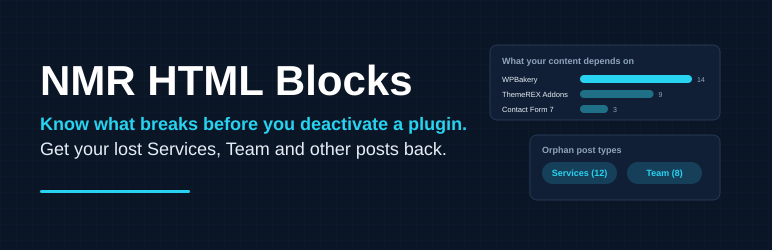
**Get your lost data back.** Did you switch themes and lose your Services, Team
or Testimonials? That content is still in your database. NMR HTML Blocks finds it
and shows it again in the admin, so you can review, edit, export or delete it.
**Plugin impact:** scans your live pages and posts for shortcodes and dynamic blocks,
finds which plugin or theme provides each one, and shows which posts would break
if you removed it. Shortcodes that nothing registers right now are listed separately,
with the installed (even inactive) plugin that defines them. Detection only, nothing
is changed.
**Orphan post types:**
When a theme or plugin that registered a custom post type
is removed, its posts stay in the database but disappear from the admin. NMR HTML
Blocks detects those post types and registers them for the admin only, so the posts
can be reviewed, edited, exported or deleted.
* Detects every post type in the database that nothing registers any more.
* Lists them all under one main menu entry, “NMR HTML Blocks”, each with the standard
list and edit screens.
* Admin only: no public URLs, no archives, not in search, not in REST.
* Classic editor, so old page builder shortcodes are not wrapped in blocks on save.
* Administrators only (`manage_options`).
* Overview page (first item of the menu) with post counts per status.
* Shortcode inventory per post type: which shortcodes (for example `[vc_row]`, `[
trx_team]`) the posts contain, how often, and in how many posts. Detection only,
nothing is changed.
* Placeholder text detection: shows how many posts of each type contain “lorem
ipsum” style text and warns when a type looks like leftover theme demo content(
a guess from the text only; nothing is deleted).
* Export one post type as CSV (one row per post) or JSON (with content and custom
fields).
* Filter `nmrhtbl_exclude` to hide post types from detection.
It is meant as a temporary tool: use it, then deactivate it. It never changes data
by itself.
### Upgrade
The free plugin is fully functional on its own: it only reads your content and never
changes it. An optional paid add-on, NMR HTML Blocks Pro, converts the pages to
plain WordPress blocks, retires leftover pages and previews pages without a plugin.
This plugin shows a short description of it on its own screen and links to https://
namir.ro/downloads/nmr-html-blocks-pro/. It does not contact any server.
## Screenshots
[⌊Plugin impact: which plugins your live content depends on and what breaks if you
remove them.⌉⌊Plugin impact: which plugins your live content depends on and what
breaks if you remove them.⌉[
Plugin impact: which plugins your live content depends on and what breaks if you
remove them.
[⌊Orphan post types: posts of removed post types are listed again, with export and
a demo-content warning.⌉⌊Orphan post types: posts of removed post types are listed
again, with export and a demo-content warning.⌉[
Orphan post types: posts of removed post types are listed again, with export and
a demo-content warning.
[⌊The Plugins screen warns you before you deactivate a plugin that live content
uses.⌉⌊The Plugins screen warns you before you deactivate a plugin that live content
uses.⌉[
The Plugins screen warns you before you deactivate a plugin that live content uses.
## Installation
1. Upload the `nmr-html-blocks` folder to `/wp-content/plugins/`.
2. Activate it. Open NMR HTML Blocks in the admin menu.
## FAQ
### Why is a post type not listed?
Names longer than 20 characters cannot be registered by WordPress. They are shown
in the overview but have no menu.
### Will the fields of the old theme show up?
Only as raw custom fields (enable “Custom Fields” in Screen Options). Nothing renders
them in a layout.
## Reviews
There are no reviews for this plugin.
## Contributors & Developers
“NMR HTML Blocks” is open source software. The following people have contributed
to this plugin.
Contributors
* [ mirceatm ](https://profiles.wordpress.org/mirceatm/)
[Translate “NMR HTML Blocks” into your language.](https://translate.wordpress.org/projects/wp-plugins/nmr-html-blocks)
### Interested in development?
[Browse the code](https://plugins.trac.wordpress.org/browser/nmr-html-blocks/),
check out the [SVN repository](https://plugins.svn.wordpress.org/nmr-html-blocks/),
or subscribe to the [development log](https://plugins.trac.wordpress.org/log/nmr-html-blocks/)
by [RSS](https://plugins.trac.wordpress.org/log/nmr-html-blocks/?limit=100&mode=stop_on_copy&format=rss).
## Changelog
#### 1.0.0
* First release: admin access to orphan post types, shortcode inventory, CSV/JSON
export.
## Meta
* Version **1.0.0**
* Last updated **6 days ago**
* Active installations **Fewer than 10**
* WordPress version ** 5.9 or higher **
* Tested up to **7.1.4**
* PHP version ** 8.0 or higher **
* Tags
* [cleanup](https://wordpress.org/plugins/tags/cleanup/)[custom post types](https://wordpress.org/plugins/tags/custom-post-types/)
[migration](https://wordpress.org/plugins/tags/migration/)[shortcodes](https://wordpress.org/plugins/tags/shortcodes/)
* [Advanced View](https://wordpress.org/plugins/nmr-html-blocks/advanced/)
## Ratings
No reviews have been submitted yet.
[Your review](https://wordpress.org/support/plugin/nmr-html-blocks/reviews/#new-post)
[See all reviews](https://wordpress.org/support/plugin/nmr-html-blocks/reviews/)
## Contributors
* [ mirceatm ](https://profiles.wordpress.org/mirceatm/)
## Support
Got something to say? Need help?
[View support forum](https://wordpress.org/support/plugin/nmr-html-blocks/)