Title: MaxButtons – Create buttons
Author: maxfoundry
Published: August 16, 2011
Last modified: September 15, 2025
---
Search plugins
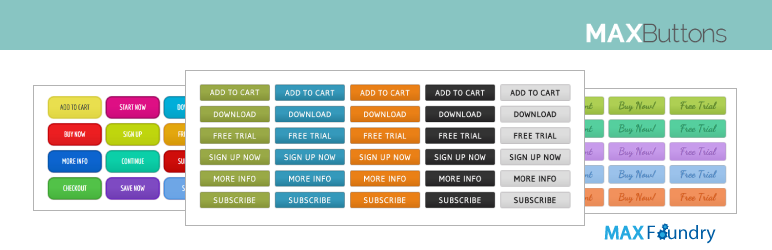

# MaxButtons – Create buttons
By [maxfoundry](https://profiles.wordpress.org/maxfoundry/)
[Download](https://downloads.wordpress.org/plugin/maxbuttons.9.8.5.zip)
* [Details](https://wordpress.org/plugins/maxbuttons/#description)
* [Reviews](https://wordpress.org/plugins/maxbuttons/#reviews)
* [Installation](https://wordpress.org/plugins/maxbuttons/#installation)
* [Development](https://wordpress.org/plugins/maxbuttons/#developers)
[Support](https://wordpress.org/support/plugin/maxbuttons/)
## Description
[MaxButtons](https://maxbuttons.com/?utm_source=repowp1&utm_medium=mbrepo&utm_content=mbr_maxbuttons&utm_campaign=mbr_maxbuttons)
is a powerful WordPress button, share button and social icon plugin. Create great
looking CSS3 WordPress buttons in a minute. Easy to understand. Our button editor
with live preview makes it a snap to generate awesome responsive buttons in very
little time. The social share buttons and social icon features allow you to add
social options to your website in minutes.
MaxButtons [WordPress button plugin](https://www.maxbuttons.com/#CSS3/?utm_source=repowbp&utm_medium=mbrepo&utm_content=wordpress_button_plugin&utm_campaign=repowbp)
has been going strong for over 15 years and was the first button plugin for WordPress.
MaxButtons has earned over 1000 5-star reviews and over 3.5 million downloads. Here
are couple of our favorites:
> “The best plugin of its kind”
> “This plugin makes creating buttons sooooo easy.”
> Why aren’t all plugins like this?!?
> MaxButtons easily solved my problem with
> lots of options when creating the button and a live view of what it was going
> to look like. It would have done the job for me there and then but being able
> to adjust the text AND link with shortcodes on my page made modifications a breeze.–
> by discgosforth
> “Easy, clear, and robust. I’m a programmer and can write CSS till the cows come
> home, but why? Just get it, install it and use it. Then, when you’re impressed,
> buy the pro version”
Max Foundry also makes the WordPress Gallery plugin [MaxGalleria](https://maxgalleria.com)
and [WordPress Media Folders](https://maxgalleria.com/downloads/media-library-plus-pro/)
plugin for real WordPress Media Library folders.
#### Requirements
* WordPress installed
* PHP 7
#### WordPress Buttons
* [Create WordPress Buttons](https://maxbuttons.com/create-wordpress-button/?utm_source=repocreate&utm_medium=mbrepo&utm_content=how-to-create&utm_campaign=repocreate)
* Getting [Social Icons](https://maxbuttons.com/wordpress-share-buttons/?utm_source=repoicons1&utm_medium=mbrepo&utm_content=social_sharing&utm_campaign=repoicons1)
on your WordPress site.
* [Share Buttons](https://wordpress.org/plugins/share-button/) on your WordPress
site.
* [WordPress button](https://maxbuttons.com/product-category/button-packs/?utm_source=repolibs&utm_medium=mbrepo&utm_content=button_pack&utm_campaign=repolibs)
library and button sets can make my designers and developers more productive.
#### MaxButtons
* No coding, the plugin takes care of everything
* Button shortcodes for ease of use, unlimited text and link combinations possible
* Create unlimited number of buttons
* Live preview window instantly updates as you customize your buttons
* Color picker for unlimited color combinations
* Works with all modern browsers, degrades gracefully for others
* Fully CSS3 compliant with text shadowing, box shadowing, gradients, etc.
* Copy an existing button to use as starting point for others
* See your buttons on different color backgrounds
* Predefined defaults make getting started super easy
* Works with your page builder: Beaver Builder, SiteOrigin, Elementor etc
* Great Gutenberg support, works out of the box.
* Integrates with Popup Builders to open Modals
* Best responsive options. Customize for each mobile device and screen size
#### Share Buttons
MaxButtons has a [share buttons addon](https://maxbuttons.com/?utm_source=repobestss&utm_medium=mbrepo&utm_content=best_social_share&utm_campaign=repobestss)
that includes 7 beautifully designed share button sets for the following social
networks:
* Facebook
* Twitter
* Pinterest
* Linkedin
* Google+
* Pinterest
* StumbleUpon
* Reddit
* Whatsapp
* Buffer
Plus email and print icons.
#### Social Icons
In addition to promoting your content through MaxButtons share buttons you can also
use share buttons to promote your social network profiles. Simply select a social
icon or make a button, include the link to your profile and post the button shortcode
on your page. Social icons are easy with MaxButtons!
#### MaxButtons Pro
Take your buttons to the next level with [MaxButtons Pro](https://www.maxbuttons.com/pricing/?utm_source=repombp&utm_medium=mbrepo&utm_content=MBPro&utm_campaign=repombp)!
Our premium WordPress plugin for buttons, share buttons and social icons brings
you the [best WordPress button plugin](https://maxbuttons.com/?utm_source=mprepo&utm_medium=mbrepo&utm_content=best_css3_button&utm_campaign=repobestcss3)
through continuous feature updating. Upgrading to the Pro version allows you to
add icons and images to your custom WordPress buttons. The Pro features allow you
to do so much more!
* **Icons and Images** – Add icons and images to your buttons and customize placement
and size.
* **Multi-line text** – Add a second line of text and stylize with font, size and
placement.
* **Google Fonts** – We have included the entire set to help your buttons stand
out with beautiful typography.
* **Button Packs** – Ready to use, value priced button sets that make any site
good great.
* **Google Analytics** [Event Tracking for WordPress Buttons](https://maxbuttons.com/google-analytics-event-tracking/).
The best way to see you users’ interactions with buttons in Google Analytics.
No coding needed.
* **Import/Export** – Useful for backing up and/or moving your buttons. Also, use
any of the great free icons listed on our site.
* **Dynamic Buttons** – Use variables from WordPress or theme in your link and
text
* **Custom CSS** – Built-in per button custom CSS
* **Button Search** – for easier management of large button sets.
* **Font Awesome 5** – Largest icon collection, fastest served
* **WPBakery Page Builder** – Integrated with WPBakery Page Builder
* **Contact Form 7** Integration
* **Beaver Builder** Integration
* **Easy Digital Downloads** Purchase and Checkout Button Integration
#### WordPress Button Sets
In addition to the Basic Buttons and free button packs included with MaxButtons
Pro you can also purchase additional professionally designed, production ready button
packs from the largest [WordPress button](http://maxbuttons.com/product-category/button-packs/?utm_source=reposets1&utm_medium=mbrepo&utm_content=buttonsets1&utm_campaign=reposets1)
library in existence. The library features more than 6,000 buttons. It is the largest
WordPress button library in the known universe.
[WordPress button sets](https://maxbuttons.com/product-category/button-packs/?utm_source=reposets&utm_medium=mbrepo&utm_content=button_pack&utm_campaign=reposets)
make designers and developers much more productive.
#### Free Icons
You can use free icons when you create your buttons with MaxButtons Pro so we’ve
built one of the largest libraries to inspire you and make your buttons really stand
out.
#### Button Shortcode
1. Click the MaxButtons page from the admin menu.
2. Click the Add New button.
3. Create and customize your button using the button editor.
4. Fill out and select the options needed to build your button.
5. Once you’re ready, click Save.
6. A [button shortcode](http://maxbuttons.com/button-shortcode/?utm_source=reposhort&utm_medium=mbrepo&utm_content=reposhort&utm_campaign=reposhort)
will be generated (ex: [maxbutton id=”17″] or [maxbutton name=”My Button Name”]).
7. Use the shortcode anywhere in your content and the button will appear.
You can also pass the button text and URL as parameters in the [button shortcode](http://maxbuttons.com/button-shortcode/?utm_source=reposhort2&utm_medium=mbrepo&utm_content=reposhort2&utm_campaign=reposhort2),
giving you even greater flexibility. For example, if you want to create a set of
buttons that look exactly the same, except for the text and URL, you could do something
like this:
[maxbutton id=”17″ text=”Search Google” url=”http://google.com”]
[maxbutton name=”MaxButtons Button Name” text=”Search Yahoo” url=”http://yahoo.com”]
Another parameter you can give the shortcode is window, which tells the button whether
or not to open the URL in a new window (by default the button opens the URL in the
current window). To do so you always give the window parameter the value “new”,
shown below. Anything else will open the button URL in the current window.
[maxbutton id=”17″ window=”new”]
You can also use the nofollow parameter, which will add a rel=”nofollow” attribute
to the button when set to true, as shown below (the default is false):
[maxbutton id=”17″ nofollow=”true”]
NOTE: Passing parameters to the shortcode overrides those settings saved as part
of the button.
#### Support
We work hard to give timely support during the week. And we give support when we’re
on during the weekend.
**MaxButtons. Bringing the #buttonlove!**
## Screenshots
* [[
* Button overview – Everything in one view
* [[
* Button editor – Your own look and feel
* [[
* Color picker including styles, transparency and more
* [[
* Button packs, easily add premade buttons
* [[
* Simple but powerful Social Share options
* [[
* Clear and fast output.
* [[
* Responsive buttons for mobiles made easy
* [[
* Simply way to add buttons to your content
## Installation
For automatic installation:
1. Login to your website and go to the Plugins section of your admin panel.
2. Click the Add New button.
3. Under Install Plugins, click the Upload link.
4. Select the plugin zip file from your computer then click the Install Now button.
5. You should see a message stating that the plugin was installed successfully.
6. Click the Activate Plugin link.
For manual installation:
1. You should have access to the server where WordPress is installed. If you don’t,
see your system administrator.
2. Copy the plugin zip file up to your server and unzip it somewhere on the file system.
3. Copy the “maxbuttons” folder into the /wp-content/plugins directory of your WordPress
installation.
4. Login to your website and go to the Plugins section of your admin panel.
5. Look for “MaxButtons” and click Activate.
## FAQ
### Do I have to copy a button if I want to have a different text or link?
No. The shortcode enables you to change various items on the button including the
text and link. It’s better to create a single button and reuse it.
To change text and link :
[maxbutton id=”1″ text=”yourtext” url=”http://yoururl”]
If you only want to change one of the two, just leave the not needed option out.
Most often used options:
[maxbutton id=”1″ text=”yourtext” url=”http://yoururl” window=”new” nofollow=”true”]
You should _never_ copy buttons if you only have a different line of text and /
or link on any button. You can use the ‘add button’ dialog from your posts and pages
to easily use this options
### How do I use the shortcode in a sidebar/widget?
Simply add the button shortcode to your widget (ex: [maxbutton id=”17″] or [maxbutton
name=”MaxButtons Button Name”]). If the styling is missing on the widget, try to
check the ‘use important’ checkbox under ‘advanced’ settings.
### How can I add the shortcode to my post/page template?
You can use the WordPress do_shortcode function for this. Use the button name instead
of ID for clearer code and easier replacement.
### Can’t see styling on the frontpage
Sometimes the button styling doesn’t load on the frontpage. There are usually two
major reasons:
* Theme doesn’t have proper footer, check if wp_footer() is called in the theme
* Using MaxButtons with sliders, dynamic page loaders (such a parallax and one-
page themes ) or caching mechanisms.
* Some Caching plugins will remove styles. Either whitelist .maxbutton class or
use the file loader in MaxButtons PRO settings
* If loading dynamically, you can output the style next to the button using [maxbuttons
id=x ‘style=inline’] in the shortcode
### TablePress and MaxButtons
TablePress uses a caching mechanism which prevents the MaxButtons style design from
functioning. To solve this problem, simply add the caching option to the shortcode
like this: `[table id=123 cache_table_output=false]` . See this [support topic on TablePress](https://wordpress.org/support/topic/maxbuttons-css-stopped-working-in-tablepress?replies=6).
A solution which will keep the cache enabled is to use this in your shortcode: [
maxbutton id=1 style=”inline”] . Flush the TablePress cache after adding this.
Use this only if you encounter issues. Most of the time MaxButtons works without
any need for modifications.
### Part of my button is cutoff, how do I fix that?
Try enabling the container and setting its margin options. You could also fix this
manually by surrounding your button shortcode with a div element with margins. For
example:
```
```
Then adjust the margin values as needed (the order is: top, right, bottom, left).
### How do I center the button on a page?
Enable the “Wrap with Center Div” option in the Container settings.
### How do I align multiple buttons next to each other?
Enable the container option and set the alignment property to either “display: inline-
block” or “float: left”. You might also want to add some margin values to put some
spacing between your buttons. If that doesn’t work, try using a simple HTML table.
```
| [maxbutton id="1"] |
[maxbutton id="2"] |
[maxbutton id="3"] |
```
* A lot of modern page builders have solution for positioning content, like grids.
You can leverage those for better results.
* You can use [TablePress](https://wordpress.org/plugins/tablepress/) to create
tables in WordPress.
### How do I display a MaxButton in a WordPress menu?
By default WordPress can’t display shortcodes in a menu. You can use this [plugin](https://wordpress.org/plugins/shortcode-in-menus/)
to allow shortcodes in a menu. Just copy the MaxButton shortcode in the menu after
installing
### How do I display a MaxButton in Excerpts / Post listing
By default WordPress only displays plain text in Post Excerpts. If you want to show
a button there, you can add this snippet to your functions.php
```
add_filter( 'the_excerpt', 'shortcode_unautop');
add_filter( 'the_excerpt', 'do_shortcode');
```
Alternatively there are many plugins for customizing the excerpt that can do this
for you and give control over other parts of the excerpt as well.
### How do I display a MaxButton in a slider?
This depends on the slider plugin you are using. Most of the well-known ones are
allowing the use of shortcodes within the slides. To find out if your plugin can
handle that, please ask the slider vendor.
### I use Autoptimize with MaxButtons
Autoptimize is supported and should work fine in most cases. However, if you see
weird results, try to load the pageby adding ?ao_noptimize=1 to the URL. If the
buttons load normally then the issue is with Autoptimize. You can enter an exclusion
for .maxbutton in the CSS exclusions.
### Non-Latin language users
The plugin works with users of non-lating languages with a few exceptions. First,
the character set of the Database Table should be in UTF-8. If you see ‘????’ characters
in the plugin, go to Settings -> Advanced. There is a button to set the tabel to
UTF-8
Secondly, please use latin only characters for button name ( Basic settings) and
extra classes ( Advanced settings ). Not doing so might prevent the styling output
from working correctly.
### How do I upgrade the plugin?
Upgrading to the PRO version is quite simple. Obtain a license key via our [site](https://maxbuttons.com).
You can enter the license code within the free version on the ‘Upgrade to PRO’ page.
After entering the license key, the PRO version will automatically download and
install. You are good to go!
## Reviews

### [This is genius it’s totally intuitive…](https://wordpress.org/support/topic/this-is-genius-its-totally-intuitive/)
[mjoe67886](https://profiles.wordpress.org/mjoe67886/) September 3, 2024
This is the best implementation of adding buttons that I could imagine. Say I had
to figure out was to center the buttons it would be wise to create a 3 column on
the page and add them to the middle column. Thank you very much for this plugin!!

### [Awesome customization for beginners](https://wordpress.org/support/topic/awesome-customization-for-beginners/)
[01labs](https://profiles.wordpress.org/01labs/) July 15, 2024
I’d say my html skill level is around a 4. I’m more of a front end guy. So adding
buttons in the back end had me cringing. I was trying to add a button in an accordion
content window so I couldn’t drag/drop a button in there. MaxButtons gave me the
control to customize my button and drop in a shortcode to the page. Super stoked
that I found this plugin!

### [Useful!](https://wordpress.org/support/topic/useful-888/)
[Scribelle](https://profiles.wordpress.org/scribelle/) January 27, 2022
Thank you for this very useful “little” plugin. Not only it works well, but it’s
still working fine under WordPress 5.9 too!

### [I love your plugin](https://wordpress.org/support/topic/i-love-your-plugin-7/)
[NG Baze](https://profiles.wordpress.org/ngbaze/) December 2, 2021
I love this plugin please can you add a lazy download feature in free version with
count like 10 seconds before user can download ?

### [Perfect](https://wordpress.org/support/topic/perfect-8616/)
[orion973](https://profiles.wordpress.org/orion973/) July 2, 2021
It’s perfect

### [Very useful plugins](https://wordpress.org/support/topic/very-useful-plugins-10/)
[manhal](https://profiles.wordpress.org/manhal/) May 11, 2021
Helps a lot in customization make big change in easy way and short time
[ Read all 1,094 reviews ](https://wordpress.org/support/plugin/maxbuttons/reviews/)
## Contributors & Developers
“MaxButtons – Create buttons” is open source software. The following people have
contributed to this plugin.
Contributors
* [ maxfoundry ](https://profiles.wordpress.org/maxfoundry/)
* [ Bas Schuiling ](https://profiles.wordpress.org/basszje/)
* [ arcware ](https://profiles.wordpress.org/arcware/)
* [ johnbhartley ](https://profiles.wordpress.org/johnbhartley/)
“MaxButtons – Create buttons” has been translated into 3 locales. Thank you to [the translators](https://translate.wordpress.org/projects/wp-plugins/maxbuttons/contributors)
for their contributions.
[Translate “MaxButtons – Create buttons” into your language.](https://translate.wordpress.org/projects/wp-plugins/maxbuttons)
### Interested in development?
[Browse the code](https://plugins.trac.wordpress.org/browser/maxbuttons/), check
out the [SVN repository](https://plugins.svn.wordpress.org/maxbuttons/), or subscribe
to the [development log](https://plugins.trac.wordpress.org/log/maxbuttons/) by
[RSS](https://plugins.trac.wordpress.org/log/maxbuttons/?limit=100&mode=stop_on_copy&format=rss).
## Changelog
#### 9.8.5
* Fix for page check in admin footer
* Readme updates
#### 9.8.4
* Another fix preventing javascript in URL .
#### 9.8.3
* Regular fix preventing javascript in URL, not also via esc_url .
#### 9.8.2
* Removed possibility to add javascript in URL links on request of WP plugin team(
security issue)
#### 9.8.1.
* Minor security improvements
#### 9.8.0
* Fix – Additional settings in sidebar not fully show instead of hiding in certain
cases.
* Fix – Protected several files against direct inclusion
#### 9.7.8
* Fix – XSS issue with rel tags. Thanks for reporting Dmitrii Ignatyev of Cleantalk
* Fix – Strict JS warning in font loader.
#### 9.7.7
* Tweak/Fix – Security Don’t allow javascript by default in the shortcode.
#### 9.7.6
* Fix – Lack of escaping on URL could lead to issues.
* Fix – Potential issue with converting icon data on activation if field contains
malformed data.
#### 9.7.4
* Fix – Issue when shortcode has invalid fields
#### 9.7.3
* Fix – Issue with strict time conversion in button class
#### 9.7.2
* Fix – Issue with responsive migration on sites that have null / faulty data in
responsive field.
#### 9.7.1
* Fix – Fatal error if certain maxbuttons option was not set
#### 9.7
* Fix – SimpleHtmlDom library now checks for defined constants ( in case library
is loaded already )
* Fix – Prevent not-loading interface when screen query parameter is wrong
* Fix – Type in documentation
* Fix – Json_decode during installation process could be called with wrong arguments
* Tweak – Fixes to make plugin strict
#### 9.6
* Fix – Attribute escaping on shortcode fields
* Fix – Shortcode could break html when adding certain characters
#### 9.5.3
* Fix – Deprecated notices for PHP 8.1+
* Fix – Copy button not working
#### 9.5.2
* Fix – TablePress and Gutenberg caused conflict with Maxbuttons block
* Fix – Selecting buttons in TablePress fixes (advanced editor)
* Fix – Rare issue with responsive mixin and beaver builder resulting in bad output
#### 9.5.1
* Fix – Updated SCSSPHP library – issue with cspace in older version, added polyfill
#### 9.5
* New – Show all defined responsive options on the overview screen.
* Fix – Deprecation notices when certain CSS output was empty
* Fix – Ctrl-S save option no longer showing alert after modifications
#### 9.4.1
* Fix – Javascript check on conditionals caused by external plugins conflicting
in the button editor
#### 9.4
* New – Clearer interface showing changes and differences on responsive screens
from main button
* Major improvements in Javascript performance and loading the button editor
* Screen icon and title on preview window to make more clear which screen is active
* Updated range input, removed deprecated styles
* Tweak – Pressing ctrl-s now saves the button.
* Fix – Preview width / height would in some cases show wrong value when changing
screen
* Fix – Better escaping in query for CSS output
* Fix – Issue loading gradient color fields in responsive screens
* Fix – Removing color from color field will now make it transparent
* Fix – Check on user capability when doing button actions.
#### 9.3
* Fixed minor CSRF issue on settings page
* Fixed XSS issue with shortcode handling
#### 9.2
* Works with PHP 8.1 / WordPress 5.9.3+
* Fix – Extra check for database tables in case activation didn’t run
* Fix – Returns to last screen active after saving.
* Fix – Add new different size of editor viewport than edit mode.
#### 9.0
* Upgrade to PRO directly from the plugin ( Upgrade to PRO screen )
* Streamlined save process / redirects in the POST process
#### 8.8.4
* Added integer check on gradient to prevent crash on bad data.
#### 8.8.3
* New – Auto-Tablepress integration will only add button once to output inline,
to avoid repetition.
* Fix – Database error on primary key would happen occasionally when activating
plugin
* Fix – Removed old database check option from code.
#### 8.8.2
* Fix – Text-shadow buttons without color could trigger a crash in certain cases.
#### 8.8.1
* Fix – Moved external libraries to own namespace to prevent conflicts.
#### 8.8
* Updated SCSSPHP library to 1.8.1
* Updated several deprecated JQuery calls
#### 8.7
* Removed Shortcake integration
* Fix – Hidden items would still take space when invisible
#### 8.6
* Fixed notices on argument order ( PHP8+ )
* Loading button editor has better flow of hidden items ( fades )
* Updated Alpha Color picker to version 3
* Fix – When ‘add button’ is hidden in classic editor, would cause issue with Gutenberg.
* Fix – If a widget would load calendar during init time, could trigger a fatal
error.
* End of support for PHP 5.x. Minimum PHP version is now 7.0
#### 8.5
* New – Option to force a download of the URL
* New – Select Site Content also searches recent media library items.
* Fix – Preview window would increase in size when dragging
* Fix – Gutenberg open in new window / rel nofollow controls now working
#### 8.4.2
* Fix – Responsive hide button would work with additional settings
#### 8.4.1
* Fix – Button width / Container width processed incorrectly when main and responsive
are the same value, but not the default.
#### 8.4
* [Tweak] Elementor button preview now works better
* [Fix] TablePress Advanced Editor Button Popup now works.
* Tested on PHP 8.0
* Tested for WordPress 5.6
#### 8.3
* New – When external Javascript crashes Maxbuttons, an error is displayed
* Review notice updated
#### 8.2.2
* Fix – PHP notices on support page
#### 8.2.1
* Fix – Preview axis showed ‘pxpx’ on new buttons
* Fix – Duplicate button warning linked to non-functional preview
#### 8.2
* New – You can now control how much auto-responsive mode changes buttons – in
settings
* Fix – Collections transitional database table caused issues on some installations
* Fix – Code quality updates
#### 8.1.2
* Fix – In Auto-responsive, font-size would be decreased doubly in size.
#### 8.1.1
* Fix – New color picker library always triggered save warning
#### 8.1
* Fix – Color Picker fixes for Jquery and WP 5.5+
* Fix – Trash / Copy from Button Overview would wrongly always copy first on the
list
* Fix – Script hardening to prevent crashes when something is missing
* Tweak – Autoresponsive is now a setting for those we don’t need more granular
control.
#### 8.0.4
* Fix – Container alignment could crash style compile when used in responsive screens
#### 8.0.1
* Fix for Beaver Builder
* Shortcode now renders in Beaver Builder front editor
#### 8.0
* Major rework of responsive options :
- Better UI / Layout with Screens
- Almost all styles can be altered in responsive
- Smart system keeps extra output to a minimum
- New LivePreview system let’s you preview responsive options
- Rulers and sizes in preview pane
* Width / Height can now be put as percentages.
* Several CSS properties will now combine to shorthand CSS, resulting in small
CSS
* Textareas now trigger save status
* Updated SCSSPHP library to 1.1.1.
* Translations: Dutch translation ( Thanks Peter Smits! )
#### 7.13.4
* Updated ScssPhp to 1.0.7
* Updated SimpleHTMLDom to 1.9.1
* Fixed Buttons menu tab
#### 7.13.3
* Fixed – relative require_once include, sometimes this crashes.
* Fixed – Catching error when directoryIterator fails
#### 7.13.2
* Tested WP 5.3
* Fixed – Removed comment that caused a warning for some users.
* Fixed – Another fix for trash view.
#### 7.13.1
* Fixed – Wrong redirect on copy / move to trash actions.
#### 7.13
* Updates to code base
* Fixed – Small bug in Gutenberg regarding text fields
* Fixed – Zero-width space (Unicode Character) could disturb URL output.
#### 7.12
* Fixed – Certain external admin notices overlapping on overview page
* Fixed – Notice button_id when during copy / restore on the overview page
#### 7.11
* New – Support for transparency.
* New – On button save tries to flush cache for popular caching engines: WordPress,
wp-super-cache, WP Engine, Total W3TC, WPFastestCache
* New – When using TablePress, buttons automatically load style inside the table
due to caching.
* New – Option to remove all buttons in trash
* Fix – Action in button overview now keep paging in tact.
* Fix – PHP notice when dismissing review question.
#### 7.10
* New – Button overview lists last date when button was updated
* Fix – Updated pagination in button picker popup
* Fix – Updated styling and exceptions on button paging ( overview )
* Update – Gutenberg block now can set CSS to inline
* Update – PHP minimum version now 5.6, matching WordPress.
* Fix – Help text mistake in Gutenberg
* New – Better support for RTL lanuages ( hopefully )
#### 7.9
* Fix – Setting on ‘border-box’ now also being applied in the admin button list.
* Fix – Color picker sometimes jumping to top of page
* New – All shortcode options available in Gutenberg
* Tweak – Help texts and added clarification
* Tweak – Styling of help text
* Tweak – Updates to the preview scripting
* Tweak – Button dialog styling improvements
* Fix – Pseudo-elements in main button class now in correct order
#### 7.8
* Fix – Crashes on PHP 7.3 due to simple HTML DOM library
* Tweak – If no Box Shadow is defined, it’s not set on the MaxButton.
* Fix – Box shadow with only spread now works and properly removes values from
stylesheet
* Fix – Box shadow blur minimum is now zero
* Fix – Gradient stop field hidden when gradient option is off
#### 7.7
* Tweak – Warning when button name is duplicate
* Tweak – Removed unused action hooks in field
* Tweak – Small speed improvement in Javascript
#### 7.6
* Fix – Saving buttons in Gutenberg block
* Fix – Extra classes could conflict with styling in certain situations
* Fix – Removed requirements for any user roles in adding buttons to content
* Fix – Icon in Gutenberg classic block
* Fix – Activation check could trigger notices when missing database table fields
* Fix – Bug when using Siteorigins in Widgets area
* Removed – Shortcake Font Awesome reference
#### 7.5.2
* Fix – Further fixes for TinyMCE while being loaded out of WP-editor context.
* Fix – Hide ‘add button’ setting now also doesn’t show Tinymce button
#### 7.5.1
* Fix – Error when loading tinymce button resulted in crash for some users (PHP
5.3)
#### 7.5
* New – Support for Gutenberg
* New – Button icon in TinyMCE interface
* Fixed – False positive compatibility notice for PHP 7.x
* Tweak – Prevents certain events from loading twice (performance)
#### 7.4.1
* Fixed notice in 7.2 when button not found in Database
* Updated buy PRO page
#### 7.4
* Fixed grammar
* Removed unused code
#### 7.3.1
* Fix – Issue with Link Picker styling / picker not always working properly
#### 7.3
* Link picker – Easier way of selecting links to your content
* Updated parser SCSSPHP to version 0.7.5
* Fixed – Issue with modals, causing issues on certain themes / plugins
* Cleanup unused scripting
* Fixed issue with unicode button name crashing style output
* Fixed issue with custom shortcode handlers
* Removed references to any Font Awesome scripts
#### 7.2
* ‘Add button’-Dialog improvements, plus all shortcode attributes now available
in interface
* New shortcode attribute ‘extraclass’ to add extra classes
* Fixed issue where media script and modal script would interfere with each other
* Added No optimize string for Autoptimize users
* Updates to support page
* Improvements to shortcode visibility
* Fixed Javascript bug that could cause issues with other not-isolated plugins
* Tested on WordPress 4.9.6.
#### 7.1.3.
* Fixed legacy issue with social share that could crash plugin in certain cases
#### 7.1.1 / 7.1.2
* Fixed issue when other sources call jQuery.noConfict()
#### 7.1
* Vertical align now working
* Fixed issue with selecting buttons via SiteOrigin Page Builder
#### 7.0
* Removed old Social Share from base plugin. Use WordPress Share Buttons ( https://
wordpress.org/plugins/share-button/ )
* Upgrade to Font Awesome 5
* Added vertical-align: middle as standard property
* Streamlined plugin Ajax processes
* Fixed – Issue with button updated warning when nothing was updated.
* Fixed – Issue with shortcake integration
## Meta
* Version **9.8.5**
* Last updated **7 months ago**
* Active installations **70,000+**
* WordPress version ** 5.0 or higher **
* Tested up to **6.8.5**
* PHP version ** 7.0 or higher **
* Languages
* [Dutch](https://nl.wordpress.org/plugins/maxbuttons/), [Dutch (Belgium)](https://nl-be.wordpress.org/plugins/maxbuttons/),
[English (US)](https://wordpress.org/plugins/maxbuttons/), and [Russian](https://ru.wordpress.org/plugins/maxbuttons/).
* [Translate into your language](https://translate.wordpress.org/projects/wp-plugins/maxbuttons)
* Tags
* [responsive buttons](https://wordpress.org/plugins/tags/responsive-buttons/)[share button](https://wordpress.org/plugins/tags/share-button/)
* [Advanced View](https://wordpress.org/plugins/maxbuttons/advanced/)
## Ratings
4.9 out of 5 stars.
* [ 1,017 5-star reviews ](https://wordpress.org/support/plugin/maxbuttons/reviews/?filter=5)
* [ 47 4-star reviews ](https://wordpress.org/support/plugin/maxbuttons/reviews/?filter=4)
* [ 9 3-star reviews ](https://wordpress.org/support/plugin/maxbuttons/reviews/?filter=3)
* [ 5 2-star reviews ](https://wordpress.org/support/plugin/maxbuttons/reviews/?filter=2)
* [ 15 1-star reviews ](https://wordpress.org/support/plugin/maxbuttons/reviews/?filter=1)
[Your review](https://wordpress.org/support/plugin/maxbuttons/reviews/#new-post)
[See all reviews](https://wordpress.org/support/plugin/maxbuttons/reviews/)
## Contributors
* [ maxfoundry ](https://profiles.wordpress.org/maxfoundry/)
* [ Bas Schuiling ](https://profiles.wordpress.org/basszje/)
* [ arcware ](https://profiles.wordpress.org/arcware/)
* [ johnbhartley ](https://profiles.wordpress.org/johnbhartley/)
## Support
Got something to say? Need help?
[View support forum](https://wordpress.org/support/plugin/maxbuttons/)