Title: ItemFits – Product & Space Checker
Author: itemfits
Published: October 23, 2026
Last modified: October 23, 2026
---
Search plugins
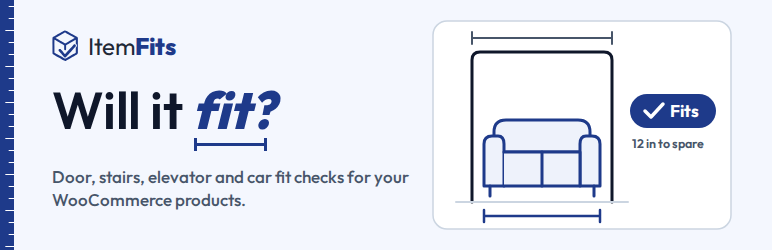

# ItemFits – Product & Space Checker
By [itemfits](https://profiles.wordpress.org/itemfits/)
[Download](https://downloads.wordpress.org/plugin/itemfits.0.1.1.zip)
* [Details](https://wordpress.org/plugins/itemfits/#description)
* [Reviews](https://wordpress.org/plugins/itemfits/#reviews)
* [Installation](https://wordpress.org/plugins/itemfits/#installation)
* [Development](https://wordpress.org/plugins/itemfits/#developers)
[Support](https://wordpress.org/support/plugin/itemfits/)
## Description
Big items come back when they do not fit. ItemFits answers the question shoppers
ask before they buy furniture, appliances and other large products: will it get
in?
* **Product Fit** on product pages: the shopper enters their door, hallway, stairs,
elevator, room or car, and gets a clear answer for the product and option they
are looking at, with the tightest point and how much room is left.
* **Chat** on every page: shoppers ask in their own words (“will this sofa go up
my stairs?”) and the answer comes from the same fit check.
* **Cart check**: everything in the cart, checked against the shopper’s spaces.
* **Fit consultations**: when an answer is “no” or not certain, the shopper can
send photos of the space or ask the store to call back.
The widgets are the same ones ItemFits runs on Shopify and Wix stores, with the
same answers. You choose where they appear: blocks for block themes (Product Fit
is added next to the add to cart button and can be moved in the Site Editor), WooCommerce
hooks for classic themes, and shortcodes (`[itemfits_product_fit]`, `[itemfits_cart_fit]`)
for page builders.
#### What you need
* WooCommerce.
ItemFits is a service: the fit checks run on ItemFits’ servers using your product
catalog, so the plugin does nothing until you connect it. The plugin itself is free
and has no locked features. The ItemFits service is paid: every store starts with
a free 2-day trial, and after it a monthly or yearly ItemFits plan keeps the service
running. Plans, prices and usage limits are listed and managed on itemfits.com,
and the plugin never asks for a licence key. **WooCommerce ItemFits** shows your
plan as ItemFits reports it and a **Plans & billing** button that opens the plan
screen on itemfits.com.
### External services
This plugin connects your store to the ItemFits service (https://itemfits.com),
run by ItemFits. It is needed for every feature: fit answers are computed by ItemFits
from your catalog. Nothing is sent before you click **Connect to ItemFits**. Every
request from your site is signed with a secret your site and ItemFits share.
What is sent, and when:
* **When you connect:** your site address, a random site id created by the plugin,
your store name, the WordPress admin email address, currency, measurement and
weight units, language, time zone and the WordPress, WooCommerce, PHP and plugin
versions. You approve the connection on itemfits.com. If ItemFits already knows
your store and this site cannot prove it is the same one (a restored backup,
a reinstalled plugin), you can confirm by email instead: ItemFits sends a one-
time link to the admin email address it holds for the store.
* **After connecting, and whenever a product changes:** your product catalog: titles,
descriptions, categories, tags, brands, options and variations, prices, stock
status, visibility, image addresses, product sizes and weights, and any ItemFits
product fields. Deleted products are reported so ItemFits removes them. ItemFits
never receives your orders, customers or WordPress users, and never changes your
products.
* **Once a day:** that the plugin is still active, the number of products, and
the store details listed above (without the admin email address).
* **When you turn the plugin back on:** that it is active again. If ItemFits no
longer holds your admin email address (it deletes it after a removal), the plugin
sends it once more, so your ItemFits emails (welcome, size reports, fit consultation
notices) can reach you.
* **When you open the ItemFits dashboard** (WooCommerce ItemFits, a screen button):
your browser opens itemfits.com with a one-time sign-in token your site signs.
It carries your store’s ItemFits id, your WordPress user id, your admin language
and the screen to open, and works once, within 60 seconds. Product sizes, branding,
reports and settings are ItemFits pages on itemfits.com; you stay signed in there
for 8 hours.
* **When you open WooCommerce ItemFits** while connected: a signed request (https://
itemfits.com/api/woocommerce/plan-status) for your store’s plan (free trial and
when it ends, or your plan), at most once every 10 minutes (once a minute after
a failed read). It carries the store details sent with every update (your store’s
ItemFits id, site id, site address, currency and units) and nothing else. ItemFits
answers with a one-line status, which the page shows as it is; the plugin never
turns anything on or off itself.
* **When you disconnect, deactivate or uninstall the plugin:** that it happened.
* **When you use WordPress’s privacy tools** (Tools Export Personal Data / Erase
Personal Data) while connected: the request, the shopper’s email address that
WordPress confirmed, and your own email address for the reply. ItemFits answers
within 30 days.
On your storefront, the ItemFits widget talks to ItemFits directly from the shopper’s
browser (https://itemfits.com/api/woocommerce/storefront/):
* **When a page with a widget loads:** your store’s ItemFits id, to load the widget’s
settings and wording, and your store’s logo from ItemFits (https://itemfits.com/
api/commerce/branding/logo/) if you set one.
* **When a shopper uses a widget:** their questions and the sizes they enter (their
door, stairs, room or vehicle), the product and option they are looking at, and
their cart contents, to answer them. These requests carry a short-lived token
your site signs; your site hands it to the widget on the shopper’s first interaction.
ItemFits sees the shopper’s IP address like any website does.
* **Fit checks, chat messages and answers are recorded for every shopper, whatever
their cookie choices,** so that you and ItemFits can review whether answers were
right: the question and the answer shown, the product and option, the sizes checked,
the result, the time, the device type and whether a store customer was signed
in (never who). No shopper identifier, customer id, name or page address is stored
with them, and email addresses and phone numbers typed into a chat are removed
before the text is stored.
* **Widget usage events** (opening and closing a widget, starting a check, entering
sizes, viewing a result, adding to the cart) are sent only when the shopper’s
choices allow statistics through the WP Consent API, or when the site has no
consent plugin.
* **Fit consultations:** a shopper who chooses to send photos of a space or to
ask for a call back sends those photos and the contact details they type. Photos
and those details are erased 90 days after the case opened.
* **Fit result on the order:** when a shopper checks a product that is in their
cart, ItemFits answers with a signed record of the result (product, space, result;
no personal data), which the plugin keeps with the cart and copies onto the order
for your staff, unless the shopper chooses not to add it. It stays in your WooCommerce
store.
Recorded checks, chats, usage events and consult cases are erased after 400 days.
ItemFits terms of service: https://itemfits.com/terms
ItemFits privacy policy:
https://itemfits.com/privacy
### Source code
The plugin’s PHP, the block scripts (`blocks/`) and `assets/js/placement-controls.
js` are shipped as written.
Two parts are compiled, and their human-readable source ships with the plugin in
the `source/` folder (it is not loaded by WordPress):
* The storefront widget in `assets/widget//` (the folder name is the widget
version). It is written in TypeScript with Preact and bundled with esbuild into
plain JavaScript modules and CSS. The bundle is not minified. Each `chunk-*.js`
file is a group of source modules, and its `// path` comments name them relative
to `source/extensions/itemfits-fit-check/`: for example `// ../itemfits-fit-check-
src/components/SpaceForm.tsx` is `source/extensions/itemfits-fit-check-src/components/
SpaceForm.tsx`, and `// ../../packages/space-pickers/src/StairPicker.tsx` is `
source/packages/space-pickers/src/StairPicker.tsx`. Short names such as `u` or`
k` in the bundle are Preact’s own exports, as Preact publishes them (`node_modules/
preact/**/dist/`).
* The WordPress storefront host, `assets/js/host.js`, written in TypeScript (`source/
wordpress/host-src/`) and built by `source/wordpress/build.mjs`.
Both builds compile the source without its code comments, and `source/` holds that
same comment-free text, so it is exactly what was compiled.
To rebuild them (Node.js 20 or later), in `source/`:
```
npm install
npm run build
npm run build:host
npm run verify
npm install installs the exact tool and library versions the release was built with (listed in `source/package.json` and `source/README.md`). `npm run verify` compares the rebuilt files with `source/SOURCE-MANIFEST.json` (a SHA-256 per file), which holds the hashes of the files shipped in `assets/widget/` and `assets/js/host.js`; they are identical. Everything in `source/` is licensed under the GPL, version 2 or later; third-party parts are listed in `source/THIRD-PARTY-NOTICES.txt`.Credits
```
The widget includes:
* Preact 10.29.0 (https://preactjs.com, source: https://github.com/preactjs/preact),
MIT License.
* uqr 0.1.3, QR code generator (https://github.com/unjs/uqr), MIT License.
* The Outfit typeface (https://github.com/google/fonts/tree/main/ofl/outfit), SIL
Open Font License 1.1, subset for the Product Fit button.
It is built with esbuild 0.21.5 (https://esbuild.github.io, MIT License), using
TypeScript 5.9.3 (https://www.typescriptlang.org, Apache License 2.0) to read the
source.
## Screenshots
[⌊Product Fit on a product page: the shopper clicks "Will it fit?", chooses a space
or enters its size, and gets a clear answer.⌉⌊Product Fit on a product page: the
shopper clicks "Will it fit?", chooses a space or enters its size, and gets a clear
answer.⌉[
Product Fit on a product page: the shopper clicks “Will it fit?”, chooses a space
or enters its size, and gets a clear answer.
[⌊The chat on every page: shoppers ask in their own words whether something will
fit.⌉⌊The chat on every page: shoppers ask in their own words whether something
will fit.⌉[
The chat on every page: shoppers ask in their own words whether something will fit.
[⌊One product, every space it has to get through: car, door, stairs, hallway, elevator
and storage.⌉⌊One product, every space it has to get through: car, door, stairs,
hallway, elevator and storage.⌉[
One product, every space it has to get through: car, door, stairs, hallway, elevator
and storage.
[⌊Your catalog, ready for fit checks: ItemFits reads product sizes from your existing
product details.⌉⌊Your catalog, ready for fit checks: ItemFits reads product sizes
from your existing product details.⌉[
Your catalog, ready for fit checks: ItemFits reads product sizes from your existing
product details.
[⌊What shoppers ask and how fit checks lead to cart adds and purchases (example
figures).⌉⌊What shoppers ask and how fit checks lead to cart adds and purchases (
example figures).⌉[
What shoppers ask and how fit checks lead to cart adds and purchases (example figures).
[⌊Shoppers find fit problems before they buy, instead of after delivery.⌉⌊Shoppers
find fit problems before they buy, instead of after delivery.⌉[
Shoppers find fit problems before they buy, instead of after delivery.
## Blocks
This plugin provides 2 blocks.
* ItemFits Product Fit Product Fit shows here on your live store.
* ItemFits Cart fit check The cart fit check shows here on your live store.
## Installation
1. Install and activate the plugin (WooCommerce must be active).
2. Go to **WooCommerce ItemFits** and click **Connect to ItemFits**.
3. Approve the connection on itemfits.com. You come back to WordPress, and your products
are sent to ItemFits in the background.
4. Product Fit appears on your product pages and the chat on every page. To change
where they appear, open **WooCommerce ItemFits placement**, or move the Product
Fit block in the Site Editor. Add the cart check to your Cart page with the **ItemFits
Cart fit check** block (block themes) or let the plugin add it under the cart table(
classic themes).
## FAQ
### Does the plugin send anything before I connect?
No. Nothing leaves your site until you click Connect.
### Where do product sizes come from?
From your catalog. WooCommerce’s own length, width and height fields are usually
the shipping box, so ItemFits never treats them as the product’s size without your
review. You review and approve sizes on the ItemFits Product sizes screen, which
you open from **WooCommerce ItemFits**.
### Where are ItemFits’ settings, sizes and reports?
On itemfits.com. The buttons on **WooCommerce ItemFits** open each screen with
a one-time sign-in from your WordPress user, so there is no separate ItemFits password.
The widget placement settings stay in WordPress.
### My store has thousands of products.
Products are sent in the background, about a hundred per request, and changes are
sent as you make them. A catalog import does not send one request per product.
### I copied my site to a staging address.
The plugin notices the address changed and stops sending. On the ItemFits page choose**
The store moved here** (same store, new address) or **This is a copy** (the copy
is unlinked from your store).
### Does it work with my cookie banner?
Yes, through the WP Consent API. Widget usage events are only sent when the shopper’s
choices allow statistics (or when the site has no consent plugin), and saved spaces
follow the shopper’s preference choice. Fit answers and chats are recorded either
way; see External services.
### Does it work on multisite?
Activate it on each site that runs a store. Network activation is not supported.
### Is the widget’s code open source?
Yes, under the GPL. The human-readable source of every compiled file in the plugin,
and the tools that build it, ship in the plugin’s `source/` folder. See Source code
below.
## Reviews
There are no reviews for this plugin.
## Contributors & Developers
“ItemFits – Product & Space Checker” is open source software. The following people
have contributed to this plugin.
Contributors
* [ itemfits ](https://profiles.wordpress.org/itemfits/)
[Translate “ItemFits – Product & Space Checker” into your language.](https://translate.wordpress.org/projects/wp-plugins/itemfits)
### Interested in development?
[Browse the code](https://plugins.trac.wordpress.org/browser/itemfits/), check out
the [SVN repository](https://plugins.svn.wordpress.org/itemfits/), or subscribe
to the [development log](https://plugins.trac.wordpress.org/log/itemfits/) by [RSS](https://plugins.trac.wordpress.org/log/itemfits/?limit=100&mode=stop_on_copy&format=rss).
## Changelog
#### 0.1.1
* Connect without an ItemFits account: you approve the connection on itemfits.com.
A store ItemFits already knows can confirm by email when this site cannot prove
it is the same one (restored from a backup, plugin reinstalled).
* WooCommerce ItemFits shows your plan (free trial and when it ends, or your plan)
and a Plans & billing button.
* The Connect link now stays valid for 30 minutes, long enough to confirm by email.
#### 0.1.0
* First version: connect, catalog sync, Product Fit, chat and cart check, fit result
on the order, privacy tools.
## Meta
* Version **0.1.1**
* Last updated **18 hours ago**
* Active installations **Fewer than 10**
* WordPress version ** 6.5 or higher **
* Tested up to **7.1.3**
* PHP version ** 7.4 or higher **
* Tags
* [delivery](https://wordpress.org/plugins/tags/delivery/)[furniture](https://wordpress.org/plugins/tags/furniture/)
[woocommerce](https://wordpress.org/plugins/tags/woocommerce/)
* [Advanced View](https://wordpress.org/plugins/itemfits/advanced/)
## Ratings
No reviews have been submitted yet.
[Your review](https://wordpress.org/support/plugin/itemfits/reviews/#new-post)
[See all reviews](https://wordpress.org/support/plugin/itemfits/reviews/)
## Contributors
* [ itemfits ](https://profiles.wordpress.org/itemfits/)
## Support
Got something to say? Need help?
[View support forum](https://wordpress.org/support/plugin/itemfits/)