Title: HeroBytes Confirm & Masks for Contact Form 7
Author: herobites
Published: October 30, 2026
Last modified: October 30, 2026
---
Search plugins
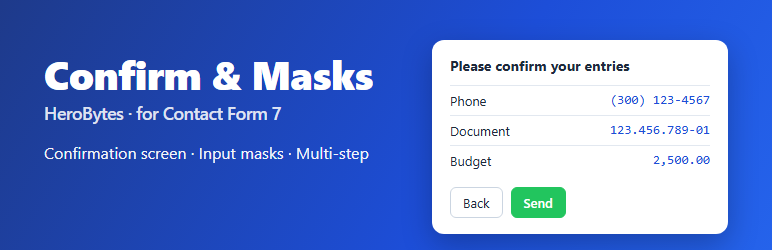

# HeroBytes Confirm & Masks for Contact Form 7
By [herobites](https://profiles.wordpress.org/herovibes/)
[Download](https://downloads.wordpress.org/plugin/herobytes-confirm-masks-for-contact-form-7.1.0.0.zip)
* [Details](https://wordpress.org/plugins/herobytes-confirm-masks-for-contact-form-7/#description)
* [Reviews](https://wordpress.org/plugins/herobytes-confirm-masks-for-contact-form-7/#reviews)
* [Installation](https://wordpress.org/plugins/herobytes-confirm-masks-for-contact-form-7/#installation)
* [Development](https://wordpress.org/plugins/herobytes-confirm-masks-for-contact-form-7/#developers)
[Support](https://wordpress.org/support/plugin/herobytes-confirm-masks-for-contact-form-7/)
## Description
Three things people keep asking Contact Form 7 for, in one small add-on:
**1. A confirmation screen.** Before the message is sent, the visitor sees a summary
of everything they typed, with a _Back_ button and a _Send_ button. Fewer typos
in phone numbers and emails, fewer “sorry, I meant…” follow-ups. Standard practice
in Japan, useful everywhere.
**2. Input masks.** Add `mask:phone-us`, `mask:cpf`, `mask:date`, `mask:money` or
your own pattern to any text or tel field and the input formats itself while the
visitor types. Mobile keyboards switch to numeric automatically. Incomplete values
are rejected on the server too.
**3. Multi-step forms.** Write `[step "Title"]` where a new step begins. Each step
is validated before moving on. One form, one submission, no extra pages.
#### Confirmation screen
* Turn it on per form (its own _Confirm & Masks_ tab), for every form at once (
_Contact > Confirm & Masks_), or with a line `confirm_screen: on` in the form’s
Additional Settings.
* Shown in place of the form or as a pop-up over the page.
* Title, intro and button labels are editable globally and per form.
* Labels are taken from your form’s `` elements. Fields hidden by conditional-
fields plugins are left out. Add the class `avoid-confirm` to anything you do
not want in the summary.
* Files, checkboxes, radio buttons, selects and acceptance boxes are summarised
properly.
* Keyboard and screen-reader friendly: focus moves to the summary, the pop-up traps
focus and closes with Escape.
* Templates built for the old “Contact Form 7 add confirm” plugin keep working:
the `[confirm]` button opens the confirmation screen and `[back]` is ignored.
#### Input masks
Add `mask:NAME` to a `[text]` or `[tel]` field:
```
[tel* phone mask:phone-us]
[text* document mask:cpf]
[text birthday mask:date placeholder "DD/MM/YYYY"]
[text* budget mask:money]
[text plate mask:AAA-000]
[tel* mobile mask placeholder "+57 (000) 000-0000"]
```
Presets: `phone`, `digits`, `money`, `phone-us`, `phone-br`, `phone-co`, `phone-
mx`, `phone-ar`, `phone-cl`, `phone-es`, `phone-pt`, `phone-uk`, `phone-de`, `phone-
fr`, `phone-it`, `phone-jp`, `date`, `date-us`, `date-iso`, `time`, `year`, `cpf`,`
cnpj`, `cpf-cnpj`, `cep`, `nit`, `rut`, `dni`, `nie`, `curp`, `rfc`, `zip`, `zip-
us`, `postcode`.
Pattern tokens: `0` digit, `9` optional digit, `A` letter, `S` letter or digit, `#`
any character. Anything else is printed literally. Contact Form 7 does not allow
spaces or brackets inside tag options, so for those write a bare `mask` and put
the pattern in the placeholder, or define a named mask under _Contact > Confirm &
Masks_.
Dates and times are also checked to be real (no 31/02). The `[mask* name "(___)
___-____" "Placeholder"]` tag from the old “Contact Form 7 – Phone mask field” plugin
keeps working.
#### Multi-step forms
```
[step "About you"]
Your name [text* your-name]
[step "Your message"]
Message [textarea your-message]
[submit "Send"]
```
A progress list shows the steps. _Next_ validates the current step with Contact
Form 7’s own rules. If the server rejects a field, the form jumps back to its step.
The confirmation screen, if enabled, comes after the last step.
#### For developers
* Events on the form element: `hvcm:confirmopen`, `hvcm:confirmback`, `hvcm:confirmsend`,`
hvcm:stepchange`.
* `window.hvcm.init(form)` for forms inserted after page load.
* Filters: `hvcm_confirm_enabled`, `hvcm_frontend_config`, `hvcm_mask_presets`,`
hvcm_incomplete_message`, `hvcm_always_enqueue`.
* Per-form settings live in the `_hvcm` post meta of the contact form. Global settings
in the `hvcm_settings` option.
No external requests, no tracking, no accounts, no jQuery. Assets load only on pages
that render a form using one of the features. Uninstalling removes the option and
the per-form settings.
This plugin is not affiliated with the developers of Contact Form 7.
## Screenshots
[⌊The confirmation screen shown in place of the form.⌉⌊The confirmation screen shown
in place of the form.⌉[
The confirmation screen shown in place of the form.
[⌊The confirmation screen as a pop-up.⌉⌊The confirmation screen as a pop-up.⌉[
The confirmation screen as a pop-up.
[⌊Input masks while typing: phone, date and money.⌉⌊Input masks while typing: phone,
date and money.⌉[
Input masks while typing: phone, date and money.
[⌊A multi-step form with its progress list.⌉⌊A multi-step form with its progress
list.⌉[
A multi-step form with its progress list.
[⌊The Confirm & Masks tab in the form editor.⌉⌊The Confirm & Masks tab in the form
editor.⌉[
The Confirm & Masks tab in the form editor.
[⌊Global settings under Contact > Confirm & Masks.⌉⌊Global settings under Contact
> Confirm & Masks.⌉[
Global settings under Contact > Confirm & Masks.
## Installation
1. Install and activate Contact Form 7 (5.6 or newer).
2. Upload the plugin folder to `/wp-content/plugins/` or install it from _Plugins
> Add New_.
3. Activate it.
4. Edit a form: the new **Confirm & Masks** tab turns on the confirmation screen and
shows the mask reference.
5. Optional: set global defaults in _Contact > Confirm & Masks_.
## FAQ
### The summary shows “Your name” but my label says something else
The plugin reads `` elements: either wrap the field in one, or give the field
an `id:` option and a ``. You can also wrap the label text in `
`. When nothing is found, the field
name is prettified.
### Can I leave a field out of the confirmation screen?
Yes. Add the class `avoid-confirm` (or `hvcm-skip`) to the field’s wrapper: `[text internal-note]
`. Fields hidden by conditional-fields
plugins are skipped automatically.
### Does the confirmation screen work with reCAPTCHA, Turnstile or Akismet?
Yes. The form is submitted through Contact Form 7’s normal path after the visitor
confirms, so every spam check runs as usual.
### My mask needs spaces or brackets
Tag options cannot contain them. Use `[tel* phone mask placeholder "(000) 000-0000"]`(
bare `mask` takes the placeholder as pattern) or define a named mask in _Contact
> Confirm & Masks_ and use `mask:thatname`.
### Does mask:money accept decimals?
Visitors type digits and the amount fills from the right, like a cash register:
typing 1 2 5 0 gives 12.50. The separators and the number of decimals are set under
_Contact > Confirm & Masks_ and apply to every form on the site: `mask:money` cannot
use different separators or decimals per form.
### Can I validate masks on the server only?
Server validation is on by default and can be switched off in the settings. Client-
side formatting cannot be disabled per field; just leave `mask:` out of fields that
do not need it.
### Does the multi-step form save progress between pages?
No. All steps live on one page and are sent together. This keeps things simple and
avoids storing visitor data. If you need separate pages per step, look for a dedicated
multi-page plugin.
### I am migrating from “Contact Form 7 add confirm” or “Phone mask field”
Deactivate the old plugin and activate this one. `[confirm]`, `[back]` and `[mask*
name "(___) ___-____"]` tags keep working. Old CSS written for the `wpcf7c-` classes
will no longer apply; the new confirmation screen uses `hvcm-` classes.
## Reviews
There are no reviews for this plugin.
## Contributors & Developers
“HeroBytes Confirm & Masks for Contact Form 7” is open source software. The following
people have contributed to this plugin.
Contributors
* [ herobites ](https://profiles.wordpress.org/herovibes/)
[Translate “HeroBytes Confirm & Masks for Contact Form 7” into your language.](https://translate.wordpress.org/projects/wp-plugins/herobytes-confirm-masks-for-contact-form-7)
### Interested in development?
[Browse the code](https://plugins.trac.wordpress.org/browser/herobytes-confirm-masks-for-contact-form-7/),
check out the [SVN repository](https://plugins.svn.wordpress.org/herobytes-confirm-masks-for-contact-form-7/),
or subscribe to the [development log](https://plugins.trac.wordpress.org/log/herobytes-confirm-masks-for-contact-form-7/)
by [RSS](https://plugins.trac.wordpress.org/log/herobytes-confirm-masks-for-contact-form-7/?limit=100&mode=stop_on_copy&format=rss).
## Changelog
#### 1.0.0
* Initial release: confirmation screen (inline or pop-up), input masks with presets
and custom patterns, multi-step forms, compatibility tags for the old “add confirm”
and “phone mask field” plugins.
## Meta
* Version **1.0.0**
* Last updated **16 hours ago**
* Active installations **Fewer than 10**
* WordPress version ** 6.2 or higher **
* Tested up to **7.1.4**
* PHP version ** 7.4 or higher **
* Tags
* [confirmation](https://wordpress.org/plugins/tags/confirmation/)[contact form 7](https://wordpress.org/plugins/tags/contact-form-7/)
[multi-step](https://wordpress.org/plugins/tags/multi-step/)[phone mask](https://wordpress.org/plugins/tags/phone-mask/)
* [Advanced View](https://wordpress.org/plugins/herobytes-confirm-masks-for-contact-form-7/advanced/)
## Ratings
No reviews have been submitted yet.
[Your review](https://wordpress.org/support/plugin/herobytes-confirm-masks-for-contact-form-7/reviews/#new-post)
[See all reviews](https://wordpress.org/support/plugin/herobytes-confirm-masks-for-contact-form-7/reviews/)
## Contributors
* [ herobites ](https://profiles.wordpress.org/herovibes/)
## Support
Got something to say? Need help?
[View support forum](https://wordpress.org/support/plugin/herobytes-confirm-masks-for-contact-form-7/)