Title: Headlight Table of Contents
Author: Andy Feliciotti
Published: <strong>October 27, 2026</strong>
Last modified: October 27, 2026

---

Search plugins

![](https://ps.w.org/headlight-table-of-contents/assets/banner-772x250.jpg?rev=3768333)

![](https://ps.w.org/headlight-table-of-contents/assets/icon-256x256.png?rev=3768333)

# Headlight Table of Contents

 By [Andy Feliciotti](https://profiles.wordpress.org/someguy9/)

[Download](https://downloads.wordpress.org/plugin/headlight-table-of-contents.1.0.0.zip)

 * [Details](https://wordpress.org/plugins/headlight-table-of-contents/#description)
 * [Reviews](https://wordpress.org/plugins/headlight-table-of-contents/#reviews)
 *  [Installation](https://wordpress.org/plugins/headlight-table-of-contents/#installation)
 * [Development](https://wordpress.org/plugins/headlight-table-of-contents/#developers)

 [Support](https://wordpress.org/support/plugin/headlight-table-of-contents/)

## Description

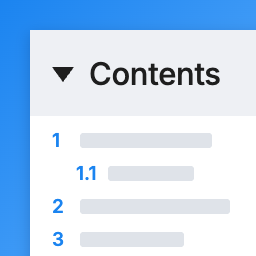
Headlight Table of Contents lists the headings in a post with links to each section.
It is built on plain HTML and about 1.5 KB of CSS, with no JavaScript and no jQuery,
so it adds nothing to your page load.

 * **Automatic:** add a table of contents to posts, pages or any public post type,
   before the first heading or at the top, once a post has enough headings.
 * **Or place it yourself:** use the Table of Contents block or the `[headlight-
   toc]` shortcode.
 * **Works on every post you have:** headings get their links when the page is shown,
   so old posts, Classic Editor posts and headings from shortcodes, patterns, page
   builders and other blocks are all included. Nothing is saved into your posts.
 * **Keeps existing links:** a heading that already has an id (an HTML anchor from
   the block editor, your theme or another plugin) keeps it. New ids match the anchors
   the block editor creates. Switching from Easy Table of Contents or Table of Contents
   Plus? Pick its link style and every old link to a section keeps working.
 * **Collapsible with no JavaScript:** uses the browser’s built-in `<details>` element.
   Choose to start open, start closed, or have no toggle.
 * **Smooth scrolling and sticky headers:** smooth scrolling and the sticky header
   offset are plain CSS, and smooth scrolling is skipped for visitors who turn off
   animations.
 * **Numbered (1, 1.1), bullets or plain** lists, nested by heading level.
 * **Accessible:** a `<nav>` landmark named by its title, real links, and a native
   toggle that works with a keyboard and screen readers.
 * **Switching is easy:** `[toc]`, `[ez-toc]`, `[lwptoc]` and `[no_toc]` left in
   your posts by other table of contents plugins keep working once that plugin is
   deactivated.
 * **Plays well with others:** works with AMP (passes the AMP validator), recognized
   by Rank Math’s content analysis, and never added to excerpts, feeds or other 
   posts shown on the page.

## Screenshots

[⌊A table of contents added automatically before the first heading.⌉⌊A table of 
contents added automatically before the first heading.⌉[

A table of contents added automatically before the first heading.

[⌊The Table of Contents block and its settings in the block editor.⌉⌊The Table of
Contents block and its settings in the block editor.⌉[

The Table of Contents block and its settings in the block editor.

[⌊Settings > Table of Contents.⌉⌊Settings > Table of Contents.⌉[

Settings > Table of Contents.

## Blocks

This plugin provides 1 block.

 *   Table of Contents Lists the headings in this post with links to each one. Loads
   no JavaScript.

## Installation

 1. Install and activate the plugin.
 2. Go to Settings > Table of Contents to choose where it appears and how it looks.
 3. To place it yourself, add the Table of Contents block or the `[headlight-toc]` 
    shortcode to a post.

## FAQ

### Which headings are listed?

Every heading in the post itself as it is shown: Heading blocks, Classic Editor 
headings, and headings that come from patterns, shortcodes, Custom HTML, page builders
like Elementor, and other blocks like GenerateBlocks and Kadence Blocks. Choose 
the levels (H1 to H6) in the settings or on the block. Headings in your theme’s 
header, sidebar or footer aren’t included.

### How do I hide it on one post?

Use the Table of Contents box on the post’s edit screen and choose Hide, or add `[
headlight-toc-off]` anywhere in the post (`[no_toc]` left by other plugins works
too). Choose Show to add it to a post whose type isn’t turned on in the settings.

### How do I leave a heading out?

Add the CSS class `headlight-toc-exclude` to the heading (Block > Advanced > Additional
CSS class), or list its text under Settings > Table of Contents > Leave out headings.`*`
works as a wildcard.

### My theme’s sticky header covers the heading after clicking a link

Enter the header’s height under Settings > Table of Contents > Sticky header height.
The WordPress admin bar is accounted for automatically. Some themes, like Kadence,
scroll to links with their own script and handle their own sticky header.

### I’m switching from Easy Table of Contents or Table of Contents Plus

Deactivate the old plugin (you’ll see a reminder while both are active), then under
Settings > Table of Contents > Heading links choose “Same as Easy Table of Contents”
or “Same as Table of Contents Plus”. The old plugin’s leftover settings are used,
so every heading gets exactly the id it had before and links people have shared 
to sections of your posts (like `#What_is_SEO`) keep working. This was checked against
Easy Table of Contents 2.0.88 and Table of Contents Plus 202609.1 with headings 
full of punctuation, quotes, accents, emoji and non-Latin text.

    ```
    [toc], `[ez-toc]`, `[lwptoc]` and `[no_toc]` in your posts keep working too, and in the block editor "Convert to blocks" turns them into the Table of Contents block.
    ```

### What shortcode options are there?

[headlight-toc title=”In this post” levels=”2,3″ collapse=”closed” list=”bullets”]
places it, and `[headlight-toc-off]` turns the automatic one off for that post.

 * `title`: the heading of the box.
 * `levels`: which heading levels to list, e.g. `2,3`.
 * `collapse`: `open`, `closed` or `off` (no toggle).
 * `list`: `numbered`, `bullets` or `plain`.

### What about posts split into pages?

Each page of a post split with a Page Break lists the headings on that page.

### Does it work in a sidebar or a site template?

Not yet. The block and shortcode work inside post content.

### Does it change my post content?

No. Heading ids are added when the page is shown. In the block editor (with the 
standard link style), the plugin turns on WordPress’s own option to save an HTML
anchor on each Heading block as you write, so a link to a section stays the same
if you later edit the heading. You can turn that off in the settings.

## Reviews

There are no reviews for this plugin.

## Contributors & Developers

“Headlight Table of Contents” is open source software. The following people have
contributed to this plugin.

Contributors

 *   [ Andy Feliciotti ](https://profiles.wordpress.org/someguy9/)

[Translate “Headlight Table of Contents” into your language.](https://translate.wordpress.org/projects/wp-plugins/headlight-table-of-contents)

### Interested in development?

[Browse the code](https://plugins.trac.wordpress.org/browser/headlight-table-of-contents/),
check out the [SVN repository](https://plugins.svn.wordpress.org/headlight-table-of-contents/),
or subscribe to the [development log](https://plugins.trac.wordpress.org/log/headlight-table-of-contents/)
by [RSS](https://plugins.trac.wordpress.org/log/headlight-table-of-contents/?limit=100&mode=stop_on_copy&format=rss).

## Changelog

#### 1.0.0

 * First release.

## Meta

 *  Version **1.0.0**
 *  Last updated **4 days ago**
 *  Active installations **Fewer than 10**
 *  WordPress version ** 6.5 or higher **
 *  Tested up to **7.1.4**
 *  PHP version ** 7.4 or higher **
 * Tags
 * [anchor links](https://wordpress.org/plugins/tags/anchor-links/)[headings](https://wordpress.org/plugins/tags/headings/)
   [jump links](https://wordpress.org/plugins/tags/jump-links/)[table of contents](https://wordpress.org/plugins/tags/table-of-contents/)
   [toc](https://wordpress.org/plugins/tags/toc/)
 *  [Advanced View](https://wordpress.org/plugins/headlight-table-of-contents/advanced/)

## Ratings

No reviews have been submitted yet.

[Your review](https://wordpress.org/support/plugin/headlight-table-of-contents/reviews/#new-post)

[See all reviews](https://wordpress.org/support/plugin/headlight-table-of-contents/reviews/)

## Contributors

 *   [ Andy Feliciotti ](https://profiles.wordpress.org/someguy9/)

## Support

Got something to say? Need help?

 [View support forum](https://wordpress.org/support/plugin/headlight-table-of-contents/)

## Donate

Would you like to support the advancement of this plugin?

 [ Donate to this plugin ](https://smartwp.com/)