Title: Captain Media Shield
Author: Devang Vachheta
Published: November 3, 2026
Last modified: November 3, 2026
---
Search plugins

# Captain Media Shield
By [Devang Vachheta](https://profiles.wordpress.org/devangvachheta/)
[Download](https://downloads.wordpress.org/plugin/captain-media-shield.1.0.0.zip)
* [Details](https://wordpress.org/plugins/captain-media-shield/#description)
* [Reviews](https://wordpress.org/plugins/captain-media-shield/#reviews)
* [Installation](https://wordpress.org/plugins/captain-media-shield/#installation)
* [Development](https://wordpress.org/plugins/captain-media-shield/#developers)
[Support](https://wordpress.org/support/plugin/captain-media-shield/)
## Description
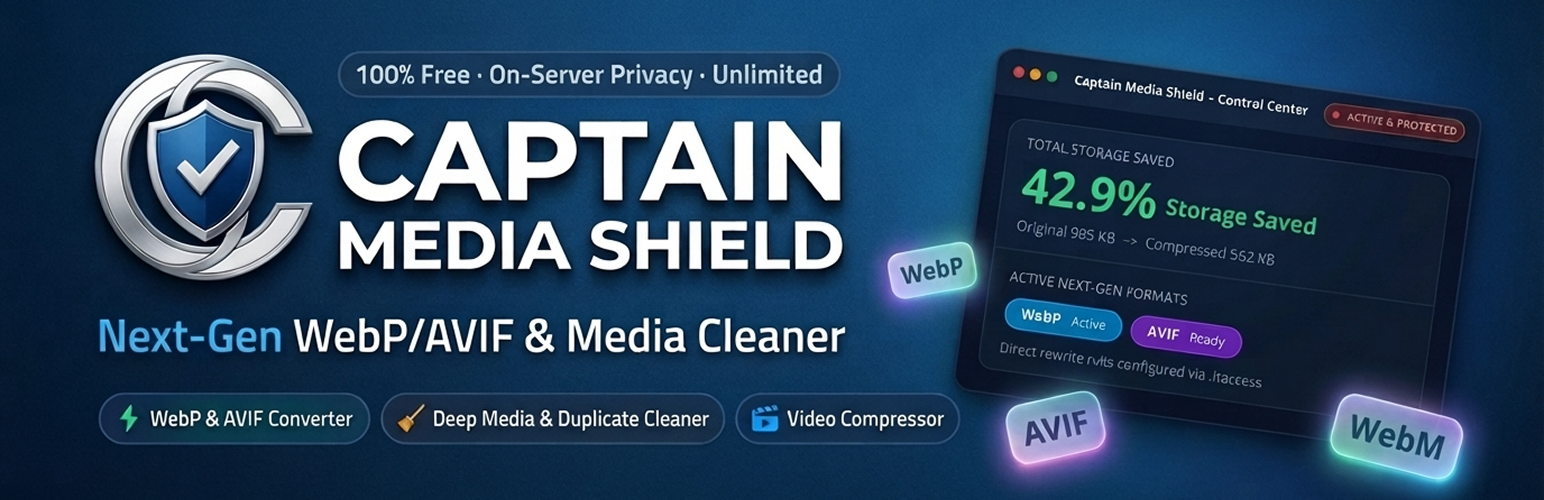
**Captain Media Shield** is a comprehensive, on-server media optimization and storage
reclaim suite for WordPress. Automatically convert images to lightweight Next-Gen
WebP and AVIF formats, compress video uploads with instant streaming (FastStart),
and reclaim disk space by safely finding and removing unused media, byte-for-byte
duplicate files, and leftover thumbnails.
Everything runs 100% on your own hosting server – no external APIs, no image credits,
no third-party accounts, and zero monthly subscriptions.
[YouTube Tutorials](https://www.youtube.com/@captaininfokit) | [Free Support](https://wordpress.org/support/plugin/captain-media-shield)
**🛡️ Why Choose Captain Media Shield?**
* **100% Free & Unlimited** : No third-party API dependencies, no monthly quotas,
and no subscription paywalls. Optimize thousands of images and videos without
worrying about limits.
* **Next-Gen WebP & AVIF Formats** : Generate ultra-compact WebP and AVIF copies
for original images and every registered thumbnail size.
* **Per-Image Custom Quality Override** : Set global compression quality (1-100)
or override quality for any individual image directly from the Media Library
list view via the Quick Quality modal.
* **Media Cleanup & Storage Saver** : Safely detect and clean orphaned media, byte-
for-byte MD5 duplicate files, and leftover legacy thumbnails from retired themes.
* **Storage Diagnostics & Report** : Visual breakdown of your entire uploads directory
by file category, file extension, upload year, and largest files.
* **Video Compression & Streaming** : H.264 FastStart streaming, WebM companions,
automatic poster frames, and animated GIF to video conversion.
* **Safe Backups & 1-Click Restore** : Untouched original files are preserved with
configurable retention periods and 1-click restore.
* **Modern Tabbed Navigation** : Fast, organized tabbed settings interface that
eliminates long vertical scrolling.
* **Top Header Quick Actions** : Convenient Save Changes and Reset to Defaults
buttons placed right in the header for quick access.
* **WP-CLI Automation** : Complete headless command-line interface for enterprise
sites and automated background workflows.
**📸 Next-Gen Image Optimization & Delivery**
* **Automated Next-Gen Conversion** : Converts JPEG and PNG uploads to high-efficiency
WebP and AVIF copies.
* **Compression Quality Slider** : Choose your default quality sweet spot (1-100)
with recommended presets (Balanced, Aggressive, Near-lossless).
* **Media Library Quick Quality Modal** : Click “Quick Quality” on any list-view
item to adjust quality (e.g. 40-50% for heavy graphics) and re-optimize instantly.
* **Privacy & EXIF Metadata Removal** : Losslessly strips camera EXIF data, GPS
coordinates, IPTC, and editing history while preserving colour profiles.
* **Auto-Resize Large Uploads** : Automatically scales down oversized camera images(
e.g. 4000px+) before thumbnails are generated.
* **Flexible Delivery Methods** : Serve Next-Gen formats via high-speed `.htaccess`
rewrite rules (Apache/LiteSpeed) or HTML `` tag replacement.
* **Nginx Configuration Generator** : Ready-to-copy server configuration snippet
for seamless Next-Gen delivery on Nginx servers.
* **Smart Exclude Rules** : Exclude folders (e.g. `logos/*`), filename patterns,
or specific attachment IDs from optimization.
**🎬 Video Optimization & Streaming (FFmpeg)**
* **H.264 Video Compression** : Re-encodes uploaded MP4/MOV videos to space-saving
H.264 in place.
* **Moov Atom “Fast Start”** : Relocates video metadata to the beginning of the
file so visitors can stream videos immediately without waiting for full download.
* **WebM Companion Files** : Automatically generates modern VP9/Opus WebM copies
for HTML5 video players and the WordPress video block.
* **Automatic Video Poster Frames** : Saves a lightweight JPEG frame next to each
video for an instant preview instead of a black box.
* **Animated GIF to Video Conversion** : Converts heavy animated GIFs into lightweight
looping MP4/WebM videos (80-95% file size reduction).
* **Resolution & Bitrate Controls** : Cap video resolution (1080p, 720p, Keep Original)
and adjust audio compression (128 kbps, 96 kbps).
* **Background WP-Cron Processing** : Video encoding runs asynchronously in the
background so dashboard uploads stay quick and responsive.
**🧹 Deep Media Cleanup & Duplicate Detector**
* **Unused Media Finder** : Deep scans post content, Gutenberg blocks, featured
images, WooCommerce galleries, widgets, custom post types, and custom fields.
Anything potentially in use is protected.
* **Byte-for-Byte Duplicate Detector** : Compares files by exact size and MD5 hash
fingerprint. Duplicates in use are safely locked from deletion.
* **Orphan Thumbnail Cleaner** : Scans and removes old thumbnail sizes registered
by retired themes or uninstalled plugins.
* **Zero-Risk Confirmation** : Nothing is ever deleted automatically. Deletions
require explicit confirmation, and safety backup copies can be retained.
* **Interactive Storage Report** : View storage distribution across original files,
thumbnails, Next-Gen copies, and backups.
**💾 Backups & Safe Rollback**
* **Zero-Risk Backups** : Untouched original files are stored in `wp-content/uploads/
captain-ms-backups/`.
* **Configurable Retention** : Set how long backups are kept: immediately delete,
1 hour, 1 day, 7 days, 30 days, or indefinitely.
* **1-Click Original Restore** : Restore any original image or video directly from
the Media Library list view or attachment details.
* **Disk Purge** : “Purge All Backups Now” button lets you free up backup storage
once you are completely satisfied with results.
**⚡ WordPress Media Library Integration**
* **Media Shield Status Column** : Displays live optimization status (Optimized,
Not Optimized, Processing), percentage saved, and active format badge (WebP/AVIF).
* **Inline Quick Actions** : Re-optimize, adjust quality via Quick Quality popup,
or restore originals with one click without leaving the page.
**Perfect for:**
* **Content Creators & Bloggers** who want lightning-fast page loading and better
Google Core Web Vitals (LCP).
* **WooCommerce Store Owners** who need thousands of product images compressed
without losing visual sharpness.
* **Photographers & Portfolio Sites** wanting custom per-image compression quality
for sensitive portfolio showcases.
* **Agencies & Developers** managing client websites with strict disk space limits
and hosting storage quotas.
* **High-Traffic Media Publishers** looking to cut bandwidth costs with WebP/AVIF
and FastStart video streaming.
### Key Features
* 🖼️ **WebP & AVIF Conversion** : Automated Next-Gen image format generation for
smaller, faster pages
* 🎚️ **Per-Image Quality Override** : Set custom compression levels per image via
Quick Quality popup or global slider
* 🧹 **Deep Media Cleanup** : Find and safely remove orphaned media, duplicate
files, and obsolete thumbnails
* 📊 **Storage Report & Analytics** : Detailed visual breakdown of uploads by type,
year, and largest files
* 🎥 **Video Compression & Streaming** : H.264 FastStart streaming, WebM companion
generation, and resolution capping
* 🖼️ **Video Poster Frames** : Instant video thumbnail generation for player previews
* 🎞️ **Animated GIF to Video** : 80-95% lighter looping MP4/WebM conversion for
animated GIFs
* 🛡️ **Safe Backups & 1-Click Restore** : Zero-loss original file preservation
with flexible retention
* 🌐 **Multiple Delivery Methods** : Support for Apache/LiteSpeed `.htaccess`,
HTML ``, and Nginx rules
* 🚫 **Smart Exclude Rules** : Skip folders, filename wildcards, or specific attachment
IDs
* 📑 **Organized Tabbed Navigation** : Clean tabbed settings interface that eliminates
vertical scrolling
* 🔝 **Header Save & Reset Actions** : Top-right header actions giving maximum
vertical room for content
* 🖥️ **WP-CLI Integration** : Full command-line support for automated workflows
and large libraries
* 🩺 **Server Health Screen** : Real-time diagnostic check for GD, Imagick, WebP,
AVIF, and FFmpeg
* 🌐 **Multisite Compatible** : Network activation and subsite management support
* 🔒 **100% Privacy Focused** : Local server processing with no telemetry, external
calls, or tracking
### Supported Formats
* **Input Image Formats** : JPEG, JPG, PNG, GIF
* **Output Next-Gen Image Formats** : WebP, AVIF
* **Input Video Formats** : MP4, MOV, M4V, AVI, MKV, WMV (requires FFmpeg)
* **Output Video Formats** : H.264 MP4 (FastStart streamable), WebM (VP9 / Opus)
### YouTube Tutorials
* [Captain InfoKit – Official YouTube Channel](https://www.youtube.com/@captaininfokit):
Subscribe to our official YouTube channel for step-by-step video tutorials, media
optimization walkthroughs, performance tips, and WordPress server setup guides.
### 🌟 OUR PRODUCTS
**[🥇 Captain Feed for YouTube](https://wordpress.org/plugins/captain-feed-for-youtube/)**:
Display customizable YouTube feeds for channels, playlists, Shorts, search results,
and individual videos.
**[🥇 Captain Advance Filter](https://wordpress.org/plugins/captain-advance-filter/)**:
Create powerful filters for WordPress with advanced filtering options, flexible
layouts, and easy customization.
**[🥇 Captain Social Review](https://wordpress.org/plugins/captain-social-review)**:
Display reviews and testimonials from multiple platforms with beautiful layouts,
filtering options, and easy customization.
**[🥇 Captain Widgets Kit](https://wordpress.org/plugins/captain-widgets-kit)** :
Extend your WordPress website with a collection of powerful widgets and elements
designed to enhance your website building experience.
**[🥇 Captain Funnel](https://wordpress.org/plugins/captain-funnel)** : Automate
WhatsApp messages for WooCommerce orders and form submissions using the official
WhatsApp Cloud API by Meta.
**[🥇 Captain Live Chat](https://wordpress.org/plugins/captain-live-chat)** : Self-
hosted live chat for WordPress with an AI agent, canned replies and full conversation
history – no monthly subscription.
### Usage Guide
1. **Configure Image Settings** : Go to **Images & Formats** and select your preferred
compression quality (75-80% is recommended). Enable WebP and AVIF.
2. **Choose Delivery Method** : Select `.htaccess Rewrites` (fastest for Apache/LiteSpeed)
or ` tag replacement` (works on all servers).
3. **Run Bulk Optimizer** : If you have existing uploads, navigate to **Bulk Optimizer**
and click “Start Optimization”. The progress bar will update in real time.
4. **Manage Single Images** : In **Media -> Library** (list view), use the “Quick
Quality” button in the Media Shield column to override quality for any image.
5. **Reclaim Disk Space** : Go to **Media Cleanup** to scan for unused files, duplicates,
and old thumbnail sizes, then safely delete what you don’t need.
## Screenshots
[⌊Analytics & Server Health Dashboard: Visual storage savings overview, compression
ratio, active next-gen formats, and server environment status.⌉⌊Analytics & Server
Health Dashboard: Visual storage savings overview, compression ratio, active next-
gen formats, and server environment status.⌉[
Analytics & Server Health Dashboard: Visual storage savings overview, compression
ratio, active next-gen formats, and server environment status.
[⌊Bulk Optimizer in Action: One-click batch processing for your existing media library
with real-time progress tracking, pause/resume, and live activity log.⌉⌊Bulk Optimizer
in Action: One-click batch processing for your existing media library with real-
time progress tracking, pause/resume, and live activity log.⌉[
Bulk Optimizer in Action: One-click batch processing for your existing media library
with real-time progress tracking, pause/resume, and live activity log.
[⌊Next-Gen Images & Formats: Tabbed settings for automated WebP/AVIF generation,
compression quality controls, EXIF metadata stripping, auto-resizing, and delivery
options.⌉⌊Next-Gen Images & Formats: Tabbed settings for automated WebP/AVIF generation,
compression quality controls, EXIF metadata stripping, auto-resizing, and delivery
options.⌉[
Next-Gen Images & Formats: Tabbed settings for automated WebP/AVIF generation, compression
quality controls, EXIF metadata stripping, auto-resizing, and delivery options.
[⌊Deep Media Cleanup & Duplicate Detector: Scan and safely reclaim disk space from
unused orphaned media, byte-for-byte MD5 duplicate files, and leftover thumbnails.⌉⌊
Deep Media Cleanup & Duplicate Detector: Scan and safely reclaim disk space from
unused orphaned media, byte-for-byte MD5 duplicate files, and leftover thumbnails
.⌉[
Deep Media Cleanup & Duplicate Detector: Scan and safely reclaim disk space from
unused orphaned media, byte-for-byte MD5 duplicate files, and leftover thumbnails.
## Installation
1. Upload the plugin files to the `/wp-content/plugins/captain-media-shield` directory,
or install directly through the WordPress **Plugins** screen.
2. Activate the plugin from the **Plugins** screen.
3. Go to **Media -> Captain Media Shield -> Server Health** to verify your server
environment (GD/Imagick WebP/AVIF support and FFmpeg).
4. Open **Images & Formats** to configure your desired format settings, compression
quality, and delivery method.
5. Open **Bulk Optimizer** to compress your existing Media Library in batch, or let
new uploads optimize automatically.
## FAQ
### Can I set different compression quality for specific images?
Yes! While the global compression quality slider sets the default quality for all
uploads (recommended: 75-80%), you can override quality for any individual image
directly in the Media Library list view via the **Quick Quality** modal or in the
attachment edit screen. You can set aggressive compression (e.g. 40-50%) for heavy
banner graphics or near-lossless (90-95%) for sensitive photography.
### I converted my images but I cannot find any .webp files. Where are they?
Converted files are saved directly in your uploads directory alongside the original
files with the new extension appended, for example `photo.jpg.webp` and `photo.jpg.
avif`. The WordPress Media Library continues to reference the original filename
while modern browsers automatically receive the next-gen format.
### Why do I not get any AVIF files?
AVIF generation requires PHP GD with AVIF support (PHP 8.1+) or ImageMagick 7+ with
AVIF delegates compiled. Check the Server Health tab in Captain Media Shield to
see your server’s status. AVIF copies are also automatically discarded if they do
not result in a smaller file size than the WebP version.
### What happens if I enable both WebP and AVIF?
Both next-gen copies are generated. Visitors with AVIF-compatible browsers receive
the ultra-compact AVIF file, other modern browsers receive WebP, and older legacy
browsers fall back to the original JPG/PNG.
### My WooCommerce or Elementor images still load as JPG.
The Picture tag method filters standard WordPress post content and featured images.
To serve next-gen formats across all theme elements, sliders, Elementor widgets,
and WooCommerce store templates, select the `.htaccess Rewrites` delivery method
in **Images & Formats -> Delivery & Server**.
### Does the .htaccess method work on Nginx?
Nginx does not read `.htaccess` files. However, Captain Media Shield includes a
built-in **Nginx Rules** generator in **Images & Formats -> Delivery & Server**.
Simply copy the snippet into your Nginx server configuration block and reload Nginx,
or use the HTML `` tag method which works on all web servers.
### How does Media Cleanup decide that a file is unused?
The scanner searches post and page content, Gutenberg blocks, featured images, WooCommerce
gallery arrays, widgets, site icons/logos, custom taxonomies, and custom post meta.
If any reference exists, the file is tagged as in use. Third-party plugins can register
custom usage checks using the `capms_attachment_usage_reasons` filter.
### Is it safe to delete duplicate files?
Yes. Only copies that are confirmed to have zero active usages can be deleted. If
a duplicate is currently referenced in published content, the system marks it as“
In Use” and prevents deletion until you replace the reference.
### Do I need FFmpeg installed?
FFmpeg is only required for video compression (H.264), WebM generation, automatic
video poster frames, and animated GIF to video conversion. All image optimization,
WebP/AVIF generation, and Media Cleanup features function completely without FFmpeg.
### Can I restore my original files?
Yes! As long as backups are enabled and within your configured retention window,
you can restore original files with one click using the **Restore Original** button
in the Media Library list view or Bulk Optimizer.
### Will optimizing images affect my SEO ranking?
Yes, in a positive way! By serving WebP/AVIF and compressing large images, your
page loading speed and Google Core Web Vitals (specifically Largest Contentful Paint–
LCP) improve significantly, which is a confirmed ranking factor.
### What happens when I deactivate or uninstall the plugin?
Upon deactivation or uninstallation, the plugin cleans up its database tables and
scheduled events. Your original media files, converted Next-Gen copies, and backups
remain completely untouched on your server unless you choose to purge them.
## Reviews
There are no reviews for this plugin.
## Contributors & Developers
“Captain Media Shield” is open source software. The following people have contributed
to this plugin.
Contributors
* [ Devang Vachheta ](https://profiles.wordpress.org/devangvachheta/)
[Translate “Captain Media Shield” into your language.](https://translate.wordpress.org/projects/wp-plugins/captain-media-shield)
### Interested in development?
[Browse the code](https://plugins.trac.wordpress.org/browser/captain-media-shield/),
check out the [SVN repository](https://plugins.svn.wordpress.org/captain-media-shield/),
or subscribe to the [development log](https://plugins.trac.wordpress.org/log/captain-media-shield/)
by [RSS](https://plugins.trac.wordpress.org/log/captain-media-shield/?limit=100&mode=stop_on_copy&format=rss).
## Changelog
#### 1.0.0 (03/11/2026)
* Initial release.
* New: Automated conversion : Automated Next-Gen image conversion (WebP and AVIF)
with lossless visual quality retention.
* New: Per-image custom compression : Per-image custom compression quality override
and inline Quick Quality modal in Media Library list view.
* New: Modern tabbed navigation : Modern tabbed navigation on Images & Formats
and Video & Streaming settings pages to eliminate page scrolling.
* New: Top-right header actions : Top-right header actions with “Save Changes”,“
Reset to Defaults”, and status notifications.
* New: Deep Media Cleanup : Deep Media Cleanup suite – scan and remove unused media,
duplicate files (MD5 hash), and obsolete thumbnails.
* New: Interactive Storage Report : Interactive Storage Report with space breakdown
by file type, upload year, and largest files.
* New: Video Optimization : Video Optimization with H.264 compression, FastStart
streaming (moov atom first), and WebM companions.
* New: Automatic video poster : Automatic video poster image frame generation.
* New: Animated GIF conversion : Animated GIF to MP4/WebM conversion (80-95% lighter
looping video).
* New: Safe original backups : Safe original backups in wp-content/uploads/captain-
ms-backups/ with customizable retention periods.
* New: One-click “Restore Original” : One-click “Restore Original” from Media Library
list view and attachment screens.
* New: Flexible delivery methods : Flexible delivery methods: Apache/LiteSpeed .
htaccess rewrite rules and HTML tag replacement.
* New: Nginx rewrite rules : Nginx rewrite rules snippet generator for fast server-
level delivery.
* New: Exclude rules : Exclude rules for upload folders, filename wildcards, and
specific attachment IDs.
* New: Bulk Optimizer : Bulk Optimizer with real-time progress tracking, pause/
resume, and activity log.
* New: Server Health diagnostic : Server Health diagnostic screen checking GD,
Imagick, WebP, AVIF, and FFmpeg environment.
* New: Extra Options menu : Extra Options menu with dedicated Help & Support center(#/
help) and Our Products showcase (#/our-products).
* New: Full WP-CLI commands : Full WP-CLI commands suite (wp capms).
* New: Comprehensive WordPress Multisite : Comprehensive WordPress Multisite (WPMU)
support.
## Meta
* Version **1.0.0**
* Last updated **9 hours ago**
* Active installations **Fewer than 10**
* WordPress version ** 6.0 or higher **
* Tested up to **7.1.4**
* PHP version ** 7.4 or higher **
* Tags
* [avif converter](https://wordpress.org/plugins/tags/avif-converter/)[image optimizer](https://wordpress.org/plugins/tags/image-optimizer/)
[media cleanup](https://wordpress.org/plugins/tags/media-cleanup/)[speed optimization](https://wordpress.org/plugins/tags/speed-optimization/)
[webp converter](https://wordpress.org/plugins/tags/webp-converter/)
* [Advanced View](https://wordpress.org/plugins/captain-media-shield/advanced/)
## Ratings
No reviews have been submitted yet.
[Your review](https://wordpress.org/support/plugin/captain-media-shield/reviews/#new-post)
[See all reviews](https://wordpress.org/support/plugin/captain-media-shield/reviews/)
## Contributors
* [ Devang Vachheta ](https://profiles.wordpress.org/devangvachheta/)
## Support
Got something to say? Need help?
[View support forum](https://wordpress.org/support/plugin/captain-media-shield/)