Title: Accordion Block Lite
Author: Troy Templeman
Published: February 11, 2024
Last modified: September 24, 2024
---
Search plugins
This plugin **hasn’t been tested with the latest 3 major releases of WordPress**.
It may no longer be maintained or supported and may have compatibility issues when
used with more recent versions of WordPress.

# Accordion Block Lite
By [Troy Templeman](https://profiles.wordpress.org/troytempleman/)
[Download](https://downloads.wordpress.org/plugin/accordion-block-lite.0.1.2.zip)
* [Details](https://wordpress.org/plugins/accordion-block-lite/#description)
* [Reviews](https://wordpress.org/plugins/accordion-block-lite/#reviews)
* [Installation](https://wordpress.org/plugins/accordion-block-lite/#installation)
* [Development](https://wordpress.org/plugins/accordion-block-lite/#developers)
[Support](https://wordpress.org/support/plugin/accordion-block-lite/)
## Description
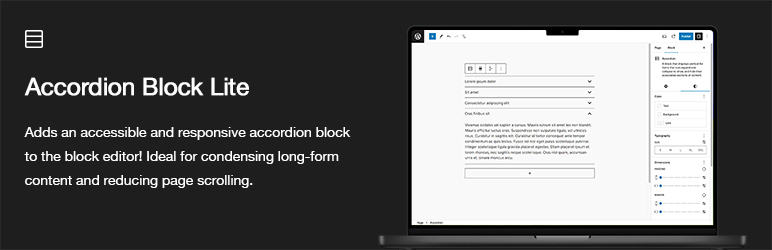
Accordion Block Lite adds an accessible and responsive Accordion block to the block
editor inserter that can be added to display list items that expand and collapse
to show and hide their associated sections of content.
Ideal for condensing longform or complex content, such as Frequently Asked Questions(
FAQ). Also useful for reducing page scrolling.
Upgrade to Pro at [https://troytempleman.com/wordpress/blocks/accordion-block/](https://troytempleman.com/wordpress/blocks/accordion-block/).
#### Features
* Accessible
* Responsive
* Inserter button for adding accordion items
* Settings
- Block alignment
- Text alignment
- Text formatting
- Header element
- Header icon **[Pro]**
- Header icon position **[Pro]**
* Styles
- Color
* Text
* Background
* Link
* Header text **[Pro]**
* Header text hover **[Pro]**
* Header text active **[Pro]**
* Header icon **[Pro]**
* Header icon hover **[Pro]**
* Header icon active **[Pro]**
* Header background **[Pro]**
* Header background hover **[Pro]**
* Header background active **[Pro]**
* Panel text **[Pro]**
* Panel background **[Pro]**
- Typography
* Font family
* Font size
* Appearance
* Line height
* Letter spacing
* Text decoration
* Letter case
- Dimensions
* Padding
* Margin
* Item padding **[Pro]**
* Item margin **[Pro]**
* Header icon width **[Pro]**
* Header padding **[Pro]**
* Header margin **[Pro]**
* Panel padding **[Pro]**
* Panel margin **[Pro]**
- Border
* Item border **[Pro]**
* Item border radius **[Pro]**
* Header border **[Pro]**
* Header border hover **[Pro]**
* Header border active **[Pro]**
* Header border radius **[Pro]**
* Panel border **[Pro]**
* Panel border radius **[Pro]**
* Variations **[Pro]**
- Lines **[Pro]**
- Blocks **[Pro]**
#### Demo
[https://troytempleman.com/wordpress/blocks/accordion-block/](https://troytempleman.com/wordpress/blocks/accordion-block/)
#### HTML
Accordion Block Lite will output an Accordion block with the following HTML structure:
```
```
### Support
If you need help with Accordion Block Lite, please submit a ticket on the [Support](https://wordpress.org/support/plugin/accordion-block-lite)
forum.
### Donate
If you like Accordion Block Lite and would like to support it’s future development,
how about [buying me a coffee](https://www.buymeacoffee.com/troytempleman)?
### Contribute
If you would like to contribute to the development of Accordion Block Lite, the
repository is located on [GitHub](https://github.com/troytempleman/accordion-block-lite).
### License
Accordion Block Lite is released under the [GNU General Public License, version 2 (GPLv2)](https://www.gnu.org/licenses/gpl-2.0.html).
### Requirements
* WordPress 6.0 or greater
* PHP version 7.4 or greater
* MySQL version 5.7 or greater or MariaDB version 10.3 or greater.
### Credits
* [W3C Accordion (Sections With Show/Hide Functionality)](https://www.w3.org/WAI/ARIA/apg/patterns/accordion/)
* [Accessible Accordion](https://www.aditus.io/patterns/accordion/)
* [Collapsible Sections](https://inclusive-components.design/collapsible-sections/)
* [My favourite accessible accordion pattern](https://www.hassellinclusion.com/blog/accessible-accordion-pattern/)
* [JavaScript and Accessibility: Accordions](https://www.a11ywithlindsey.com/blog/javascript-accessibility-accordions)
* [Creating an Accordion Block that uses the InnerBlock component](https://www.youtube.com/watch?v=ZjYgdf6RKPU)
## Screenshots
* [[
* Accordion block added from the block inserter.
* [[
* Accordion block variations **[Pro]**.
* [[
* Accordion block settings sidebar. **[Pro]**.
* [[
* Accordion block settings sidebar **[Pro]**.
* [[
* Accordion block on the front end.
## Blocks
This plugin provides 2 blocks.
* Accordion A block that displays vertical list items that can expand and collapse
to show and hide their associated sections of content.
* Accordion Item A block that displays a list item that can expand and collapse
to show and hide its associated section of content.
## Installation
Accordion Block Lite can be installed in one of the following four ways:
#### Automatic
To install with the built-in plugin installer:
1. Login to your WordPress site at **domain.com/wp-admin**, where **domain.com** is
the domain of your WordPress site.
2. On the **Dashboard** page, in the left menu, click **Plugins**.
3. On the **Plugins** page, click **Add New Plugin**.
4. On the **Add Plugins** page, in the **Search plugins…** field, type **Accordion
Block Lite**.
5. In the **Search Results**, locate **Accordion Block Lite**, click **Install Now**
and **Activate**.
#### Upload
To install with a .zip file:
1. Login to your WordPress site at **domain.com/wp-admin**, where **domain.com** is
the domain of your WordPress site.
2. On the **Dashboard** page, in the left menu, click **Plugins**.
3. On the **Plugins** page, click **Add New Plugin**.
4. On the **Add Plugins** page, click **Upload Plugin**.
5. Click **Choose File**, locate the **.zip file** and click **Open**.
6. Click **Install Now**.
7. On the **Installing Plugin from uploaded file** page, click **Activate**.
#### Manual
To install with a SFTP client:
1. If you have a **.zip file**, unzip it with archiving software such as [WinZip](https://www.winzip.com/)
or [Archive Utility](https://apps.apple.com/us/app/archive-utility/id1409613331).
2. In a **SFTP client** such as [WinSCP](https://winscp.net/) or [FileZilla](https://filezilla-project.org/),
connect to your WordPress site directory on your server.
3. In the **unzipped files**, copy the **accordion-block-lite** folder and paste on
your server, in your site’s **wp-content/plugins** folder.
4. Login to your WordPress site at **domain.com/wp-admin**, where **domain.com** is
the domain of your WordPress site.
5. On the **Dashboard** page, in the left menu, click **Plugins**.
6. On the **Plugins** page, locate **Accordion Block Lite** and click **Activate**.
#### Theme
To install in your theme instead of a plugin:
1. If you have a **.zip file**, unzip it with archiving software such as [WinZip](https://www.winzip.com/)
or [Archive Utility](https://apps.apple.com/us/app/archive-utility/id1409613331).
2. In the **unzipped files**, copy the **accordion-block-lite** folder and paste in
your site’s theme folder, such as **wp-content/themes/your-theme/inc/accordion-
block-lite/**, where **your-theme** is your theme folder.
3. In a **code editor** such as [Visual Studio Code](https://code.visualstudio.com/)
or [Notepad++](https://notepad-plus-plus.org/), open your theme’s **functions.php**
file.
4. In your **functions.php** file, add the path from Step 2, such as **require get_stylesheet_directory().‘/
inc/accordion-block-lite/accordion-block-lite.php’;**.
5. Save and close your **functions.php** file.
## FAQ
### What is an accordion?
An accordion is a common UI/UX pattern that can help reduce or condense the amount
of information presented to users.
It is a vertically stacked set of interactive headings that each contain a title,
content snippet, or thumbnail representing a section of content. The headings function
as controls that enable users to reveal or hide their associated sections of content.
Accordions are commonly used to reduce the need to scroll when presenting multiple
sections of content on a single page.
The term stems from the musical accordion in which sections of the bellows can be
expanded by pulling outward.
To learn more, see [Accordion (Sections With Show/Hide Functionality)](https://www.w3.org/WAI/ARIA/apg/patterns/accordion/).
### How do I install Accordion Block Lite?
Please see **Installation** section.
### How do I add an Accordion block?
1. Login to your WordPress site at **domain.com/wp-admin**, where **domain.com** is
the domain of your WordPress site.
2. On the **Dashboard** page, in the left menu, click **Posts** or **Pages**.
3. On the **Posts** or **Pages** page, either click **Add New**, search for and/or
click the desired post or page title.
4. In the **block editor**, either:
5. * Click the block inserter **+** icon in the top toolbar
* Click the block inserter **+** icon to the right of an empty block, or
* Click the block inserter **+** icon between blocks
6. In the block inserter pop-up modal window, search for and/or click **Accordion**
to add an Accordion block.
### How do I edit an Accordion block?
1. Login to your WordPress site at **domain.com/wp-admin**, where **domain.com**
is the domain of your WordPress site.
2. On the **Dashboard** page, in the left menu, click **Posts** or **Pages**.
3. On the **Posts** or **Pages** page, search for and/or click the desired post or
page title.
4. In the **block editor**, click the desired **Accordion** block.
5. To edit the whole **Accordion** block:
6. a. In the block toolbar above, click the **Accordion** icon, select the desired
position, block alignment, text formatting and/or other options.
b. In the settings sidebar, in the **Block** tab:
c. * In the **Settings** tab, select the desired **Header Element**, **Header Icon**
and/or **Header Icon Position** settings.
* In the **Styles** tab, select the desired **Color**, **Typography**, **Dimensions**
and/or **Border** settings.
7. To edit an **Accordion Item** within the Accordion block:
8. a. Click the desired **Accordion Item** title and/or panel to edit.
b. In the block toolbar above, select the desired position, text alignment, text
formatting and/or other options.
c. In the settings sidebar, in the **Block** tab, select the desired **Color**, **
Typography**, **Dimensions** and/or **Advanced** settings.
9. To add an **Accordion Item**, click the **+** button below the Accordion block.
### How do I setup a development environment?
1. Install WordPress on a local server such as [Local](https://localwp.com/), [Docker](https://www.docker.com/),
[MAMP](https://www.mamp.info/) or [XAMPP](https://www.apachefriends.org/).
2. To install Accordion Block Lite on your local site, see **Installation** section.
3. If node.js is not already installed locally, go to [https://nodejs.org/](https://nodejs.org/)
to install.
4. In a **Command Line Interface (CLI)** such as Command Prompt or Terminal, navigate
to the **accordion-block-lite** folder. For example, **cd localhost/your-site/wp-
content/plugins/accordion-block-lite**.
5. To install project dependencies, type **npm install**.
6. In the **accordion-block-lite** folder, edit the desired file or files.
7. To create or update the production **build** directory, type **npm run build**.
For other commands, type **npm run**.
## Reviews
There are no reviews for this plugin.
## Contributors & Developers
“Accordion Block Lite” is open source software. The following people have contributed
to this plugin.
Contributors
* [ Troy Templeman ](https://profiles.wordpress.org/troytempleman/)
[Translate “Accordion Block Lite” into your language.](https://translate.wordpress.org/projects/wp-plugins/accordion-block-lite)
### Interested in development?
[Browse the code](https://plugins.trac.wordpress.org/browser/accordion-block-lite/),
check out the [SVN repository](https://plugins.svn.wordpress.org/accordion-block-lite/),
or subscribe to the [development log](https://plugins.trac.wordpress.org/log/accordion-block-lite/)
by [RSS](https://plugins.trac.wordpress.org/log/accordion-block-lite/?limit=100&mode=stop_on_copy&format=rss).
## Changelog
#### 0.1.2 – September 22, 2024
* Updated: Version in `accordion-block-lite.php` and `package.json`.
* Updated: Tags, stable tag and changelog in `readme.md` and `readme.txt`.
* Updated: Version and keywords in `build/accordion/block.json`, `build/accordion-
item/block.json`, `src/accordion/block.json`, and `src/accordion-item/block.json`.
#### 0.1.1 – April 2, 2024
* Added: Code to prevent direct file access in `build/accordion/render.php`, `build/
accordion-item/render.php`, `src/accordion/render.php`, and `src/accordion-item/
render.php`.
* Added: Security improvement by adding `wp_kses_post` filter to `$block_content`
in `build/accordion/render.php`, `build/accordion-item/render.php`, `src/accordion/
render.php`, and `src/accordion-item/render.php`.
* Updated: Version in `accordion-block-lite.php` and `package.json`.
* Updated: Stable tag and changelog in `readme.md` and `readme.txt`.
* Updated: Version in `build/accordion/block.json`, `build/accordion-item/block.
json`, `src/accordion/block.json`, and `src/accordion-item/block.json`.
#### 0.1.0 – November 15, 2023
* Initial release
## Meta
* Version **0.1.2**
* Last updated **2 years ago**
* Active installations **400+**
* WordPress version ** 6.0 or higher **
* Tested up to **6.6.5**
* PHP version ** 7.0 or higher **
* Tags
* [accessible](https://wordpress.org/plugins/tags/accessible/)[Accordion](https://wordpress.org/plugins/tags/accordion/)
[block](https://wordpress.org/plugins/tags/block/)[responsive](https://wordpress.org/plugins/tags/responsive/)
* [Advanced View](https://wordpress.org/plugins/accordion-block-lite/advanced/)
## Ratings
No reviews have been submitted yet.
[Your review](https://wordpress.org/support/plugin/accordion-block-lite/reviews/#new-post)
[See all reviews](https://wordpress.org/support/plugin/accordion-block-lite/reviews/)
## Contributors
* [ Troy Templeman ](https://profiles.wordpress.org/troytempleman/)
## Support
Got something to say? Need help?
[View support forum](https://wordpress.org/support/plugin/accordion-block-lite/)
## Donate
Would you like to support the advancement of this plugin?
[ Donate to this plugin ](https://www.buymeacoffee.com/troytempleman)