As this is a commercial theme, we cannot really help. You need to seek support from the theme vendors.
Ok…. but anything that could help? Codes of some sorts, etc?
And it is available for free:
http://wp-premium-templates.com/aurium-free-premium-wordpress-theme/
Shot in the dark but, I believe those thumbnails are being called as a “featured image” in a post, followed by an excerpt. Both fields can be found when creating or editing a post.
It IS always better to get support from the creator of the theme itself but if I’m reading the code correctly on the link you provided, that’s what’s happening.
Ok, I’ve made a new thread about this issue, but here it is again- in my instructions for the theme, it says this:
To define a thumbnail for each post, you must use the custom field tag:
“post-img”, followed by the image url as value.
Example:
Custom Field: post-img
Value: /thumbnails/picture1.jpg
How do I do this?
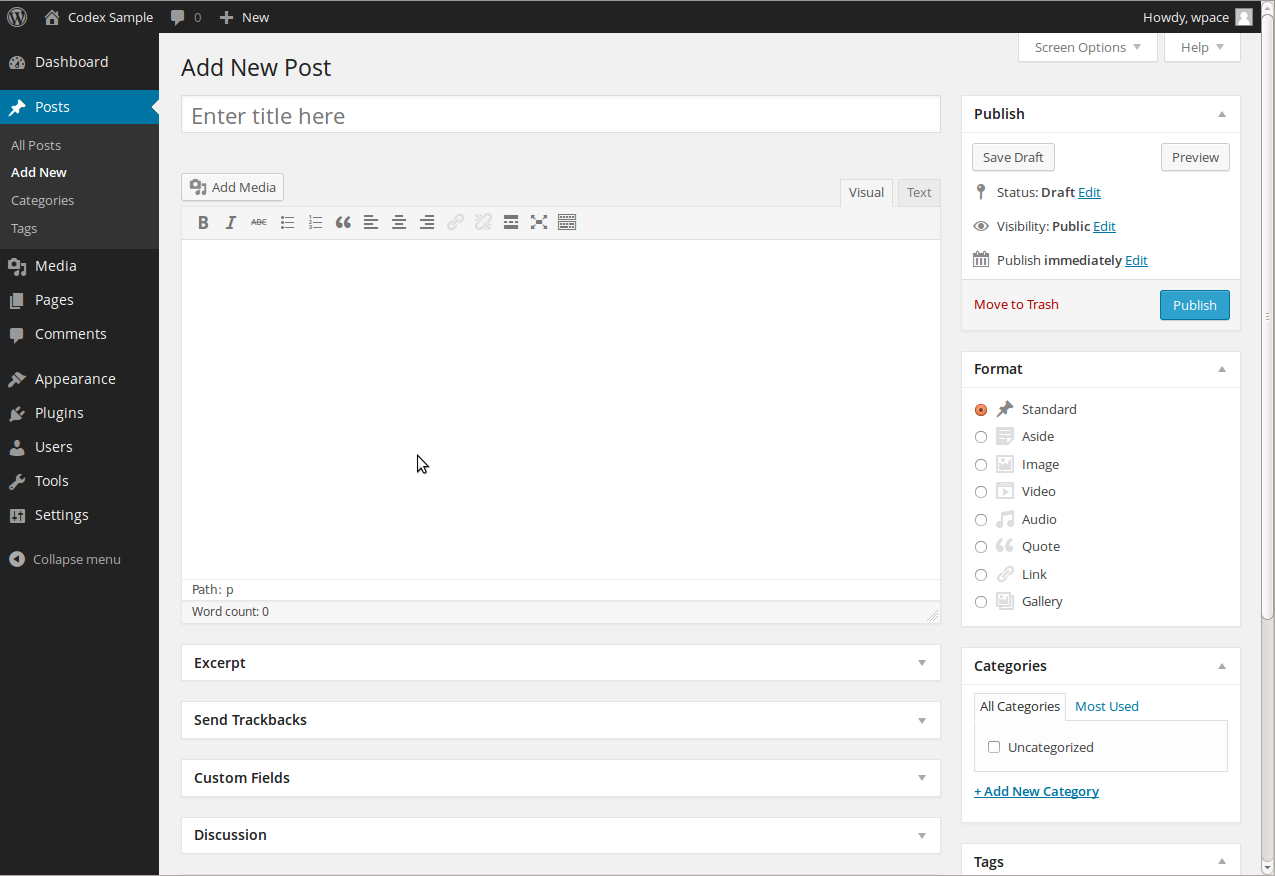
Oh ok, have you tried using the custom field they referenced in the edit post window? It often shows up under the editor itself in a section called “Custom Fields” with a drop down for the “Name” and editable area for the “value”.
If the box “Custom Fields” is not there look at the “Screen Options” on the top right of the post edit page.
Right on keesiemeijer! I meant to add that in and forgot to. Thanks! 😉
Ok, I’m in the edit post window (single.php), looking at the code. I’m not really too great… but I see that this code:
<?php $postimageurl = get_post_meta($post->ID, ‘post-img’, true); if ($postimageurl) { ?>
<div class=”post-pic”>” rel=”bookmark” title=”Permanent Link to <?php the_title_attribute(); ?>”><img src=”<?php echo $postimageurl; ?>” alt=”<?php the_title_attribute(); ?>” class=”fl” /></div>
<div class=”clr”></div>
<?php } ?>
<!–/post-img –>
Is going to probably need the changing, but I have no idea how to do it. Help lol?
And I don’t see the Screen Options… nor the custom fields.
When I referenced the “edit post window”, I literally meant the window that comes up in the admin panel when you go to add or edit a new post. You should see a “Custom Fields” box in there. If you don’t you need to check it off in the “Screen Options” menu in the top right. No template edits should be needed to make this work if the theme was setup correctly.
^^^^^^^^^^ Screen Options link is below you’re name and the “Logout” link. Hopefully you see a logout link.
Ah, I see what you mean. Anyway, I’m on the admin panel, looking at my posts. I see the custom field options, and the screen options as well now.
I see 2 custom fields:
posts_rate_key , with no value ( I’m guessing this one is something else, to be ignored)
and:
wppt_default, with a value of the thumbnail: http://izzile.com/wp-content/uploads/wp-post-thumbnail/_msq2j.jpg
However, when I go to this page, it cannot be found. I’m really sorry for sounding like a noob, but I guess I goiing to CHANGE the name of this custom field to:
post-img
and put the value of the URL of my image… wish me luck.
YEEEESSS! I GOT IT!
Thanks a bunch guys, I wish you the best of luck, and god bless!
No worries mate! Glad you got it! Best of luck to you as well!