
Description
My Calendar does WordPress event management with richly customizable ways to display events. The plugin supports individual event calendars within WordPress Multisite, multiple calendars displayed by categories, locations or author, or simple lists of upcoming events.
Easy to use for anybody, My Calendar provides enormous flexibility for designers and developers needing a custom calendar. My Calendar is built with accessibility in mind, so all your users can get equal access and experience in your calendar.
Premium Event Management
Looking for more? Buy My Calendar Pro, the premium extension for My Calendar to add support for user-submitted events, integration between posting and event creation, and import events from outside sources.
Selling event tickets?
Do you sell tickets for your events? Use My Tickets and sell tickets for My Calendar events. Set prices, ticket availability, and sell multiple events at the same time using My Tickets.
Features:
- Calendar grid or list views of events
- Month, multi-month, week, or daily view.
- Mini-calendar for compact displays (as widget or shortcode)
- Widgets: today’s events, upcoming events, mini calendar, event search
- Customize templates for event output
- Limit views by categories, location, author, or host
- Editable CSS styles.
- Extensive support for recurring events.
- Edit or add single dates in recurring events
- Rich permissions handling to restrict access to parts of My Calendar
- Email notifications when events are scheduled or drafted
- Post to Twitter when events are created (using WP to Twitter)
- Manage locations
- Fetch events from a remote database. (Sharing events in a network of sites.)
- Multisite-friendly
- Integrated help page
- Shortcode Generator to create customized views of My Calendar
Accessibility
My Calendar is designed with accessibility in mind. All interfaces – both front and back end – are tested with various assistive technology. The plugin includes features for indicating the accessibility services available for events and at physical venues, as well as providing access to the content for users with disabilities.
What’s in My Calendar Pro?
- Let your site visitors submit events to your site (pay to post or free!).
- Let logged-in users edit their events from the front-end.
- Create events when you publish a blog post
- Publish a blog post when you create an event
- Advanced search features
- Responsive mode
- Import events from .ics or .csv formats via file or URL.
- REST API support for sharing events between multiple sites.
Translations
Visit WordPress Translations to check progress or contribute to your language.
Translating my plugins is always appreciated. Visit WordPress translations to help get your language to 100%!
Screenshots

Monthly Grid View 
List View 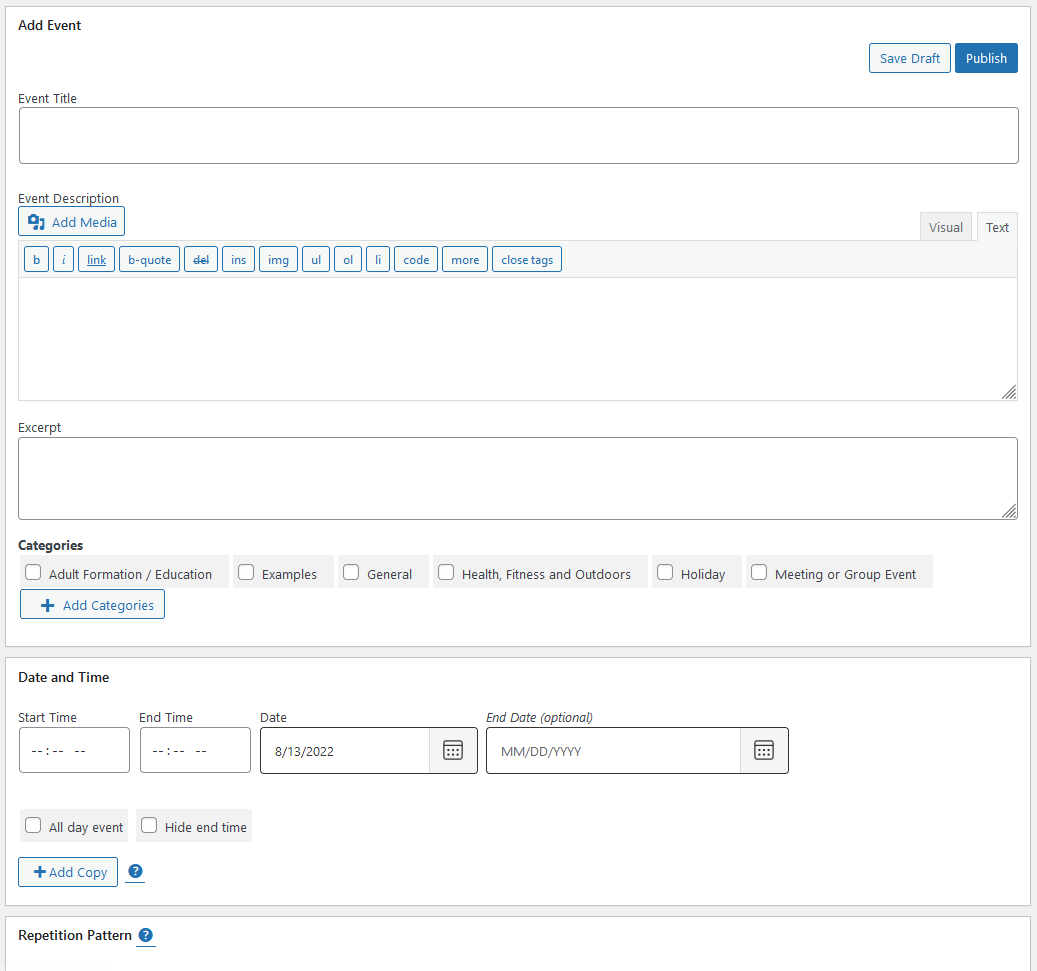
Event management page 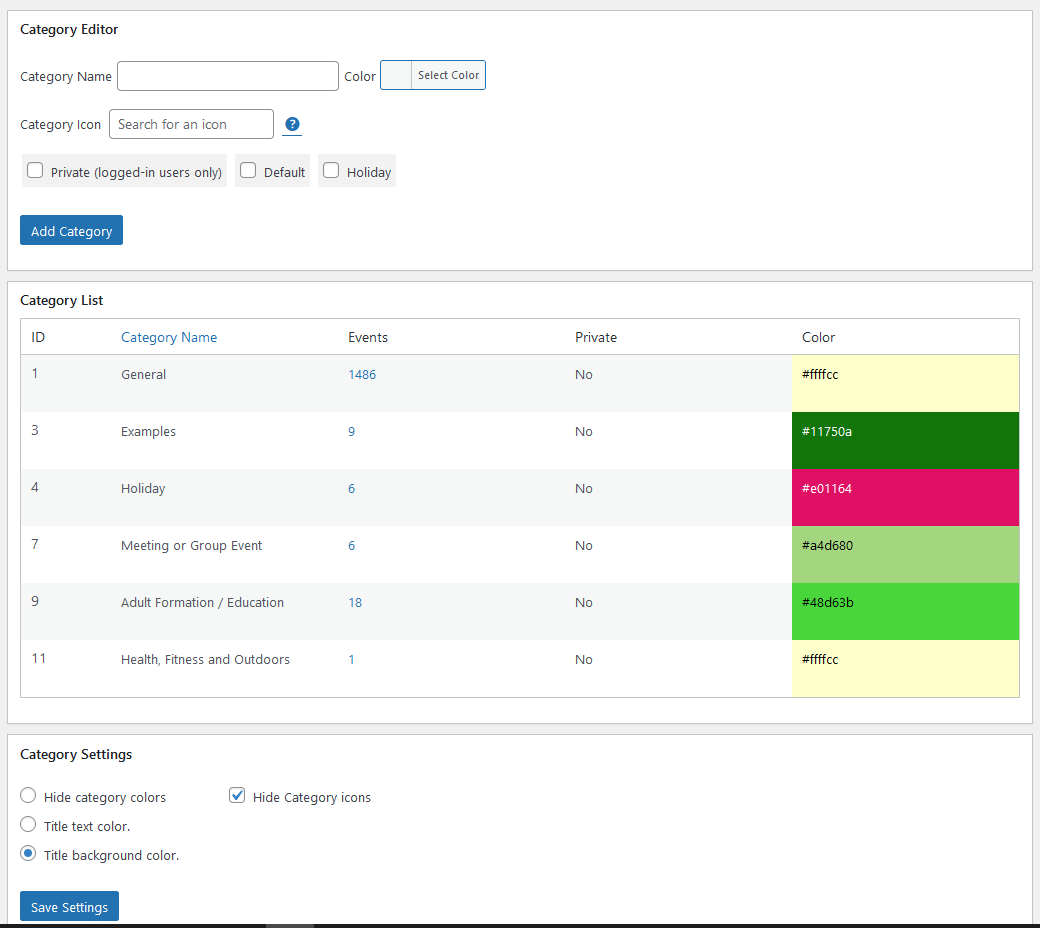
Category management page 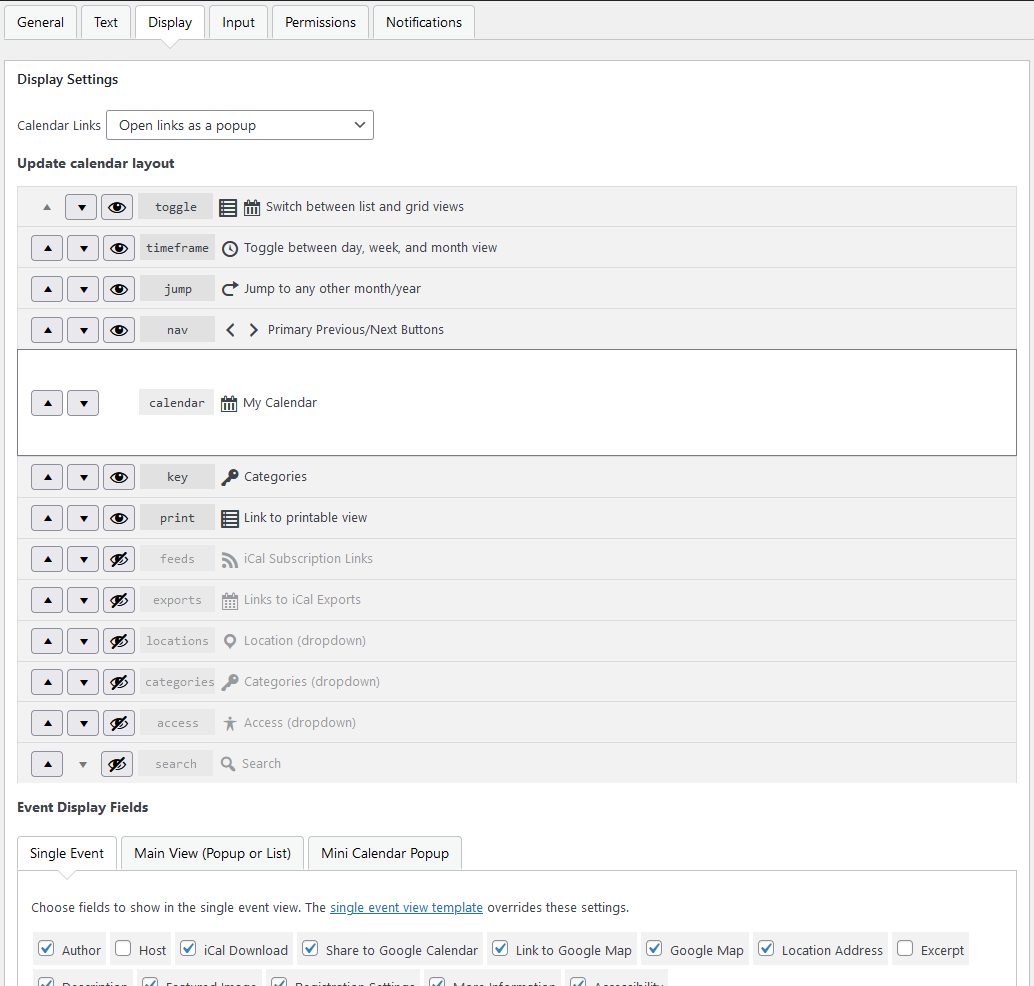
Settings page 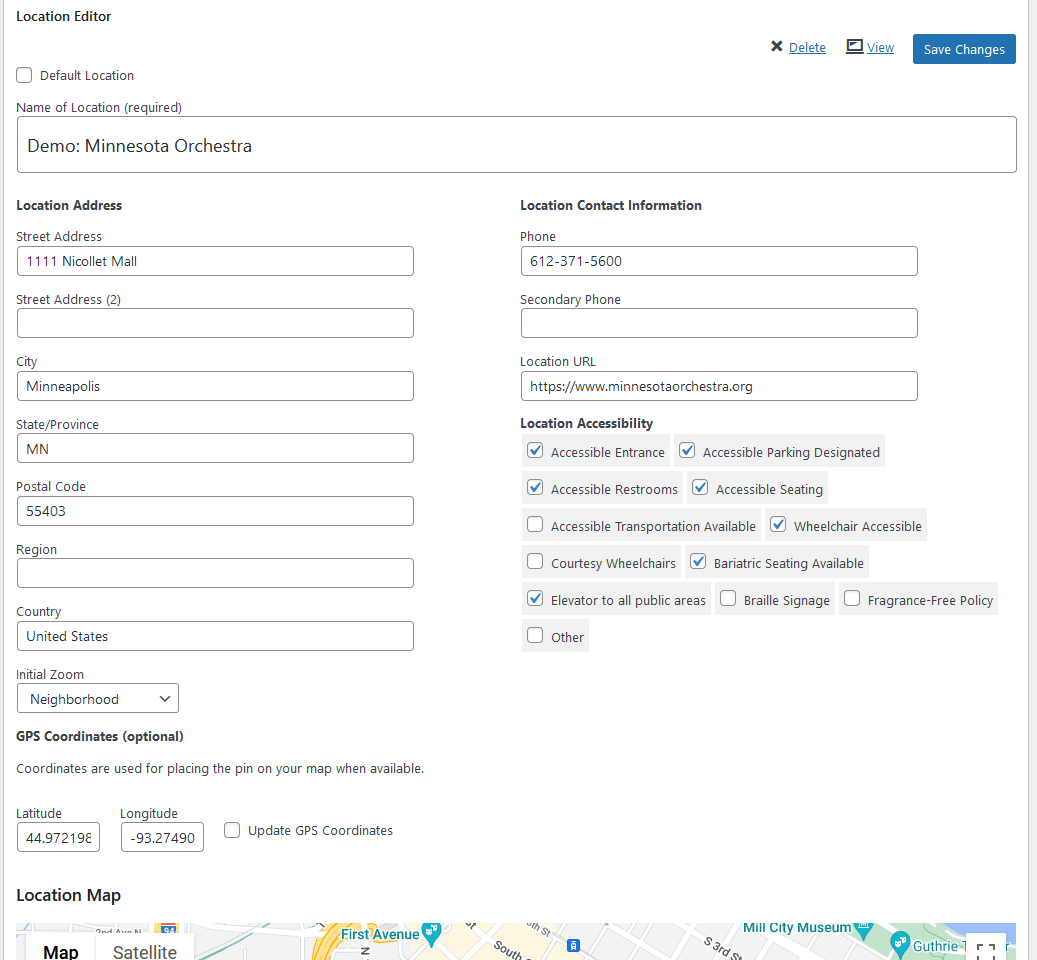
Location management 
Style editing 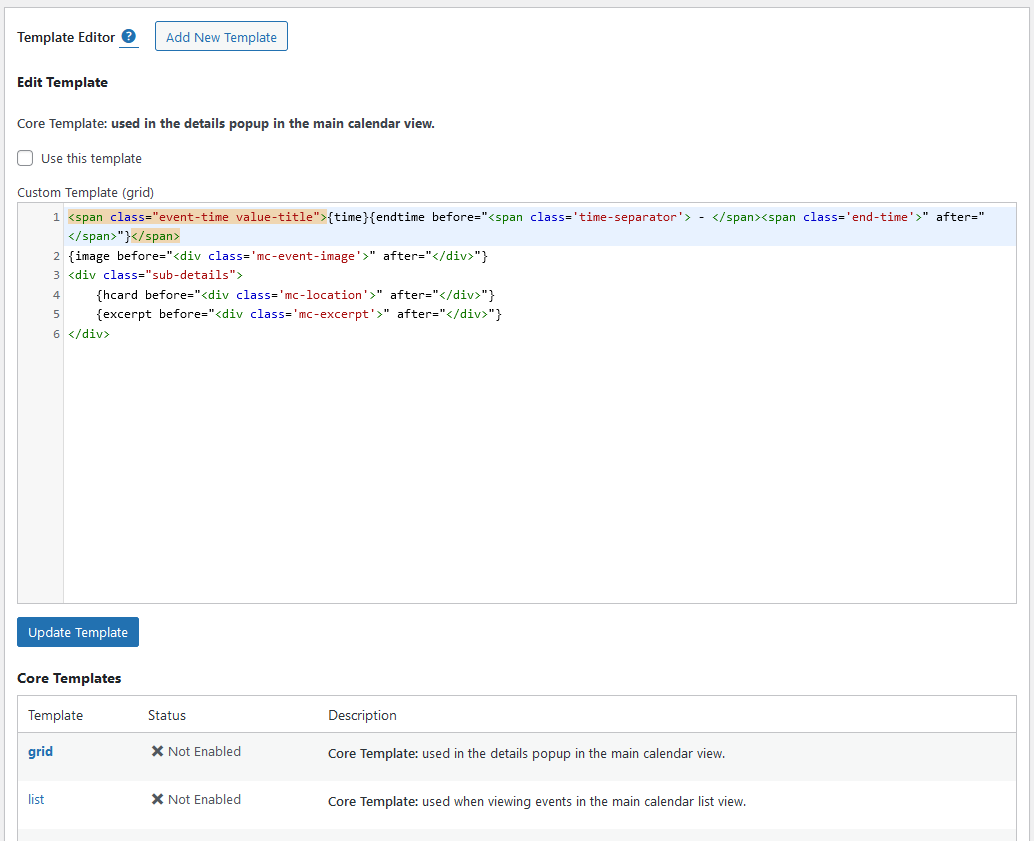
Template editing
Installation
-
Upload the
/my-calendar/directory into your WordPress plugins directory. -
Activate the plugin on your WordPress plugins page
-
Configure My Calendar using the settings pages in the admin panel:
My Calendar -> Add Event
My Calendar -> Events
My Calendar -> Add New Location
My Calendar -> Locations
My Calendar -> Categories
My Calendar -> Design
My Calendar -> Settings
My Calendar -> Shortcodes
My Calendar -> Help -
Visit My Calendar -> Help for assistance with shortcode options or widget configuration.
FAQ
-
Hey! Why don’t you have any Frequently Asked Questions here!
-
Because the majority of users end up on my web site asking for help anyway — and it’s simply more work to maintain two copies. Please visit my web site FAQ to read my Frequently Asked Questions!
-
This plugin is complicated. Why won’t you help me figure out how to use it?
-
I will! But not in person. Take a look at my documentation website for My Calendar or the developer hook documentation before making your request, and consider making a donation or buying My Calendar Pro!
-
Can my visitors or members submit events?
-
I’ve written a premium plugin that adds this feature: My Calendar Pro. Buy it today!
-
Is there an advanced search feature?
-
The search feature in My Calendar is pretty basic; but buying My Calendar Pro gives you a richer search feature, where you can narrow by dates, categories, authors, and more to refine your event search.
Reviews


Contributors & Developers
“My Calendar” is open source software. The following people have contributed to this plugin.
Contributors
“My Calendar” has been translated into 17 locales. Thank you to the translators for their contributions.
Translate “My Calendar” into your language.
Interested in development?
Browse the code, check out the SVN repository, or subscribe to the development log by RSS.
Changelog
3.4.24
- Security: Fix XSS scripting issue (shortcode parsing) reported by Patchstack.
- Security: Fix XSS scripting issue (event creation and output) reported by WPScan.
3.4.23
- Bug fix: Date validation function applied a timezone offset by mistake, causing functions detecting the current day to sometimes return the wrong day.
3.4.22
- Security: Fix unauthorized SQL injection vulnerability. Update as soon as possible. Props Tenable.
3.4.21
- Bug fix: Settings that allow HTML were aggressively sanitized, stripping HTML.
- Bug fix: Location field should not be disabled in shortcode generator when has value.
- Bug fix: Provide easier access to calendar page in shortcode generator.
- Bug fix: (Design) Fix change of month heading in mini calendar.
- Bug fix: Fix month number enumeration in date classes.
- Bug fix: Improve counting of events in upcoming events lists.
- Docs: Documentation on
mc_get_urifilter incorrect. - Change: Pass $event object to
mc_return_urifilter.
3.4.20
- Feature: Add {edit_link} template tag for admin email notifications.
- Feature: Support filtering locations by ID when available.
- I18n: Make security information texts more consistent.
- Bug fix: Fix minor layout issues in admin grid view.
- Bug fix: Fix script load in admin grid view. Support modals.
- Bug fix: Update location configuration logic. Props @joergpe.
3.4.19
- Bug fix: missing space between attributes caused entire attribute string to fail
wp_ksestest. - Bug fix: Force variable types in a couple of function returns.
- Bug fix: Use a persistent MySQL connection when accessing a remote DB. Props @joergpe.
- Bug fix: Add new categories to primary selector on creation.
3.4.18
- Bug fix: Fix issue with AJAX search within calendar navigation elements.
- Bug fix: Extra EOL possible in iCal output.
- Bug fix: Categories were passed with icons to iCal, leaving duplicated category names after HTML was stripped.
- Bug fix: Remove quoted-printable from iCal encoding.
- Bug fix: Deprecated argument error in calendar settings.
3.4.17
- Bug fix: Only render event title filters when processing the event.
- Bug fix:
mc_inner_contentfilter should run whenever description content is displayed. - Bug fix:
mc_inner_contentfilter should not override disclosure close buttons. - Bug fix: If a theme uses H1 for widgets, replace with H2 instead of removing.
- Bug fix: Hidden event redirect could fire on non-event pages.
- Bug fix: PHP 8.1 compatibility fix.
- Bug fix: allow {color} and {inverse} template tags in style attributes.
- Bug fix: Cache busting on reset.css broken.
- Docs: Some docs fixes.
- Docs: Move some additional template tags to the uncommon tags array.
- Change: Update microformat classes to remove ‘.fn’ (collision with block editor footnotes.)
- Change: Updates to search mechanisms for advanced search (Pro).
- Change: Add baseline CSS for search results in reset.css
3.4.16
- Bug fix: Redirect single page for calendar to canonical location based on permalink settings.
- Bug fix: Remove .mcjs class for every calendar on page.
- Change: Pass event count to search results filter.
3.4.15
- Bug fix: Restore missing ‘gmap’ option.
- Bug fix: Set width/height on category SVGs in event manager.
- Bug fix: Accessibility data inconsistently passed from front-end submissions.
- Bug fix: Use excerpts by default in iCal. props @masonwolf
- Bug fix: Use details link by default in iCal. props @masonwolf
- Bug fix: Single ical exports need to use correct date, not series start date. props @masonwolf
- Bug fix: Series ical exports need to use root URL, not first instance URL. props @masonwolf
3.4.14
- Bug fix: Discrepancy in query arguments for event status counts and event lists.
- Bug fix: When publishing an event, remove any spam flag in place without requiring extra step.
- Bug fix: Use front-end links for delete and edit if viewed from front-end in Pro.
- Change: Add filter to enable RSS feeds for My Calendar post types.
- Security hardening: Move sanitizing earlier in numerous locations.
3.4.13
- Bug fix: Don’t send admin edit link to public submitters.
- Bug fix: Unset ‘current’ keyword when replaced with user ID in MySQL query.
- Change: Hide adminbar when embedding calendar in iframe.
3.4.12
- Change: when mc_id not passed, display next event if there is one, rather than always the nearest event.
- Change: minify admin JS.
- Change: combine admin event ajax and category ajax into one file.
- Bug fix: Use user-supplied alt attributes from Pro when image provided via URL.
- Bug fix: Invalid canonical value when mc_id not passed.
- Bug fix: Get event data earlier when processing post responses. Fixes undeclared variable error.
- Bug fix: Pass event ID into submission data when editing an event. [Pro]
- Bug fix: Fix final week recurring patterns in iCal exports. Props @masonwolf.
3.4.11
- Bug fix: Exit without attempting to call category icons if database value is empty.
- Bug fix: Set canonical URLs when mc_id parameter is not set.
- Bug fix: Don’t apply timezone offsets when creating recur rules.
- Bug fix: Saved custom templates were overwritten when updating settings that include templates.
- Bug fix: Event element allow lists mismatched on initial check and final check.
3.4.10
- Bug fix: Duplicate ID attributes on category SVG icons.
- Bug fix: Weekday recurring events used wrong basis for date addition.
3.4.9
- Bug fix: List view with grouped lists and modal JS enabled did not trigger modal.
- Bug fix: Add Event adminbar link should not depend on the My Calendar ID being set.
- Bug fix: If no calendar is located, automatically create a new calendar page.
- Bug fix: Location relationships were not created between locations and location posts.
- Feature: Add support for map links using alternate mapping services. Embedded maps still only available via Google.
3.4.8
- Bug fix: Don’t show edit event link to users who don’t have permission to edit events.
- Bug fix: Send front-end editing link when submitting from the front end. [Pro].
- Bug fix: Fix AJAX notices in event importer [Pro].
- Bug fix: Comment corrections & removal of unused variables.
3.4.7
- Bug fix: Two missed get_option references migrated to mc_get_option; fixes ability to skip events the occur on holidays.
- Bug fix: Add setting & filter for hiding past dates on list view on initial load.
- Docs: Update docs referencing ‘mc_is_url’ now that function is removed.
- Add ‘check’ action in mc_check_data() to handle data verification without taking action.
3.4.6
- Bug fix: Category classes on multibyte category names not rendered. (Props @sutefu23)
- Bug fix: Current category classes failed for multiple selected classes. (Props @sutefu23)
- Bug fix: Fix path references when using custom icon directories.
- Bug fix: Don’t use icon transients when WP_DEBUG is true.
- Bug fix: Fix sorting direction on secondary sorts in events list.
- Bug fix: Fix aria-sort rendering in sortable tables.
3.4.5
- Bug fix: Group event editor stripped HTML from content.
- Bug fix: Clear PHP warning on ‘event_approved’
- Bug fix: selected attribute stripped from select inputs in mc_kses_elements
- Bug fix: Change wide field inputs to prevent exceeding size of containers
- Change: Allow mc_admin_category_list() to work on front end for Pro.
3.4.4
- Bug fix: Improve modal CSS: better support for multiline titles, adminbar, and avoiding collision with close button.
- Bug fix: Modal should use single title, not current context title.
- Bug fix: Intermediary headings when viewing multiple months in grid were not translated.
- Bug fix: Add user notification if required function
mime_content_typenot available. - Bug fix: Add eventattendancemode parameter to JSON schema.
- Change: Use ordinals for recurring events by days, for improved textual clarity.
- Docs: Document a couple undocumented filters.
- Security: Resolve four CSRF vulnerabilities in the admin. Props thiennv through Patchstack.
3.4.3
- Bug fix: Overly general no-scroll selector on modal behaviors caused. Added prefix & specificity.
- Bug fix: Wrong variable called for custom navigation items.
- Bug fix: Verify that callable functions exist before calling them.
- Bug fix: CSS Migration moved files into the wrong directory: move to correct directory.
- Bug fix: Perform integrity checks on imported settings files.
- Feature: Locate CSS migrated into wrong directory and offer to move them.
3.4.2
- Bug fix: Revert fix that supported custom title formats in Full Site Editor, as it caused problems in some classic themes.
- Bug fix: default_settings should only ever call add_option, not update_option. Resolves bug that could reset user’s settings if they had previously uninstalled.
- Bug fix: Accidentally used sanitize_textarea_field on event content instead of wp_kses_post, which stripped HTML.
3.4.1
- Bug fix: Fatal error in installation routine on multisite.
- Bug fix: Broken popups in AJAX navigation on compact calendar.
- Bug fix: Error in child descendant if multi-language events called.
- Bug fix: Mis-called setting for default location.
3.4.0
- Feature: import and export calendar settings.
- Feature: Migrate CSS to custom file locations.
- Feature: Add modal option for all popup views.
- Feature: Copy to clipboard for help & shortcodes.
- Feature: REST API support for outputting events.
- Feature: New default stylesheet.
- Feature: Support ‘current’ as an argument in a comma-separated list of users.
- Bug fix: User category limits need to be configurable for all users who can add events.
- Bug fix: User category limits should limit the categories selectable by users, not just those editable.
- Bug fix: Default events screen says ‘All’ but only showed ‘Published’
- Bug fix: Quick publish of a draft should keep user in draft events list.
- Bug fix: Don’t repeat geolocation queries if a location does not have valid data.
- Bug fix: Should only require ‘Add Events’ permissions to set user categories.
- Bug fix: Category list did not filter out unavailable categories.
- Bug fix: Location slug callback had bad typos.
- Bug fix: Fix PHP notice if $templates not an array.
- Bug fix: Fix JS for list view to handle if an event has a language change.
- Bug fix: Mini URL used incorrectly.
- Bug fix: If primary category is already private, no need to check whether a private category is asigned.
- Bug fix: Dynamically manage color in SVG icons.
- Bug fix: Delete post meta when dropping database on uninstall.
- Bug fix: PHP 8.1. updates.
- Bug fix: All day events not rendered correctly in iCal clients. Props @drjoeward.
- Change: Manage settings in a single database option rather than individual options.
- Change: Improved design on print view.
- Change: Refresh undeprecated stylesheets.
- Change: Deprecate older stylesheets.
- Change: show category icons in event manager.
- Change: Render CSS variables using
wp_add_inline_style(). - Change: Render My Calendar main output without shortcode on defined home location.
- Change: Remove a couple very long deprecated functions.
- Change: Don’t save default text settings; use coded fallbacks when empty.
- Planning: Prep for removal of core CSS editing.
- Planning: Prep work for new templating framework.
- Planning: Updates to support future changes in My Calendar Pro.
- Performance: caching of icon list data.
- Accessibility: Improve aria-label patterns so user settings override.
- Accessibility: Omit aria-label if link text is already unique.
- Accessibility: Improve calendar navigation using AJAX.