
Description
Google Analytics Plugin for WordPress
With over 3 million active installs, MonsterInsights is the most popular Google Analytics plugin for WordPress.
We believe that it’s easy to double your traffic and sales when you know exactly how people find and use your website. MonsterInsights shows you the analytics and stats that matter, so you can grow your business with confidence.
At MonsterInsights, we make it “effortless” to properly connect your WordPress site with Google Analytics, so you can start making data-driven decisions to grow your business.
Unlike other Google Analytics plugins, MonsterInsights allows you to enable all advanced Google Analytics tracking features with just a few clicks (no need to hire a developer).
The best part is that MonsterInsights comes with an analytics dashboard for WordPress that shows you actionable analytics reports right inside your WordPress dashboard. We have created customized reports that eliminate the fluff and only show you the stats that matter, so you can see exactly what’s working and what’s not!
Simply put, MonsterInsights is the most complete Google Analytics plugin for WordPress that’s both EASY and POWERFUL.
That’s why millions of small businesses and top companies like Microsoft, Bloomberg, FedEx, Yelp, Subway, etc. use MonsterInsights to setup Google Analytics on their WordPress sites.
MonsterInsights Pro
This plugin is the lite version of MonsterInsights Pro plugin that comes with all the tracking features you will ever need including events tracking, ecommerce tracking, custom dimensions tracking, page speed reports, popular post tracking, custom dimensions, affiliate link tracking, video tracking and tons more. Click here to purchase the best premium Google Analytics plugin for WordPress now!
We took the pain out of installing Google Analytics in WordPress and made it easy. Here’s why over 3 million smart business owners, designers, and developers love MonsterInsights, and you will too!
Quick & Easy Google Analytics Setup
Properly setting up Google Analytics is complicated. You have to either hire a developer or learn how to add advanced code snippets to your website in many different areas. This process can take days or weeks…and can even break your website!
With MonsterInsights, we made it “effortless” to properly setup Google Analytics in WordPress. Yes, you can enable all advanced Google Analytics features with just a few clicks.
If you can point-and-click, then you can set up Google Analytics inside WordPress and start seeing insights in under 15 minutes (no code necessary).
See what one business owner is saying about MonsterInsights:
It just works. Really easy way to insert Google Analytics tracking code and keep it there when switching themes. No need to copy/paste code anywhere. This is the best way to handle Google Analytics in WordPress.
Steven Gliebe
Google Analytics Dashboard
Our goal at MonsterInsights is to make Google Analytics easy and accessible for everyone.
We understand that Google Analytics has a steep learning curve. That’s why MonsterInsights comes with a built-in Google Analytics Dashboard for your WordPress site, so you can see all the useful information about your visitors right inside your WordPress dashboard.
We have even created customized reports to help you filter through the noise and see the stats that really matter!
-
Audience Report shows you detailed insights like which country your visitors are coming from, what are they most interested in, which device are they using, their age, gender, and more.
-
Publishers Report helps you understand which pages your visitors are arriving, and which pages they are leaving from. Designed specifically for blogs and other resource sites, this powerful report will show you which outbound links are getting clicked so you can easily optimize for higher conversions.
-
Content Report shows you stats on exactly which content gets the most visits, so you can stop guessing and start creating content that gets more traffic and conversion.
-
Ecommerce Report shows you important store stats like total revenue, conversion rate, average order value, top referral sources, and more (all in one place).
-
Forms Report shows you conversion stats for various contact forms and lead forms on your website, so you can improve the conversions to grow your business.
-
Search Console Report shows you exactly how well your website is ranking in Google, so you can further optimize your SEO to grow your organic traffic.
-
Custom Dimensions Report helps you dig deeper by showing you useful stats like who are your most popular authors, what are the best publication times, which are your most popular categories or tags, how well are your Yoast focus keywords and SEO score performing, and more.
-
Site Speed Report makes it easy to track pagespeed insights and loading times for your website and get the information you need to improve user experience and your SEO rankings.
-
Landing Page Report instantly shows you which pages need to be optimized to increase engagement and help you make more money without needing to log into Google Analytics.
-
Source and Medium Report gives you an easy view of Google Analytics UTM tracking to see where you traffic comes from.
-
Technology Report shows you which devices and browsers visit your website, so you can optimize for each visitor.
-
Campaign Report easily unlocks all of your Google Analytics UTM tracking to show you how effective your marketing efforts have been.
-
Pages Report shows you which pages are most poplular on your website, and shows impressive metrics like bounce rate, engaged sessions to help you optimize.
-
Coupon Report showcases your coupon usage, and shows important metrics like average order value and revenue.
-
Funnel Report visually shows you how many people view items in your store, add to cart, and make a purchase. You can easily breakdown the funnel and conversion report into channel, and customize your dates for in depth analysis.
Our custom Google Analytics Dashboard reports are based on over 12+ years of online business experience. We built MonsterInsights to be the Google Analytics plugin that we wish we had.
We currently use MonsterInsights on all our portfolio companies which include both media sites generating tens of millions of pageviews and eCommerce sites generating millions in sales.
I love being able to drill down into the analytics via the reporting feature. I have the PRO version and it makes a big difference what you can analyze. I’m glad that I can integrate with Pretty Links too!
Kim Beasley – MonsterInsights user
Simply put, MonsterInsights allow you to take full advantage of all the powerful Google Analytics features.
After reading this exhaustive feature list, you can probably imagine why MonsterInsights is the best Google Analytics plugin for WordPress.
Give MonsterInsights a try.
Credits
This plugin is created by Chris Christoff and Syed Balkhi with sponsorship from WPBeginner.
Branding Guidelines
MonsterInsights® is a registered trademark of MonsterInsights LLC. When writing about the Google Analytics for WordPress plugin by MonsterInsights, please make sure to uppercase the first letters of both word.
- MonsterInsights (correct)
- Monster Insights (incorrect)
- monsterinsights (incorrect)
- monsterinsight (incorrect)
Screenshots

The overview report 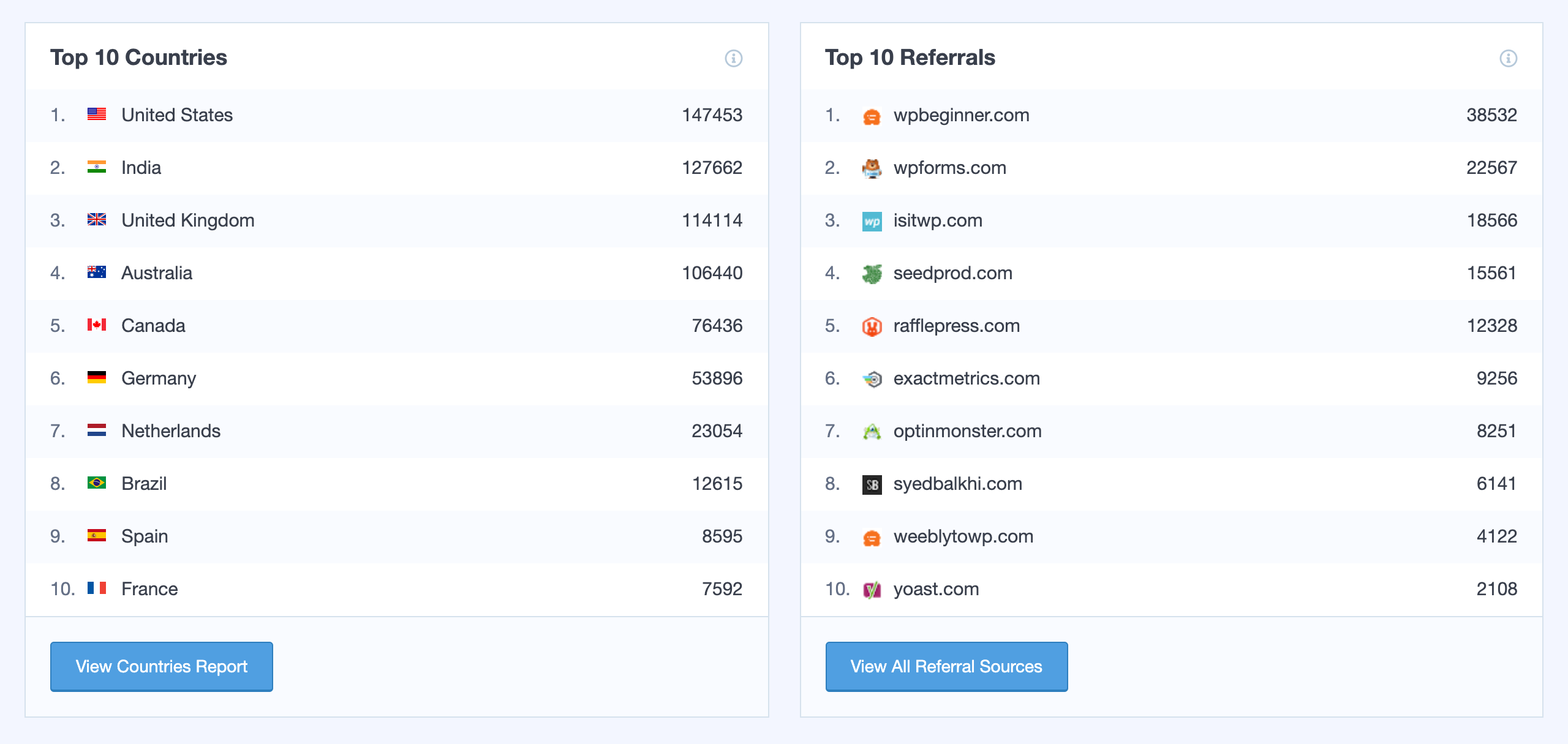
Top countries and referrals 
Top posts and pages 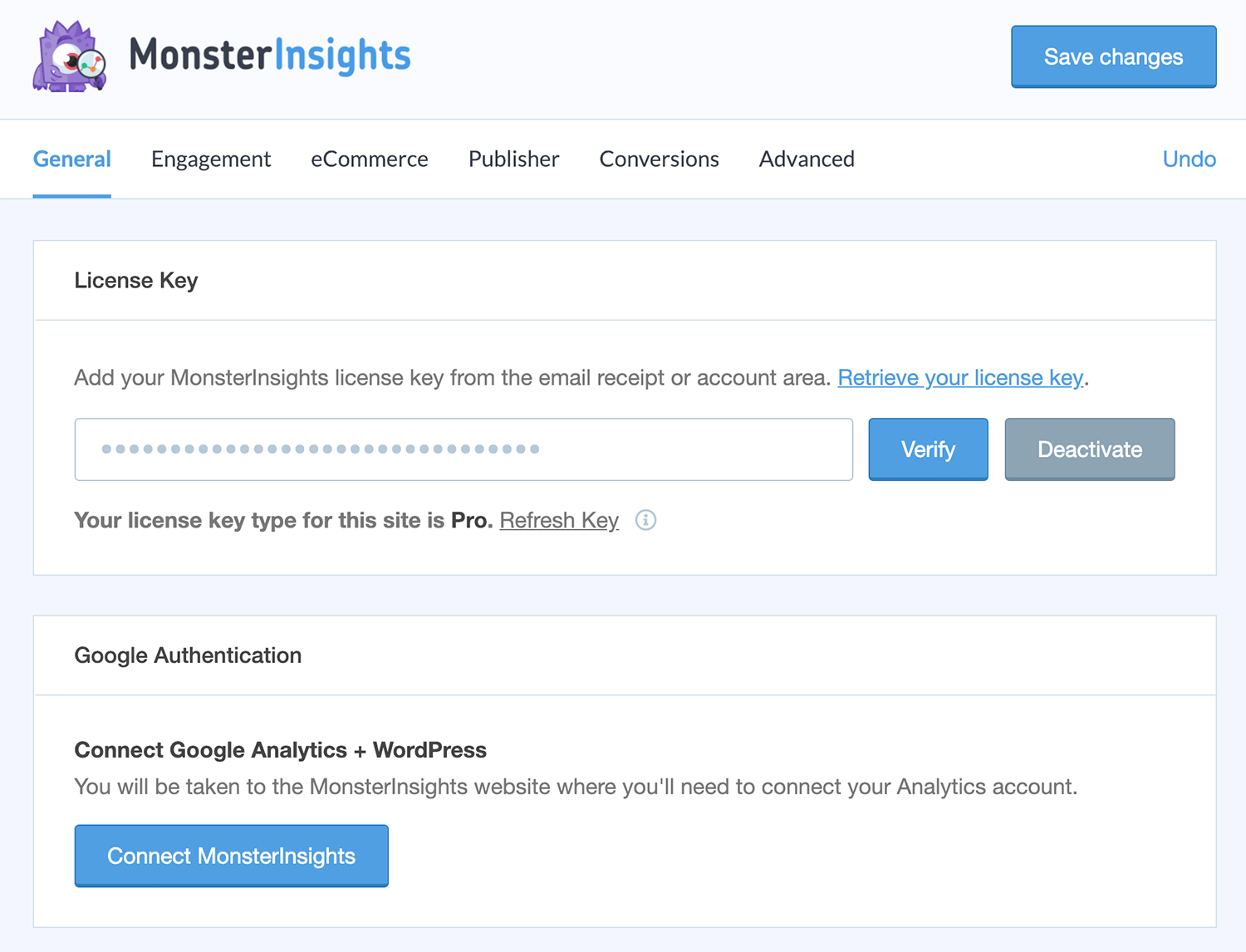
Authentication with MonsterInsights 
Settings page 
File download tracking 
eCommerce tracking - no configuration required (Pro feature) 
eCommerce report (Pro feature) 
Search console report (Pro feature) 
Custom dimensions tracking (Pro feature) 
Custom Dimensions report (Pro feature)
Blocks
This plugin provides 2 blocks.
- MonsterInsights - Google Analytics Dashboard for WordPress (Website Stats Made Easy)
- MonsterInsights - Google Analytics Dashboard for WordPress (Website Stats Made Easy)
Installation
- Install Google Analytics for WordPress by MonsterInsights either via the WordPress.org plugin repository or by uploading the files to your server. (See instructions on how to install a WordPress plugin)
- Activate Google Analytics for WordPress by MonsterInsights.
- Navigate to the Insights tab in your WordPress admin menu and configure the plugin.
- Want more features? Purchase MonsterInsights Pro!
FAQ
For all frequently asked questions, and their answers, check the MonsterInsights Docs.
-
Why use Google Analytics vs WordPress stats?
-
Native WordPress stats plugins will always slow down your website because they rely on your WordPress hosting server. Most of them do not provide accurate WordPress analytics either.
Some WordPress stats plugins use third-party servers to mitigate this issue, but they all lack powerful features that Google Analytics can offer.
Google Analytics is the #1 analytics solution in the world. It comes with all the powerful features that you can ever ask for. MonsterInsights makes it easy for you to use all advanced Google Analytics features in WordPress.
-
Why choose Google Analytics by MonsterInsights vs Google Site Kit?
-
The MonsterInsights Google Analytics plugin is built for all types of websites, large or small, to get up and running quickly with Google Analytics and Google Analytics 4.
Beyond simply providing a Google Analytics dashboard, our plugin makes configuring advanced features as easy as point-and-click that would otherwise still require a developer to implement.
Our Google Analytics plugin also includes many features such as Google Ads tracking, Google Optimize support, form conversion reporting, goal tracking, Search Console integration, Pagespeed insights, advanced eCommerce tracking, and more.
There’s a reason over 3 million users have trusted MonsterInsights to provide Google Analytics data to their website.
-
Can I use MonsterInsights together with another Google Analytics plugin?
-
No. You should only use one Google Analytics plugin on your WordPress site. If you use multiple Google Analytics plugins, then you will compromise your data integrity.
We recommend uninstalling other Google Analytics plugins before you install MonsterInsights.
-
Why does MonsterInsights load Google Analytics in WordPress header section?
-
Some people believe that loading Google Analytics in WordPress header will slow down your website. That’s a myth. The Analytics code loads asynchronously which means that it does not impact your website speed at all.
MonsterInsights loads code in WordPress header because it makes sure that you have the most accurate tracking.
-
Does MonsterInsights work with ad blockers?
-
As of version 7.18, Pro users of MontersInsights can use a locally hosted version of Google Analytics (gtag) which helps with tracking data accuracy. This version can also improve the performance of your website, compared to hosting the script on Google Analytics servers.
-
Can I hide Google Analytics from tracking Administrators and Editors?
-
Yes. By default we do not send data to Google Analytics for logged-in WordPress administrators and editors. You can add easily block additional user roles.
-
How does MonsterInsights help with Google Analytics GDPR compliance?
-
MonsterInsights helps make Google Analytics GDPR compliance easier for business owners.
Our EU compliance addon allows you to:
- Anonymize IPs to Google Analytics
- Disable the Demographics and Interest Reports for Remarketing and Advertising
- Disable UserID and author name tracking
- Integrate with Cookie Notice and CookieBot plugins to collect user consent before tracking
- Integrate with Google AMP Consent Box before enable tracking
- Integrate with Google Analytics Chrome browser opt-out extension and built-in cookie opt-out system
- Offer Easy Opt Out link for Google Analytics tracking
While no single plugin can guarantee 100% GDPR compliance in WordPress, MonsterInsights goes to great lengths in helping business owners with GDPR compliance.
For more details, see: GDPR and MonsterInsights – Everything You Need to Know.
-
Which eCommerce plugins are compatible with MonsterInsights Enhanced Ecommerce Tracking feature?
-
If you are looking to enable Google Analytics Ecommerce tracking in WordPress, then MonsterInsights is the best solution to do that.
With just 1-click, you can enable Google Analytics Enhanced Ecommerce Tracking for WooCommerce and see WooCommerce analytics report right inside your WordPress dashboard.
MonsterInsights Enhanced eCommerce tracking works out of the box with WooCommerce, Easy Digital Downloads, MemberPress and 10+ other advanced integrations. These include:
- Yoast SEO – Easily view and analyze YoastSEO scores directly inside Google Analytics with custom dimensions.
- Gravity Forms, Formidable Forms, Contact Forms 7 – View form events and conversion statistics.
- LifterLMS – Track sales data inside Google Analytics.
- GiveWP – Track donations as eCommerce events inside Google Analytics.
- Restrict Content Pro – View Google Analytics eCommerce data.
- WordPress Comment Forms – See which articles are driving the most engagement inside Google Analytics.
- Generic Forms – Easily add Google Analytics conversion tracking data to your website, no coding needed for all types of forms.
-
Does MonsterInsights work on WordPress multisite?
-
Yes. MonsterInsights offers the most comprehensive Google Analytics solution for WordPress multi-site.
It comes with advanced permission control, sample rate control, and other options that you need to properly enable Google Analytics on WordPress multisite.
-
Does MonsterInsights support Google Analytics v4 (GAv4)
-
Yes, we fully support Google Analytics v4 (GAv4) properties as well as GAv3 (Universal) properties. In fact, you can track your site to both at the same time using our exclusive dual tracking feature.
Reviews


Contributors & Developers
“MonsterInsights – Google Analytics Dashboard for WordPress (Website Stats Made Easy)” is open source software. The following people have contributed to this plugin.
Contributors

“MonsterInsights – Google Analytics Dashboard for WordPress (Website Stats Made Easy)” has been translated into 29 locales. Thank you to the translators for their contributions.
Interested in development?
Browse the code, check out the SVN repository, or subscribe to the development log by RSS.
Changelog
8.26.0: April 16, 2024
- New: Added new Exceptions Report
- New: Added new Google Consent support.
- Enhancement: We improved the country list in the Funnel Report.
- Fix: We solved an issue occurring in the plugin onboarding process.
- Fix: We solved a style issue related to abandoned checkouts in reports.
8.25.0: March 05, 2024
- Enhancement: Improved Site Speed report.
- Fix: We solved an issue related to flag icons.
- Fix: We solved some JavaScript errors occurring with third-party plugins.
8.24.0: February 19, 2024
- New: Site Insights Gutenberg block. Easily share website stats with your visitors.
- New: PrivacyGuard Feature – Proactively block PII (Personally Identifiable Information) from ever making it to Google Analytics
- New: EEA Checker tool for Google Ads / Analytics Requirements
- Fix: We solved an issue occurring in the Weekly/Monthly Email reports.
- Fix: We solved an issue occurring with Popular Posts.
- Fix: We solved an issue occurring with Tracking Video Title in Divi theme.
8.23.1: December 18, 2023
- Fix: We fixed an issue related to All in One SEO plugin.
8.23.0: December 14, 2023
- New: Our Year In Review report is here. This report will automatically show up starting in January 1 until Jan 14 2024.
- Fix: We fixed an issue occurring with Site Notes.
- Fix: We fixed minor issues in the Gutenberg blocks.
- Fix: We added support for WooCommerce custom order status.
8.22.0: November 29, 2023
- Enhancement: Improved Social Media report.
- Fix: We fixed the View More link in the Email Summaries.
- Fix: We fixed a Vue warning in Site Notes.
- Fix: We fixed the sporadic Error 429 from Google Analytics API.
- Fix: We fixed a duplicate error message in the Setup Checklist.
8.21.0: November 13, 2023
- New: Social Media report.
- New: Exclude query parameters from GA4 data stream.
- Enhancement: Improved compatibility towards WordPress 6.4.1.
- Fix: We fixed an issue that occurred with Pretty Links.
8.20.2: November 01, 2023
- Fix: Popular posts, we fixed a bug occurring in curated popular posts.
8.20.1: October 09, 2023
- Fix: We updated our lite emails to render better inside multiple mail clients. We also changed the emails to send out monthly instead of weekly. To disable emails go to Settings -> Advanced – Toggle the “Enable Email Summaries.
8.20: October 03, 2023
- New: Google Analytics and eCommerce support for WishList Member
- New: Google Analytics and eCommerce support for WPCharitable
- Enhanced: Improved support for PHP 8.2.
- Enhanced: Improved Site Health compatibility.
- Fixed: Restrict Content Pro, we fixed the refund event in GoogleAnalytics when order status is failed or abandoned.
- Fixed: We fixed some minor bugs related to notifications.
- Fixed: Popular posts, we fixed a bug occurring in curated popular posts.
- Fixed: We fixed some minor bugs related to User Journey.
8.19: August 23, 2023
- New: Ecommerce funnel report for WooCommerce and Easy Digital Downloads.
- New: Setup checklist to get up and running faster
- Enhanced: Improved support for PHP 8.2.
- Fixed: We fixed a bug that occurred with Yoast SEO Scores.
- Fixed: We fixed a bug in the Pretty Links integration.
8.18: July 24, 2023
- New: Added 6 Completely New Pro Reports to bring the power of Google Analytics into your WordPress dashboard.
- Fixed: We fixed an issue that prevented tracking with WPML.
- Fixed: We fixed an issue that prevented tracking the User Journey with MemberPress.
8.17: June 29, 2023
- Updated: Removed dual tracking panel and limit reporting to GA4 only properties.
- Fixed: We fixed a bug in the WPForms integration.
- Fixed: We fixed a bug in the AffiliateWP integration.
8.16: June 19, 2023
- New: User Journey report now available! See all of your website’s purchases in one screen.
- Update: We updated the Popular Posts to support themes that allow widgets.
- Fixed: We fixed some layout issues in exported PDF reports.
- Fixed: We fixed the deprecated YOAST function WPSEO_Utils::translate_score().
- Fixed: We fixed a bug occurring while downloading files having the file download tracking enabled.
8.15: May 03, 2023
- New: Site Notes allows you to record important website events right inside your WordPress dashboard.
- Update: Fix EDD integration.
- Update: Mobile screen optimizations.
8.14.1: Apr 11, 2023
- Fixed: We fixed a PHP warning error and added additional security hardening.
8.14.0: Mar 29, 2023
- New: Our New PPC Tracking addon allows you to effortlessly track sales inside Google Ads, Microsoft Ads, and Meta.
- Enhancement: We updated and tweaked lots elements to make our dashboard easier to use
8.13.1: Mar 14, 2023
- Fixed: We fixed a bug that could cause an issue if Google’s API endpoint returned a non-200 response.
8.13.0: Mar 13, 2023
- Enhancement: We enhanced the notifications user experience.
- Fixed: We fixed the PDF reports header.
- Update: We applied additional security hardening.
8.12.1: Jan 12, 2023
- Fix: We made updates to authentication
8.12.0: Jan 12, 2023
- Enhancement: We updated and fixed some UI/UX elements to make MonsterInsights easier to use
- Enhancement: We optimized our Javascript code to work better with minification plugins
- Enhancement: We optimized our code to work better with PHP8
See our changelog for previous releases.